




 here!
I’m your shopping assistant for PC builds, upgrades, and everything tech.
Got questions? Ask away!
Start a conversation
here!
I’m your shopping assistant for PC builds, upgrades, and everything tech.
Got questions? Ask away!
Start a conversation
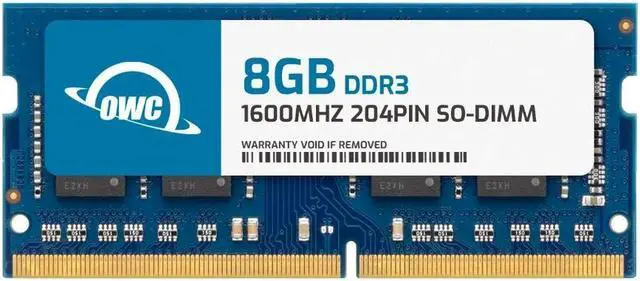








Any questions? Ask CelesteSM will help you find out quickly.
| Technology | DDR3 |
|---|---|
| Speed | PC3L-12800 1600MHz CL11 |
| Form Factor | 204PIN DIMM |
| ECC Type | NON ECC |
| Voltage | 1.35v |
| Compatibility | LAPTOP, MINI PC, NAS SYSTEM |
















The OWC 8GB DDR3L-1600 (PC3L-12800) SODIMM is a 1.35V, CL11 memory upgrade for Intel NUC NUC5CPYH, NUC5I5RYK, NUC5i7RYH, and NUC5PGYH systems that use compatible 204-pin memory.
| Attribute | Value |
|---|---|
| Best For | Adding 8GB of memory to the listed Intel NUC systems |
| Capacity | 8GB |
| Memory Type And Form Factor | 204-pin DDR3L non-ECC SODIMM, unbuffered |
| Speed And Latency | 1600 MHz (PC3L-12800), CL11 |
| Module Configuration | 1.35V, 2Rx8, no heat spreader |
| Compatibility | Intel NUC NUC5CPYH, NUC5I5RYK, NUC5i7RYH, and NUC5PGYH |
| Model Identifiers | OWC; part number 1S6T32R808GB; model OWC1S6T32R808GB-B214-SF |
Q: For an Intel NUC5CPYH or NUC5PGYH, should I choose this OWC 8GB module or the OWC 4GB module?
A: Choose the OWC 8GB module when you want to configure either NUC at its 8GB maximum memory capacity. The OWC 4GB module provides a 4GB configuration; both are DDR3L-1600 SO-DIMMs, so the decision is primarily about capacity.
Q: For a NUC5i5RYK or NUC5i7RYH, should I install one 8GB module or configure 16GB?
A: Choose this single 8GB module for an 8GB setup with the option to add another compatible 8GB module later. Choose a 16GB configuration when you want to use the models’ supported maximum capacity; Intel lists two SO-DIMM slots and up to 16GB for both systems.
Q: Is this OWC 8GB module a suitable upgrade from the preinstalled 2GB memory in a NUC5PGYH?
A: Yes. Intel lists the NUC5PGYH with 2GB preinstalled and an 8GB maximum, and the product listing identifies the NUC5PGYH as compatible. This module lets you configure the system with 8GB total memory.
Q: Will this 8GB memory module work in my Intel NUC?
A: It is specified for the Intel NUC NUC5CPYH, NUC5I5RYK, NUC5i7RYH, and NUC5PGYH. Confirm your exact model before buying: the module is a 204-pin DDR3L-1600 SO-DIMM rated at 1.35V, and system memory limits vary by NUC model.
Q: Does this add to my current RAM, or replace it?
A: This product is one 8GB module, not a multi-module kit. Whether it adds to existing memory depends on your NUC’s available slots and supported capacity; some listed NUC models have a single slot, so the existing module may need to be replaced.
Q: Will upgrading to 8GB make my computer faster?
A: It may improve responsiveness if the NUC is currently running short of memory, especially with several applications open. The upgrade does not change the processor or graphics, so the benefit depends on the system’s current memory and workload.
Q: Can I install this RAM myself?
A: Installation can be a DIY task if you are comfortable opening the NUC and handling a SO-DIMM. Turn off and unplug the system, then follow the NUC’s installation instructions and make sure the module is fully seated.
Q: Will this 8GB module work in my Intel NUC5CPYH?
A: The product is listed as compatible with the NUC5CPYH and uses 204-pin DDR3L-1600 SODIMM memory at 1.35V. A Reddit discussion also identifies DDR3L as the memory type for this NUC, but reports that a memory upgrade can still cause problems; verify the module and system compatibility before buying.
Q: Is upgrading a NUC5CPYH from 4GB to 8GB worthwhile?
A: It may be worthwhile if the NUC is currently memory-limited: a Reddit post specifically asks about moving a 4GB NUC5CPYH to 8GB. The upgrade adds memory capacity, but it will not make the older processor faster, so expectations should remain modest.
Q: Will 8GB of RAM make an older NUC fast enough for everyday desktop use?
A: Not necessarily. A Reddit discussion describes the NUC5CPYH’s older dual-core Celeron as a limitation for desktop use, even with an SSD and maximum RAM. This module increases memory to 8GB; it does not upgrade the processor.
Q: Can I install the memory myself in a NUC5CPYH?
A: Yes, the installation is shown as a component-installation step in a NUC5CPYH assembly video. The video identifies the required memory as a 1.35V DDR3L module; follow the NUC’s installation instructions and check that the system is powered off before opening it.


