• $29.99
  • Free 30-day Returns
  • Sold by Mikiomie Dire
    Top Rated

    Shipped by Mikiomie Dire

    Price alert
    Shop it at NeweggBusiness.

    Meet Your Seller

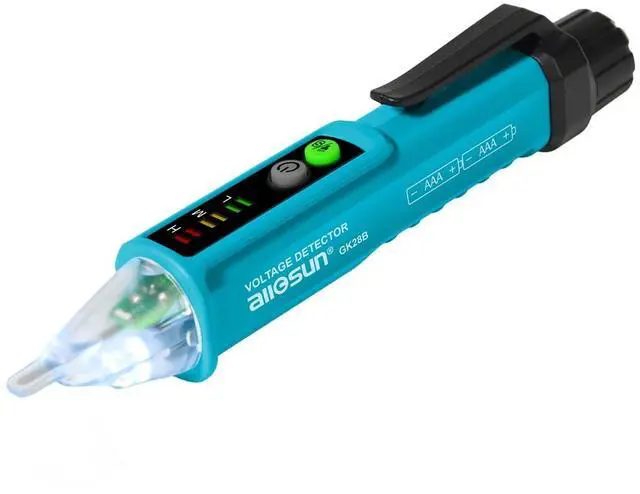
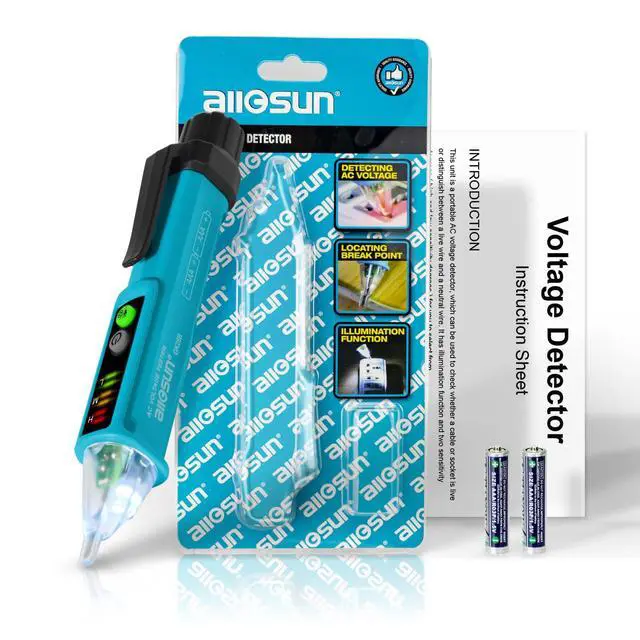
    Non-Contact AC Voltage Detector Pen, 12-1000V, Dual Sensitivity Tool | Live Neutral Identification, Break Area Detection, Signal Strength Alert, High Low Sensitivity, Flashlight, Dim-Area Service

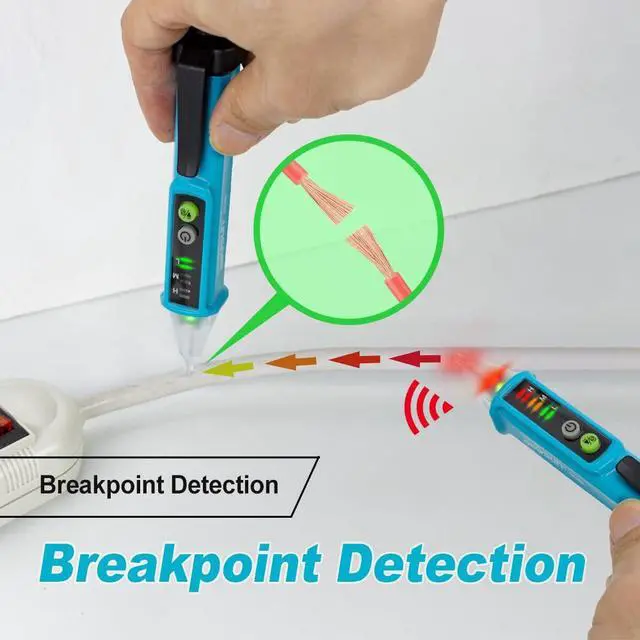
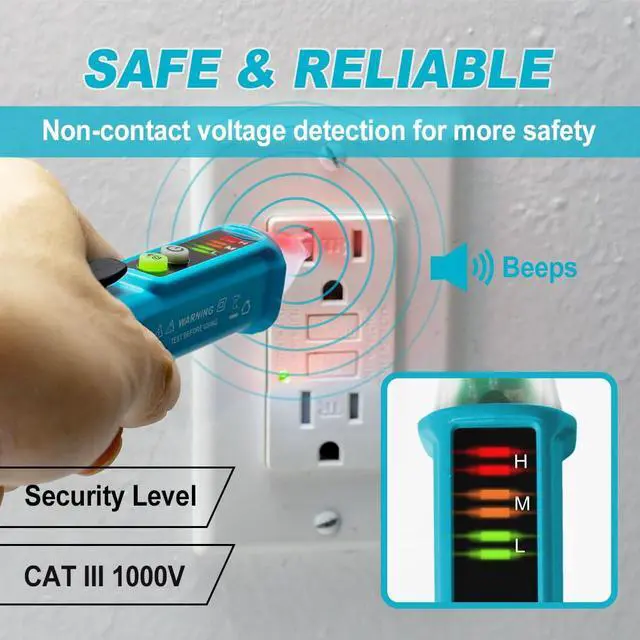
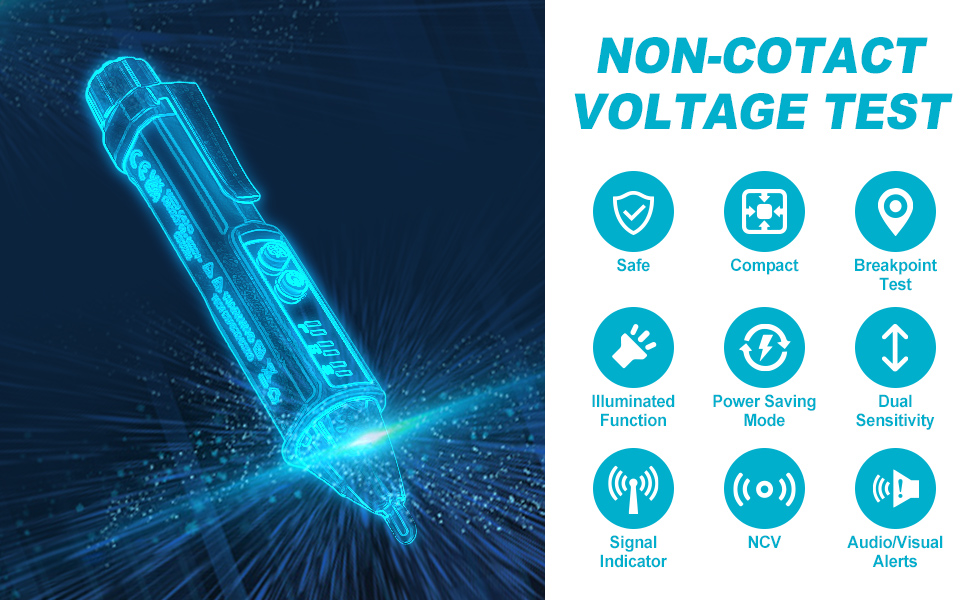
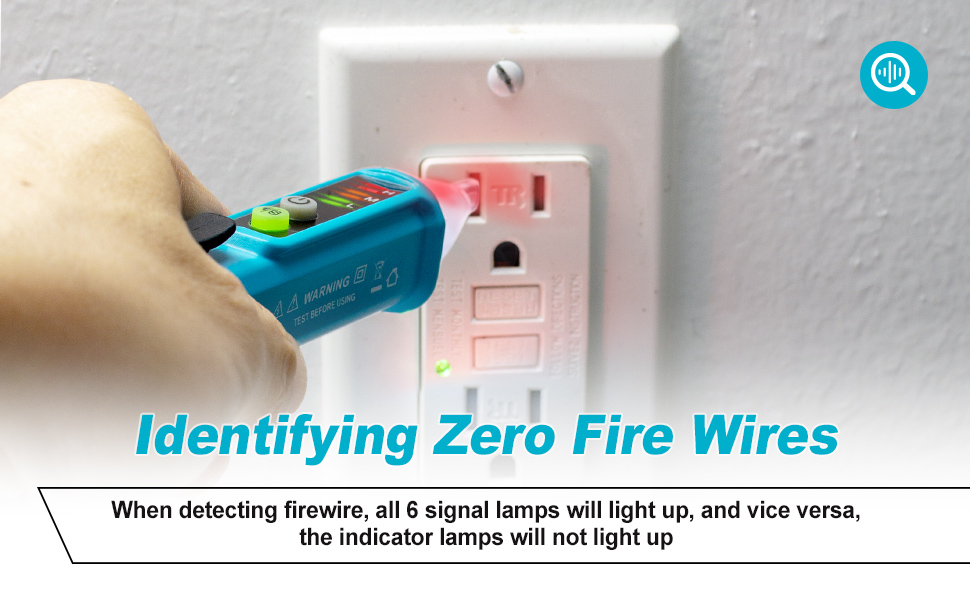
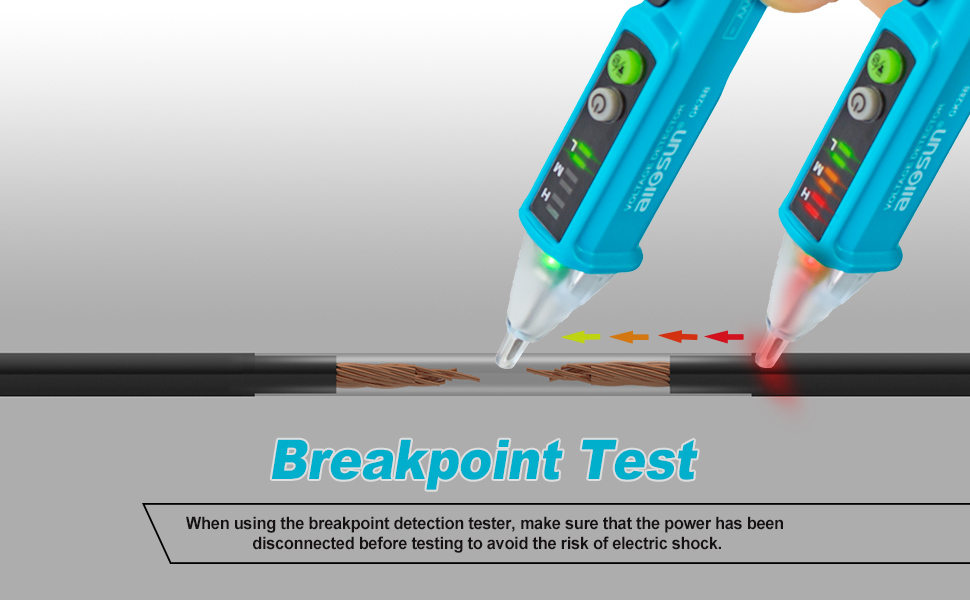
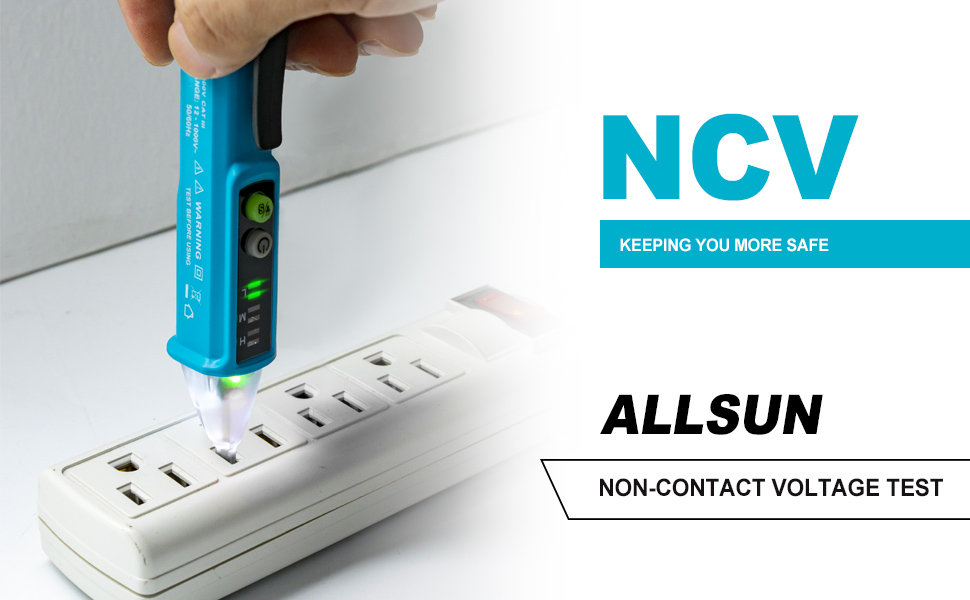
    • NCV Outlet Tester: The Non-Contact Voltage Tester is equipped with an NCV inductive probe that is simply placed close to the area to be tested. It can be used to detect AC voltages on cables, wires, etc. It can also be used to identify live and neutral conductors and to locate line breaks.
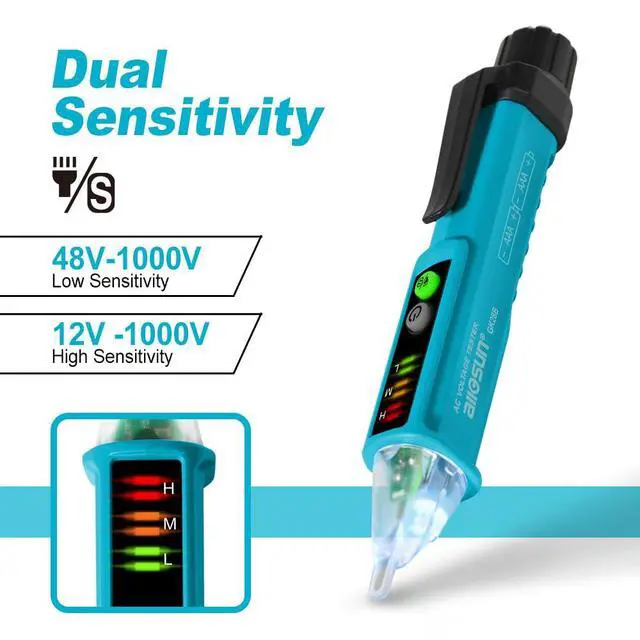
    • Dual Range Electrical Tester Pen: Circuit tester's default mode is 48-1000V (low sensitivity), press ''S'' key to switch to 12-1000V (high sensitivity), which can satisfy both standard voltage and low voltage (12-1000V AC / 48-1000V AC). The choice of high and low gears makes the measurement more sensitive and flexible.
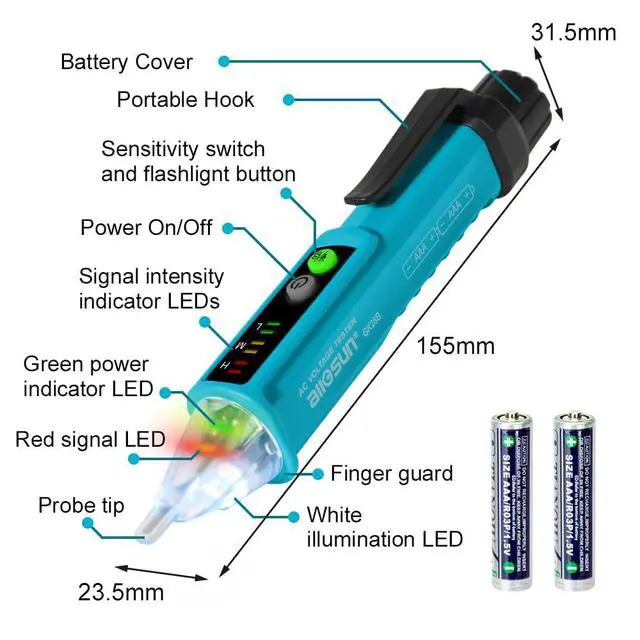
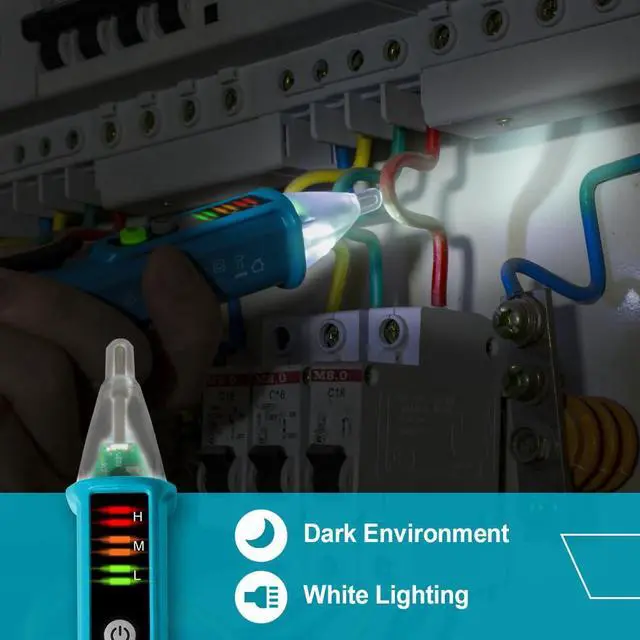
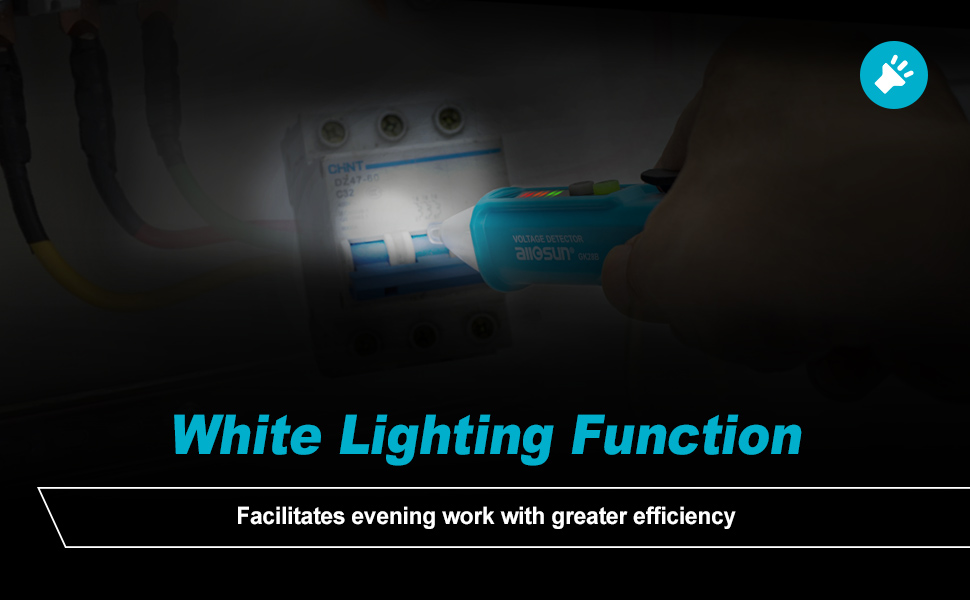
    • Multifunction Voltage Tester: Voltage tester with bright LED flashlight allows you to work in dimly lit environments. 5 minutes of inactivity with automatic shut-off helps conserve power. The low battery indicator gives you a quick indication of battery status. Compact size with pen hook for easy portability.
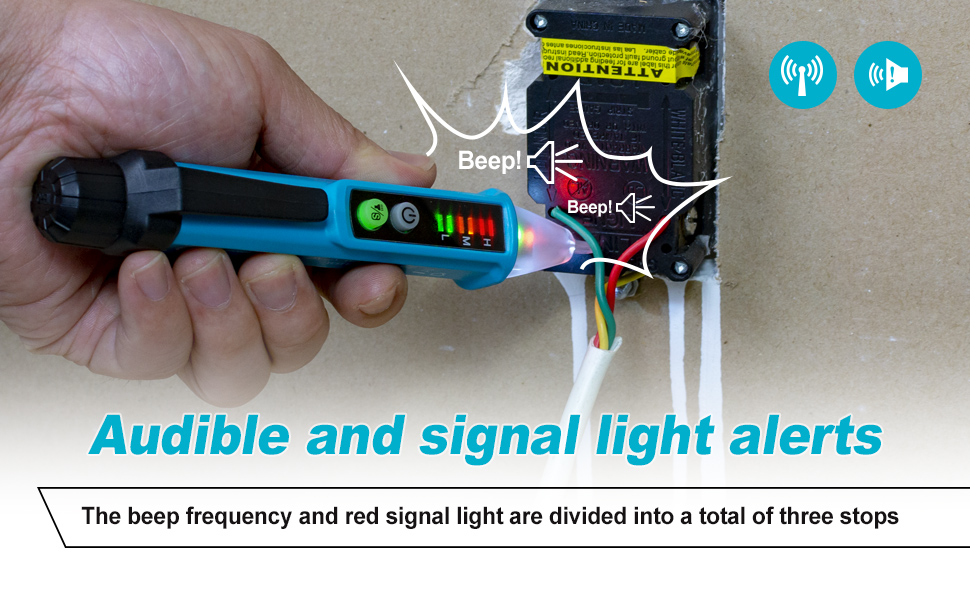
    • Alarm Function: When the pen tip emits a red light and beeps, you know there is voltage present. The voltage detector will light up the corresponding signal strength indicator depending on the signal strength detected. The non-contact voltage tester has six signal strength indicators divided into three levels, indicating high, medium and low signal strength respectively.
    +
    +
    Overview
    Specs
    Reviews

    Any questions? Ask CelesteSM will help you find out quickly.
    GK28B 0211

    FEATURES

    • This detector can be used to check whether a cable or wire has ac voltage, locate breakpoint in a wire, or distinguish between a live wire and a neutral wire.
    • High and low sensitivity degrees for you to select from and to meet demands of different applications.
    • The signal strength indicator indicates the strength of the signal detected by the instrument.
    • Safe non-contact AC voltage detection
    • Illumination function

    GK28B 014

    SPECIFICATIONS

    • Voltage Detecting Range: AC48 ~ 1000V (for low sensitivity detection mode) / AC12 ~ 1000V (for high sensitivity detection mode)
    • Frequency Response: 50Hz/60Hz
    • Measurement Category: CAT III 1000V
    • Alarm Method: The buzzer does not sound continuously and the LED signal indicator flashes. The six signal intensity indicators are divided into three groups (L, m, H) to indicate three different signal intensities.
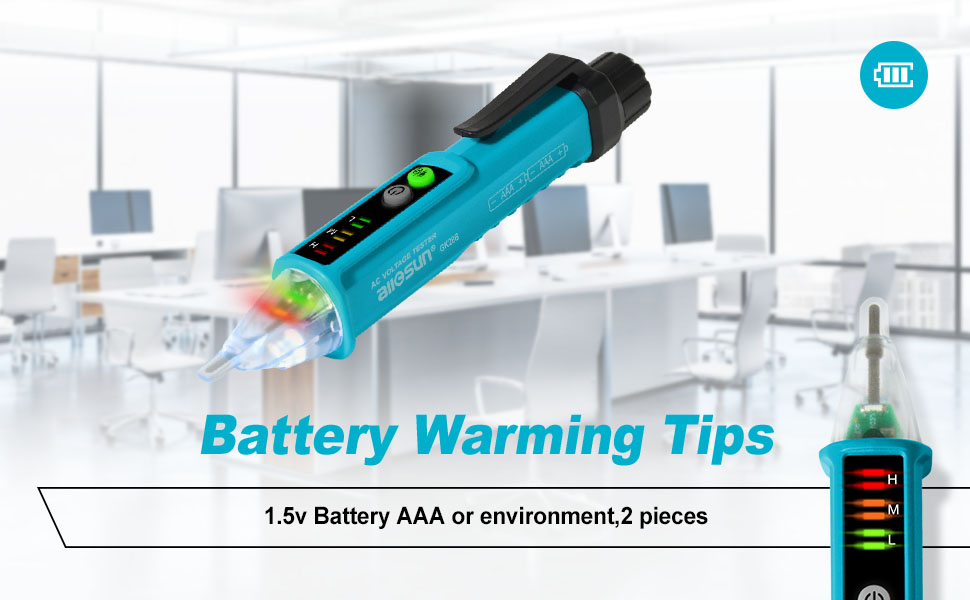
    • Battery: 1.5V battery, AAA or equivalent, 2 pieces
    • Auto power off: If there is no detector operation or signal detection for about 5 minutes, the detector will turn off automatically.

    GK28B 0156

    How to Turn on or off the Detector?

    To turn on the detector, press and hold down the " switch" button for about 1 sec. The red alarm LED flashes once, the built-in buzzer sounds a beep, and the green power indicator LED turns on. Now thedetector is in standby status.

    To turn off the detector, briefly press the "switch" button. The red alarm LED flashes twice, and the buzzer sounds two beeps.
    GK28B 0147

    How to Use the lllumination Function?

    With the detector on, press and hold down the " " button for about 2 secs to turn on or off the whiteilumination LED; the red alarm LED will flash once and the buzzer will sound a beep.
    GK28B 0124

    How to Select the Desired Sensitivity?

    After you turn on the detector, it defaults to low sensitivity detection mode. To change the detector to high sensitivity detection mode, briefly press the " " " button. The red alarm LED flashes once, the built in buzzer sounds a beep, and the LED in the " " button lights up as an indicator.

    To return to the low sensitivity detection mode, briefly press the " " button again. The red alarm LEDflashes once, the built in buzzer sounds a beep, and the LED in the " "" button turns off.

    You can continue to briefly press the " y " button to switch between high sensitivity detection mode and low sensitivity detection mode. In high sensitivity detection mode, the LED in the " "" button lights asan indicator.
    GK28B 0258
    GK28B 01560
    GK28B 0211

    FEATURES

    • This detector can be used to check whether a cable or wire has ac voltage, locate breakpoint in a wire, or distinguish between a live wire and a neutral wire.
    • High and low sensitivity degrees for you to select from and to meet demands of different applications.
    • The signal strength indicator indicates the strength of the signal detected by the instrument.
    • Safe non-contact AC voltage detection
    • Illumination function

    GK28B 014

    SPECIFICATIONS

    • Voltage Detecting Range: AC48 ~ 1000V (for low sensitivity detection mode) / AC12 ~ 1000V (for high sensitivity detection mode)
    • Frequency Response: 50Hz/60Hz
    • Measurement Category: CAT III 1000V
    • Alarm Method: The buzzer does not sound continuously and the LED signal indicator flashes. The six signal intensity indicators are divided into three groups (L, m, H) to indicate three different signal intensities.
    • Battery: 1.5V battery, AAA or equivalent, 2 pieces
    • Auto power off: If there is no detector operation or signal detection for about 5 minutes, the detector will turn off automatically.

    GK28B 0156

    How to Turn on or off the Detector?

    To turn on the detector, press and hold down the " switch" button for about 1 sec. The red alarm LED flashes once, the built-in buzzer sounds a beep, and the green power indicator LED turns on. Now thedetector is in standby status.

    To turn off the detector, briefly press the "switch" button. The red alarm LED flashes twice, and the buzzer sounds two beeps.

    GK28B 0147

    How to Use the lllumination Function?

    With the detector on, press and hold down the " " button for about 2 secs to turn on or off the whiteilumination LED; the red alarm LED will flash once and the buzzer will sound a beep.

    GK28B 0124

    How to Select the Desired Sensitivity?

    After you turn on the detector, it defaults to low sensitivity detection mode. To change the detector to high sensitivity detection mode, briefly press the " " " button. The red alarm LED flashes once, the built in buzzer sounds a beep, and the LED in the " " button lights up as an indicator.

    To return to the low sensitivity detection mode, briefly press the " " button again. The red alarm LEDflashes once, the built in buzzer sounds a beep, and the LED in the " "" button turns off.

    You can continue to briefly press the " y " button to switch between high sensitivity detection mode and low sensitivity detection mode. In high sensitivity detection mode, the LED in the " "" button lights asan indicator.

    GK28B 0258
    GK28B 01560
    Non-Contact AC Voltage Detector Pen, 12-1000V, Dual Sensitivity Tool | Live Neutral Identification, Break Area Detection, Signal Strength Alert, High Low Sensitivity, Flashlight, Dim-Area Service

    Warranty & Returns

    Warranty, Returns, And Additional Information

    Warranty

    • Please contact the Seller directly for warranty information. Warranty information may also be found on the Manufacturer's website.
    • CONTACT

    Return Policies

    Manufacturer Contact Info

    LOADING...