


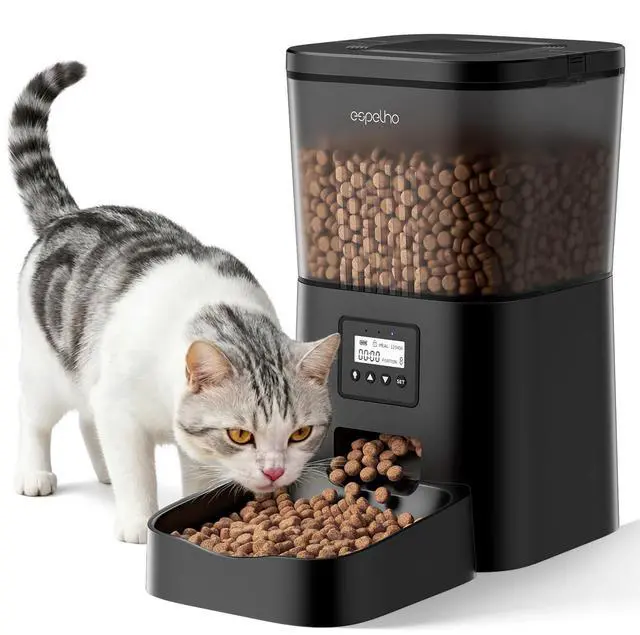
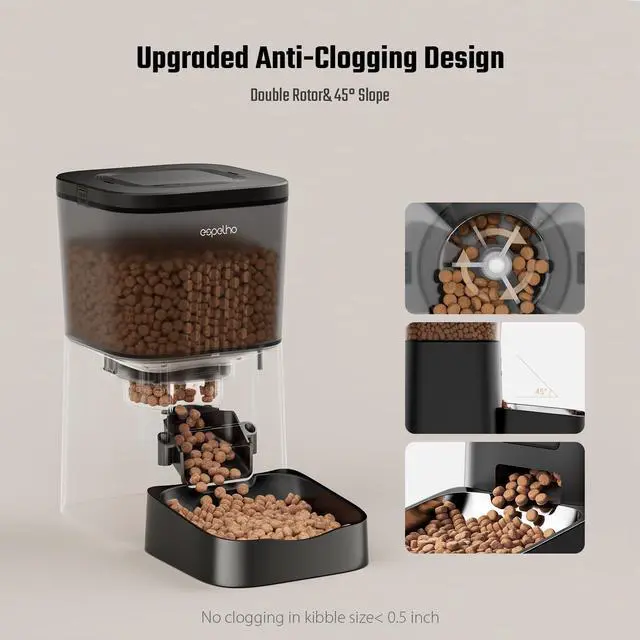
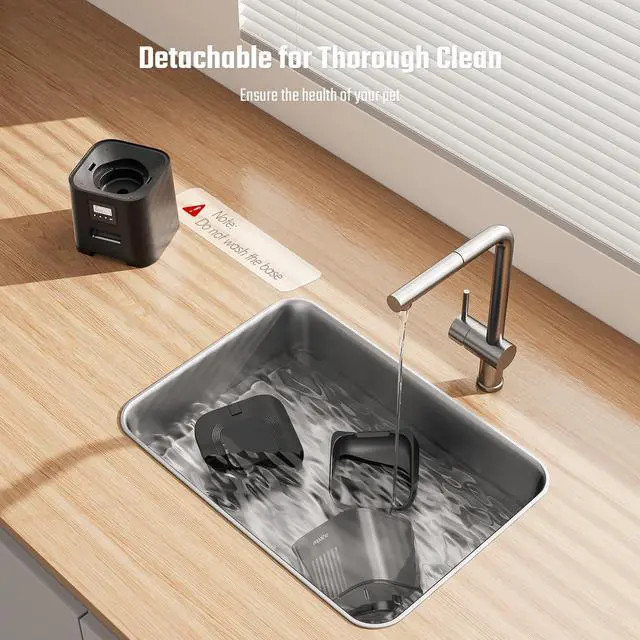


Espelho Automatic Cat Food Dispenser: Convenient and Healthy

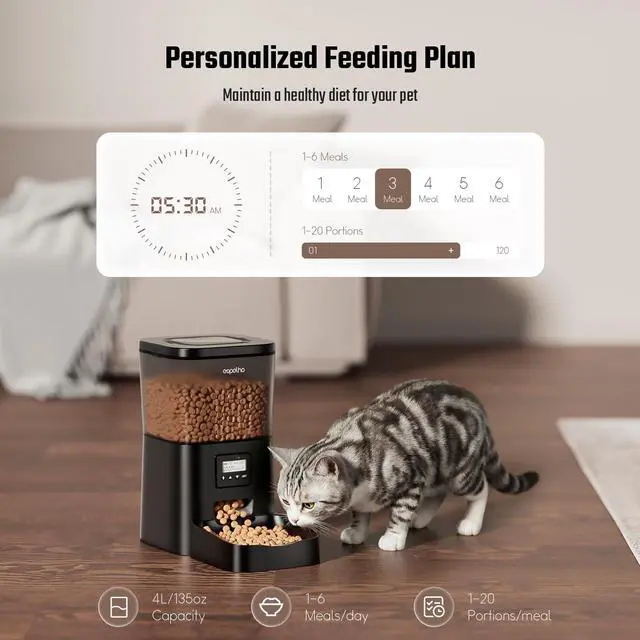
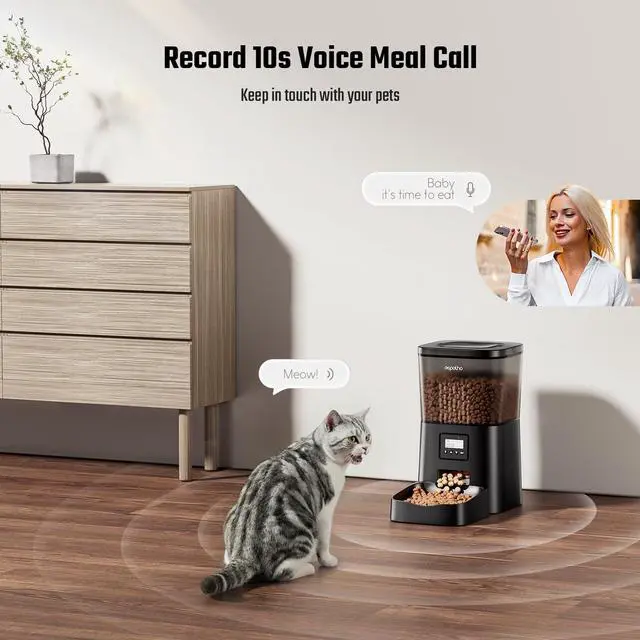
Ensure your feline friend's meals are served on time and in the right portions with the Espelho Automatic Cat feeder. With customizable settings and advanced features, this cat food feeder makes mealtime a breeze while promoting your cat's well-being.


How do I set up a feeding schedule?
1, Unlock the device
2, Press the "SET" button; the screen will start flashing
3, Press the “up” and “down” buttons to adjust the number of meals, time, and portion number
4, Press the "SET" button to the next step until all settings are complete
What sizes of food are supported?
The recommended dry food size is 0.07-0.4 inches; wet food is not supported.
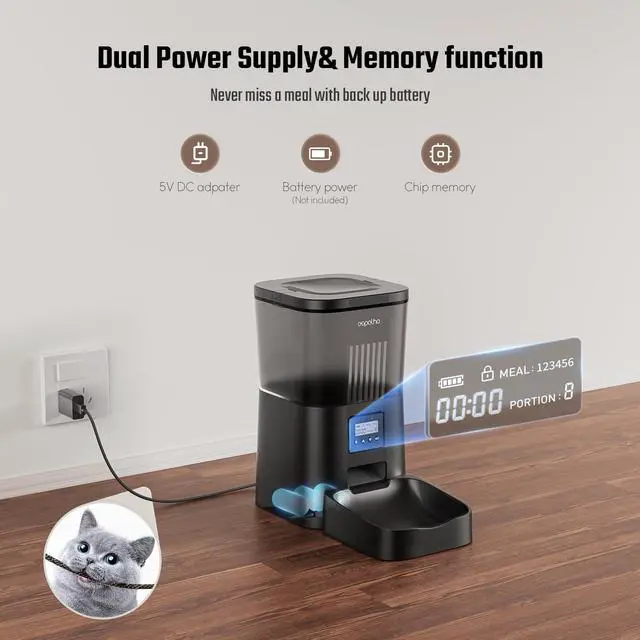
Can it run on battery power alone?
Sure, but we don’t recommend using the device on battery power alone. Batteries serve as backup for power outages. We recommend both use the power cord and install 3x D-size batteries (not included). Battery alone work life is around 7 days.
What should I do if the product gets jammed with food?
1, Empty the food tank, clean the chute and food outlet, and remove blockages.
2, Power off the pet feeder and restart.
3, Unlock the screen, then press the feed button 10 times.
How do I reset the device?
1, Unlock the device
2, Press and hold the “up” button for 5s to reset all settings
Choose Espelho Related ltem Based on Your Needs
 Basic Edition |  WiFi Edition |  Basic 2 bowls Edition |  Desiccant Bag |  2 bowls Video Edition | |
|---|---|---|---|---|---|
Customer Reviews | — | — | — | — | — |
Price | — | — | — | — | — |
Capacity | 4L | 4L | 5L | Suitable for Espelho Feeder | 5L |
Color | Black | Black | White | Suitable for Espelho Feeder | White |
Meals Setting | 1-6 Meals | 1-10 Meals | 1-6 Meals | Suitable for Espelho Feeder | 1-10 Meals |
Portion Setting | 1-20 Portions | 1-20 Portions | 1-20 Portions | Suitable for Espelho Feeder | 1-20 Portions |
Allowed Kibble Sized | 0.07-0.4 In | 0.07-0.4 In | 0.08-0.5 In | Suitable for Espelho Feeder | 0.08-0.5 In |
Detachable | ? | ? | ? | ? | ? |

Espelho introduction
Espelho enhances the bond between
pets and their owners through thoughtful
design and reliable functionality.

Chapter 1: Inception and Inspiration
The story of Espelho begins with a group of passionate pet lovers who recognized a gap in the market for pet feeding products that seamlessly integrate into the modern lifestyle.
Chapter 2: Innovation and Evolution
Espelho consistently explores new technologies and design trends to ensure that its products remain relevant and effective in meeting the evolving needs of pets and their owners
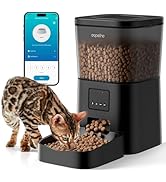
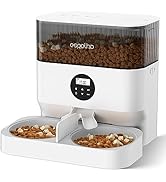
Espelho automatic cat feeder

We are always here for you
Espelho introduction
Espelho enhances the bond between
pets and their owners through thoughtful
design and reliable functionality.
Chapter 1: Inception and Inspiration
The story of Espelho begins with a group of passionate pet lovers who recognized a gap in the market for pet feeding products that seamlessly integrate into the modern lifestyle.
Chapter 2: Innovation and Evolution
Espelho consistently explores new technologies and design trends to ensure that its products remain relevant and effective in meeting the evolving needs of pets and their owners
Espelho automatic cat feeder
We are always here for you
Espelho Automatic Cat Food Dispenser: Convenient and Healthy

Ensure your feline friend's meals are served on time and in the right portions with the Espelho Automatic Cat feeder. With customizable settings and advanced features, this cat food feeder makes mealtime a breeze while promoting your cat's well-being.


How do I set up a feeding schedule?
1, Unlock the device
2, Press the "SET" button; the screen will start flashing
3, Press the “up” and “down” buttons to adjust the number of meals, time, and portion number
4, Press the "SET" button to the next step until all settings are complete
What sizes of food are supported?
The recommended dry food size is 0.07-0.4 inches; wet food is not supported.
Can it run on battery power alone?
Sure, but we don’t recommend using the device on battery power alone. Batteries serve as backup for power outages. We recommend both use the power cord and install 3x D-size batteries (not included). Battery alone work life is around 7 days.
What should I do if the product gets jammed with food?
1, Empty the food tank, clean the chute and food outlet, and remove blockages.
2, Power off the pet feeder and restart.
3, Unlock the screen, then press the feed button 10 times.
How do I reset the device?
1, Unlock the device
2, Press and hold the “up” button for 5s to reset all settings
Choose Espelho Related ltem Based on Your Needs
Basic Edition | WiFi Edition | Basic 2 bowls Edition | Desiccant Bag | 2 bowls Video Edition |
|---|---|---|---|---|
| Customer Reviews | ||||
| — | — | — | — | — |
| Price | ||||
| — | — | — | — | — |
| Capacity | ||||
| 4L | 4L | 5L | Suitable for Espelho Feeder | 5L |
| Color | ||||
| Black | Black | White | Suitable for Espelho Feeder | White |
| Meals Setting | ||||
| 1-6 Meals | 1-10 Meals | 1-6 Meals | Suitable for Espelho Feeder | 1-10 Meals |
| Portion Setting | ||||
| 1-20 Portions | 1-20 Portions | 1-20 Portions | Suitable for Espelho Feeder | 1-20 Portions |
| Allowed Kibble Sized | ||||
| 0.07-0.4 In | 0.07-0.4 In | 0.08-0.5 In | Suitable for Espelho Feeder | 0.08-0.5 In |
| Detachable | ||||
| ? | ? | ? | ? | ? |