Your Browsing History
Meet Your Seller
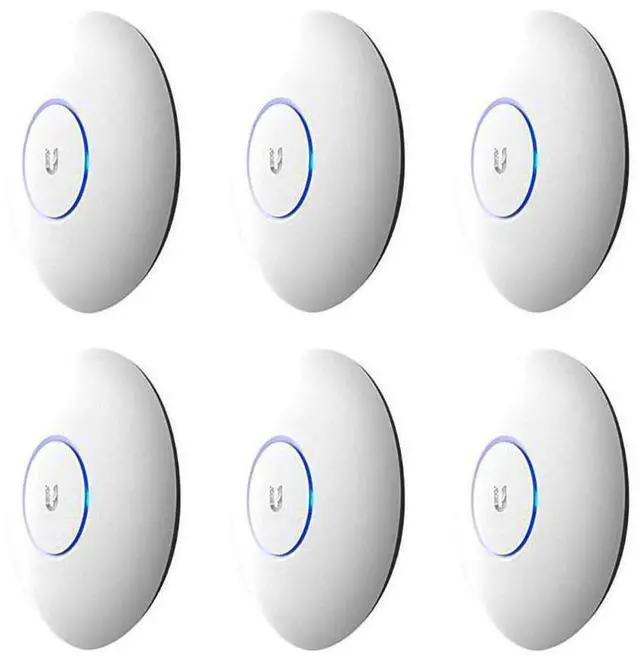
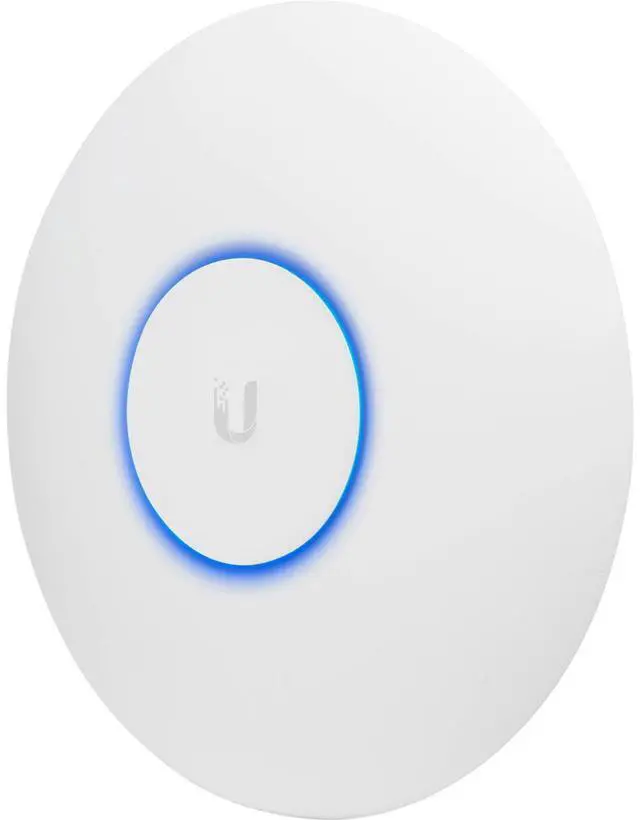
Ubiquiti Networks 6 Pack UAP-AC-PRO UniFi Access Point Enterprise Wi-Fi System
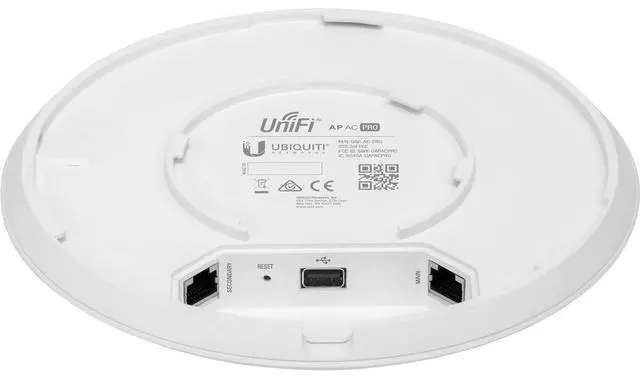
- Networking Interface:2x 10/100/1000 Ethernet Ports
- Port:1x USB 2.0 Port
- Buttons:Reset
- Power Method:Passive Power over Ethernet (48V), 802.3af/802.3at Supported (Supported Voltage Range: 44 to 57VDC)
- Power Supply:48V, 0.5A PoE Gigabit Adapter
- Power Save:Supported
- Maximum Power Consumption:9W
- Maximum TX Power:2.4 GHz: 22 dBm5 GHz: 22 dBm
- Antennas:3x Dual-Band Antennas, 2.4 GHz: 3 dBi, 5 GHz: 3 dBi
- Wi-Fi Standards:802.11 a/b/g/n/ac
- Wireless Security:WEP, WPA-PSK, WPA-Enterprise (WPA/WPA2, TKIP/AES)
- BSSID:Up to Four per Radio
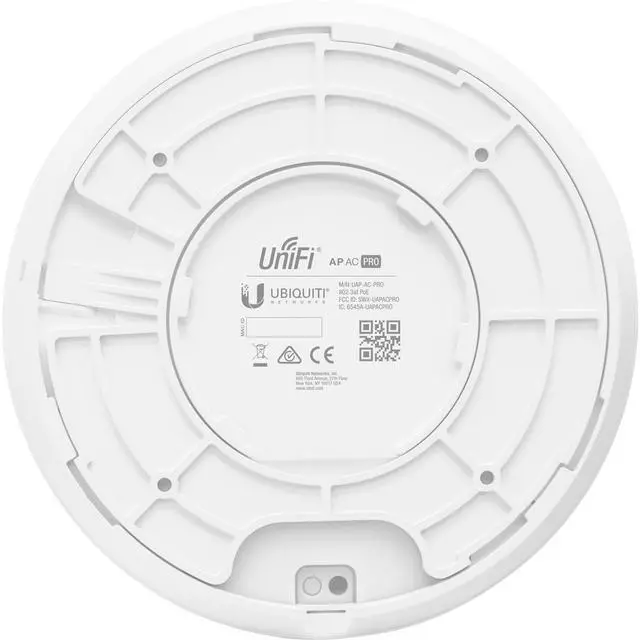
- Mounting:Wall/Ceiling (Kits Included)
- Operating Temperature:-10 to 70 deg. C (14 to 158 deg. F)
- Operating Humidity:5 to 95% Noncondensing
- Certifications:CE, FCC, IC
- Advanced Traffic Management:VLAN: 802.1QAdvanced QoS: Per-User Rate LimitingGuest Traffic Isolation: SupportedWMM: Voice, Video, Best Effort, and BackgroundConcurrent Client: 250+
+
+
Overview
Specs
Reviews
Any questions? Our AI beta will help you find out quickly.
Try me now
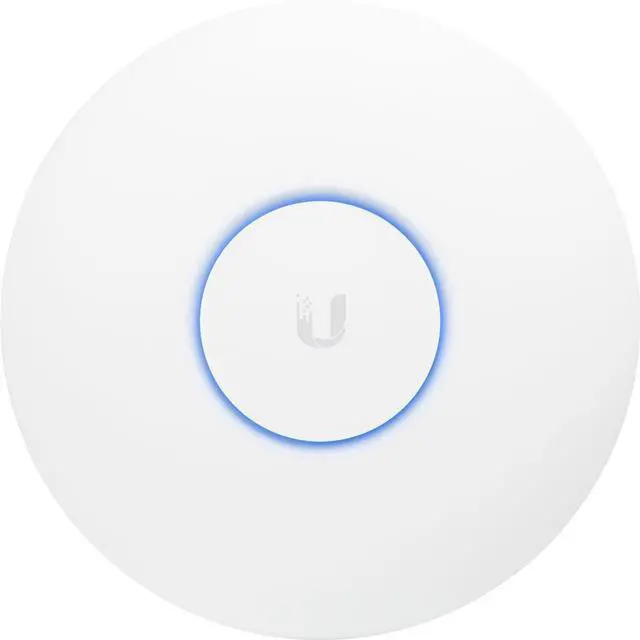
Deploy the UniFi AC Pro AP indoors or outdoors, in wireless networks requiring maximum performance. Sporting a weatherproof design, the UniFi AC Pro AP features simultaneous, dual-band, 3x3 MIMO technology and convenient 802.3af PoE/802.3at PoE+ compatibility. It is available in single- and five-packs.
Unlimited Indoor/Outdoor AP Scalability in a Unified Management System
Breakthrough Speeds up to 1300 Mbps in the 5 GHz Band
Intuitive UniFi Controller Software
Scalable Enterprise
Wi-Fi Management UniFi is the revolutionary Wi-Fi system that combines enterprise performance, unlimited scalability and a central management controller. UniFi 802.11AC Dual-Radio Access Points (APs) have a refined industrial design and can be easily installed using the included mounting hardware. Easily accessible through any standard web browser, the UniFi Controller software is a powerful software engine ideal for high-density client deployments requiring low latency and high uptime performance.
Use the UniFi Controller software to quickly configure and administer an enterprise Wi-Fi network - no special training required. RF map and performance features, real-time status, automatic UAP device detection and advanced security options are all seamlessly integrated.
Save money and save time
Unlike traditional enterprise Wi-Fi systems that use a hardware controller, UniFi comes bundled with a non-dedicated software controller that can be deployed on an on-site PC, Mac or Linux machine; in a private cloud; or using a public cloud service.
Powerful Hardware
The UniFi 802.11AC Dual-Radio APs feature the latest in Wi-Fi 802.11AC MIMO technology.
Intuitive UniFi Controller Software
Configure and manage your APs with the easy-to-learn user interface.
Expandable
Unlimited scalability: build wireless networks as big or small as needed. Start with one (or upgrade to a three-pack) and expand to thousands while maintaining a single unified management system.
Extend Your Coverage
With the UniFi Controller software running in a NOC or in the cloud, administrators can manage multiple sites: multiple, distributed deployments and multi-tenancy for managed service providers.
UniFi Controller
Packed with Features
Use the UniFi Controller to provision thousands of UniFi APs, map out networks, quickly manage system traffic and provision additional UniFi APs.
Breakthrough RF Map
Use the RF map to monitor and analyze radio frequencies for optimal AP placement, configuration and troubleshooting.
Powerful RF Performance Features
Advanced RF performance and configuration features include spectral analysis, airtime fairness and band steering.
Detailed Analytics
Use the configurable reporting and analytics to manage large user populations and expedite troubleshooting.
Wireless Uplink
Wireless Uplink functionality enables wireless connectivity between APs for extended range. One wired UniFi AP uplink supports up to four wireless downlinks on a single operating band, allowing wireless adoption of devices in their default state and real-time changes to network topology.
Guest Portal/Hotspot Support
Easy customization and options for Guest Portals include authentication, Hotspot setup and the ability to use your own external portal server. Use UniFi's rate limiting for your Guest Portal/Hotspot package offerings. Apply different bandwidth rates (download/upload), limit total data usage and limit duration of use.
All UniFi APs include Hotspot functionality:
Built-in support for billing integration using major credit cards
Built-in support for voucher-based authentication
Built-in Hotspot Manager for voucher creation, guest management and payment refund

Unlimited Indoor/Outdoor AP Scalability in a Unified Management System
Breakthrough Speeds up to 1300 Mbps in the 5 GHz Band
Intuitive UniFi Controller Software
Scalable Enterprise
Wi-Fi Management UniFi is the revolutionary Wi-Fi system that combines enterprise performance, unlimited scalability and a central management controller. UniFi 802.11AC Dual-Radio Access Points (APs) have a refined industrial design and can be easily installed using the included mounting hardware. Easily accessible through any standard web browser, the UniFi Controller software is a powerful software engine ideal for high-density client deployments requiring low latency and high uptime performance.
Use the UniFi Controller software to quickly configure and administer an enterprise Wi-Fi network - no special training required. RF map and performance features, real-time status, automatic UAP device detection and advanced security options are all seamlessly integrated.
Save money and save time
Unlike traditional enterprise Wi-Fi systems that use a hardware controller, UniFi comes bundled with a non-dedicated software controller that can be deployed on an on-site PC, Mac or Linux machine; in a private cloud; or using a public cloud service.
Powerful Hardware
The UniFi 802.11AC Dual-Radio APs feature the latest in Wi-Fi 802.11AC MIMO technology.
Intuitive UniFi Controller Software
Configure and manage your APs with the easy-to-learn user interface.
Expandable
Unlimited scalability: build wireless networks as big or small as needed. Start with one (or upgrade to a three-pack) and expand to thousands while maintaining a single unified management system.
Extend Your Coverage
With the UniFi Controller software running in a NOC or in the cloud, administrators can manage multiple sites: multiple, distributed deployments and multi-tenancy for managed service providers.
UniFi Controller
Packed with Features
Use the UniFi Controller to provision thousands of UniFi APs, map out networks, quickly manage system traffic and provision additional UniFi APs.
Breakthrough RF Map
Use the RF map to monitor and analyze radio frequencies for optimal AP placement, configuration and troubleshooting.
Powerful RF Performance Features
Advanced RF performance and configuration features include spectral analysis, airtime fairness and band steering.
Detailed Analytics
Use the configurable reporting and analytics to manage large user populations and expedite troubleshooting.
Wireless Uplink
Wireless Uplink functionality enables wireless connectivity between APs for extended range. One wired UniFi AP uplink supports up to four wireless downlinks on a single operating band, allowing wireless adoption of devices in their default state and real-time changes to network topology.
Guest Portal/Hotspot Support
Easy customization and options for Guest Portals include authentication, Hotspot setup and the ability to use your own external portal server. Use UniFi's rate limiting for your Guest Portal/Hotspot package offerings. Apply different bandwidth rates (download/upload), limit total data usage and limit duration of use.
All UniFi APs include Hotspot functionality:
Built-in support for billing integration using major credit cards
Built-in support for voucher-based authentication
Built-in Hotspot Manager for voucher creation, guest management and payment refund
Warranty & Returns
Warranty, Returns, And Additional Information
Warranty
- Please contact the Seller directly for warranty information. Warranty information may also be found on the Manufacturer's website.
- Read full details
- CONTACT
Return Policies
- Return for refund within: 30 days
- Return for replacement within: 30 days
- This item is covered by Techome Return Policy
Manufacturer Contact Info
- For a directory of all our manufacturers, please click below.
- Manufacturers Directory
LOADING...