


Your Browsing History

Get Educated
Make informed decisions with expert advice. Learn More
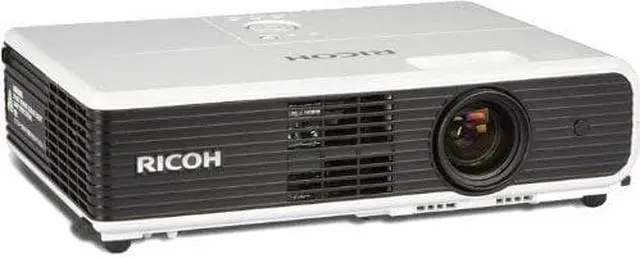
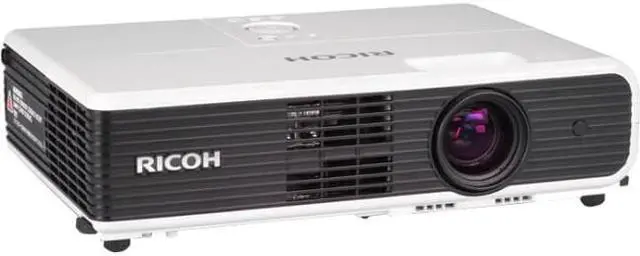


Ricoh X3241N 1024x768 XGA 3300 Lumens, Wired/Wireless Application, Digital Business 3LCD Projector
- 1024 x 768 XGA
- 3300 Lumens
- Wired / Wireless LAN
- HDMI & USB Inputs
Overview
Specs
Reviews
See all Q & A 
Any questions? Our AI mode will help you find out quickly.
Try me now

Ricoh X3241N Digital Business 3LCD Projector
The Clear Choice for High-Performance Digital Projection
RICOH® introduces the PJ WX3231N / PJ WX3131 / PJ X3241N / PJ X3241 / PJ X3131 business projection systems for exceptional image clarity and convenient versatility at an affordable price. Compact and lightweight, these portable systems are ideal for a wide range of boardroom, classroom, and training room settings.
Leveraging Ricoh's legacy of precision optics and lens technology, the PJ Series transitions Managed Document Services (MDS) beyond the printed page. Source your entire fleet of business communications devices - from printers and multifunction products to digital projection systems - all from a single company with world-class support and service from a name you can trust.
Imagine - Enhance - Showcase - Experience
Exceptional and Convenient
The PJ WX3231N / PJ WX3131 / PJ X3241N / PJ X3241 / PJ X3131 features innovative controls and connectivity options that set the standard for high-performance presentations.
- Start your presentation quickly and end it quietly. The PJ Series displays images within eight seconds of powering up and can be shut down immediately without residual noise.
- Present at a comfortable volume with maximum operating noise limited to 38dB or less. These systems run quietly so presenters can speak in a normal volume and tone.
- Connect to two computers simultaneously. Two RGB connection terminals make it easy to display and monitor presentations via multiple computers.
- Take advantage of an Auto Preset, enabling users to prepare and save display settings for one-touch onsite operation.
Brilliant, High-Quality Projection
Deliver bright, engaging images in any light with innovative image technology from a proven optics and lens leader.
- Maximize impact with sufficient contrast in a wide range of environments with a minimum brightness rating of at least 2,500 lumens and XGA or WXGA native resolutions.
- Display true-to-life images with a 3LCD system that reproduces more than 16 million colors for optimal clarity.
- Easily clean or replace air filters in seconds to minimize dust and maximize lamp life for up to 4,000 hours of brilliant images.
Lightweight and Portable
Connect with your audience no matter where you go. The PJ Series business projection systems are designed specifically for fast, easy transport and setup for busy professionals.
- Display from any tabletop or easily mount the system to a wall or ceiling. The compact footprint of each projector is about the same as a letter-size sheet of paper.
- Ensure safe, effortless transit to meetings with a projection system weighing less than 4.4lbs. It fits easily into a briefcase or can be carried in the accompanying, specialized soft-side carrying case.
- Access key operating functionality with a streamlined control panel conveniently located on top of the projector or via the easy-to-use remote control and projected menu screens.
- Deliver crisp, clear audio with the PJ Series projectors. Each projector features 1-Watt built-in speakers to accommodate larger corporate or classroom settings.

Minimize distortion with Automatic Keystone Image Adjustment for small spaces, unconventional settings, or when projecting at an angle. The PJ Series balances itself to ensure clean, squared images.

Save files to a USB memory drive to project images and manage your presentation immediately (PJ WX3231N/PJ X3241N only).

Present with up to four projectors at once. Multiple windows can be created using the Multi-screen function so each projector delivers unique images to enhance presentations (PJ WX3231N/PJ X3241N only).
Portable - Accessible - Advanced - Energized
Versatile, Feature-Rich Interaction
The PJ Series offers a powerful combination of outstanding flexibility and dependability to ensure your message hits the mark with every audience.
- Control security and limit user access with the password-setting feature and prevent mistakes while operating the PJ Series projection systems with the Key Lock function.
- Use the convenient Blackboard Mode to make subtle projection enhancements specifically designed to improve clarity when projecting on colored surfaces such as a blackboard or a green, black, brown, blue or beige wall.
- Deliver effective presentations with the Mute and Freeze buttons on the remote control. Temporarily mute the sound or freeze the action to drive home your presentation or to create an environment for interactive audience participation.
Advanced Networking Capabilities
Integrate the PJ WX3231N / PJ X3241N projection systems with your network to streamline workflow and enhance your presentations for greater impact.
- Connect a USB memory drive and other USB-compliant devices such as a document camera, digital camera, or smartphone via the USB terminal port to display images saved on these devices.
- Access the projector and display presentations and movies with a convenient LAN connection for wired or wireless applications. This enables users to control a networked computer and start presentations quickly on a shared-use projector.
- Manage settings or turn the power on or off remotely for multiple projectors - even other brands of network projectors that are PJLink compatible - from your networked computer.
- Receive automatic notification updates via email for lamp replacements or error messages.
- Deliver computer-free presentations by saving files and images to a USB memory drive for immediate access to presentations while on the go. The JPEG Conversion Utility tool allows for fast and easy conversion of PowerPoint files, graphic images, and screen captures for storage on a portable memory device.
- Simplify setup and troubleshooting with audio guidance support that talks you through each step in your choice of 25 menu languages.

Ensure exceptionally sharp and vivid images with Natural Color Enhance (NCE) with the PJ WX3231N/PJ X3241N. This feature uses color compensation to deliver effective and professional output every time.

The network-compatible PJ WX3231N / PJ X3241N projection systems display movies in sensational high definition through an HDMI port that accommodates laptops and external DVD and Blu-Ray systems.
Compact - Effective - Clear - Engaged

A. HDMI Terminal*
Present high-definition movies and animations for greater impact from DVD and Blu-Ray players.B. USB Terminal*
Use a USB memory device and eliminate the need to connect to a PC.C. 10/100Base-T Ethernet Interface*
Connect to a local area network (LAN) for remote setup, monitoring and presentations from wired or wirelessly connected PCs.D. Audio-In / Audio-Out Terminals
Receive audio input signals from external sources - including DVD players - when a separate channel for sound is required. With the Audio Out Terminal, you can connect external speakers for stereo and to increase volume.E. S-Video Terminal
Project images from DVDs, camcorders, VCRs and more that use S-Video signals.Computer 1 In-Terminal
The primary connection for laptop use, the Computer 1 In Terminal uses a 15-pin interface for RGB signal input.G. Computer 2 In-Terminal
Establish a second computer or RGB video device connection when multiple presenters connect to a laptop or when presentations are stored on different computers. The terminal also acts as a Monitor Out connection for simultaneous presentation to an audience and on the presenter's computer.H. Computer 2 / Monitor-Out Switch
Controls the function of the Computer 2 In Terminal. Push the switch to the left to allow the Computer 2 In Terminal to function as a second video input source - push to the right to monitor the presentation.I. Video Terminal
A single-pin connection for older VCR and camcorder devices.J. Control Terminal
Control meeting room environments such as automatic lighting, raising and lowering screens, and window shade control when connecting the projector to external systems.K. Built-In 1-Watt Speaker
Eliminates the need for external equipment. Volume is adjustable with the remote control or control panel selection keys.L. Antitheft Lock Slot
Attach a safety cable in the slot to prevent theft or movement of the projector.One-Way Presentations

Enhance the power of executive speeches, keynote addresses, lectures or award ceremonies to large groups of 100 or more.
Training Venues

Convey your video and/or PowerPoint presentation of learning concepts where the session may need to be paused for questions or audience participation in classrooms, boardrooms or training rooms.
Interactive Meetings

Facilitate two-way discussions and brainstorming sessions among smaller groups or bring a presentation to your customer's location to demonstrate a product or service. The PJ Series projectors are ideal for easy portability, setup and fast breakdown.
Warranty & Returns
Warranty, Returns, And Additional Information
Return Policies
- Return for refund within: 30 days
- Return for replacement within: 30 days
- This item is covered by Newegg.com's 30-Day Return Policy.
- Read full return policy for details.
Manufacturer Contact Info
- Manufacturer Website
- Support Phone: 1-800-Ricoh38
- Support Website
- View other products from Ricoh
LOADING...