

Your Browsing History

Meet Your Seller

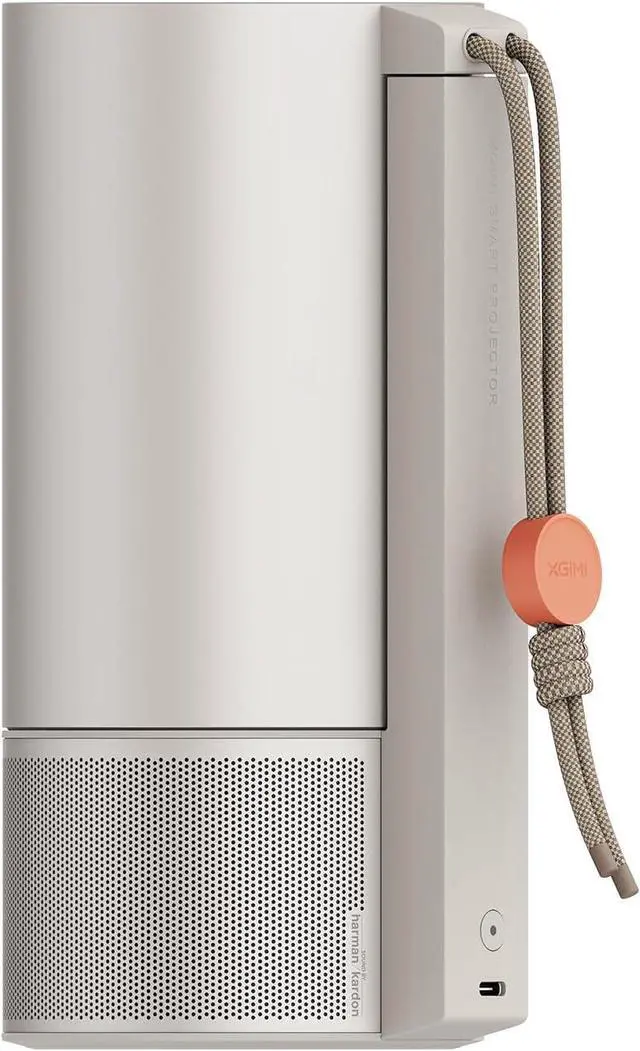
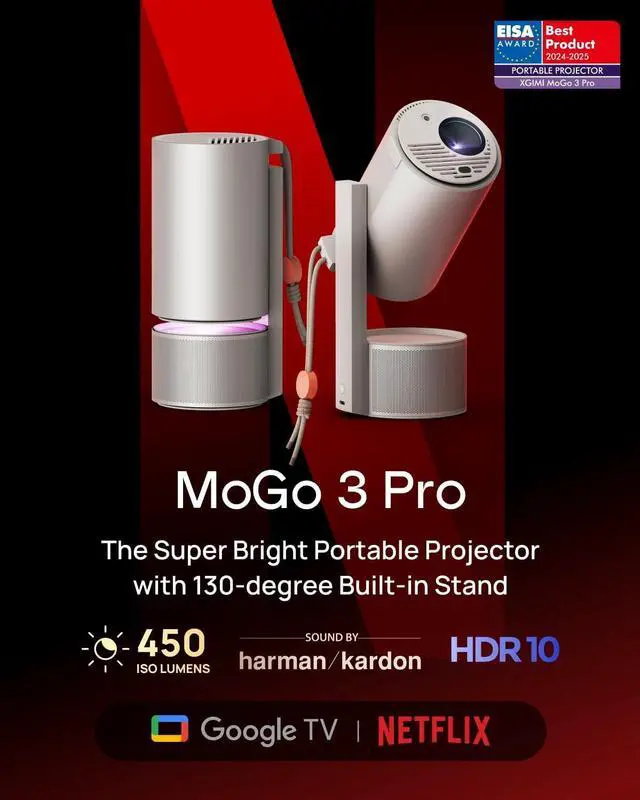


XGIMI MoGo 3 Pro NEW Portable Projector, Google TV with Licensed Netflix, Build-in Adjustable Stand, Mini Projector Supports Power Banks, 450 ISO Lumens, ISA 2.0, 2 x 5W Harman Kardon
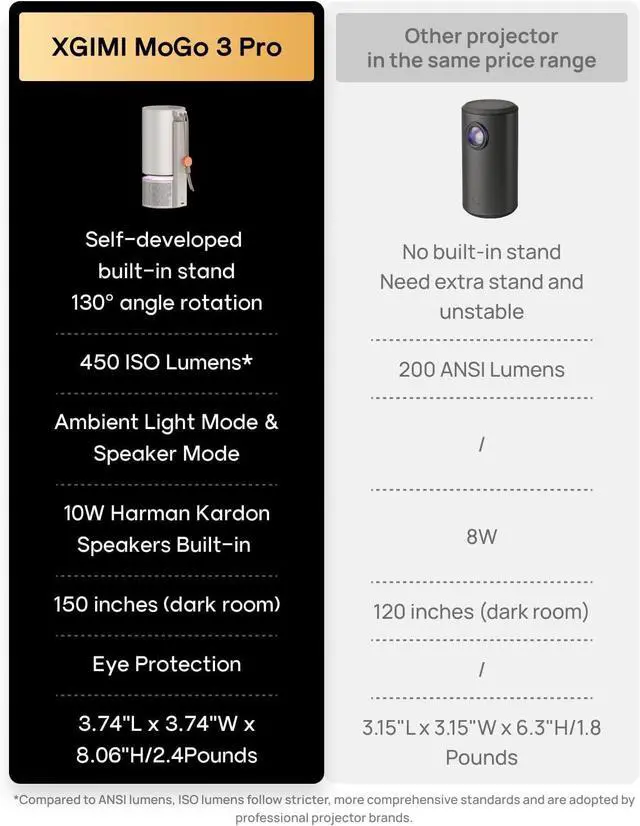
- Stream Google TV and Netflix Favorites: Watch the hottest new shows and blockbuster hits right from MoGo 3 Pro. No installation hassles just turn on and access 10,000+ apps and 800+ free channels.
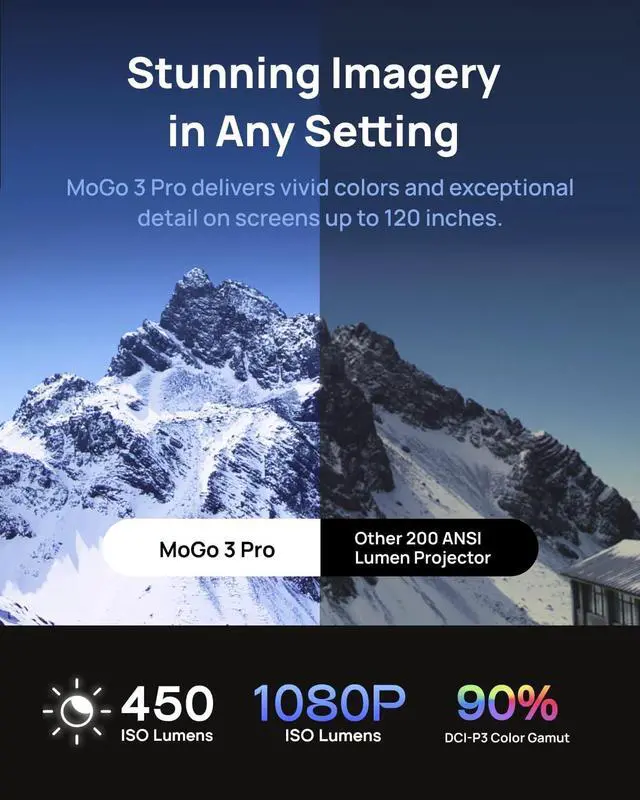
- Stunning Imagery in Any Setting: Experience vibrant, TV-quality visuals anywhere. Featuring 450 ISO Lumens brightness, 90% DCI-P3 color gamut, and 1080P resolution, MoGo 3 Pro delivers vivid colors and exceptional detail on screens up to 120 inches.
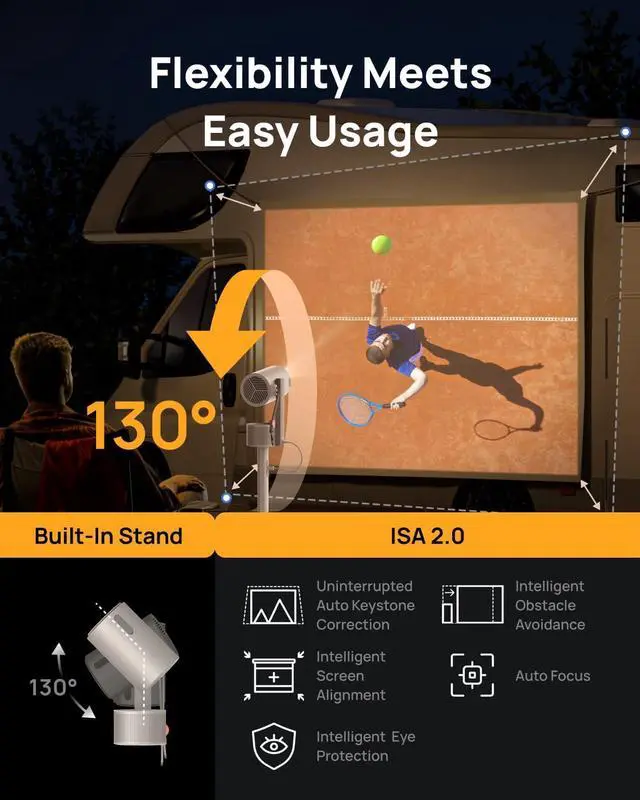
- Flexibility Meets Easy Usage: With a 130° built-in stand and ISA 2.0, MoGo 3 Pro can project an automatically adjusted, perfectly aligned image. Enjoy stability and uninterrupted viewing with the metal slide rail, which also protects the lens when not in use.
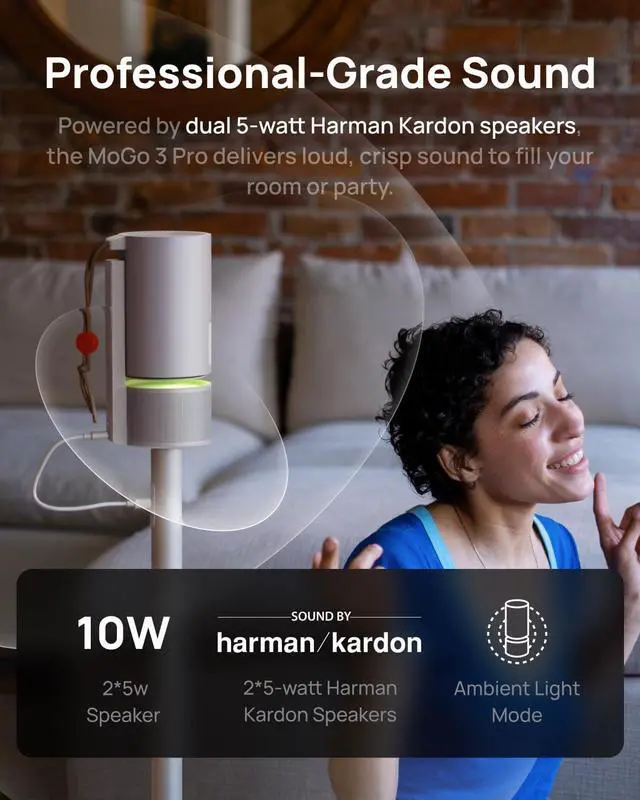
- Music Speaks Volumes: Powered by dual 5-watt Harman Kardon speakers, the MoGo 3 Pro delivers loud, crisp sound to fill your room or party. Use it as just a speaker, or pair it with Ambient Light Mode for a fun, pulsating addition to any setting.
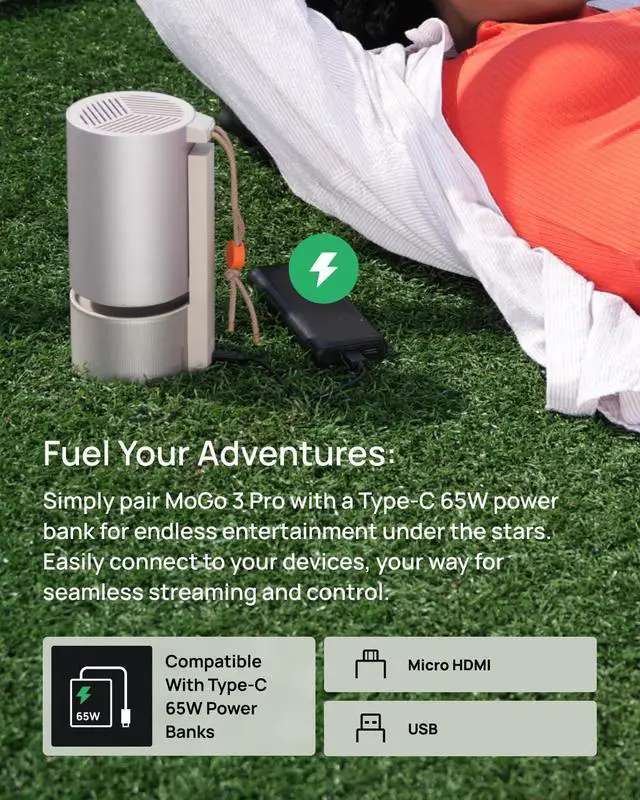
- Fuel Your Adventures: Connect MoGo 3 Pro
+
+
Overview
Reviews

Any questions? Our AI beta will help you find out quickly.
Try me now
How to cast media sources from iPhone/iPad/Android phones/pad to MoGo 3 Pro via Google Cast?
Open the media apps on the external devices and search for MoGo 3 Pro to connet via GoogleCast Built-in feature.
How do l enable automatic focus on the MoGo 3 Pro?
1. Press the "Focus" button on the XGIMI remote control to focus the image automatically;
2. Go to "All Settings" -- "Projector" -- "Focus" -- "Focus Settings" -- "Auto Focus on Startup-on/off"; "Auto Focus upon Motion-on/off".
How do I focus manually with the MoGo 3 Pro?
The MoGo 3 Pro supports both automatic and manual focus.
Use the remote control focus button to focus: press and hold for manual focus. Use the left and right buttons of the D-pad for manualfocus.
What is the MoGo 3 Pro's projection size and throw ratio?
The MoGo 3 Pro projects up to 200 inches, which meets various projection requirements.
For the best viewing experience, we recommend using a 60-120" screen size.
Throw Ratio: 1.2:1
Aspect Ratio: 16:9
hero-video ISA 2.0 Technology: Place, Point, and Play video How to screen-mirror iOS devices to MoGo 3 Pro?
How to cast media sources from iPhone/iPad/Android phones/pad to MoGo 3 Pro via Google Cast?
How do l enable automatic focus on the MoGo 3 Pro?
How do I focus manually with the MoGo 3 Pro?
What is the MoGo 3 Pro's projection size and throw ratio?
Open the media apps on the external devices and search for MoGo 3 Pro to connet via GoogleCast Built-in feature.
How do l enable automatic focus on the MoGo 3 Pro?
1. Press the "Focus" button on the XGIMI remote control to focus the image automatically;
2. Go to "All Settings" -- "Projector" -- "Focus" -- "Focus Settings" -- "Auto Focus on Startup-on/off"; "Auto Focus upon Motion-on/off".
How do I focus manually with the MoGo 3 Pro?
The MoGo 3 Pro supports both automatic and manual focus.
Use the remote control focus button to focus: press and hold for manual focus. Use the left and right buttons of the D-pad for manualfocus.
What is the MoGo 3 Pro's projection size and throw ratio?
The MoGo 3 Pro projects up to 200 inches, which meets various projection requirements.
For the best viewing experience, we recommend using a 60-120" screen size.
Throw Ratio: 1.2:1
Aspect Ratio: 16:9
hero-video ISA 2.0 Technology: Place, Point, and Play video How to screen-mirror iOS devices to MoGo 3 Pro?
How to cast media sources from iPhone/iPad/Android phones/pad to MoGo 3 Pro via Google Cast?
How do l enable automatic focus on the MoGo 3 Pro?
How do I focus manually with the MoGo 3 Pro?
What is the MoGo 3 Pro's projection size and throw ratio?
Warranty & Returns
Warranty, Returns, And Additional Information
Warranty
- Please contact the Seller directly for warranty information. Warranty information may also be found on the Manufacturer's website.
- Read full details
- CONTACT
Return Policies
- Return for refund within: 30 days
- Return for replacement within: 30 days
- This item is covered by HAITAO CROSS BORDER E-COMMERCE LIMITED Return Policy
Manufacturer Contact Info
- For a directory of all our manufacturers, please click below.
- Manufacturers Directory
LOADING...