

Your Browsing History
- Free 30-day Returns
$138.69
Ships from China.

Meet Your Seller

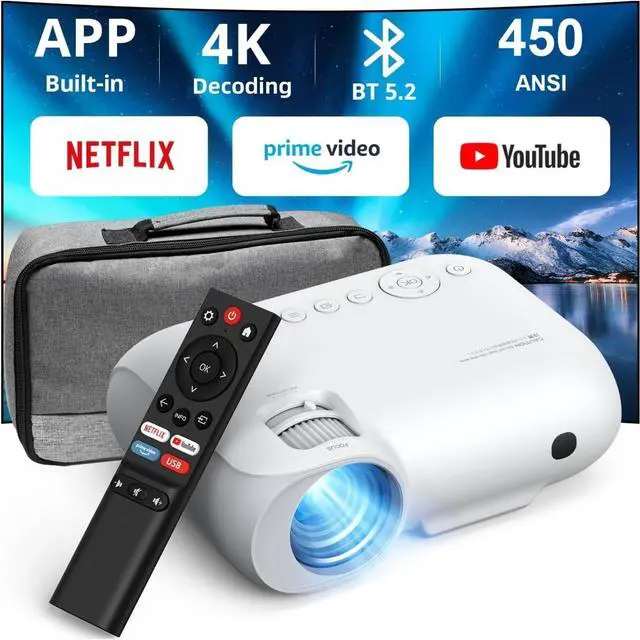


YOTON Y9 Netflix Projector with wifi and bluetooth, Portable Projector 4K support 20000 lumens with zoom, 2024 Upgraded movie projector with Netflix/Prime Video/YouTube/Hulu/Dolby
Limited time offer, ends 10/10 By BRIGHTOR
- Officially Licensed Netflix/Prime Video/YouTubeYOTON projector 4K is built-in with 1000+ official apps, including Netflix, Prime Video, Disney+, YouTube, Hulu, YouTube Kids, ToonGoggles, TikiLIVE, Docubay and other popular video platforms, you don't need to worry about copyright restrictions and skip the TV stick and dongle to play your favourite shows directly. Enjoy massive streaming media with just one touch of the remote control. (Projection Pack included)
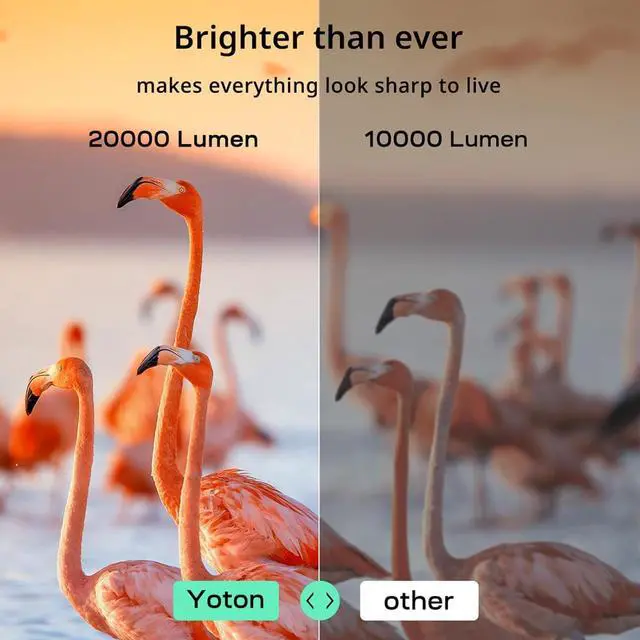
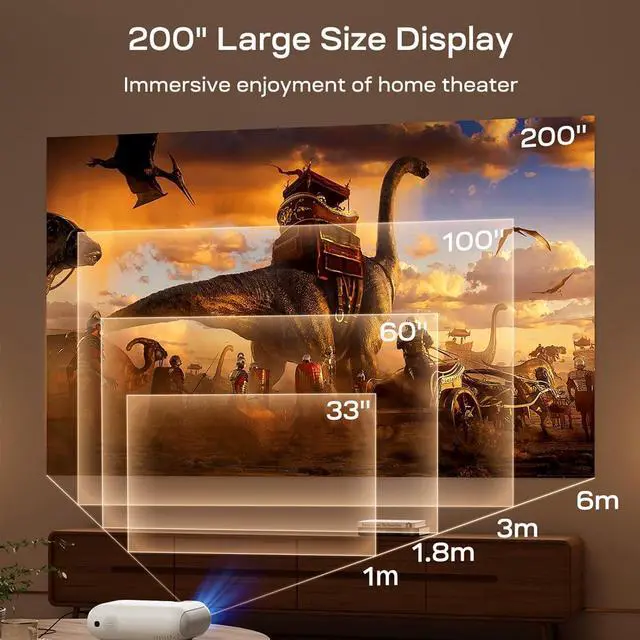
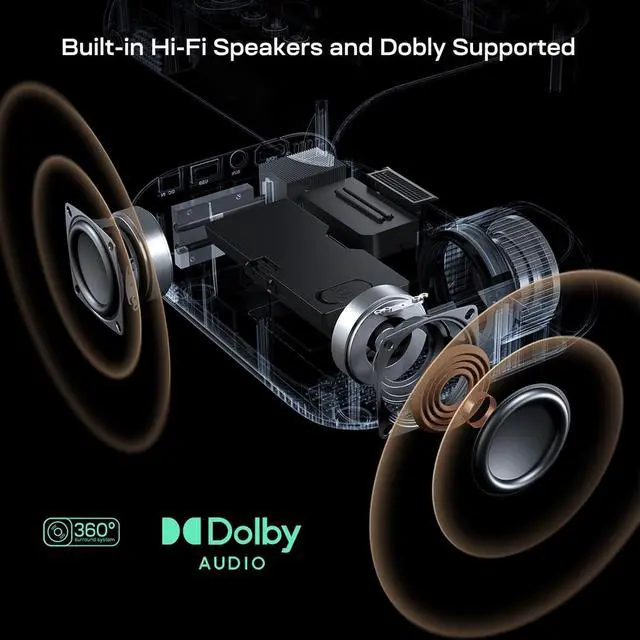
- 200 inch Ultra Clear Picture & Dolby AudioPortable Projector has 20000 lumens brightness and 1080P native resolution, supports 4K video via HDMI cable, and the projected picture can be up to 200 inches, which is able to present you with a large and clear picture even in the daytime. YOTON Y9 projector also supports Dolby Audio with dual speakers to provide excellent surround sound. Whether you are watching a film or playing a game, you will be able to get an immersive experience.
- 50%Zoom & 4P Keystone Adjustment4K projec
+
+
Overview
Reviews

Any questions? Our AI mode will help you find out quickly.
Try me now
As Yoton Y9 Netflix Projector Gives You:
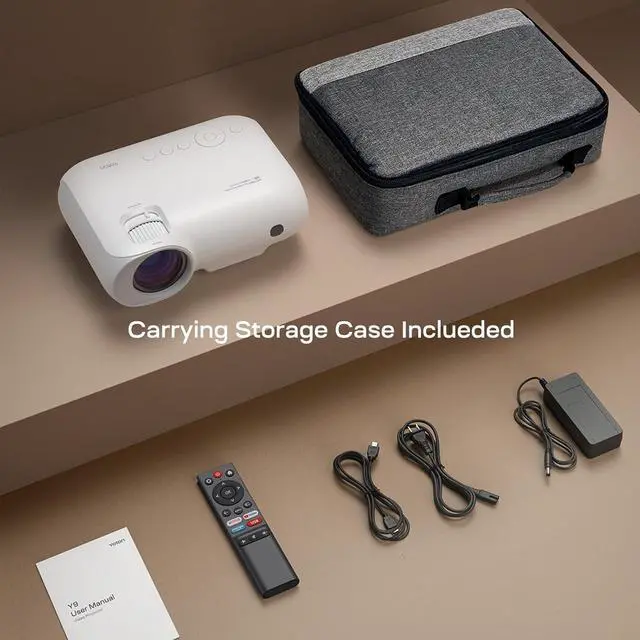
Save your money: Y9 projector+carrying bag+projection screen
Apps like Netflix, Prime Video, YouTube, etc.
1000+ APP for you to download: Enter APP STORE to download!
Projection Size: 40-200 inches
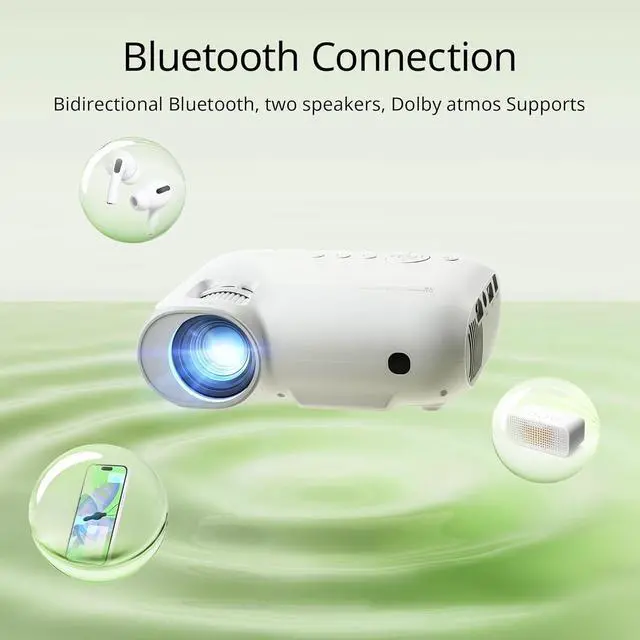
Two-way Bluetooth: Projector can be used as a Bluetooth speaker to play songs
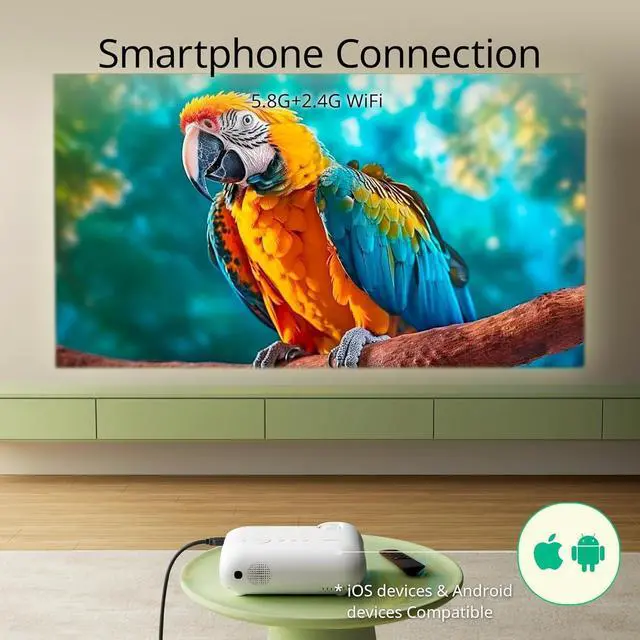
Supports Android and iPhone: 2.4G+5.8G WiFi, play movies without delay
Dolby Atmos: 3D Surround Sound
4P Keystone: pull the four points of the image to get the image you need
Size: 8.5*7*3inches
Brightness: 20000 lumens
Maximum resolution: 4K
Wi-Fi: Wi-Fi 6
Bluetooth: Two-way Bluetooth 5.2
Zoom: 100%-50%
Image Correction: ±15° keystone correction
Manual correction: 4P adjustment
Projection range: 1-5 metres
Projection size: 30-200inch
Interface: HDMI/USB/AUX
Support: Dolby Atmos
Built-in APP: Netflix/YouTube/Prime Video/APP STORE(1000+apps)
How do I connect the Netflix projector to my device via WiFi ?
For iOS devices
1. Go to "Settings" of the projector and join the router's WiFi.
2. Select "My Apps" on the homepage of the projector and choose "iphone Wireless".
3. Connect your iOS device to the same WiFi as above. then go to "Screen Mirroring" on your phone and select "Yoton-XXXXX" to connect.
4. WiFi connection is successful.
For Android devices
1. Please check whether your Android phone has screen playback function in "Settings" first.
2. Select "My Apps" on the projector homepage and select "Screencast".
3. Turn on the wireless of your Android device.
4.Then open the "Screen Projection/Mirroring" function in your phone's settings.
5.Select "Yoton-XXXX" to connect.
1. Use as a projector
When you watch a movie, if you are not satisfied with the sound, you can use the Bluetooth function of the Bluetooth projector to connect Bluetooth speakers, Bluetooth headphones and other audio devices to enjoy immersive viewing, get rid of the limitations of the wired audio devices, no need to worry about tangled data cables.
2. Use as Bluetooth Speaker
You can connect the Y9 Bluetooth projector to your cell phone to play music via Bluetooth function, turning the projector into an independent Bluetooth speaker.
Cautions:
1. Bluetooth can only transmit audio, not video.
2. Only one device can be connected at the same time.
1. 200-inch maximum projection screen!
2. No need to move the projector, control the remote to shrink the screen to 100 inches!
3. Drag the four corners of the screen to fill your projection wall!
1. How to download the APP?
Enter the [APP STORE] of the projector and search for the APP you need.
2. Do I need to download Netflix before using it?
Netflix is already installed for you, log in to your account and you're ready to go!
3. How do I get the projection screen?
If you need to upgrade your projection screen accessories, please contact Yoton to get them.
4. Yoton provides friendly and timely professional after-sales support.
Yoton supports 2 years Exchange Service, and provides the service of sending new machine during the period.
24 hours for your service. We are looking forward to your arrival !
Yoton Smart Projector 4K Built-in APPs Projector Y9 save you at least 2,000! Powerful LINUX System Built-in APPS No Delay! Works with all phones Netflix Projector with Two-way Bluetooth 100%-50% Ultra-HD projection image About the Yoton Y9 Netflix Projector:
Save your money: Y9 projector+carrying bag+projection screen
Apps like Netflix, Prime Video, YouTube, etc.
1000+ APP for you to download: Enter APP STORE to download!
Projection Size: 40-200 inches
Two-way Bluetooth: Projector can be used as a Bluetooth speaker to play songs
Supports Android and iPhone: 2.4G+5.8G WiFi, play movies without delay
Dolby Atmos: 3D Surround Sound
4P Keystone: pull the four points of the image to get the image you need
Size: 8.5*7*3inches
Brightness: 20000 lumens
Maximum resolution: 4K
Wi-Fi: Wi-Fi 6
Bluetooth: Two-way Bluetooth 5.2
Zoom: 100%-50%
Image Correction: ±15° keystone correction
Manual correction: 4P adjustment
Projection range: 1-5 metres
Projection size: 30-200inch
Interface: HDMI/USB/AUX
Support: Dolby Atmos
Built-in APP: Netflix/YouTube/Prime Video/APP STORE(1000+apps)
How do I connect the Netflix projector to my device via WiFi ?
For iOS devices
1. Go to "Settings" of the projector and join the router's WiFi.
2. Select "My Apps" on the homepage of the projector and choose "iphone Wireless".
3. Connect your iOS device to the same WiFi as above. then go to "Screen Mirroring" on your phone and select "Yoton-XXXXX" to connect.
4. WiFi connection is successful.
For Android devices
1. Please check whether your Android phone has screen playback function in "Settings" first.
2. Select "My Apps" on the projector homepage and select "Screencast".
3. Turn on the wireless of your Android device.
4.Then open the "Screen Projection/Mirroring" function in your phone's settings.
5.Select "Yoton-XXXX" to connect.
1. Use as a projector
When you watch a movie, if you are not satisfied with the sound, you can use the Bluetooth function of the Bluetooth projector to connect Bluetooth speakers, Bluetooth headphones and other audio devices to enjoy immersive viewing, get rid of the limitations of the wired audio devices, no need to worry about tangled data cables.
2. Use as Bluetooth Speaker
You can connect the Y9 Bluetooth projector to your cell phone to play music via Bluetooth function, turning the projector into an independent Bluetooth speaker.
Cautions:
1. Bluetooth can only transmit audio, not video.
2. Only one device can be connected at the same time.
1. 200-inch maximum projection screen!
2. No need to move the projector, control the remote to shrink the screen to 100 inches!
3. Drag the four corners of the screen to fill your projection wall!
1. How to download the APP?
Enter the [APP STORE] of the projector and search for the APP you need.
2. Do I need to download Netflix before using it?
Netflix is already installed for you, log in to your account and you're ready to go!
3. How do I get the projection screen?
If you need to upgrade your projection screen accessories, please contact Yoton to get them.
4. Yoton provides friendly and timely professional after-sales support.
Yoton supports 2 years Exchange Service, and provides the service of sending new machine during the period.
24 hours for your service. We are looking forward to your arrival !
Yoton Smart Projector 4K Built-in APPs Projector Y9 save you at least 2,000! Powerful LINUX System Built-in APPS No Delay! Works with all phones Netflix Projector with Two-way Bluetooth 100%-50% Ultra-HD projection image About the Yoton Y9 Netflix Projector:
Warranty & Returns
Warranty, Returns, And Additional Information
Warranty
- Please contact the Seller directly for warranty information. Warranty information may also be found on the Manufacturer's website.
- CONTACT
Return Policies
- Return for refund within: 30 days
- Return for replacement within: 30 days
- This item is covered by BRIGHTOR Return Policy
Manufacturer Contact Info
- For a directory of all our manufacturers, please click below.
- Manufacturers Directory
LOADING...