Your Browsing History
Meet Your Seller
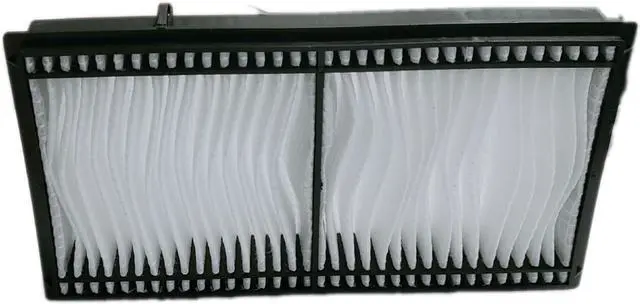
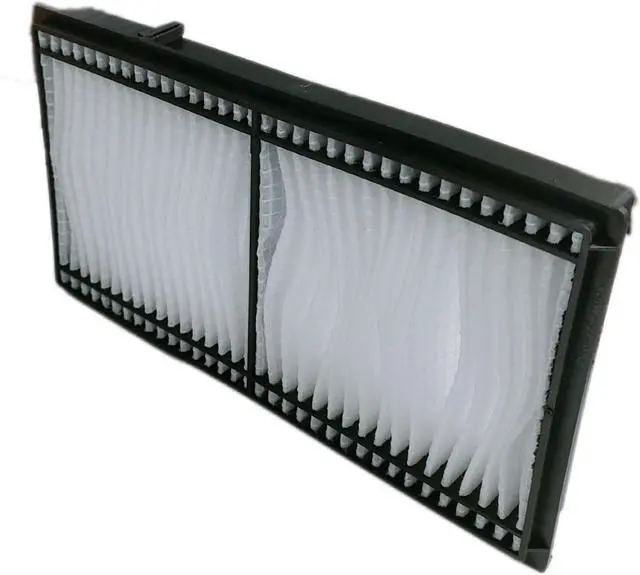
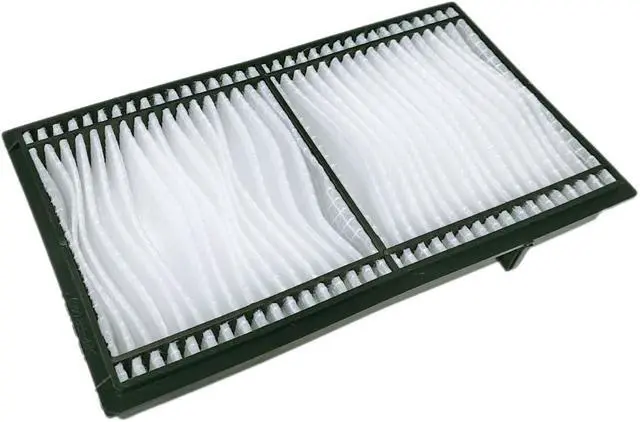
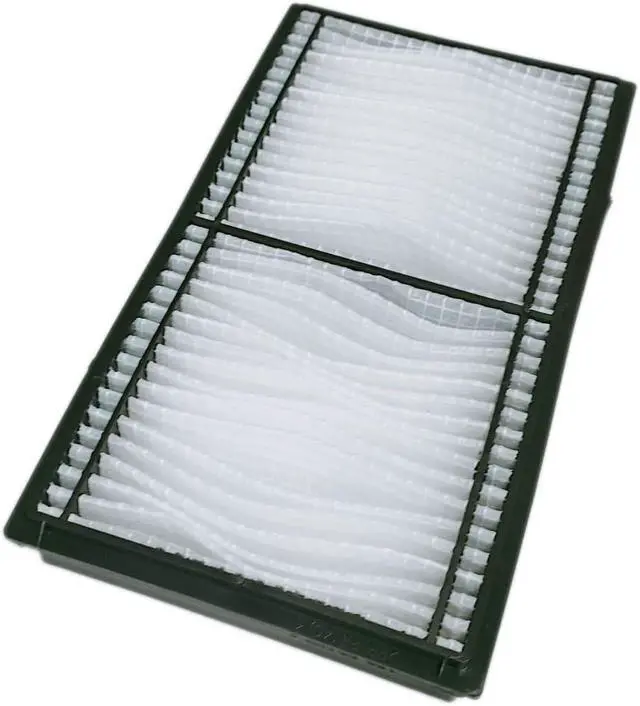
Projector Air Replacement NP06FT Fit for NEC NP42LP PA653U PA703W PA723U PA803U PA853W PA903X Projector Dust Filter
- Projector Air Filter replacement model: NP06FT
- This Anti-Dust-Filter is compatible for NEC NP06FT NP42LP PA653U PA703W PA723U PA803U PA853W PA903X Projector Dust Filter
- Brand new projector air filter will release properly and keep the projector cool
- Brand new dust-proof filter will keep your projector cleanliness and run a longer life-span
- The air filter will be wrapped and packed securely to avoid water and shaking, you can install it directly when you get it
+
+
Overview
Specs
Reviews
Any questions? Our AI beta will help you find out quickly.
Try me now
RANETLIO is a reliable supplier of projector accessories like LCD / DLP projector lamps, projector air filter as well as projector remotes. We're continuing to upload more new items for your needs
You check on RANETLIO's products on audio and video projector accessories since we're been in this for more than 10 years. Strictly product police is applied, premium materials are used, just to provide you with natural but wow experience.
This replacement brand new projector air filter is compatible with NEC NP06FT NP42LP PA653U PA703W PA723U PA803U PA853W PA903XDust Filter
Features:
1) Brand new air filter will release the projector running heat properly. it will keep your projector cool and function well
2) This new projector air filter sponge will prevent dust and dirty from getting inside the projector. It will give a you a clear image
Your projector will gather dust in its air filter over time. Most projector manufactures strongly recommend to clean your projector air filter after every 100~300 hours of use or whenever it becomes clogged with dust.
As we know, dust clogged on the air filter will prevent the projector from release heat properly, it will cause overheat, and damged the projector lamp, and even the projector. Thus regular cleaning the projector air filter is part of projector maintainance.
1) When your projector reminds you to change filter
2) when the projector filter got damaged or broken
3) when the projector filter becomes difficult to clean, and impact the proper ventilation
NOTE: Never clean the inside of your projector with compressed air. All this does is
blows the dust deep inside the projector.
1) Turn off the power of the projector you would like to replace the filter
2Remove the air filter cover slightly
3) Remove the old air filter unit
4) Attach the optional replacement filter unit to the projector
5) Attach the air filter cover to the projector
6) Connect the power plug, and turn on the projector
7) Please reset the filter time counter
Tips: Please make sure that projector is stable when replacing the filter, and perform the replacement in a safe place where the unit will not be damaged even if you drop the air filter unit
RANETLIO -Your Reliable Partner Replacement Projector Air FIlter NP06FT Projector Dust Filter Why Should I Replace Projector Air Filter ? When Should I Replace the Projector Air Filter? How to Replace Your Projector Air Filter

You check on RANETLIO's products on audio and video projector accessories since we're been in this for more than 10 years. Strictly product police is applied, premium materials are used, just to provide you with natural but wow experience.
This replacement brand new projector air filter is compatible with NEC NP06FT NP42LP PA653U PA703W PA723U PA803U PA853W PA903XDust Filter
Features:
1) Brand new air filter will release the projector running heat properly. it will keep your projector cool and function well
2) This new projector air filter sponge will prevent dust and dirty from getting inside the projector. It will give a you a clear image
Your projector will gather dust in its air filter over time. Most projector manufactures strongly recommend to clean your projector air filter after every 100~300 hours of use or whenever it becomes clogged with dust.
As we know, dust clogged on the air filter will prevent the projector from release heat properly, it will cause overheat, and damged the projector lamp, and even the projector. Thus regular cleaning the projector air filter is part of projector maintainance.
1) When your projector reminds you to change filter
2) when the projector filter got damaged or broken
3) when the projector filter becomes difficult to clean, and impact the proper ventilation
NOTE: Never clean the inside of your projector with compressed air. All this does is
blows the dust deep inside the projector.
1) Turn off the power of the projector you would like to replace the filter
2Remove the air filter cover slightly
3) Remove the old air filter unit
4) Attach the optional replacement filter unit to the projector
5) Attach the air filter cover to the projector
6) Connect the power plug, and turn on the projector
7) Please reset the filter time counter
Tips: Please make sure that projector is stable when replacing the filter, and perform the replacement in a safe place where the unit will not be damaged even if you drop the air filter unit
RANETLIO -Your Reliable Partner Replacement Projector Air FIlter NP06FT Projector Dust Filter Why Should I Replace Projector Air Filter ? When Should I Replace the Projector Air Filter? How to Replace Your Projector Air Filter
Warranty & Returns
Warranty, Returns, And Additional Information
Warranty
- Please contact the Seller directly for warranty information. Warranty information may also be found on the Manufacturer's website.
- CONTACT
Return Policies
- Return for refund within: 30 days
- Return for replacement within: 30 days
- This item is covered by Cloud Sail Return Policy
Manufacturer Contact Info
- For a directory of all our manufacturers, please click below.
- Manufacturers Directory
LOADING...