Your Browsing History
Meet Your Seller
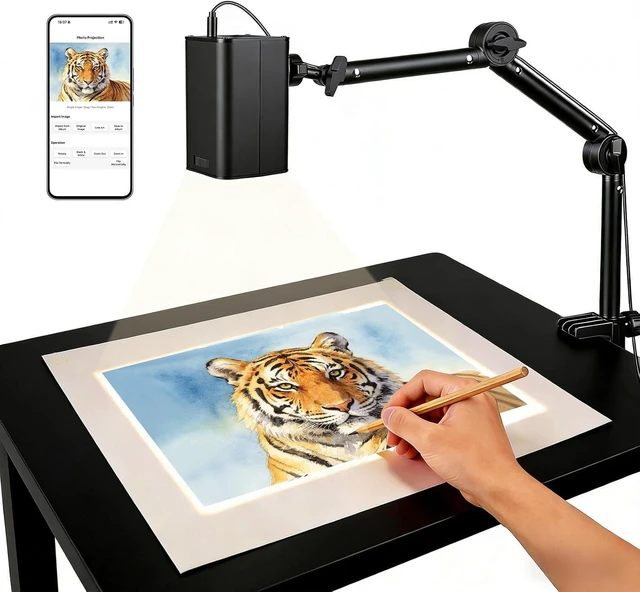
Art Projector for Tracing and Drawing - 5G WiFi & App-Free Web Control
- Digital Sketch Projector with Stable Stand for Cookie Decor - Compatible with iOS/Android, Supports Online/Offline
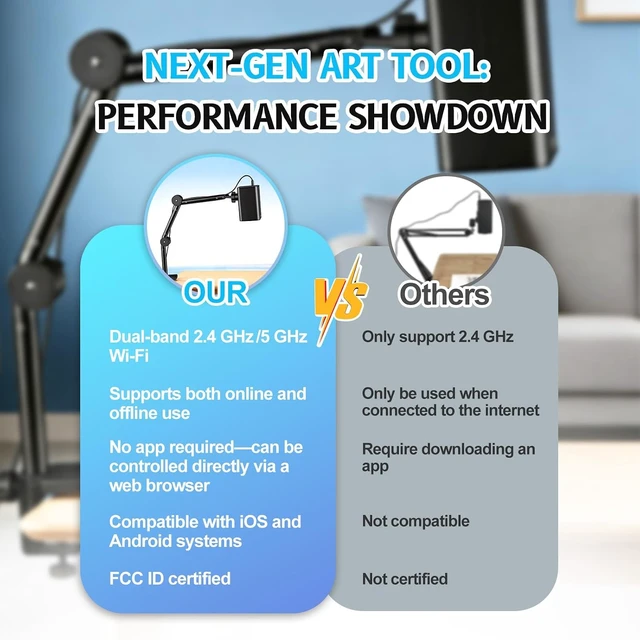
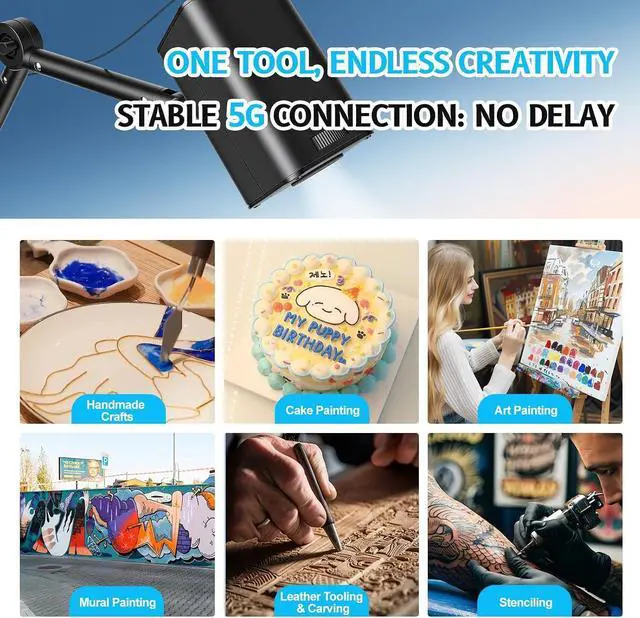
- Stable 5G Dual-Band WiFi & Real-Time Precision Equipped with an upgraded 5G/2.4G dual-band chip, this projector offers a high-speed, consistent connection, significantly reducing the latency found in standard models. It is ideal for tracing intricate lines and complex sketches from your phone or tablet with seamless, real-time accuracy.
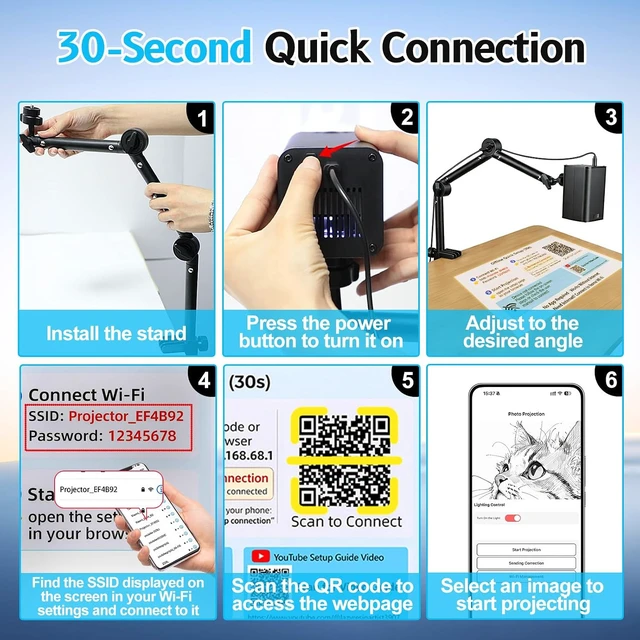
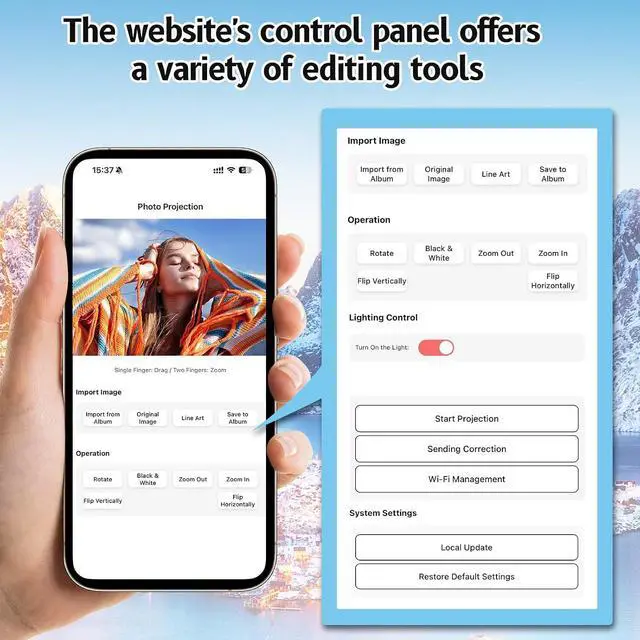
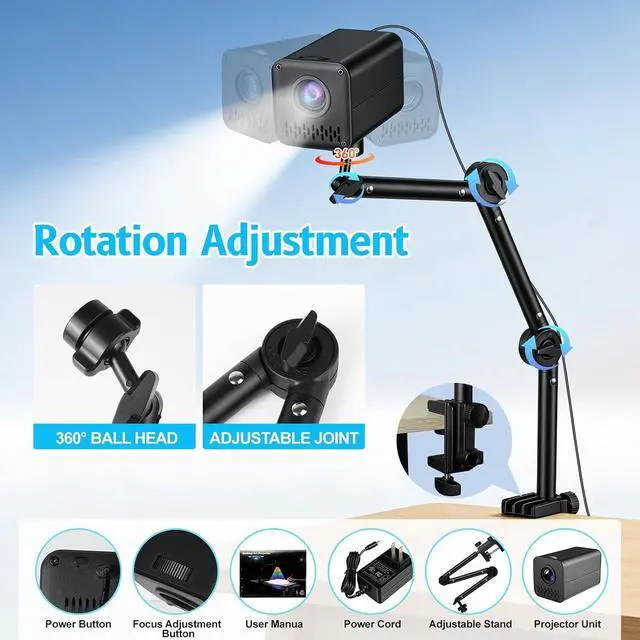
- App-Free Web Control, works with iOS & Android - Simply scan the QR code to start creating. Our innovative web control feature lets you manage projection settings, image rotation, and scaling operations directly through your phone's browser. In addition, the projector is equipped with a focus adjustment button for adjusting the focal length.
- Online & Offline Flexibility Engineered for any environment, this projector supports both online and local offline connections. Whether youre working in a professional art studio or venturing i
+
+
Overview
Specs
Reviews
Any questions? Ask CelesteSM will help you find out quickly.
Try me now
Why does it say the URL does not exist or has been moved after scanning the code?
Please try a different browser and scan the code again.
Why does my device show "No Internet" after connecting to the projector's Wi-Fi?
No Internet warningsthis is normal since the projector does not provide internet access. Most connection issues are due to setup, not defects. Please follow the manual or let us help you.
Why does it show Timeout during connection, and why can't I use it even after connecting to my home Wi-Fi?
Same Wi-Fi network: Make sure both devices are connected to the exact same SSID.
New IP/code: After connecting to Wi-Fi, scan the code again or enter the new IP address displayed on the projector.
What devices can this projector connect to?
Works with smartphones, tablets, laptops, and Wi-Fi-enabled desktop computers.
Why does it say the URL does not exist or has been moved after scanning the code?
Why does my device show "No Internet" after connecting to the projector's Wi-Fi?
Why does it show Timeout during connection, and why can't I use it even after connecting to my home Wi-Fi?
What devices can this projector connect to?
IOS Users Quick Setup Guide Android Users Quick Setup Guide
Warranty & Returns
Warranty, Returns, And Additional Information
Warranty
- Please contact the Seller directly for warranty information. Warranty information may also be found on the Manufacturer's website.
- CONTACT
Return Policies
- Return for refund within: 30 days
- Return for replacement within: 30 days
- This item is covered by Cloudless Clear Return Policy
Manufacturer Contact Info
- For a directory of all our manufacturers, please click below.
- Manufacturers Directory
LOADING...