Your Browsing History
Meet Your Seller
Art Projector for Tracing and Drawing
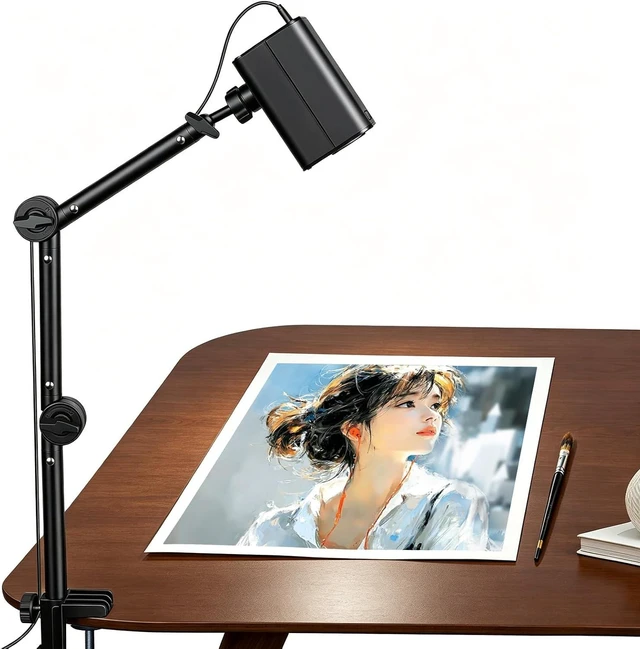
- 5G/2.4G WiFi Projector with App-Free Web Control, Online/Offline Modes & Adjustable Stand for Artists, Cookie Decor
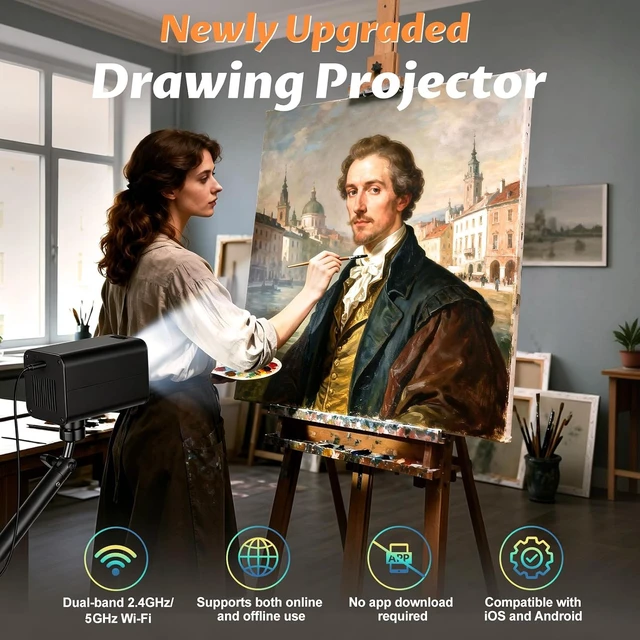
- FCC-Certified 5G/2.4G Dual-Band WiFiFully FCC-certified for safety and performance, this projector features an upgraded 5G/2.4G dual-band module that ensures a secure and ultra-stable connection.It significantly reduces latency, ensuring you get a smooth, real-time drawing experience directly on your mobile device.
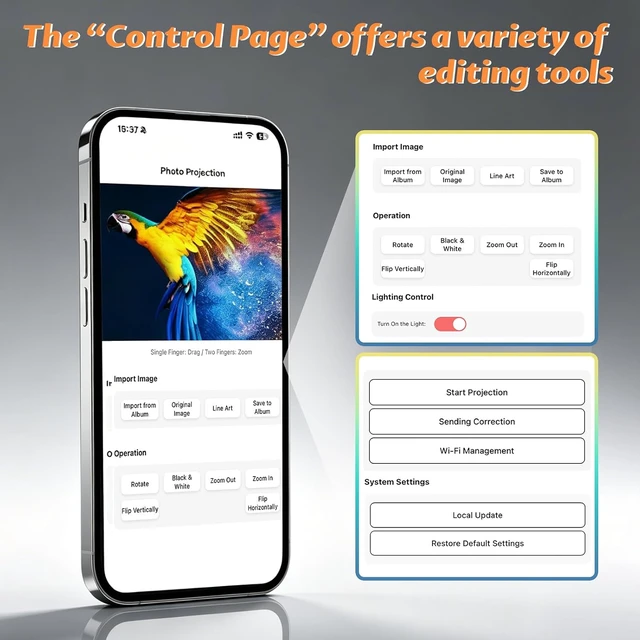
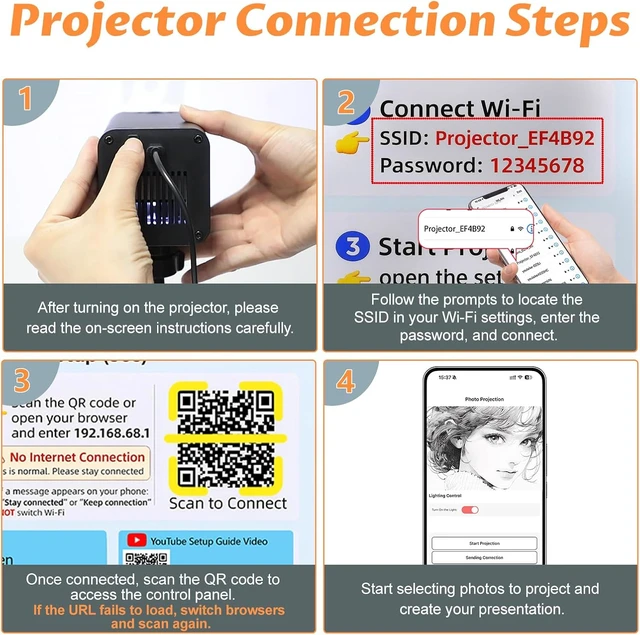
- Web-based Online Control, compatible with iOS and AndroidNo need to download an appsimply scan the QR code to access the control panel. This innovative web interface allows you to manage rotation, zoom, and settings directly through your browser. Just follow the instructions in the manual to establish a stable connection in under 30 seconds.
- Supports Online and Offline ModesThis drawing projector is designed for flexibility, supporting both online mode and a stable offline direct connection mode. Whether youre in a Wi-Fi-enabled studio or on locatio
+
+
Overview
Specs
Reviews
Any questions? Ask CelesteSM will help you find out quickly.
Try me now
What should I do if a pop-up window appears on my mobile phone after connecting to the projectors SSID?
If the message "Internet may notbe available" appears, please select: Always connect/Stay connected
Why am I still unable to access the control page by scanning the code after connecting to the SSID?
We recommend using the browser that came with your phone. If you see Site Not Found or Page Moved after scanning the code, please try a different browser and scan the code again.
What should I do if a pop-up window appears on my mobile phone after connecting to the projectors SSID?
Why am I still unable to access the control page by scanning the code after connecting to the SSID?

Warranty & Returns
Warranty, Returns, And Additional Information
Warranty
- Please contact the Seller directly for warranty information. Warranty information may also be found on the Manufacturer's website.
- CONTACT
Return Policies
- Return for refund within: 30 days
- Return for replacement within: 30 days
- This item is covered by Cloudless Clear Return Policy
Manufacturer Contact Info
- For a directory of all our manufacturers, please click below.
- Manufacturers Directory
LOADING...