Your Browsing History
Meet Your Seller
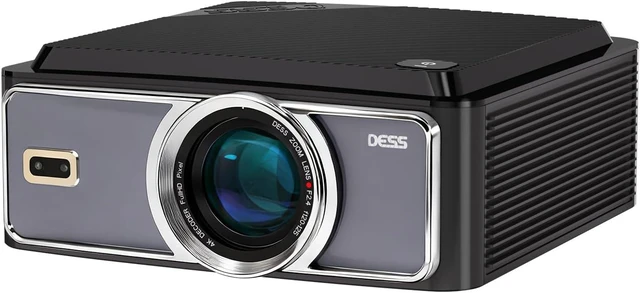
DESS 1080P Projector, Electric Stand, Auto Focus, Wi-Fi Bluetooth
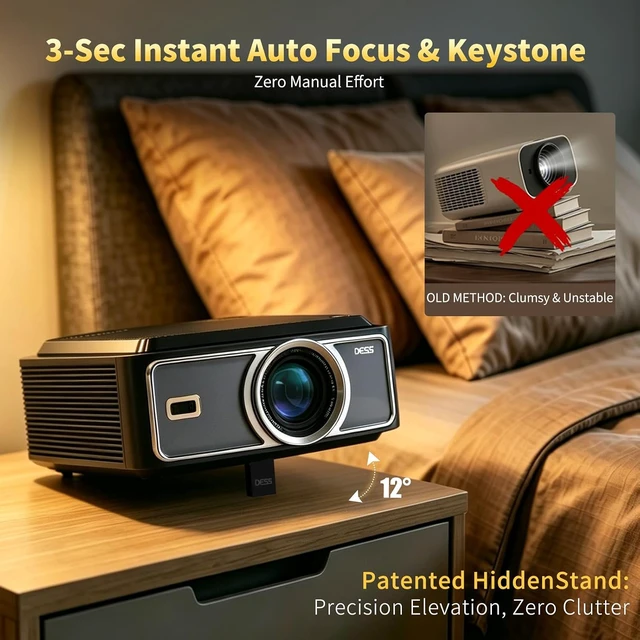
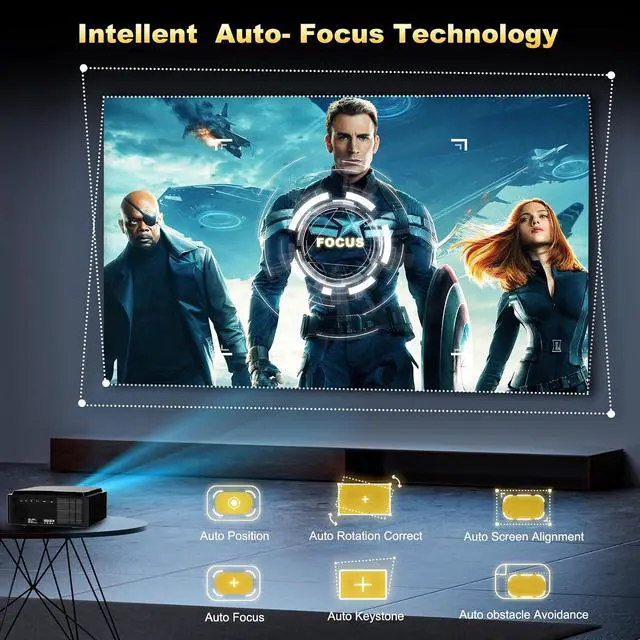
- Work & Entertainment Versatility | 2200 ANSI + Native 1080P | Hidden Electric Stand | Auto Focus & Keystone
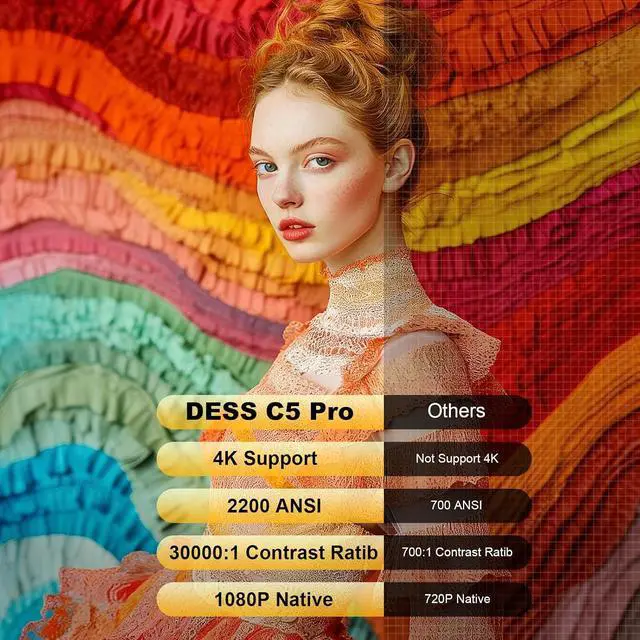
- 2200 ANSI LUMENS & NATIVE 1080P WITH 8-ELEMENT ALL-GLASS LENS DAY AND NIGHT VIEWING:Enjoy movies, shows, and sports day or night with 2200 ANSI lumens and native 1920 x 1080 Full HD resolution. Designed for typical indoor lighting, the DESS C5 Pro delivers bright viewing without a completely dark room. Its 1500:1 contrast ratio helps reveal details in bright and dark scenes, while the 8-element all-glass lens is designed for clear images. 4K input displays compatible content in Full HD.
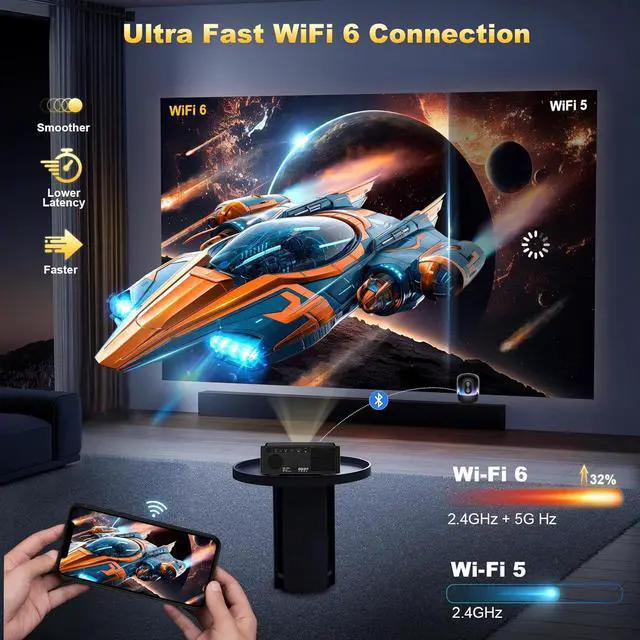
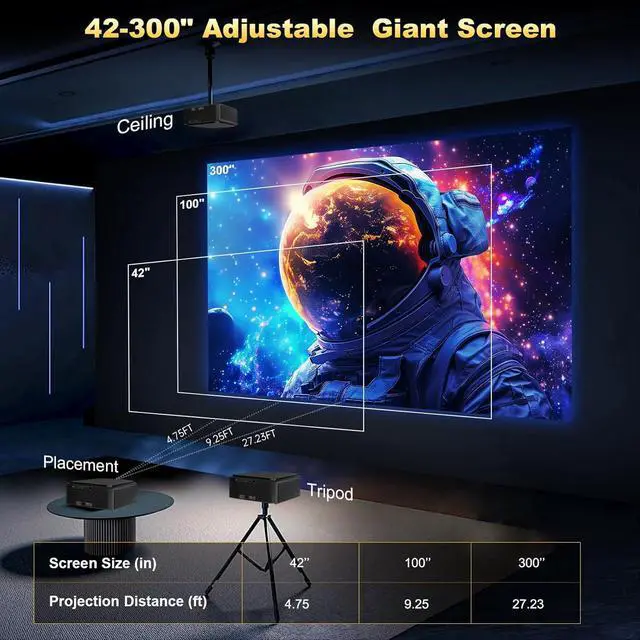
- WI-FI 6 & FLEXIBLE INSTALLATION MADE FOR EVERYDAY HOME USE:Worried about complicated connections, limited placement, or dust inside your projector? Dual-band 2.4GHz/5GHz Wi-Fi 6 and Bluetooth 5.0 offer wireless connectivity. HDMI, USB2.0, and audio ports connect compatible devices. The 1.25:1 throw ratio, 111m projection distance, and front, rear, ceiling, and mirror modes offer flexible p
+
+
Overview
Specs
Reviews
Any questions? Ask CelesteSM will help you find out quickly.
Try me now
1Dess Ai Chip28 Layer Lens3Hi-Fi Audio4Heat Dissipation System5Electic Stand C4 Pro
C5 Pro White
C5 Enterprise Black
C5 Enterprise White
Customer Reviews 3.9 out of 5 stars93.7 out of 5 stars104.6 out of 5 stars3 Price $239.99$239.99 $189.05$189.05 Brightness (ANSI Lumens) 2200 1200 2200 2500 2500 Resolution Support 4K/1080P Native Support 4K/1080P Native Support 4K/1080P Native Support 4K/1080P Native Support 4K/1080P Native Contrast Ratio 100001 100001 100001 100001 100001 Light Source LED LED LED LED LED Noise Level 29dB 29dB 29dB 29dB 29dB Throw Ratio Short Throw Short Throw Short Throw Short Throw Short Throw Wireless Connect WiFi6+Bluetooth WiFi6+Bluetooth WiFi6+Bluetooth WiFi6+Bluetooth WiFi6+Bluetooth Ethernet (RJ45) S/PDIF Auto Focus&Keystone Built-in Invisible Auto-Stand Can I use this projector in a bedroom?
Yes. 2200 ANSI is ideal for dark/dim rooms. Place on a nightstand, side table, or low shelf. Electric focus adjusts from the remote.
Can I watch movies outdoors with this projector?
Yes for nighttime. 2200 ANSI works well after sunset. Not designed for direct sunlight viewing. Pair with a portable screen for backyard movie nights.
How do I adjust the focus?
Use the remote. C5 Pro has electric focuspress the focus button and the lens motor adjusts. No manual dial twisting needed.
How do I connect to Netflix?
Open the Google TV home screen, sign in to your Netflix account, and press play. No TV stick or mirroring needednative app, full bitrate.
How do I mirror my phone screen?
Open the Google TV home screen, select Cast, and choose your phone. WiFi 6 keeps mirroring smooth and low-latency for iOS and Android.
Can I use this projector in a bedroom?
Can I watch movies outdoors with this projector?
How do I adjust the focus?
How do I connect to Netflix?
How do I mirror my phone screen?
Warranty & Returns
Warranty, Returns, And Additional Information
Warranty
- Please contact the Seller directly for warranty information. Warranty information may also be found on the Manufacturer's website.
- CONTACT
Return Policies
- Return for refund within: 30 days
- Return for replacement within: 30 days
- This item is covered by Cloudless Clear Return Policy
Manufacturer Contact Info
- For a directory of all our manufacturers, please click below.
- Manufacturers Directory
LOADING...