

Your Browsing History

Meet Your Seller


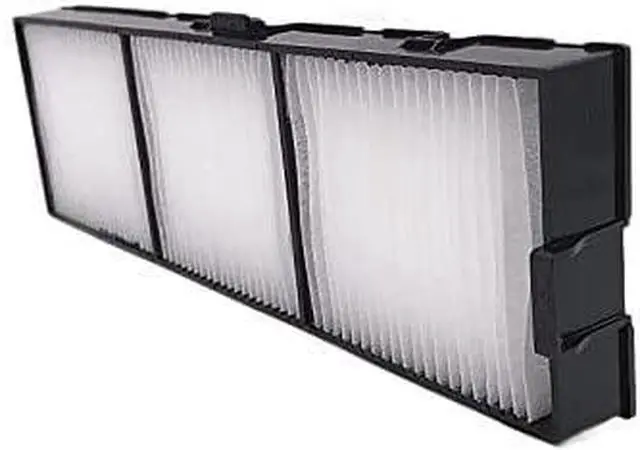
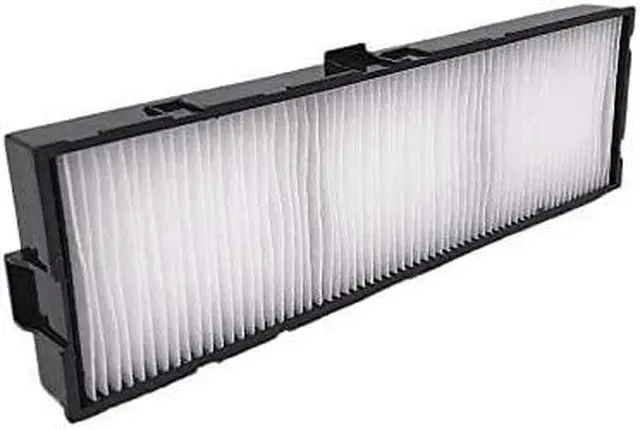
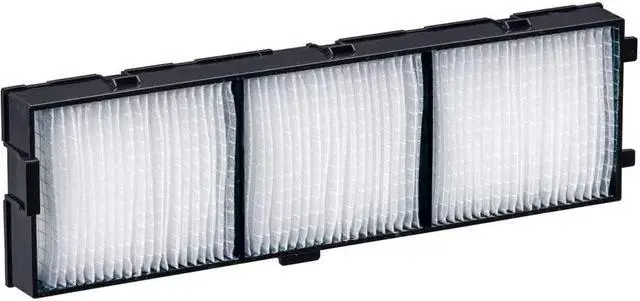


ET-RFV410 Projector Air Filter Use For Panasonic PT-VZ585N PT-VZ580 PT-VW545N PT-VW540 PT-VX615N PT-VX610 Projector Dust Filter
- ZECARFA ET-RFV410 Projector Air Filter replacement
- This replacement air filter ET-RFV410 is compatible with Panasonic PT-VZ585N PT-VZ580 PT-VW545N PT-VW540 PT-VX615N PT-VX610 Projector Dust Filter
- Quality air filter ET-RFV410 to keep your projector cool, avoiding overhearting and let your projector run a long life
- Easy installation, just few steps to fix it down. Find the positon of the filter, pull out the old used one, and insert the new replacementn dust filter, get the cover back.
- Respond to customer inquiries and issues promptly, 7X 24 hours instant response.If you need any more information, please feel free to contact us
+
+
Overview
Reviews

Any questions? Our AI mode will help you find out quickly.
Try me now
ZECARFA is a specialized electronic manufacturer, We have been in this line for almost ten years. we're devoting to provide our customers better quality products.
Go with ZECARFA's projector lamps, you will get high brightness with economic ways. Then you can enjoy the happiness with amazing color and vivid image quality.
Go with ZECARFA's projector air filter, you will get your projector cool and release the heat properly to extend the life of your projector.
I believe that you are a person of environmental protection, please dispose of the light bulbs correctly after use, The beautiful homeland needs you and I to protect it together .
1) Turn off the power of the projector you would like to replace the filter
2Remove the air filter cover slightly
3) Remove the old air filter unit
4) Attach the optional replacement filter unit to the projector
5) Attach the air filter cover to the projector
6) Connect the power plug, and turn on the projector
7) Please reset the filter time counter
Tips: Please make sure that projector is stable when replacing the filter, and perform the replacement in a safe place where the unit will not be damaged even if you drop the air filter unit
Go with ZECARFA, Enjoy Your Happiness How to Replace Your Projector Air Filter
Go with ZECARFA's projector lamps, you will get high brightness with economic ways. Then you can enjoy the happiness with amazing color and vivid image quality.
Go with ZECARFA's projector air filter, you will get your projector cool and release the heat properly to extend the life of your projector.
I believe that you are a person of environmental protection, please dispose of the light bulbs correctly after use, The beautiful homeland needs you and I to protect it together .
1) Turn off the power of the projector you would like to replace the filter
2Remove the air filter cover slightly
3) Remove the old air filter unit
4) Attach the optional replacement filter unit to the projector
5) Attach the air filter cover to the projector
6) Connect the power plug, and turn on the projector
7) Please reset the filter time counter
Tips: Please make sure that projector is stable when replacing the filter, and perform the replacement in a safe place where the unit will not be damaged even if you drop the air filter unit
Go with ZECARFA, Enjoy Your Happiness How to Replace Your Projector Air Filter
Warranty & Returns
Warranty, Returns, And Additional Information
Warranty
- Please contact the Seller directly for warranty information. Warranty information may also be found on the Manufacturer's website.
- CONTACT
Return Policies
- Return for refund within: 30 days
- Return for replacement within: 30 days
- This item is covered by HAITAO CROSS BORDER E-COMMERCE LIMITED Return Policy
Manufacturer Contact Info
- For a directory of all our manufacturers, please click below.
- Manufacturers Directory
LOADING...