

Your Browsing History
- Free 30-day Returns
$324.99

Meet Your Seller

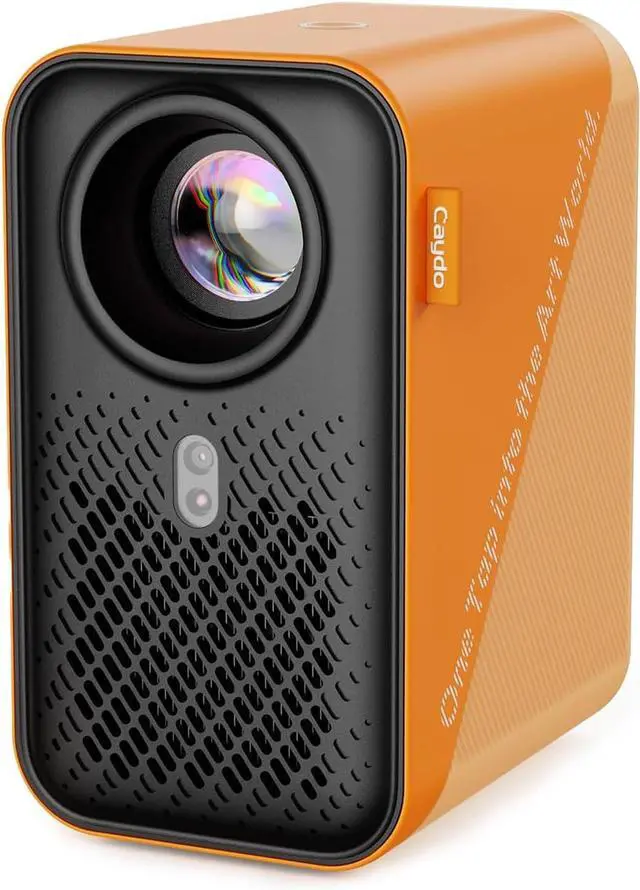
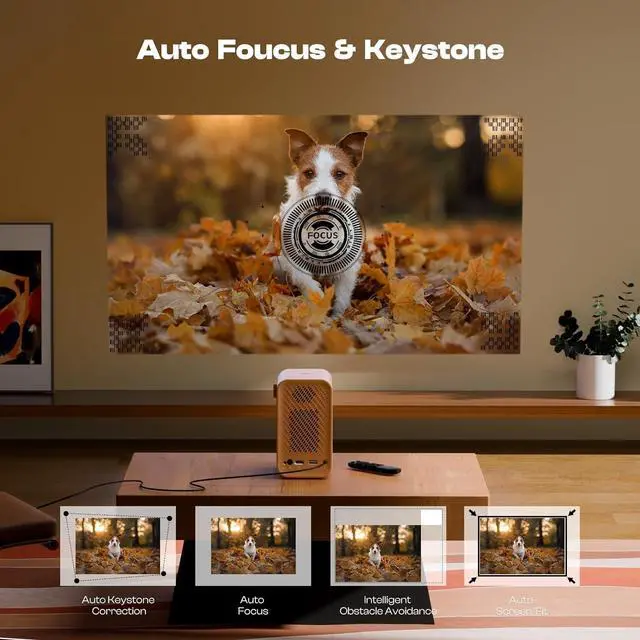


Caydo P1 Art Projector with Exclusive Drawing App for Artists, Portable Auto Focus & Keystone LED Projector for Drawing and Tracing, 4K Support, 100 Display, Compatible with iOS/Android, Upgraded
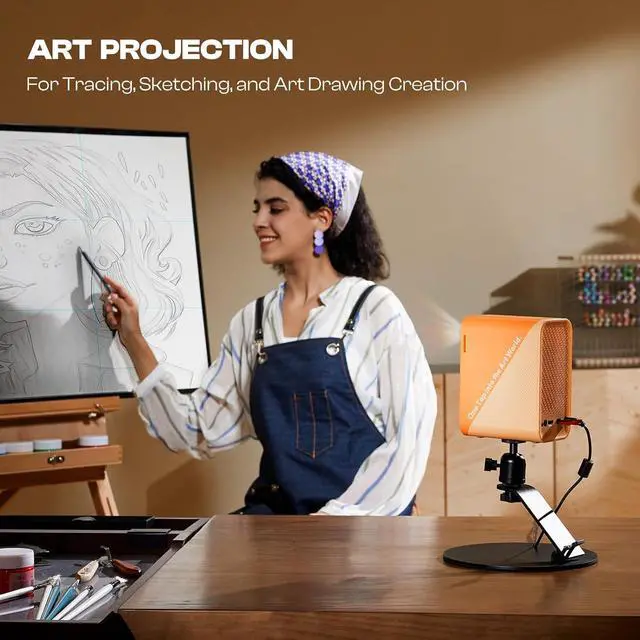
- LED Art Projector - Effortlessly project images, designs, and photos onto various surfaces, including walls, easels, blackboards, and whiteboards. Perfect for tracing, sketching, and artistic creation, this art projector caters to the needs of painting enthusiasts, professionals, designers, and artists alike. Take off the lens cover before using
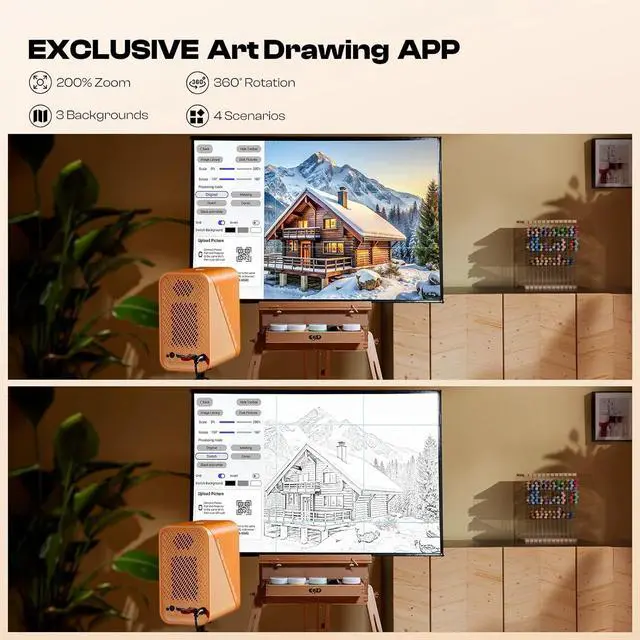
- Exclusive Drawing Assistant - Please upgrade the app to the newest 1.8 version for better using experience. The built-in art software features tools like flexible zoom, 360° rotation, and 3x3 grids. Our drawing app is designed to make your artistic process smoother and more intuitive. Choose from 3 background colors (black, grey, white) and explore 4 unique drawing modes - Gridify, Sketchify, Comicize, and Monochromize
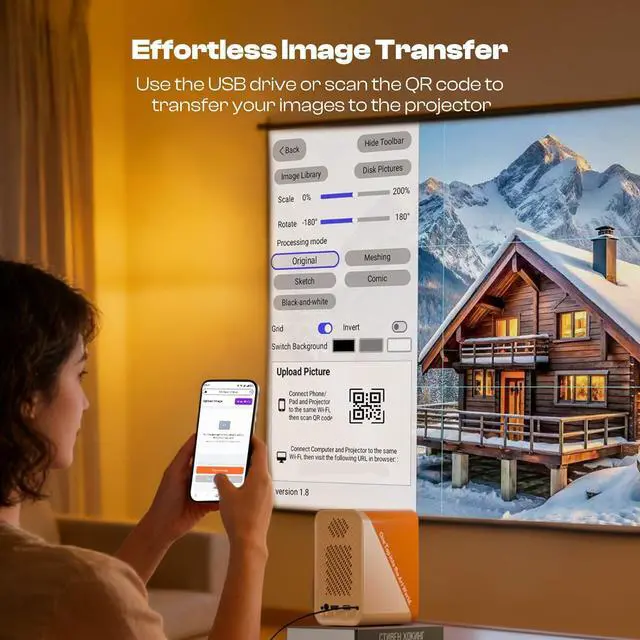
- Effortless Image Transfer with Upgraded App - No more complicated operations. Simply scan the QR code within the app or use a USB drive to easily transfer your images to the projector. This allows you to start your creative wo
+
+
Overview
Specs
Reviews

Any questions? Our AI beta will help you find out quickly.
Try me now
Caydo began with a vision to empower artists by bridging imagination and reality. We aimed to create a tool that enhances creativity and transforms the artistic process.
What are the 4 drawing modes in the drawing app for?
The 4 drawing modes are designed to intelligently process your original image by removing any irrelevant elements and transforming it into various styles. Each mode offers unique effects to help you achieve your artwork.
Is a PC required to transfer images?
No, now you can quickly transfer images from your phone to the projector by simply scanning the screen-on code within the drawing app.
How to transfer images without internet?
If you're in a location with no internet, simply save your images to a USB drive in advance, plug it into the projector, and you can access them directly from the built-in drawing app.
Can I trace without using the app?
Yes, if you don't need image processing features, you can use screen mirroring to project images onto your surface for quick tracing.
How did we get our start? How do I upgrade the drawing app on the projector? Do I need to pay for the new version?
What are the 4 drawing modes in the drawing app for?
Is a PC required to transfer images?
How to transfer images without internet?
Can I trace without using the app?
What are the 4 drawing modes in the drawing app for?
The 4 drawing modes are designed to intelligently process your original image by removing any irrelevant elements and transforming it into various styles. Each mode offers unique effects to help you achieve your artwork.
Is a PC required to transfer images?
No, now you can quickly transfer images from your phone to the projector by simply scanning the screen-on code within the drawing app.
How to transfer images without internet?
If you're in a location with no internet, simply save your images to a USB drive in advance, plug it into the projector, and you can access them directly from the built-in drawing app.
Can I trace without using the app?
Yes, if you don't need image processing features, you can use screen mirroring to project images onto your surface for quick tracing.
How did we get our start? How do I upgrade the drawing app on the projector? Do I need to pay for the new version?
What are the 4 drawing modes in the drawing app for?
Is a PC required to transfer images?
How to transfer images without internet?
Can I trace without using the app?
Warranty & Returns
Warranty, Returns, And Additional Information
Warranty
- Please contact the Seller directly for warranty information. Warranty information may also be found on the Manufacturer's website.
- CONTACT
Return Policies
- Return for refund within: 30 days
- Return for replacement within: 30 days
- This item is covered by Zhanfu Technology Co., Limited Return Policy
Manufacturer Contact Info
- For a directory of all our manufacturers, please click below.
- Manufacturers Directory
LOADING...