

Your Browsing History
- Free 30-day Returns
$166.99

Meet Your Seller


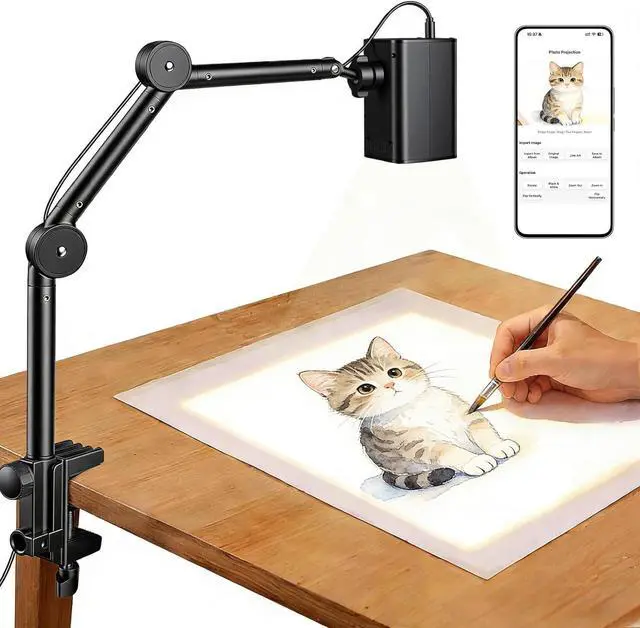
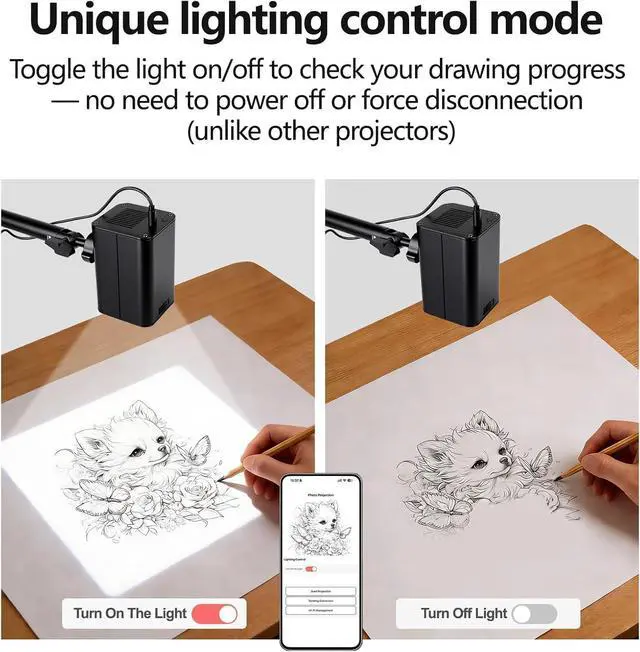
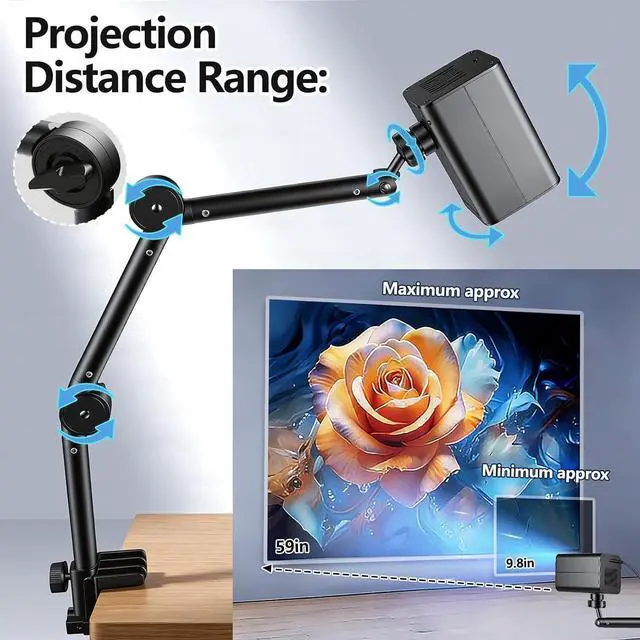
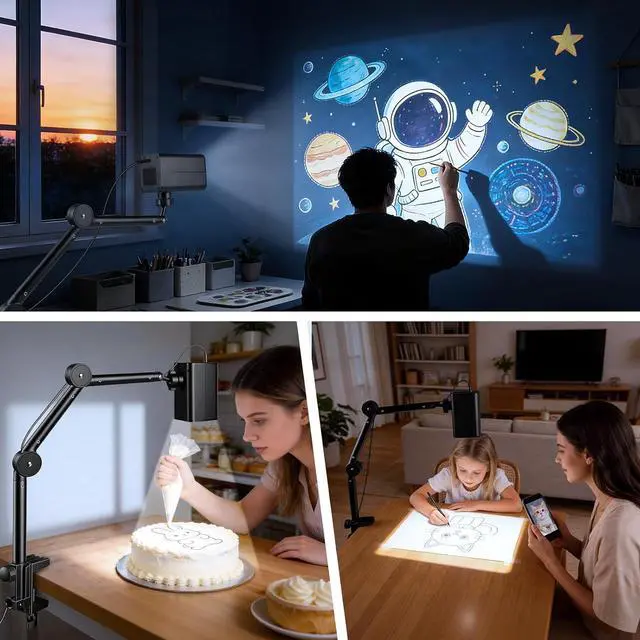
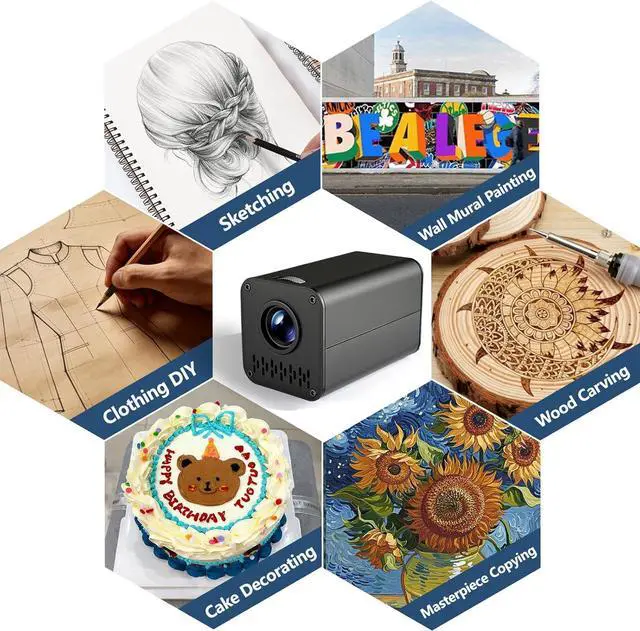


Art Projector for Tracing with Adjustable Stand, Web-Based Control No App Needed, Drawing Projector Works with iOS/Android, Great for Beginners, Craft Lovers or Kids
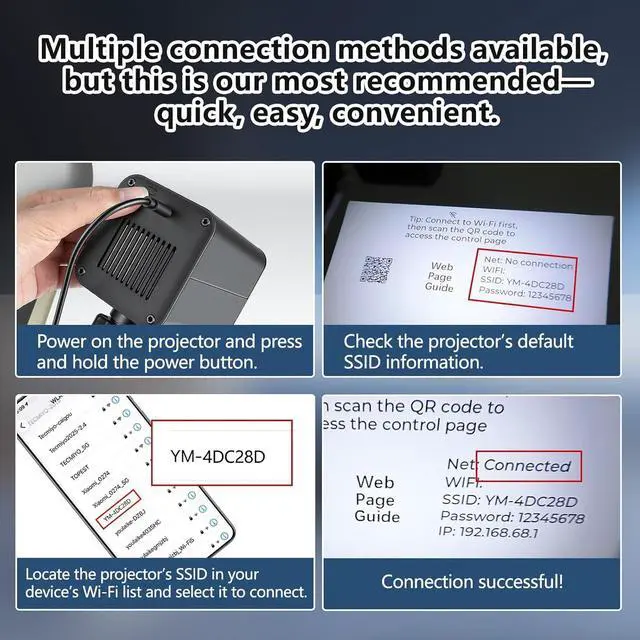
- [No Extra App Required] Skip the hassle of downloading additional apps! Control the projector seamlessly through any web browserno installations, no storage space needed. Just connect and start projecting instantly.
- [Upgraded Hardware & Chip Dual-Band WiFi] Stand out with exclusive dual-band (2.4G/5G WiFi) compatibilitywere one of the few projectors on the market offering both for stable, fast connections. The upgraded chip boosts performance while reducing heat and operating noise, delivering a smooth, distraction-free experience.
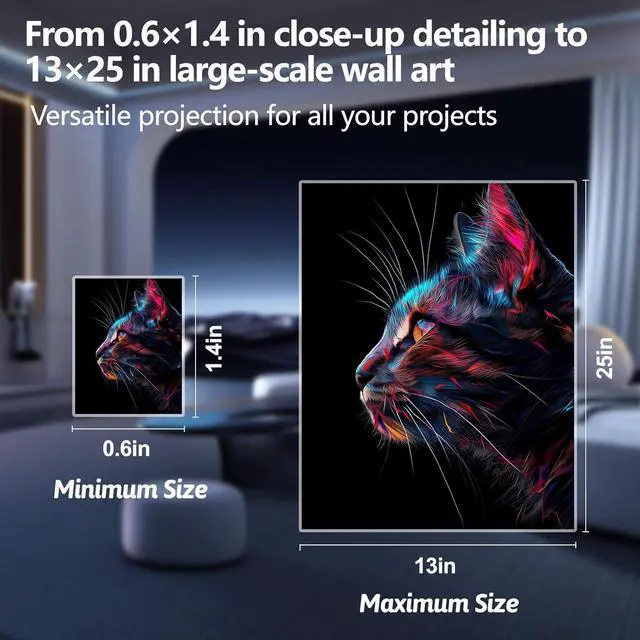
- [Adjustable Stand for Multi-Scene Projection] Equipped with a flexible adjustable stand, this projector supports angle customization for every creative need. Project crisp images onto canvases, paper, desks, or wallsperfect for hands-on crafting, sketching, or practice sessions, no matter your workspace setup.
- [Wide Compatibility Works with iOS/Android, Phones & Tablets] Connect effortlessly with any smartphone or tablet (iOS/Android). As
+
+
Overview
Specs
Reviews

Any questions? Our AI mode will help you find out quickly.
Try me now
Q: Can the projector work with Android phones?
A: Yes, both iOS and Android devices are supported as long as the operation is correct.
Q: How do I scan a Q-R code on my Android phone?
A: Use the camera or Google Lens. If your camera cannot scan the code, you can download a free Q-R code scanner app or use a browser to complete the task.
Q:Can the projector work with PC or Tablet?
A:Our projector works with all Wi-Fi enabled devices, including smartphones, tablets and laptops.
For desktop computers: it can connect as well if your motherboard supports Wi-Fi or you have a wireless network adapter installed.
Q:Why does the webpage I scanned show that it is inaccessible?
A:You can think of the projector as being on a local area network (LAN). Whether you connect to the projector's SSID or configure your home network, both modes ensure the projector and your device are on the same network, which is required for proper operation.
If you encounter connection issues or difficulty understanding the manual, you may receive further support from us.
A: Yes, both iOS and Android devices are supported as long as the operation is correct.
Q: How do I scan a Q-R code on my Android phone?
A: Use the camera or Google Lens. If your camera cannot scan the code, you can download a free Q-R code scanner app or use a browser to complete the task.
Q:Can the projector work with PC or Tablet?
A:Our projector works with all Wi-Fi enabled devices, including smartphones, tablets and laptops.
For desktop computers: it can connect as well if your motherboard supports Wi-Fi or you have a wireless network adapter installed.
Q:Why does the webpage I scanned show that it is inaccessible?
A:You can think of the projector as being on a local area network (LAN). Whether you connect to the projector's SSID or configure your home network, both modes ensure the projector and your device are on the same network, which is required for proper operation.
If you encounter connection issues or difficulty understanding the manual, you may receive further support from us.
Warranty & Returns
Warranty, Returns, And Additional Information
Warranty
- Please contact the Seller directly for warranty information. Warranty information may also be found on the Manufacturer's website.
- CONTACT
Return Policies
- Return for refund within: 30 days
- Return for replacement within: 30 days
- This item is covered by Zhanfu Technology Co., Limited Return Policy
Manufacturer Contact Info
- For a directory of all our manufacturers, please click below.
- Manufacturers Directory
LOADING...