

Your Browsing History
- Free 30-day Returns
$139.99

Meet Your Seller

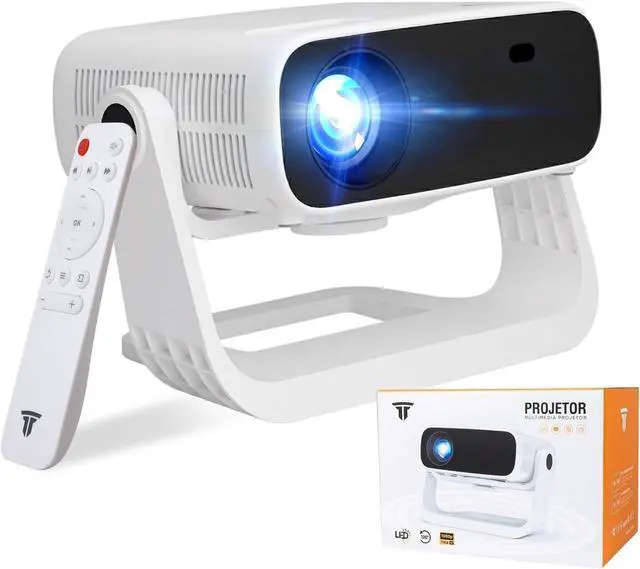
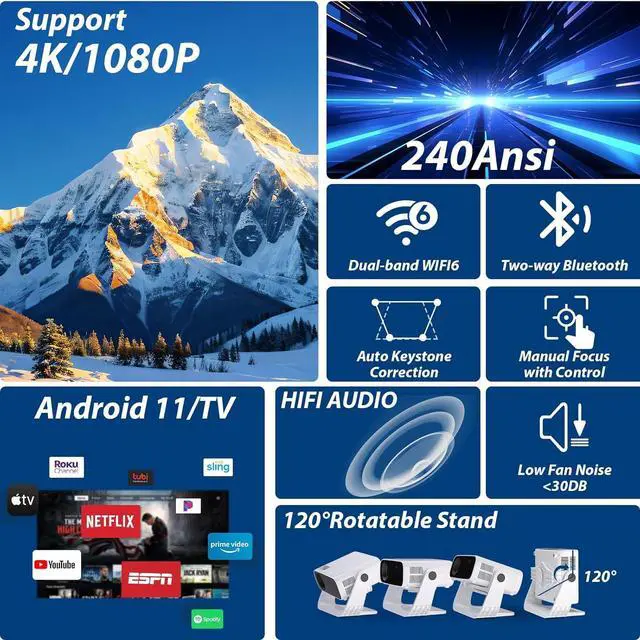
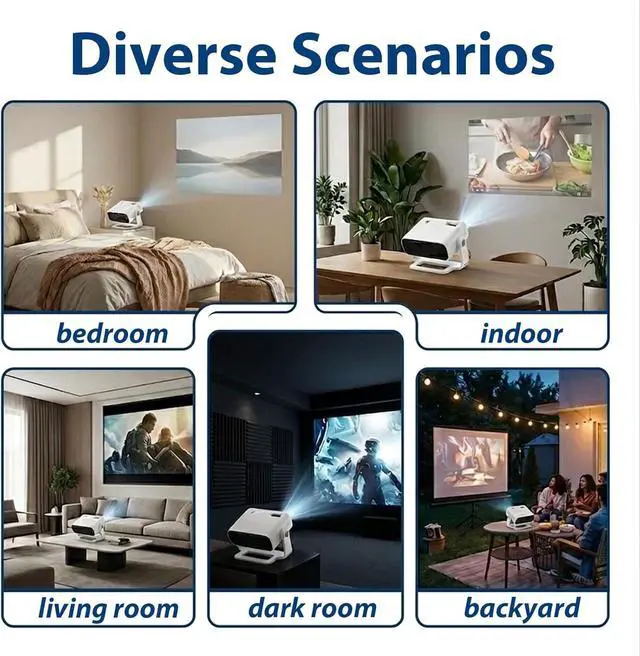


Wielio 2026 Smart Projector Android TV with WiFi 6 and Bluetooth 5.0 Built in 1000+ Apps 240 ANSI Portable Bedroom Mini Movie Projector Support 4K/1080P Auto Keystone & Zoom
- Android 11 Smart System Endless Entertainment at Your Fingertips: Powered by Android 11, this projector enables direct app downloads and seamless streaming. Easily transform any room into a personal cinema for home or outdoor use. Enjoy one-click access to content, Prime Video, and YouTube, featuring over 1,000,000 FHD videos. Download your favorite apps directly from the built-in App Store with no extra devices required
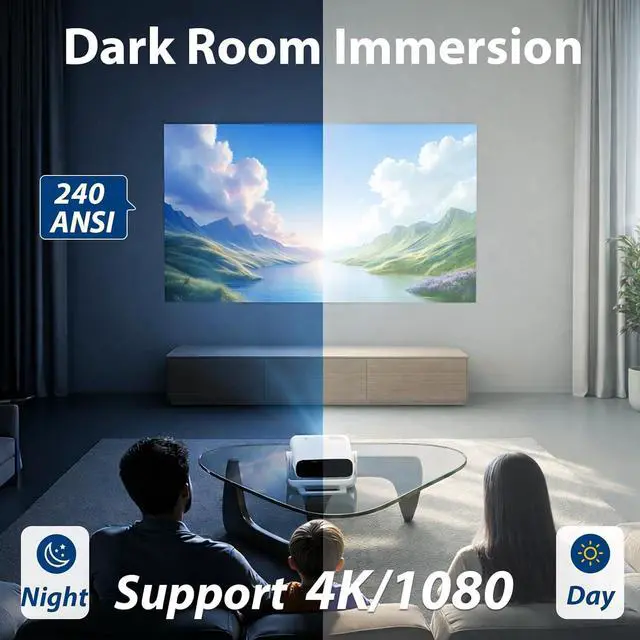
- 50,000 Lumen High Brightness Vivid Images in Any Lighting: With 50,000 Lumen brightness, it delivers bright, vibrant images that remain clear even in well-lit rooms. Suitable for outdoor movies or daytime viewing, ensuring your picture stays crisp and lively in any environment
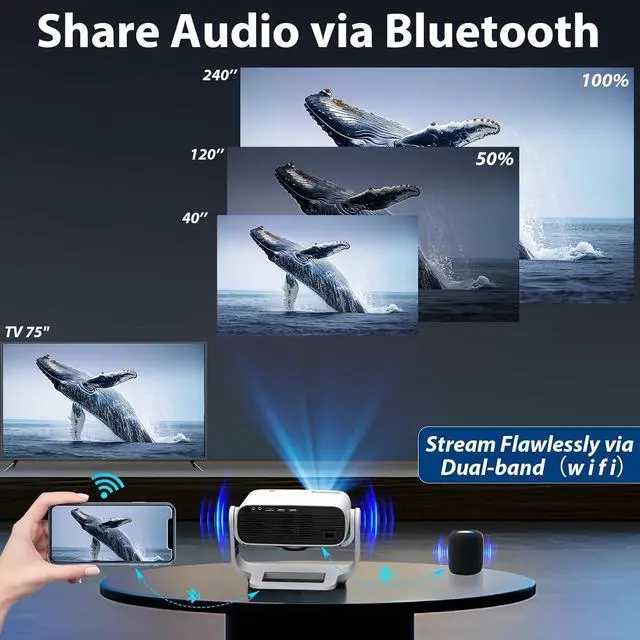
- Wireless Connectivity Smooth, Lag-Free Streaming: Equipped with Bluetooth 5.0 and WiFi 6 for ultra-stable, lag-free wireless projection. Stream high-quality video without buffering or cables indoors or outdoors directly from your phone or tablet
- 240Ansi-Support 1080p & 4K Cinema-Quality Clari
+
+
Overview
Specs
Reviews

Any questions? Our AI beta will help you find out quickly.
Try me now
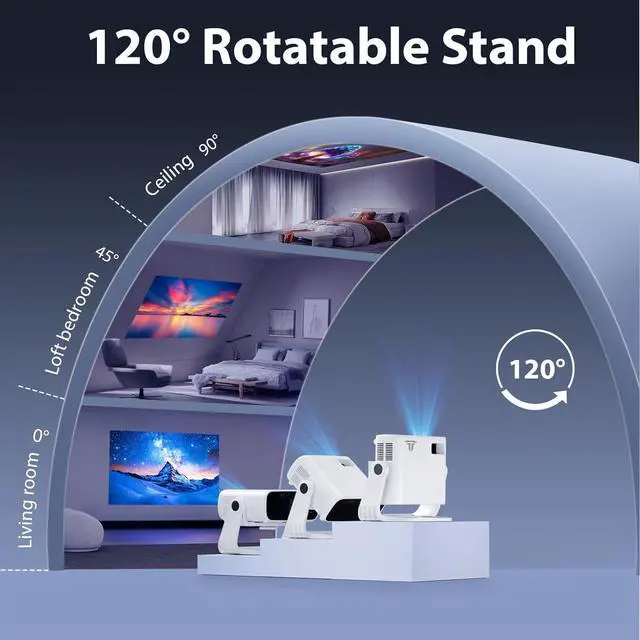
1Multiple Device Link2Bluetooth5.03Infrared remote control4120° Rotatable Stand5Halloween Surprise The projector image is blurry or unclear
Press the left/right buttons on the remote control to adjust the image clarity.
Check if the projector lens surface is clean.
The projector's placement angle may be too steep. It is recommended to keep the projection angle within 30°.
The projector has an image but no sound
1) The volume may be set to the lowest level or on mute.
2) If in Bluetooth mode, check if the connected Bluetooth speaker volume is turned on.
The projector shuts down automatically after running for a while
1) Check if there are any obstructions near the projector's air intake.
2) Voltage fluctuations in the power supply may be an issue.
3) High ambient temperatures may cause the machine to overheat.
External devices such as USB drives or hard drives cannot be detected
1) Reconnect the device.
2) Check if the device is damaged.
3) Use external hard drives with a capacity of 2TB or less.
2026 Smart Projector From 200" Home Theater to 40" Outdoor Movies. After Your Purchase: Help & Product Support Follow the video How to easily Set up the Manual Focus? Follow the video How do I mirror my phone's screen using a cable? The projector won't turn on after pressing the power button on the remote control
The projector image is blurry or unclear
The projector has an image but no sound
The projector shuts down automatically after running for a while
External devices such as USB drives or hard drives cannot be detected
Press the left/right buttons on the remote control to adjust the image clarity.
Check if the projector lens surface is clean.
The projector's placement angle may be too steep. It is recommended to keep the projection angle within 30°.
The projector has an image but no sound
1) The volume may be set to the lowest level or on mute.
2) If in Bluetooth mode, check if the connected Bluetooth speaker volume is turned on.
The projector shuts down automatically after running for a while
1) Check if there are any obstructions near the projector's air intake.
2) Voltage fluctuations in the power supply may be an issue.
3) High ambient temperatures may cause the machine to overheat.
External devices such as USB drives or hard drives cannot be detected
1) Reconnect the device.
2) Check if the device is damaged.
3) Use external hard drives with a capacity of 2TB or less.
2026 Smart Projector From 200" Home Theater to 40" Outdoor Movies. After Your Purchase: Help & Product Support Follow the video How to easily Set up the Manual Focus? Follow the video How do I mirror my phone's screen using a cable? The projector won't turn on after pressing the power button on the remote control
The projector image is blurry or unclear
The projector has an image but no sound
The projector shuts down automatically after running for a while
External devices such as USB drives or hard drives cannot be detected
Warranty & Returns
Warranty, Returns, And Additional Information
Warranty
- Please contact the Seller directly for warranty information. Warranty information may also be found on the Manufacturer's website.
- CONTACT
Return Policies
- Return for refund within: 30 days
- Return for replacement within: 30 days
- This item is covered by Zhanfu Technology Co., Limited Return Policy
Manufacturer Contact Info
- For a directory of all our manufacturers, please click below.
- Manufacturers Directory
LOADING...