

Your Browsing History
- Free 30-day Returns
$234.99

Meet Your Seller


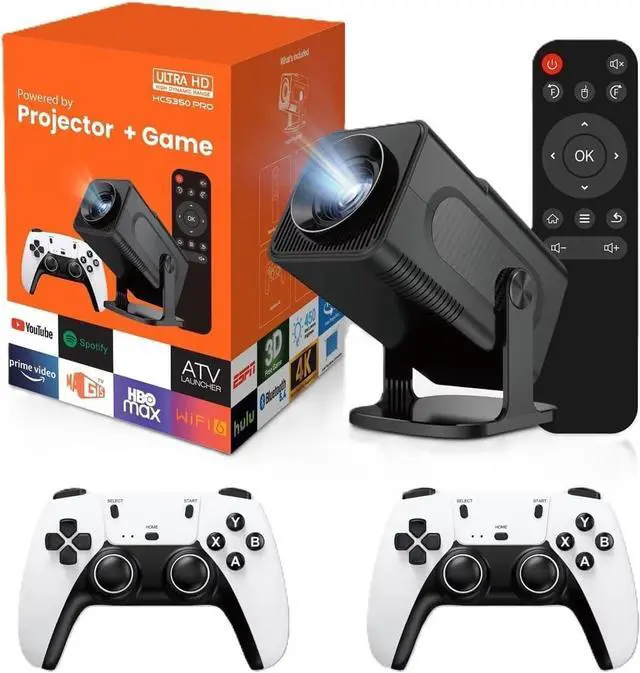

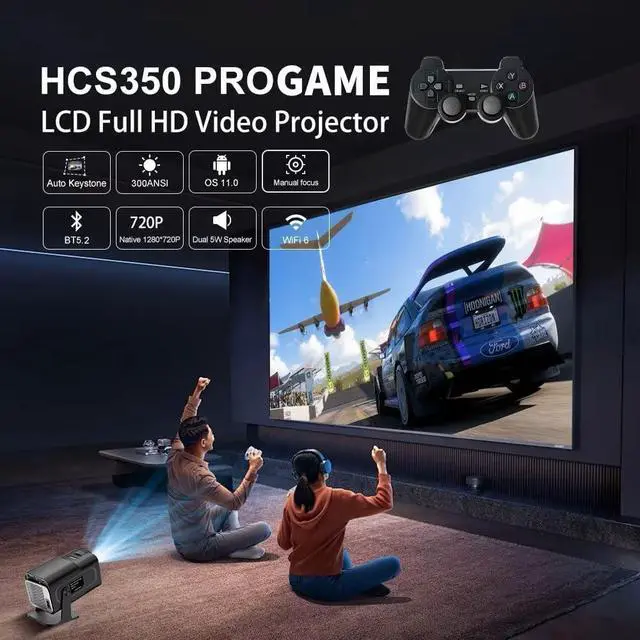


HCS350 Pro Android 11 Gaming Projector 64GB TF Card Wireless Gaming Controller Dual WIFI1920*1080P Home Theater Portable Projector (Hcs350pro Black)
- Native Resolution: 1920*1080P ,Max Support 1080P 2K 4K decoding use HD signal Wireless:2.4G & 5G WiFi6 Operation System: Android 11.0 RAM: 1GB & ROM:8GB CPU: Quad-core 64-bit ARM Cortex-A53 GPU: ARM Mali-G31 Supports OpenGL ES 3.2, Vulkan 1.1, and OpenCL 2.0 Bluetooth-compatible: BT 5.4Contrast ratio: 1000:1 Projection screen size: 30-100 inches Automatic correction
- Game format: MAME CPS1 GBA N64 GBC GB SEGA SFC PS1 NEOGEO IGS CPS2 Game quantity: 36000+Audio File:MP3/WMA/ACC Image File: JPG, BMP, PNG, support image scaling Video File:Full-format decoding including HEVC/VP9/AVS2/AVC 4K@30fps and MPEG1/MPEG2/AV1 1080p/60fps decoding and so on
+
+
Overview
Specs
Reviews

Any questions? Our AI mode will help you find out quickly.
Try me now
ROM Storage Capacity: 8GB RAM Storage Capacity: 1GB GPU: ARM Mali-G31 Supports OpenGL 3.2, Vulkan 1.1, OpenCL 2.0 CPU: Quad-core 64-bit ARM Cortex-A53 Built-in Game Console: Yes Hardware Type: Other Removable/Replaceable Battery: Yes Battery Capacity [mAh]: 0 Bluetooth Compatible: Yes WiFi: Yes Built-in Games: 36000 Category: Game Console Size: 23*18*16cm Weight: 1.35kg Operating System: Android Support Language: Japanese, French, German, Italian, Spanish, Portuguese, Russian, English, Korean, Simplified Chinese Package: Yes Origin: Mainland China Certification: CE HCS350PRO Portable Game Console Projector WiFi Quad-core ARM Cortex-A53 Supports Smart Games **Important Instructions:** To ensure the start HCS350Pro Game smoothly, please take a moment to check the following: 1. Make sure the controller receiver is plugged in before turning on the device. 2. Make sure the game TF card is securely inserted into the card slot before turning on the device. 3. Double-check that AAA batteries are installed in both the main and auxiliary controllers. 4. After accessing the "Game Selection" interface, use the main game controller to select your game with confidence. By following these steps, you will ensure a smooth gaming experience!
Warranty & Returns
Warranty, Returns, And Additional Information
Warranty
- Please contact the Seller directly for warranty information. Warranty information may also be found on the Manufacturer's website.
- CONTACT
Return Policies
- Return for refund within: 30 days
- Return for replacement within: 30 days
- This item is covered by Zhanfu Technology Co., Limited Return Policy
Manufacturer Contact Info
- For a directory of all our manufacturers, please click below.
- Manufacturers Directory
LOADING...