Your Browsing History
Meet Your Seller
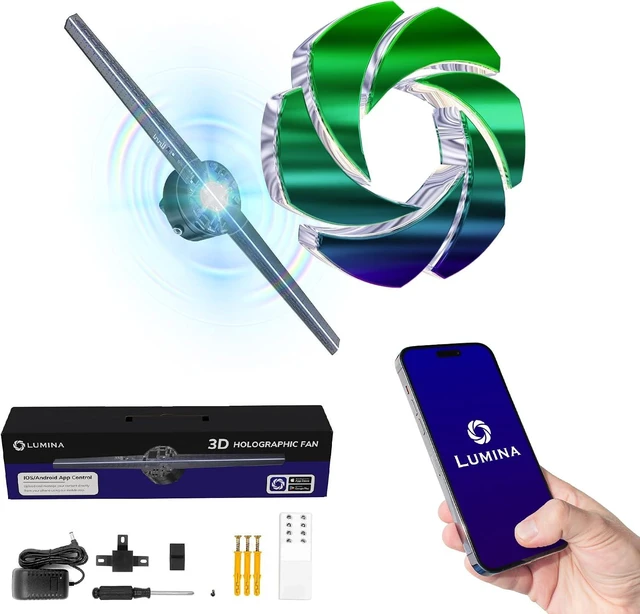
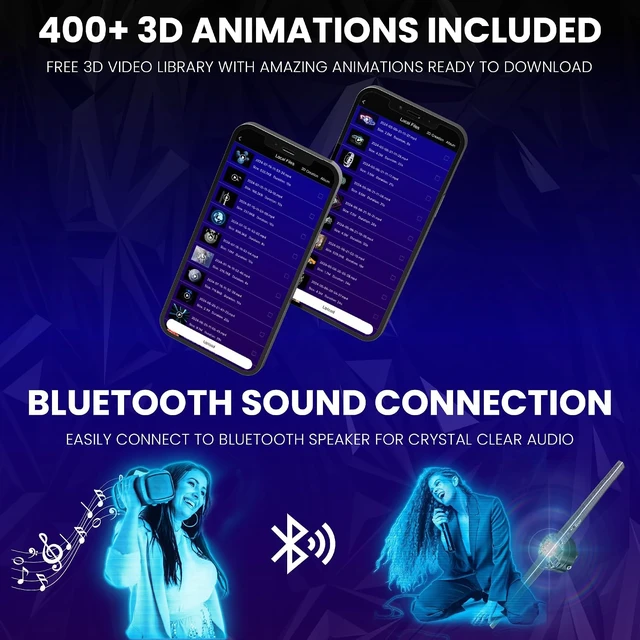
LUMINA 17" 3D Holographic Fan, Hologram Fan with 3D Video Projector Display, IOS/Android Wi-Fi App Control, 1600x384px HD Resolution, Bluetooth Sound, Free 3D Video Library, MP4, MOV, AVI, JPEG, PNG
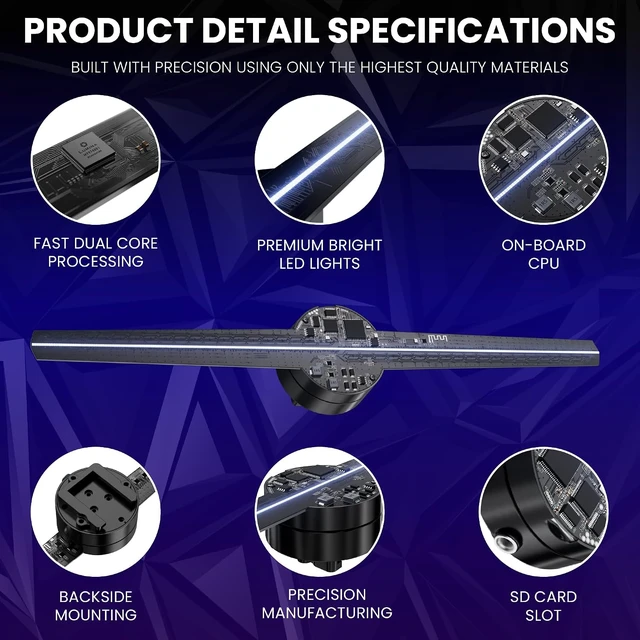
- LUMINA's L2 17in Holographic Fan sports an impressive 1600x384px HD Video Resolution. 384 premium LED beads lining the blades are manufactured with the highest precision and are tested for over 24hrs before being packaged and sent out to any customer. Our LED beads are ultra-bright, able to display over 16 million different hues of color ensuring the brightest, most vibrant, and high depth of colors are presented at all times so your videos are always crystal clear and visually impressive.
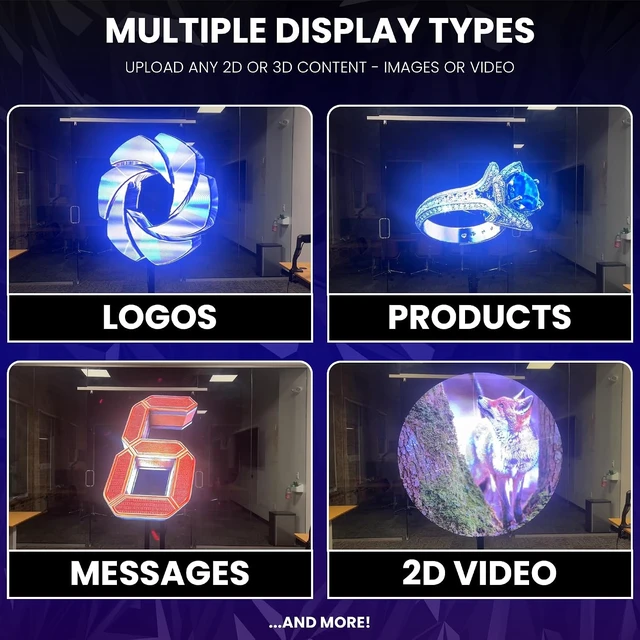
- Watch as images come to life in 3D, floating in mid-air with stunning depth and realism that resembles a real-life hologram. You can fully customize your experience by uploading your own 3D videos and images, plus there is NO LIMIT to the amount of videos and photos you can upload and display! Recommended uses are for your own entertainment, art, trade shows, events, advertising, education and more! Use any software to m
+
+
Overview
Specs
Reviews
Any questions? Ask CelesteSM will help you find out quickly.
Try me now
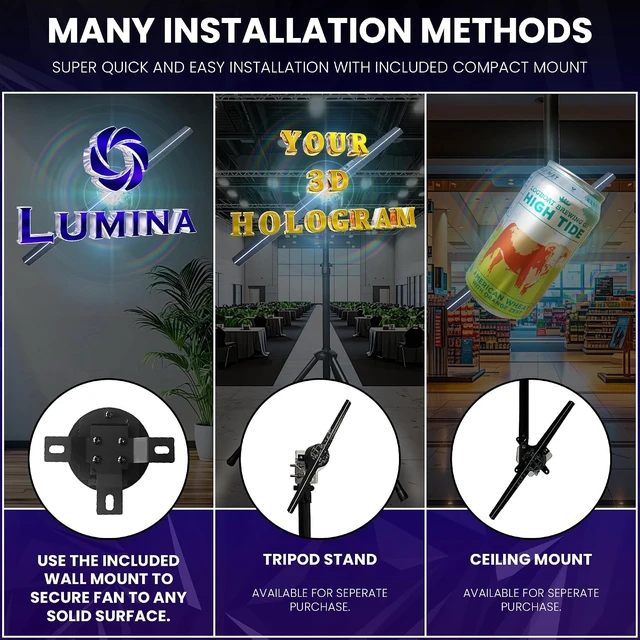
1. Set up your LUMINA Holographic Fan by attaching the LED blades to the fan motor using the included screws and screwdriver.
2. Install the included Wall Mount to any Solid Surface.
3. Slide the Holographic Fan onto the Wall Mount and plug in the Power.
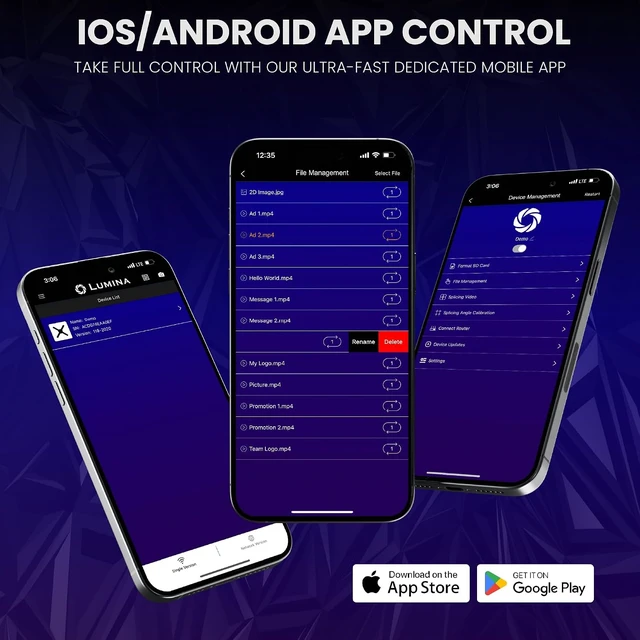
4. Download our Mobile App available on IOS/Android.
5. Connect to your Holographic Fan via Wi-Fi, then open our App and start uploading and managing your content directly from your Smartphone!
Configure Files: Use this function to splice (combine) multiple fans together to make one huge video wall.Device List: See available devices to connect to.Account Settings: User account settings.Single Version: Connect to a single device / group of devices.Network Version: Connect your device to a local Wi-Fi network and control it from anywhere in the world!Select File: Select a video or image file from your phone to upload.Video File: List of files that are currently uploaded and playing on the device.Loop Icon: Select the number of times you want a file to play.Delete: Delete the selected file.Rename: Rename the selected file.Power Control: Turn on and off your device from your phone.Change Wi-Fi Settings: Change the device Wi-Fi name and password.Brightness Control: Change the brightness level of the display.Angle Control: Change the angle of the displayed picture as needed.Test Mode: Stop the motor and test the LED's on the fan blades. Choose from Preset Templates to make your own 3D Content. Add effects, change the color, text, and even add images to your 3D Creation!
3D Sphere3D Cylinder3D Box3D Text
Warranty & Returns
Warranty, Returns, And Additional Information
Warranty
- Please contact the Seller directly for warranty information. Warranty information may also be found on the Manufacturer's website.
- CONTACT
Return Policies
- Return for refund within: 30 days
- Return for replacement within: 30 days
- This item is covered by Cloudless Clear Return Policy
Manufacturer Contact Info
- For a directory of all our manufacturers, please click below.
- Manufacturers Directory
LOADING...