


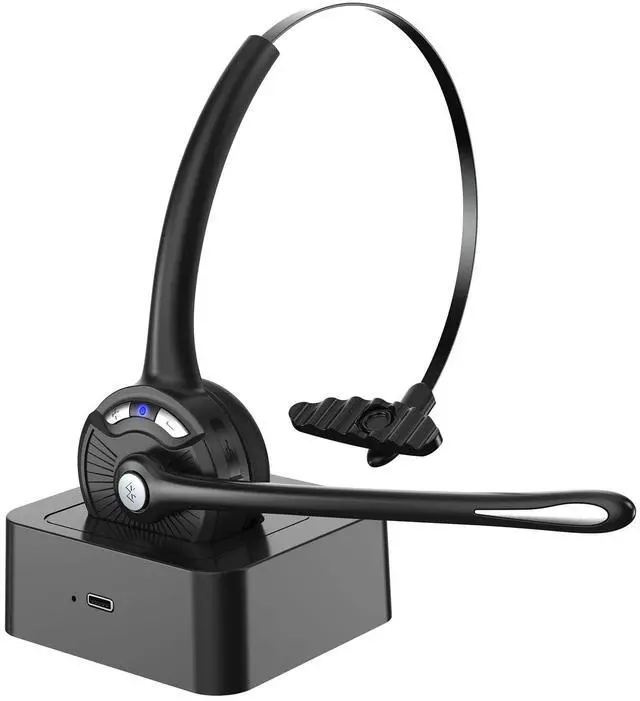

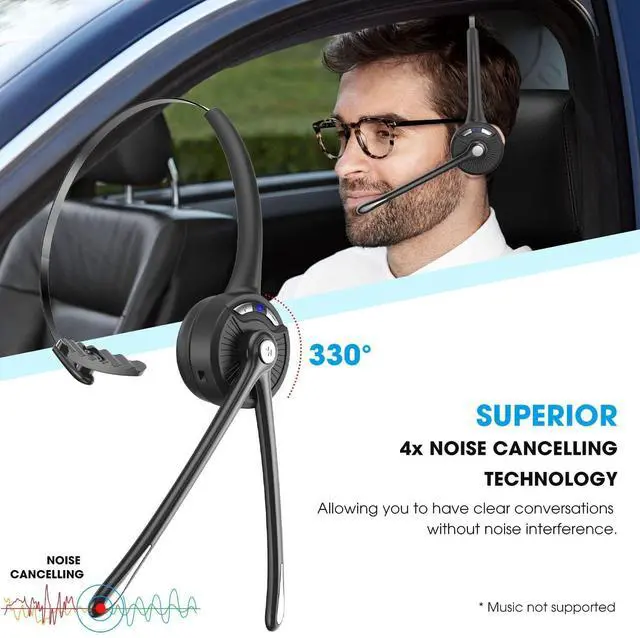


Caymuller Bluetooth 5.1 Wireless Headset


Bluetooth 5.1 Headset with Noise Canceling Mic
Two Charging Ways
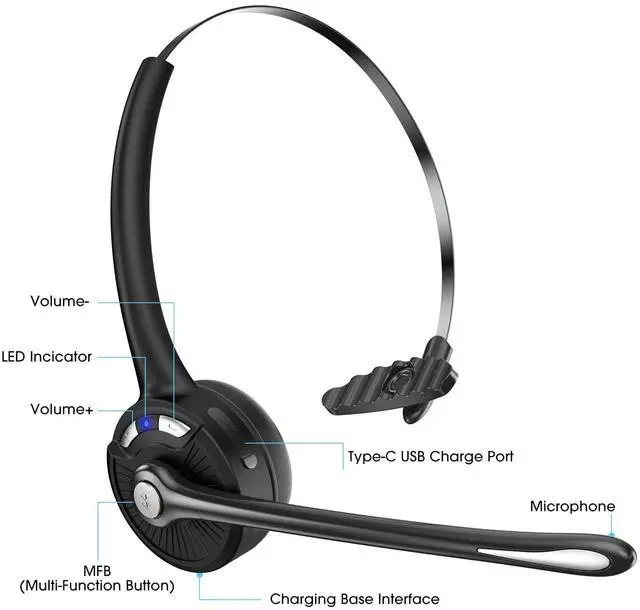
- You can use the Type-C USB charging cable to connect the DT629 charging port.
- You can use the Type-C USB charging cable to charge the charging base, then you put the DT629 on the charging base.
Package Contain
- Caymuller Wireless Headset
- USB Charging Cable
- Charging Base
- User Manual
- Bluetooth version: 5.1
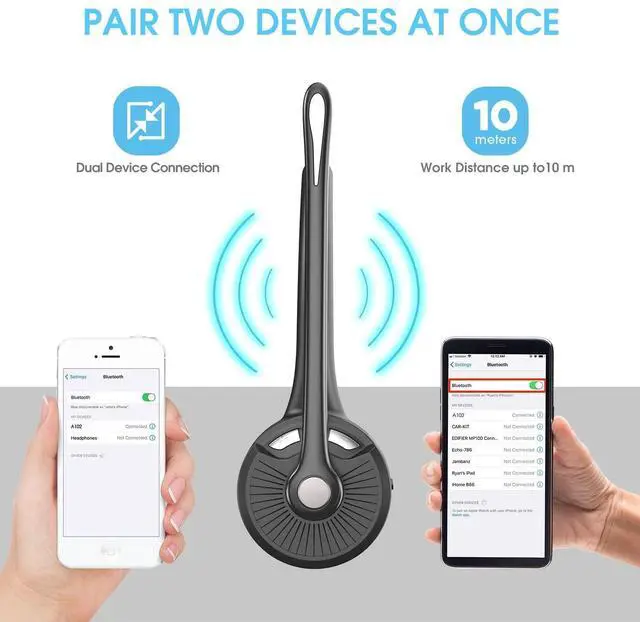
- Wireless Range: 10 Meters/33 Feet
- Battery Capacity: 180mAh
- Charging Time: 2 Hours
- Long Playtime: 12Hrs
- StandbyTime: 160Hrs
- Working Temperature: -10- 55?

330° Rotatable Microphone
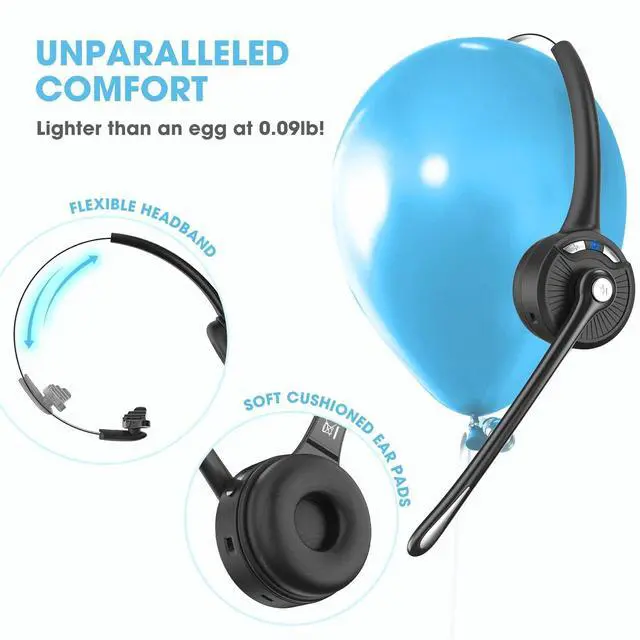
Caymuller Bluetooth headset have a 330° rotatable microphone, which can freely adjust the microphone to the perfect angle. And it can perfect for both right and left ear.Designed with stretchable headband, you can adjust it to a suitable width according to your head's size.

Long Battery Life
- Long Playtime: 12 Hours
- Charging Time: 2 Hours
- StandbyTime: 160Hrs
- Battery Capacity: 180mAh

Easy Controls and Multi-Function
Wireless bluetooth headphones provides an simple and intuitive and interface to answer/end calls,adjust volume, and play/pause music. One key to power on and enter pairing mode, wake up Siri, etc. Just press the “+” and “-” buttons simultaneously to mute your microphone.

Anti-Slip Headphones
The Caymuller bluetooth headset features an adjustable headband to suit any head shape and prevent slipping.

Comfortable Enjoy
At just 0.09 pounds,ultra-light wireless headset with padded ear cushions and flexible headbands,feels almost weightless and provides you comfortable wearing experience for intensive all-day use.

Wide Compatibility
Compatible with all Bluetooth-enabled devices, brings convenience for driving or remote meeting.
Connect with computers, laptops can work perfectly for Trucker, Skype, MS Teams, Zoom, Facetime, Video Call, Google Meeting.


Connection with Two Devices
- In off status, long press MFB for 5 seconds to enter pairing mode with Blue & Red LED flash alternately.
- Search and click to connect”DT629" on your phone Bluetooth lists, LED change to Blue slow flash once every 10 seconds after connected, now you can play music from phone to headphone.
- Follow part 1-2 to connect with first phone, then turn off the Bluetooth function of first phone.
- Turn off the headset then long press MFB for 5 seconds to enter pairing mode again with Red & Blue LED flash alternately. Tum on the Bluetooth function of second phone to search and connect “DT629", LED change to Blue flash once every 10 seconds.
- Turn on Bluetooth function of second phone, click to reconnect “DT629" on Bluetooth lists. LED change to Blue slow flash after connected.
- Turn on Bluetooth function of first phone, click to reconnect “DT629" on Bluetooth lists. Headset is connected with two phones now.
Caymuller Bluetooth 5.1 Wireless Headset
Bluetooth 5.1 Headset with Noise Canceling Mic
Two Charging Ways
- You can use the Type-C USB charging cable to connect the DT629 charging port.
- You can use the Type-C USB charging cable to charge the charging base, then you put the DT629 on the charging base.
Package Contain
- Caymuller Wireless Headset
- USB Charging Cable
- Charging Base
- User Manual
- Bluetooth version: 5.1
- Wireless Range: 10 Meters/33 Feet
- Battery Capacity: 180mAh
- Charging Time: 2 Hours
- Long Playtime: 12Hrs
- StandbyTime: 160Hrs
- Working Temperature: -10- 55?
330° Rotatable Microphone
Caymuller Bluetooth headset have a 330° rotatable microphone, which can freely adjust the microphone to the perfect angle. And it can perfect for both right and left ear.Designed with stretchable headband, you can adjust it to a suitable width according to your head's size.
Long Battery Life
- Long Playtime: 12 Hours
- Charging Time: 2 Hours
- StandbyTime: 160Hrs
- Battery Capacity: 180mAh
Easy Controls and Multi-Function
Wireless bluetooth headphones provides an simple and intuitive and interface to answer/end calls,adjust volume, and play/pause music. One key to power on and enter pairing mode, wake up Siri, etc. Just press the “+” and “-” buttons simultaneously to mute your microphone.
Anti-Slip Headphones
The Caymuller bluetooth headset features an adjustable headband to suit any head shape and prevent slipping.
Comfortable Enjoy
At just 0.09 pounds,ultra-light wireless headset with padded ear cushions and flexible headbands,feels almost weightless and provides you comfortable wearing experience for intensive all-day use.
Wide Compatibility
Compatible with all Bluetooth-enabled devices, brings convenience for driving or remote meeting.
Connect with computers, laptops can work perfectly for Trucker, Skype, MS Teams, Zoom, Facetime, Video Call, Google Meeting.
Connection with Two Devices
- In off status, long press MFB for 5 seconds to enter pairing mode with Blue & Red LED flash alternately.
- Search and click to connect”DT629" on your phone Bluetooth lists, LED change to Blue slow flash once every 10 seconds after connected, now you can play music from phone to headphone.
- Follow part 1-2 to connect with first phone, then turn off the Bluetooth function of first phone.
- Turn off the headset then long press MFB for 5 seconds to enter pairing mode again with Red & Blue LED flash alternately. Tum on the Bluetooth function of second phone to search and connect “DT629", LED change to Blue flash once every 10 seconds.
- Turn on Bluetooth function of second phone, click to reconnect “DT629" on Bluetooth lists. LED change to Blue slow flash after connected.
- Turn on Bluetooth function of first phone, click to reconnect “DT629" on Bluetooth lists. Headset is connected with two phones now.