Your Browsing History
- Free 30-day Returns
$94.09
Ships from China.
Meet Your Seller
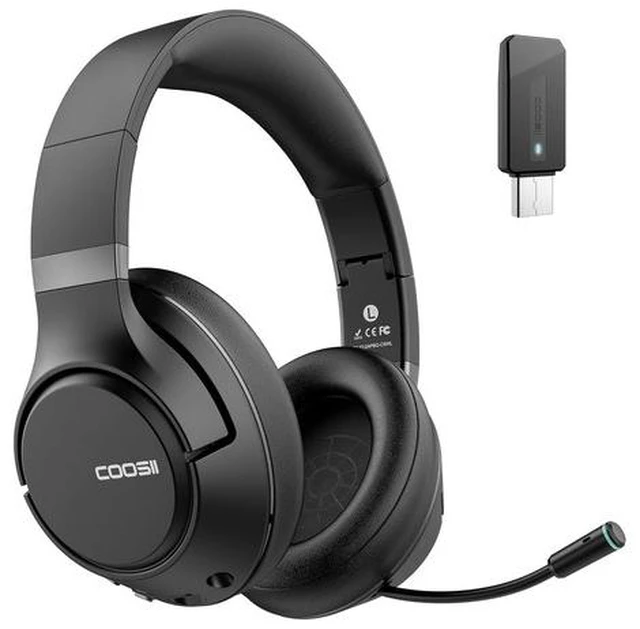
H300 Wireless Headphones with Microphone, Over Ear Bluetooth Headsets with USB Dongle & Mute, Environmental Noise Cancelling Retractable Mic for Work Office Call Center Laptop Computer (Black)
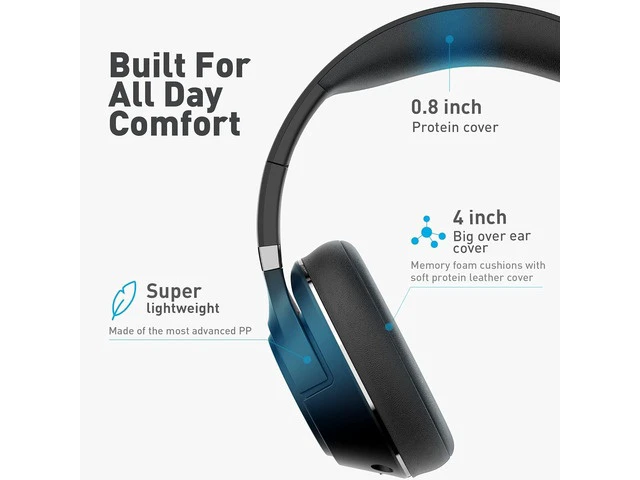
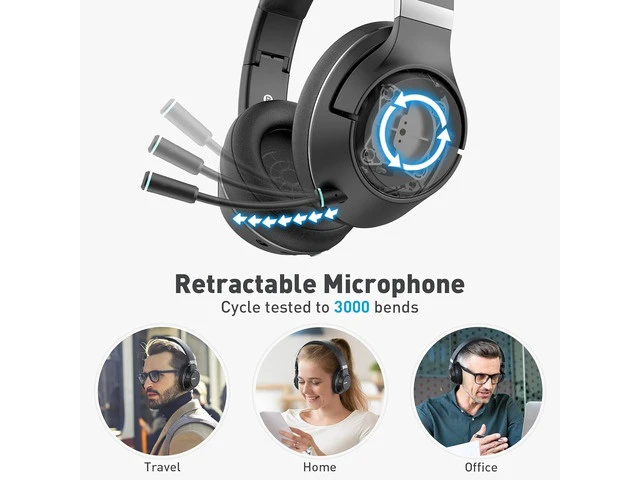
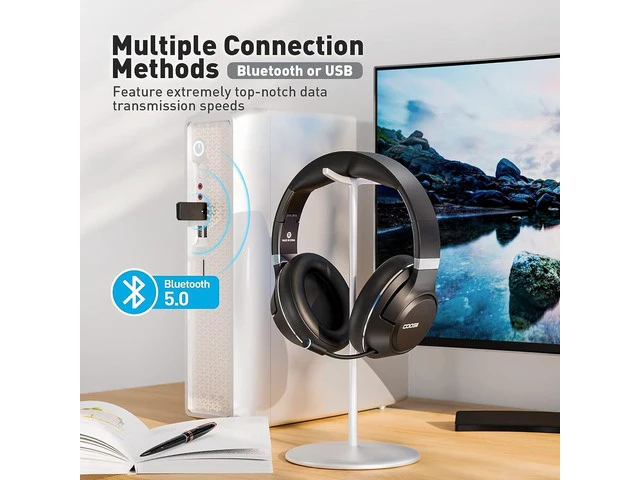
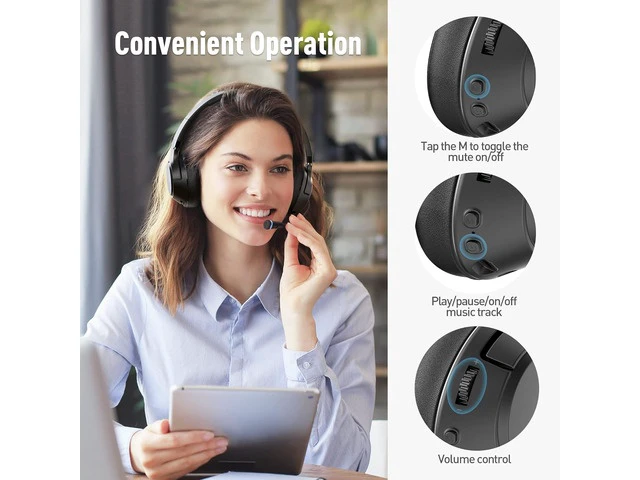
- After Sale Promise : Package includes a Foldable Headphone, USB Dongle,USB charging cable, AUX cable, Gift grade PU Storage box and User Manual. Provide a 30-day return and 12-month warranty, lifetime worry free user support. Quickly respond customer service within 12-24 hours, for any questions while using; Dual Modes, Flexible Connectivity & One-Tap Mute: The wireless headphones with mic offer two connection methods: Bluetooth and USB dongle. Connect easily to laptops, phones, or use the included USB adapter for desktops without Bluetooth. Switch seamlessly between phone and computer by tapping the M button for 3 seconds (left earcup) during meetings (one device at a time). One-Tap "M" Button - Never Be Interrupted: Tap the large M button to instantly mute your mic during meetings; Retractable Mic & Long Battery Life: The flexible, cycle-tested microphone (3,000 retractions) of the H300 wireless headset with mic for work aligns perfectly with your mouth and retracts discreetly when not in use. Powered by an upgraded 1,000mAh battery, this work headset with mic lets you enjoy up to 96 hours of music or 50 hours of call time on a single charge. Enough for a full week, keeping you connected through long meetings, office shifts, or trips without battery anxiety.Power consumption varies
+
+
Overview
Specs
Reviews
Any questions? Ask CelesteSM will help you find out quickly.
Try me now
Your Wireless
USB Headset Guide: Setup & Use Before you begin, please
ensure: Place the computer within 1m (3 ft) of the headphones. Ensure the headphones are sufficiently charged. Confirm the computer has an available USB port
1. Insert the USB Dongle into your computer.
2. Press and hold the headphone's power button for 3 seconds until the red and blue lights flash alternately. You will hear "Power on. "
3. Ensure the headphone is in Dongle mode.
Note: Long-press the M " button for 3 seconds to switch between "Bluetooth mode" and "Dongle mode. " You will hear the mode change.
4. The headphone and dongle will auto-connect within 3-10 seconds. You will hear "Connected. " Tips for a Stable
Bluetooth Connection;:
1. When using Bluetooth headphones, try to keep them away from wireless devices such as Wi-Fi routers and microwave ovens.
2. Maintain an unobstructed path between connected devices, avoiding walls or large metal objects.
Total Compatibility: Designed to work seamlessly with Zoom, Skype, Google Hangouts, FaceTime, WebEx, GoToMeeting, and other leading conferencing platforms. Retractable Boom
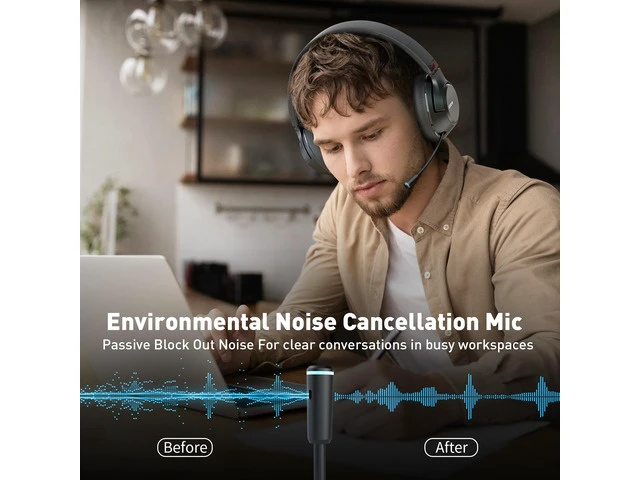
Noise Cancelling Mic: Extend and retract the boom microphone for on the go calls and discrete music listening. The surround noise cancellation microphone reduces ambient background noise for enhanced, receiving end, voice quality.
Multiple Connection Methods: Connect to your computer, tablet, or smartphone via Bluetooth 5.0 or USB. Switch between USB Mode & Bluetooth Mode with a lon
USB Headset Guide: Setup & Use Before you begin, please
ensure: Place the computer within 1m (3 ft) of the headphones. Ensure the headphones are sufficiently charged. Confirm the computer has an available USB port
1. Insert the USB Dongle into your computer.
2. Press and hold the headphone's power button for 3 seconds until the red and blue lights flash alternately. You will hear "Power on. "
3. Ensure the headphone is in Dongle mode.
Note: Long-press the M " button for 3 seconds to switch between "Bluetooth mode" and "Dongle mode. " You will hear the mode change.
4. The headphone and dongle will auto-connect within 3-10 seconds. You will hear "Connected. " Tips for a Stable
Bluetooth Connection;:
1. When using Bluetooth headphones, try to keep them away from wireless devices such as Wi-Fi routers and microwave ovens.
2. Maintain an unobstructed path between connected devices, avoiding walls or large metal objects.
Total Compatibility: Designed to work seamlessly with Zoom, Skype, Google Hangouts, FaceTime, WebEx, GoToMeeting, and other leading conferencing platforms. Retractable Boom
Noise Cancelling Mic: Extend and retract the boom microphone for on the go calls and discrete music listening. The surround noise cancellation microphone reduces ambient background noise for enhanced, receiving end, voice quality.
Multiple Connection Methods: Connect to your computer, tablet, or smartphone via Bluetooth 5.0 or USB. Switch between USB Mode & Bluetooth Mode with a lon
Warranty & Returns
Warranty, Returns, And Additional Information
Warranty
- Please contact the Seller directly for warranty information. Warranty information may also be found on the Manufacturer's website.
- CONTACT
Return Policies
- Return for refund within: 30 days
- Return for replacement within: 30 days
- This item is covered by CURIOXSHOP Return Policy
Manufacturer Contact Info
- For a directory of all our manufacturers, please click below.
- Manufacturers Directory
LOADING...