








Any questions? Our AI mode will help you find out quickly.
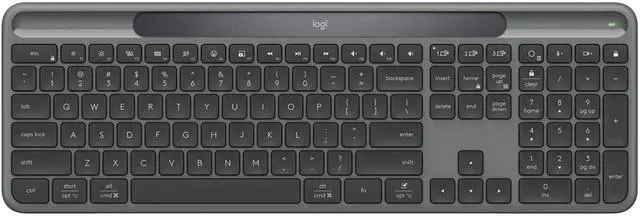
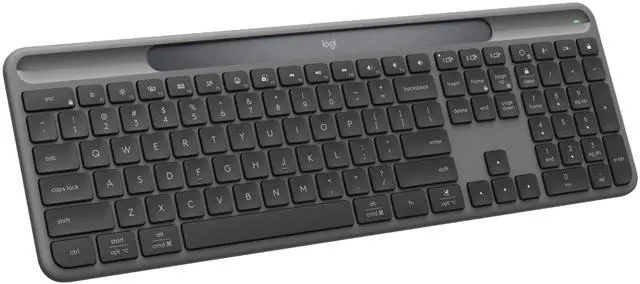
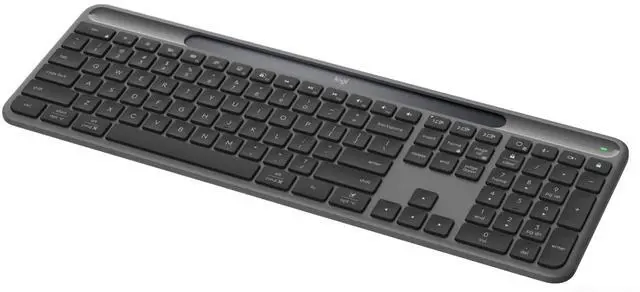
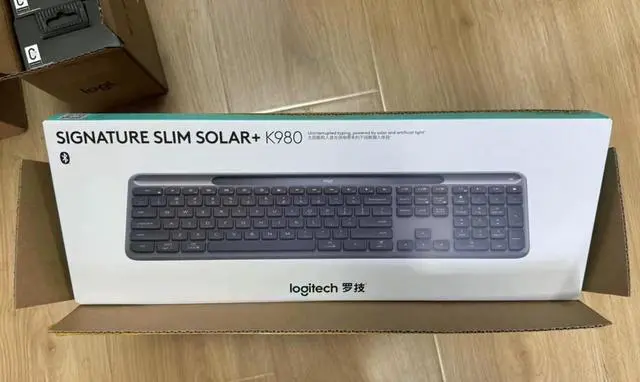
This wireless keyboard powers itself using solar energy and artificial light, staying fully charged and always ready to goday or night, rain or shine. Innovative Logi LightCharge energy management makes charging the Signature Slim Solar+ K980 effortless.
Specifications and Compatibility
Dimensions
Height: 142.9 mm
Width: 430.8 mm
Depth: 20.2 mm
Weight: 700 g
Technical Specifications
General Specifications
Easy-switch: Connects to up to 3 multi-OS devices
Customizable apps: Supported by Logi Options+ App for Windows and macOS*
FileVault: Your macOS computer may have FileVault enabled, which could prevent password entry during startup or restart when connected via Bluetooth. In this case, log in using the built-in keyboard and/or purchase a Logi Bolt USB receiver.
Powered by Logi LightCharge technology: Yes
Full-size layout with numeric keypad: Yes
Laptop-like typing experience: Yes
Multi-OS keycap layouts (Windows/macOS/ChromeOS): Yes
Customizable action keys: Yes*
Customizable AI launch key: Yes*
Time-saving shortcut keys: Yes
Battery & Charging
Battery type: Self-charges using renewable solar energy and available artificial light*
Battery life: Up to 4 months in complete darkness*
Power switch: On/Off
Connectivity
Connection type: Yes
Wireless range: 10 meters*
Compatible with Logitech Flow-enabled mice*: Yes
System requirements
Required: Connection type support; Bluetooth Low Energy technology.
Bluetooth: Required: Bluetooth Low Energy
Logitech Bolt USB receiver: (Not included); Requirements: USB-A/USB-C port, Windows 10, 11, or later*, macOS 12 or later*, Linux*, ChromeOS*.
Compatibility: Designed for Intel® Evo laptops and compatible with the following operating systems: Windows 10, 11, or later*; macOS 12 or later*; Linux*; ChromeOS*; iPadOS 15 or later*; iOS 15 or later*; Android OS 12 or later*.
Customization App: Powered by Logi Options+ App for Windows and macOS*. Downloading the optional Logi Options+ customization app requires an internet connection*.
Certified: This product is certified to meet Google's compatibility standards. Chromebook and the Works With Chromebook badge are trademarks of Google LLC.
Important Notes: *1) Requires a minimum illumination of 200 lux. 2) Custom devices require the Logi Options+ App, available for recent Windows and macOS versions. Download at logi.com/optionsplus. 3) All computers require the Logi Options+ App and must be connected to the same network. 4) Signature Slim Solar+ Keyboard K980 Pearl White recycled plastic content: at least 52%. Excludes Printed Wiring Assembly (PWA) plastic and packaging. Signature Slim Solar+ Keyboard K980 Graphite Gray recycled plastic content: at least 70%. Excludes Printed Wiring Assembly (PWA) plastic and packaging. 5) Wireless reception range varies based on operating environment and computer settings. 6) The Logi Options+ App is not currently supported on ChromeOS, Linux, iPadOS, iOS, or Android OS. Basic device functionality remains operational without the app. 7) Battery life varies based on usage conditions when fully charged. 8) Mice are not supported on iOS. 9) Actual key switch lifespan varies based on usage conditions. Estimation based on one million keystrokes per key switch within one year. 10) Lifespan estimation based on results from an 18-month test conducted by the battery manufacturer. Actual battery life varies based on user, environment, and computing conditions. 11) Replacement parts may not be available in some countries or regions. For more information, visit www.logitech.com/support/slimsolarplus. 12) Light on the power indicator bar does not indicate the product is in operation. 13) Ready to use out of the box, the AI launch key opens Microsoft Copilot in Windows or Gemini in ChromeOS (if supported). Use of these AI tools may require separate subscriptions/applications and minimum OS requirements. For details, visit www.logitech.com/support/slimsolarplus.