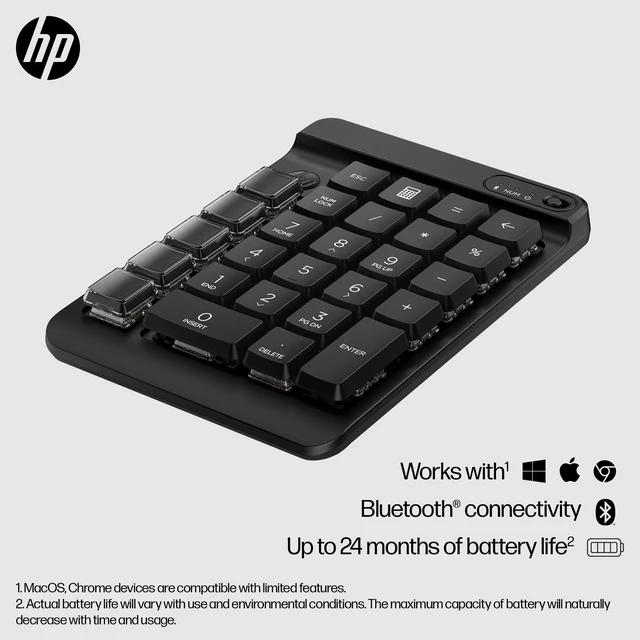
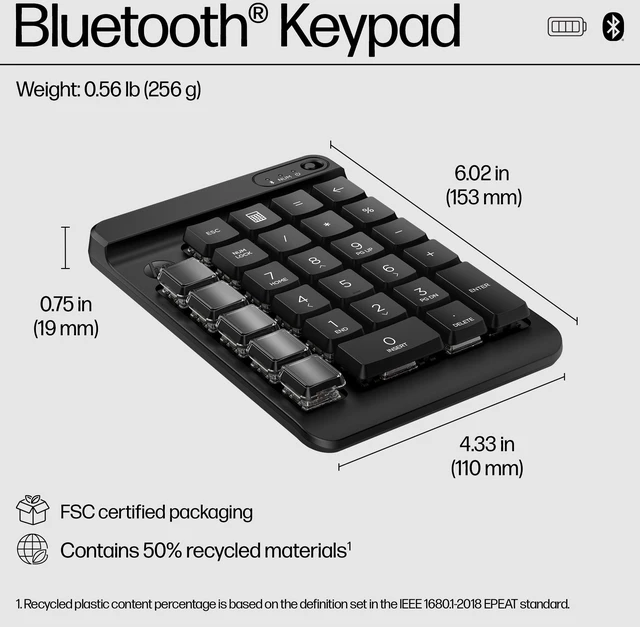
The HP 435 Programmable Wireless Keypad is a black Bluetooth number pad with nine programmable keys and swappable keycaps, suited to people who want custom shortcuts or a dedicated number pad alongside their main keyboard.
Recommended For
- Credit analysts and spreadsheet users who enter numbers on a compact keyboard or laptop and want a separate numeric keypad; an HP Store reviewer specifically described it as useful for credit analysis.
- Users with a compact or tenkeyless main keyboard who want a separate number pad plus a small bank of programmable shortcut keys for recurring desktop tasks.
- People who repeatedly use the same app shortcuts or keystroke combinations and are willing to set up the keys in HP Accessory Center; the keypad offers up to nine programmable keys.
- Laptop and hot-desk users who want a separate Bluetooth number pad without carrying or setting up a full-size keyboard.
Real-World Use Scenarios
- When entering lots of figures into spreadsheets or finance forms on a laptop without a dedicated number pad, place the HP 435 beside the keyboard to make numeric entry more convenient.
- For repetitive computer tasks, assign frequently used shortcuts or multi-key commands to the programmable keys; after setup in HP Accessory Center, those actions can be triggered with a key press instead of repeated manual input.
- When switching between regular typing and entering numbers, keep the keypad as a separate desk-side number pad so it can be positioned where it is comfortable without replacing the main keyboard.
- For repeated workflows in an app, label the programmable keys with the included stickers to make their assigned shortcuts easier to recognize while working.
- When working away from a fixed desktop, pair the keypad over Bluetooth with a compatible laptop and use it as a compact add-on for numeric entry or assigned shortcuts.




 here!