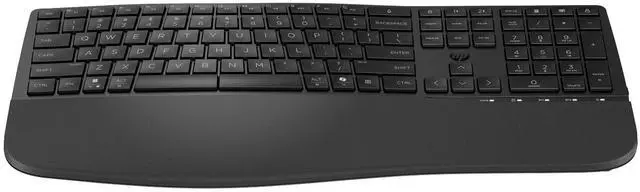
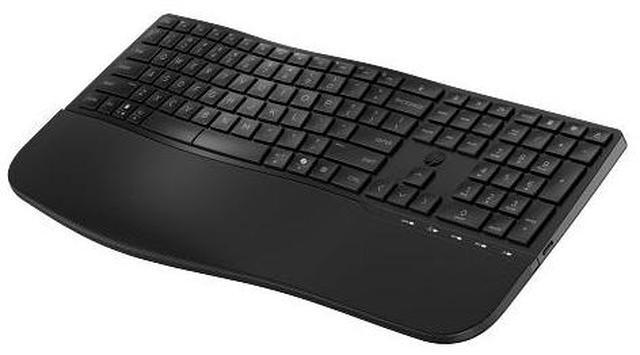
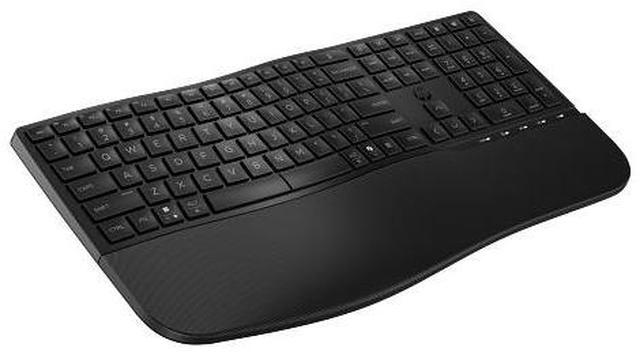
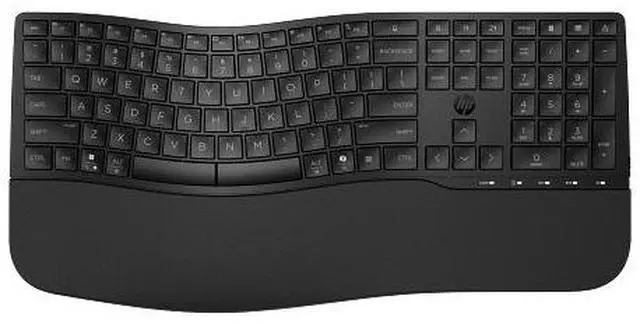
The HP 685 Comfort Dual-Mode Keyboard is a full-size wireless keyboard for business and office users who want a comfort-focused layout, adjustable typing angles, a cushioned palm rest, and quiet keys for everyday work.
Recommended For
- Office staff who spend much of the day typing and want a full-size layout with a wave-shaped design, cushioned palm rest, quiet keys, and adjustable typing angles.
- People who regularly switch between a work computer and another device: the keyboard supports Bluetooth and an HP Unifying Dongle connection, plus Windows, macOS, and ChromeOS.
- Office users with repetitive tasks who want to assign shortcuts to frequently used functions; HP lists 23 programmable keys, and a product demonstration shows the keyboard’s programmable-key setup.
- People sharing an office or home workspace who prefer quieter typing; HP describes the keys as quiet and positions the keyboard for office and remote-collaboration work.
Real-World Use Scenarios
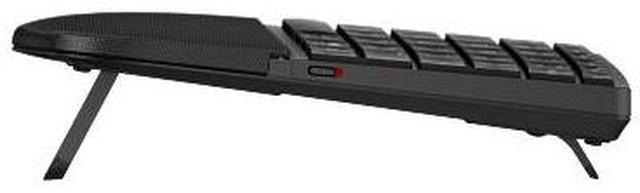
- During a full workday of emails, documents, and spreadsheets, a user can adjust the keyboard’s typing angle and rest their palms on its cushioned wrist area; the layout is designed to support a more comfortable desk setup over long typing sessions.
- When moving between a work computer and another compatible device, a user can use Bluetooth or the HP Unifying Dongle to connect; multi-device support is intended to make switching between setups more convenient.
- In a shared office or home workspace, someone typing while others are nearby may appreciate the keyboard’s quiet-key design, which is intended to reduce typing noise during focused work or calls.
- For repetitive work that involves frequent commands, a user can assign shortcuts to programmable keys; once set up, common actions can take fewer keystrokes.
- When setting up a desk around different typing preferences, a user can choose a flat, positive, or negative tilt; this makes it possible to try different keyboard angles without changing the workstation.




 here!