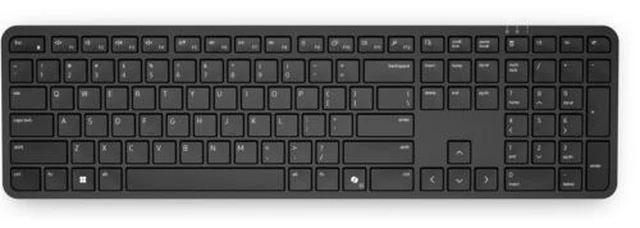
The Dell Pro 5 KB526 is a full-size, US English wireless keyboard suited to everyday typing and productivity at home or in the office.
Recommended For
- Office and home-office workers who want a full-size wireless keyboard for daily typing at a fixed desk, with a USB-A receiver instead of a wired connection.
- People who enter figures or use calculator and other shortcut keys regularly and want a full-size layout with a numeric keypad and programmable keys.
- Desk-based users who prefer not to recharge or frequently replace keyboard batteries; Dell specifies up to 48 months of battery life using two AAA batteries.
- Workplaces that want a keyboard with adjustable tilt and protection against small spills during everyday desk use.
Real-World Use Scenarios
- For a home-office or corporate desk used for daily email, documents, and other extended typing, the full-size layout and responsive keys provide a conventional desktop typing setup.
- For repetitive office tasks, users can program supported keys for frequently used apps or functions, reducing the need to navigate menus for those actions; setup uses Dell Display and Peripheral Manager.
- During calls or dictation, the audio-switch and talk-to-text shortcuts can make common audio or voice-input actions easier to reach, where supported by the computer and software.
- At a shared or high-use workstation, the wireless USB receiver avoids a keyboard cable across the desk, while the spill-resistant design is intended to help with small accidental spills—not full liquid exposure.
- For work in a dim room, the keyboard may be harder to use because it has no backlight; users who need illuminated keys should consider a backlit model.




 here!

 Hot Seller