




 here!
here!
I’m your shopping assistant for PC builds, upgrades, and everything tech.
Got questions? Ask away!
Start a conversation
here!
I’m your shopping assistant for PC builds, upgrades, and everything tech.
Got questions? Ask away!
Start a conversation Top Rated




Any questions? Ask CelesteSM will help you find out quickly.
Overview
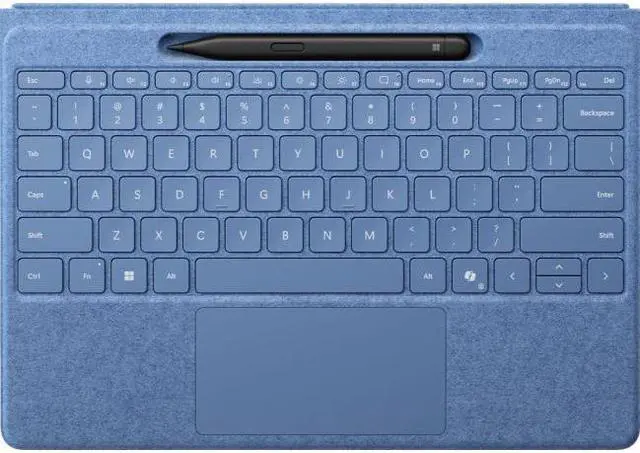
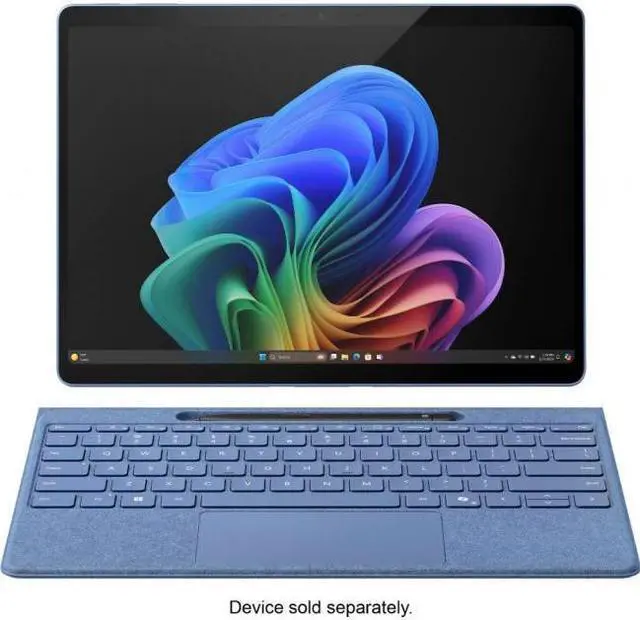
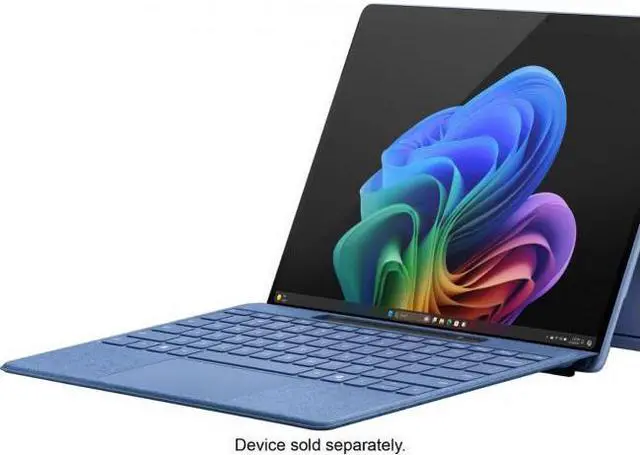
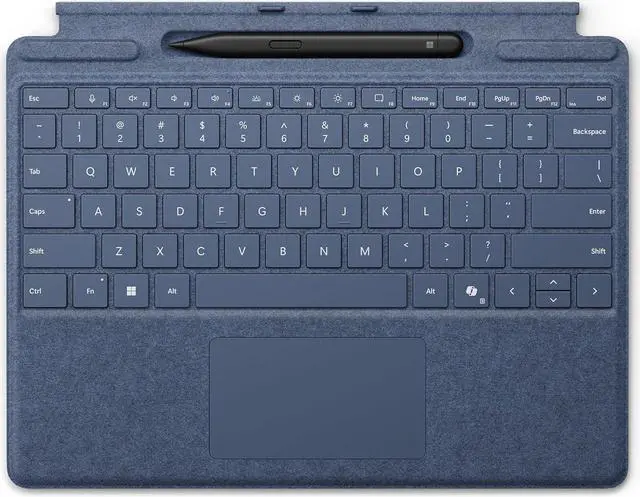
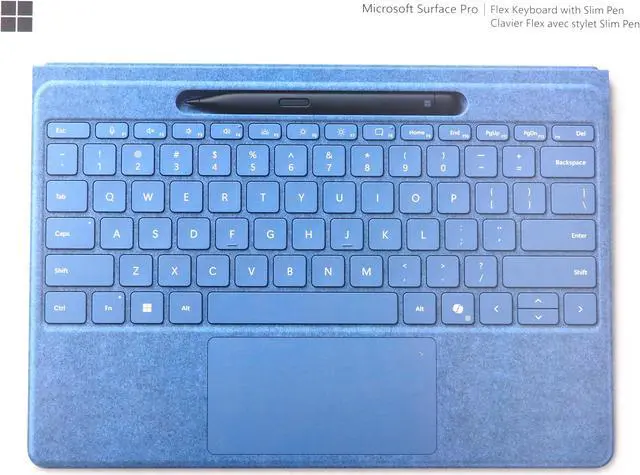
The Microsoft Surface Pro Flex Keyboard with Surface Slim Pen (2nd Edition) is designed for Surface Pro (11th Edition), Surface Pro 9, and Surface Pro 8. The Sapphire keyboard supports flexible positioning, attached or detached use, and real-time writing and drawing on your display.
Key Features
Design
The keyboard is covered with luxurious Alcantara material and features a large trackpad. Position your device and keyboard where it feels most natural to you, or use them attached or detached.
Connectivity & Compatibility
Pair with Surface Pro (11th Edition), Surface Pro 9, and Surface Pro 8. The keyboard is designed for effortless pairing and is ready to go the first time you use it. It charges when attached to your Windows 11 Pro device.
Specifications
We want to ensure your holiday shopping this year is hassle-free. That’s why we’re automatically extending our return policies on almost every product! For purchases placed between November 1st, 2025 and December 31, 2025 you will have until January 31, 2026 to return your product.
Microsoft Surface Slim Pen (2nd Edition) and Pro Flex Keyboard is a premium keyboard-and-stylus bundle for Surface Pro 11th Edition, Pro 9, and Pro 8 users who want laptop-style typing, precise trackpad control, and pen input in one portable setup.
| Attribute | Value |
|---|---|
| Best For | Surface Pro owners (Surface Pro Copilot+ PC 11th Edition, Surface Pro 9, Surface Pro 8) who want a portable Bluetooth keyboard-and-pen bundle in Sapphire that pairs with Windows 11 Surface tablets |
| Model Identifiers | Surface Accessories model 8YU-00024 — Surface edition keyboard-with-pen bundle in Sapphire with Bluetooth style |
| Compatibility | Designed for Microsoft Surface Pro Copilot+ PC (11th Edition), Surface Pro 9, Surface Pro 8 and compatible tablet model AAUB P30; hardware platform PC; requires Windows (minimum Windows 11) |
| Design And Materials | Alcantara-covered keyboard enclosure in Sapphire with ambidextrous orientation and a portable design |
| Keyboard And Input | QWERTY layout with numeric-key description and mechanical switches (Cherry MX) |
| Power And Battery | Rechargeable power source with 1 nonstandard battery listed; batteries are not included and not required |
| Connectivity | Bluetooth wireless connectivity (Bluetooth style/pattern); antenna location listed as Office |
| Package And Quantity | Single-unit retail package (1 unit, 1 item, 1 pack) |
| Dimensions And Weight | Item dimensions 12.25 x 9.5 x 0.75 inches; package dimensions 1.7018 L x 23.7998 W x 30.8102 H centimeters; package weight 0.762 kilograms |
| Platform And OS | Platform for Windows 11 / PC |
| Additional Features | Portable design with built-in media listed |
| Manufacturer And Brand | Microsoft (manufacturer and brand) |
Q: Should I buy the Surface Pro Flex Keyboard with Slim Pen 2 or the regular Surface Pro Keyboard?
A: Choose the Surface Pro Flex Keyboard with Slim Pen 2 if you want the most complete Surface Pro accessory setup, especially for inking, detached keyboard use, and a larger haptic touchpad. Choose the regular Surface Pro Keyboard if you mainly type with the keyboard attached and want a lower-cost option. Across Microsoft materials and hands-on reviews, the Flex model is positioned as the more advanced keyboard, while community feedback often treats the regular keyboard as the more value-focused choice.
Q: Is this bundle worth it over buying a Surface Pro keyboard and pen separately?
A: This bundle makes more sense if you already know you want both keyboard input and pen input on a compatible Surface Pro 8, Pro 9, or Pro 11. It simplifies the setup and aligns with Microsoft's premium 2-in-1 positioning. Buying separately can be the better route if you are unsure about pen use, because many Surface owners use the keyboard daily but use the pen only occasionally.
Q: Is the Flex Keyboard better for portability than a laptop-style setup?
A: Yes, if your priority is keeping a Surface Pro tablet-first and travel-friendly. The Flex Keyboard is designed for the Surface Pro form factor, supports use at varied angles, and can be used detached, which fits note-taking, sketching, and compact mobile work better than carrying a separate laptop-style keyboard solution. A traditional laptop setup is usually the better fit if you mostly work at a desk or on your lap for long typing sessions.
Q: Should I get this for a Surface Pro 8 or save it for a newer Surface Pro?
A: It is a sensible upgrade for a Surface Pro 8 if you want to improve the input experience without replacing the tablet. Microsoft lists compatibility with Surface Pro 8, Pro 9, and Pro 11, so the accessory can extend the usefulness of an older device. Moving to a newer Surface Pro matters more if your main goal is faster system performance; choosing this keyboard matters more if your main goal is better typing, trackpad use, and pen storage or charging.
Q: Is this a better choice than a third-party Bluetooth keyboard for Surface Pro?
A: Choose this Microsoft bundle if you want the keyboard and pen experience to feel integrated with the Surface Pro, including physical fit, trackpad use, and built-in pen storage or charging support. A third-party Bluetooth keyboard can be a practical lower-cost alternative for basic typing, but it usually gives up some of the tablet-to-laptop flexibility and accessory integration that Surface buyers often want.
Q: Is this a good buy for note-taking, meetings, and office work on a Surface Pro?
A: Yes, if you already use a compatible Surface Pro and want both typing and inking in one setup. This bundle combines a full keyboard, large trackpad, and a Surface Slim Pen 2 that stores and charges in the keyboard, which makes it practical for handwritten notes, document markup, email, and general office work. It is less compelling if you do not plan to use the pen regularly.
Q: Who is this keyboard-and-pen bundle best suited for?
A: It is best for Surface Pro users who want a laptop-style typing experience and active pen input in the same accessory. It fits buyers using a Surface Pro 11th Edition, Pro 9, or Pro 8 for classes, meetings, travel, or hybrid desk work. It is not a good fit for people using other Surface models or buyers who only need a keyboard and do not need pen storage or charging.
Q: Is it worth buying for travel or working away from a desk?
A: Usually yes for mobile Surface Pro users, because it adds a thin keyboard, integrated trackpad, and a protected place to keep and charge the pen. That reduces the friction of carrying separate accessories for typing and inking. The trade-off is cost: if you mainly type and rarely use a pen, a keyboard-only option is often the better value.
Q: What is the main trade-off versus the Surface Pro Flex Keyboard?
A: The main trade-off is flexibility. The Pro Flex Keyboard is the higher-end option because it supports detached wireless use and adds its own battery, while this bundle is the more conventional keyboard-and-pen package for buyers who are fine using the keyboard attached to the tablet. If you want to place the Surface Pro on a stand and type with the keyboard separately, the Flex Keyboard is the stronger choice.
Q: Can I buy this if I plan to switch between multiple Surface models?
A: Only if your devices are within the supported family. This accessory is intended for Surface Pro 11th Edition, Surface Pro 9, and Surface Pro 8. It is a sensible buy for owners staying within those models, but not for buyers who need broad cross-device compatibility across older or different Surface lines.
Q: Is the Surface Pro Flex Keyboard with Slim Pen 2 worth buying over the regular Signature Keyboard?
A: It is mainly worth buying if you specifically want the detachable keyboard use case, a larger trackpad, and a stiffer keyboard feel. If you mostly type with the keyboard attached and want lower cost, community discussion repeatedly points to the Signature Keyboard as the better value. The main trade-off is price versus flexibility.
Q: Who is this keyboard and pen bundle best suited for?
A: It is best suited for Surface Pro users who switch often between typing and pen input, especially for work, note-taking, and desk setups where a detached keyboard is useful. It is less compelling for buyers who only need a basic keyboard cover or rarely use a stylus.
Q: Is the Slim Pen 2 a good choice for note-taking and handwriting?
A: Yes, if handwriting quality and integrated storage matter to you. Reddit discussion repeatedly treats Slim Pen 2 as one of the better Surface pen options for writing, and its fit in the keyboard storage/charging slot is a practical advantage. The trade-off is that it is more tied to the keyboard ecosystem than a standalone pen that attaches directly to the tablet.
Q: What are the main trade-offs of buying this bundle?
A: The main trade-offs are cost, dependence on the keyboard for pen storage/charging, and long-term accessory complexity. Community discussions often frame the Flex Keyboard as excellent in feel and convenience, but hard to justify if you do not need detached use. Buyers who want the simplest or cheapest setup may be better served by a standard keyboard cover and a separate pen strategy.
Q: Will this bundle make sense if I already have a Surface Pro 8 or Pro 9 setup?
A: Yes, especially if you want to keep compatibility across recent Surface Pro generations. Reddit discussion around Surface Pro 11, Pro 9, and Flex/Signature accessories consistently centers on cross-generation use of existing keyboards and Slim Pen models. It makes the most sense as an upgrade in convenience rather than a must-have replacement if your current keyboard and pen already meet your needs.


