




 here!
I’m your shopping assistant for PC builds, upgrades, and everything tech.
Got questions? Ask away!
Start a conversation
here!
I’m your shopping assistant for PC builds, upgrades, and everything tech.
Got questions? Ask away!
Start a conversation




Any questions? Ask CelesteSM will help you find out quickly.
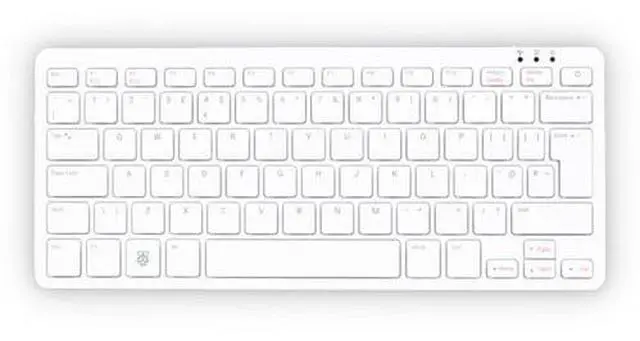
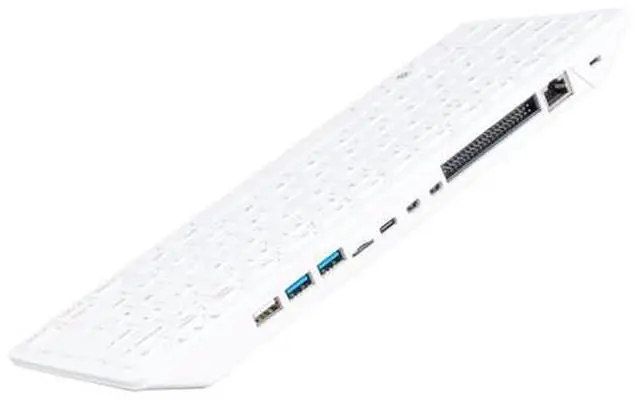
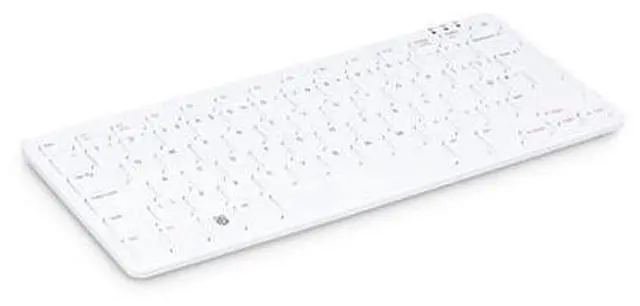
Raspberry Pi 500 features the same quad-core 64-bit Arm processor and RP1 I/O controller found in Raspberry Pi 5. With a one-piece aluminium heatsink built in for improved thermal performance, your Raspberry Pi 500 will run fast and smoothly even under heavy load, while delivering glorious dual 4K display output.
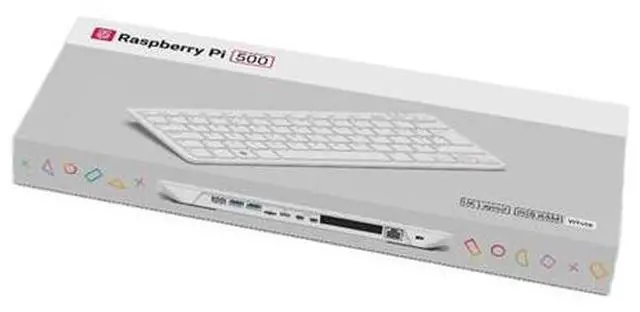
For those looking for the complete Raspberry Pi 500 setup, the Raspberry Pi 500 Desktop Kit comes with a mouse, a USB-C power supply and an HDMI cable, along with the Official Raspberry Pi Beginners Guide, to help you get the most out of your new computer.
| Attribute | Value |
|---|---|
| Best For | Raspberry Pi desktop computing with Linux, 8 GB RAM, and a microSD card listed with Raspberry Pi OS preloaded |
| Processor | Quad-core 2.4 GHz ARM processor |
| Memory | 8 GB LPDDR4X RAM |
| Storage And Operating System | 32 GB microSD card listed with Raspberry Pi OS preloaded; Linux operating system |
| Connectivity | Wi-Fi, Bluetooth, and 3 USB ports |
| Compatible Devices | PCs, laptops, smart TVs, and projectors |
| Model Identifiers | Raspberry Pi SC1231; model number US |
Q: Raspberry Pi 500 or Pi 400 for a keyboard-based desktop?
A: Choose the Raspberry Pi 500 for a newer keyboard-computer setup with a 2.4 GHz Cortex-A76 processor and 8 GB of RAM. The Pi 400 has a 1.8 GHz Cortex-A72 processor and 4 GB of RAM, so the Pi 500 is the more capable option for an upgrade while keeping the keyboard-computer format. Published Pi 500 reviews and benchmarks also compare it directly with the Pi 400.
Q: Raspberry Pi 500 or Raspberry Pi 5 for a compact desktop?
A: Choose the Pi 500 for an all-in-one setup with an integrated keyboard and 8 GB of RAM. Choose the Raspberry Pi 5 when you want a standalone board for a custom build: it uses the same 2.4 GHz Cortex-A76 processor and is available in multiple memory configurations, with board-level camera, display, and PCIe connections.
Q: Is the Raspberry Pi 500+ worth choosing over the Pi 500?
A: Choose the Pi 500+ if you want more memory and built-in solid-state storage: it has 16 GB of RAM and a 256 GB SSD, compared with the Pi 500’s 8 GB of RAM and microSD-based storage. Both use a 2.4 GHz Cortex-A76 processor and combine the computer with a keyboard; the Pi 500+ adds a mechanical keyboard and NVMe SSD support.
Q: Raspberry Pi 500 or a 4 GB Raspberry Pi 5 for a ready-to-use computer?
A: Choose the Pi 500 for a keyboard-computer design with 8 GB of RAM and built-in keyboard input. A 4 GB Raspberry Pi 5 is a standalone board option for a custom setup; both use the 2.4 GHz Cortex-A76 processor. The Pi 500 brings the keyboard and computer together, while the Pi 5 lets you select and connect your own peripherals.
Q: What else do I need to use the Pi 500 unit-only model?
A: The product data confirms that a USB-C power supply is not included. You will also need a microSD card with an operating system, a display and compatible micro-HDMI cable, and a mouse if you want one; the unit has a built-in US-layout keyboard.
Q: Can the Pi 500 handle everyday office work and online meetings?
A: Its 8 GB of memory, quad-core processor, Wi-Fi, Bluetooth, and keyboard make it suitable to consider for everyday tasks such as browsing, writing, and email. A display and microSD card with an operating system are needed, and a webcam or microphone for meetings is not listed in the product data.
Q: Is the Pi 500 practical to take on trips?
A: It may suit travel between workspaces if you can bring or access a display and power supply. It is a keyboard computer, not a self-contained laptop: the product data lists no built-in screen or battery, and the power supply is not included.
Q: Who is the Pi 500 best suited for?
A: It is suited to people who want a compact desktop-style computer with a built-in keyboard, or a platform for learning and Raspberry Pi projects. It is less convenient for someone who needs a complete computer immediately, because the unit-only option requires additional setup and peripherals.
Q: Can the Raspberry Pi 500 work as an everyday desktop?
A: It can suit lightweight desktop use: one Pi 500 owner reported smooth light browsing and ordinary daily tasks. Community discussion also flags YouTube playback limitations, so consider it for basic browsing and productivity rather than assuming it will handle every desktop workload equally well.
Q: What else do I need to use the Pi 500?
A: This listing is for the unit only. You will need a USB-C power supply and a microSD card with an operating system; you will also need a display and a micro-HDMI cable or adapter. A mouse may be useful if you do not plan to use only the built-in keyboard.
Q: Is the Pi 500 comfortable to type on?
A: Typing comfort may depend on the individual unit and personal preference. One owner preferred its keyboard to the Pi 400’s, while another reported that their Pi 500 rocked and flexed while typing. If typing feel is a priority, these reports suggest checking the unit’s build and keyboard feel rather than assuming everyone will find it comfortable.


