




 here!
here!
I’m your shopping assistant for PC builds, upgrades, and everything tech.
Got questions? Ask away!
Start a conversation
here!
I’m your shopping assistant for PC builds, upgrades, and everything tech.
Got questions? Ask away!
Start a conversation



Any questions? Ask CelesteSM will help you find out quickly.


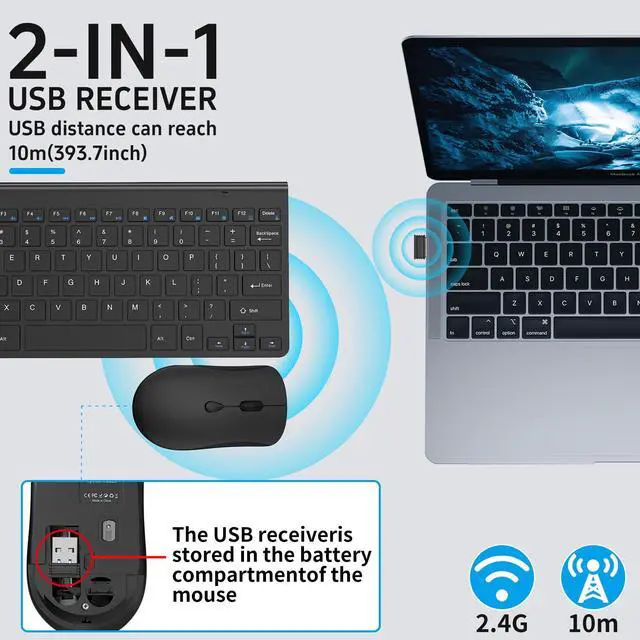
2.4G Wireless Connection Technology Stable Connection,33ft Effective Range.Perfect for
Use When Traveling, at Home or in The Office Without Disturbing Others.

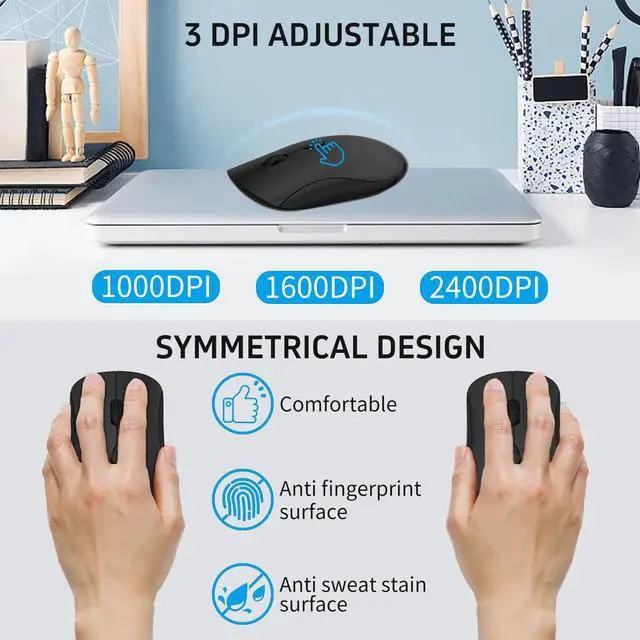
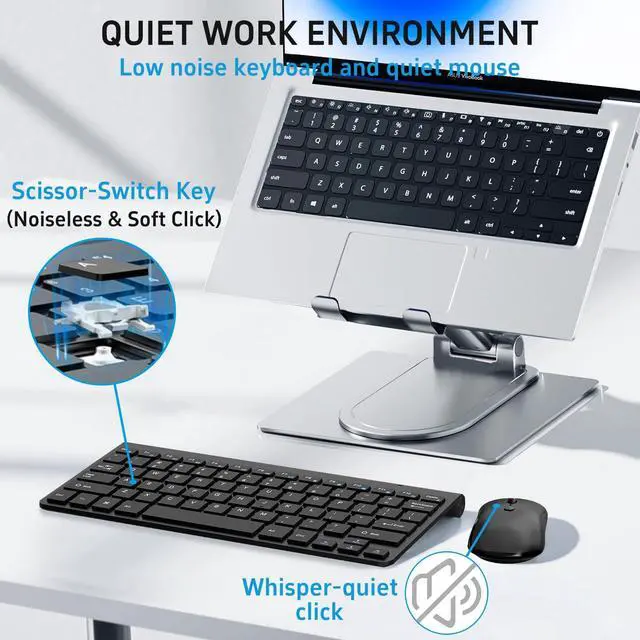
The left and right clicks of the mouse are very quiet, and the scissor foot
design of the keyboard keys reduces sound by 90%, ensuring that you
won't disturb people around you

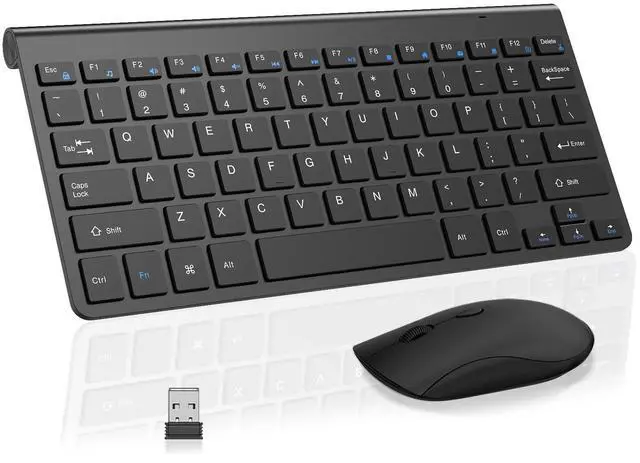
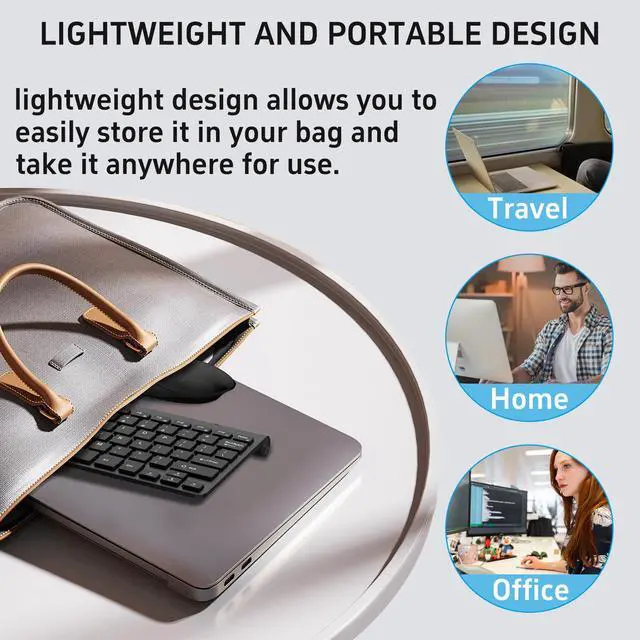
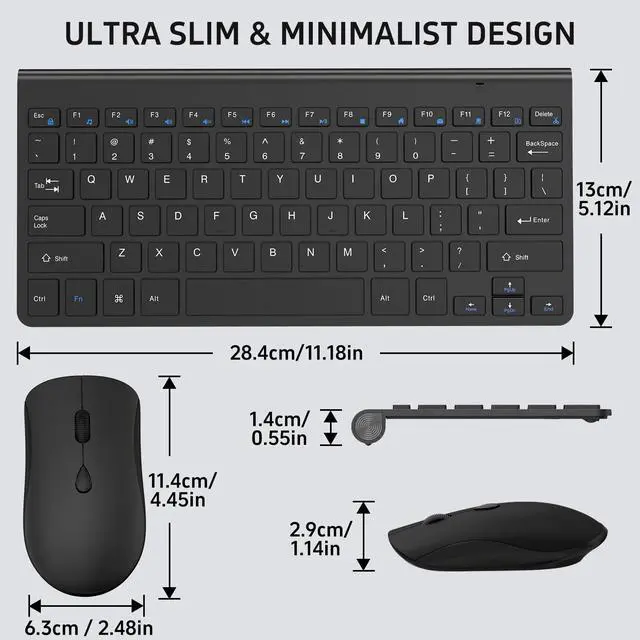
The compact keyboard and mouse set has a perfect size, suitable for
travel, business trips, and portable office use, making it very easy to
carry.

The wireless keyboard and mouse combo features auto sleeping mode,
plus on/off switches to help conserve battery use.(AA batteries are not
included)
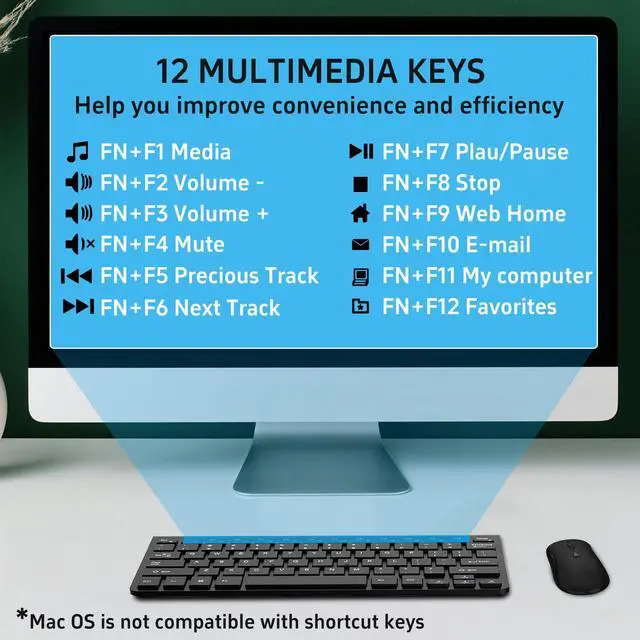
How to use multimedia or F1-F12 functions?
To access the F1-F12 function keys, simply press the Fn key+F1-F12 key; Alternatively, press the Fn key and ESC lock key, and then you can quickly use the F1-F12 function keys without holding down the Fn key. Press Fn+ESC again to unlock;
If the keyboard is unresponsive and the mouse is working properly, how can I re pair the keyboard?
1.Unplug the receiver of computer.
2.Press and hold the "ESC" and "=+" buttons for about 3 seconds, the keyboard enters pairing mode, and the power indicator light turns red.
3.Insert the USB receiver into the computer within 15 seconds.
If the mouse does not respond and the keyboard is working properly, how can I re pair the mouse?
1.Unplug the receiver of computer.
2.Simultaneously press and hold the wheel button, the left button, and the right button for 5 seconds. (no lights will light up)
3.Insert the USB receiver into the computer within 15 seconds.
What types of batteries are used for the mouse and keyboard respectively?
Mouse powered by 1AA batterys (not included) ,Keyboard powerd by 2 AAA batterys(not included).
What systems are the F1-F12 function keys applicable to?
The F1-F12 function keys are temporarily incompatible with the Mac OS system.


2.4G Wireless Connection Technology Stable Connection,33ft Effective Range.Perfect for
Use When Traveling, at Home or in The Office Without Disturbing Others.


The left and right clicks of the mouse are very quiet, and the scissor foot
design of the keyboard keys reduces sound by 90%, ensuring that you
won't disturb people around you
The compact keyboard and mouse set has a perfect size, suitable for
travel, business trips, and portable office use, making it very easy to
carry.
The wireless keyboard and mouse combo features auto sleeping mode,
plus on/off switches to help conserve battery use.(AA batteries are not
included)
How to use multimedia or F1-F12 functions?
To access the F1-F12 function keys, simply press the Fn key+F1-F12 key; Alternatively, press the Fn key and ESC lock key, and then you can quickly use the F1-F12 function keys without holding down the Fn key. Press Fn+ESC again to unlock;
If the keyboard is unresponsive and the mouse is working properly, how can I re pair the keyboard?
1.Unplug the receiver of computer.
2.Press and hold the "ESC" and "=+" buttons for about 3 seconds, the keyboard enters pairing mode, and the power indicator light turns red.
3.Insert the USB receiver into the computer within 15 seconds.
If the mouse does not respond and the keyboard is working properly, how can I re pair the mouse?
1.Unplug the receiver of computer.
2.Simultaneously press and hold the wheel button, the left button, and the right button for 5 seconds. (no lights will light up)
3.Insert the USB receiver into the computer within 15 seconds.
What types of batteries are used for the mouse and keyboard respectively?
Mouse powered by 1AA batterys (not included) ,Keyboard powerd by 2 AAA batterys(not included).
What systems are the F1-F12 function keys applicable to?
The F1-F12 function keys are temporarily incompatible with the Mac OS system.


