





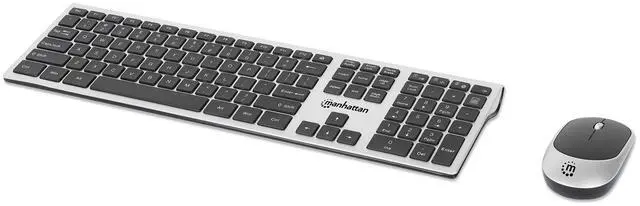



Full-Size Wireless Keyboard and Mouse Set to maximize your productivity

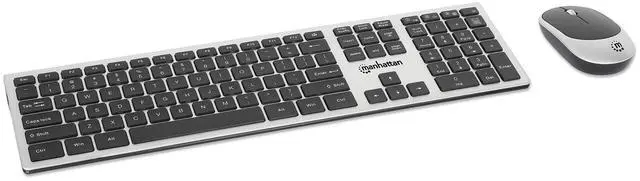
Stay productive with this full-size wireless keyboard and mouse combo built for everyday work.
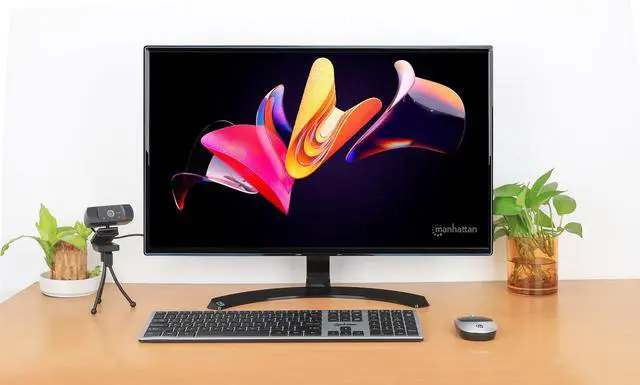
Built for Office Work

Complete Workspace Solution
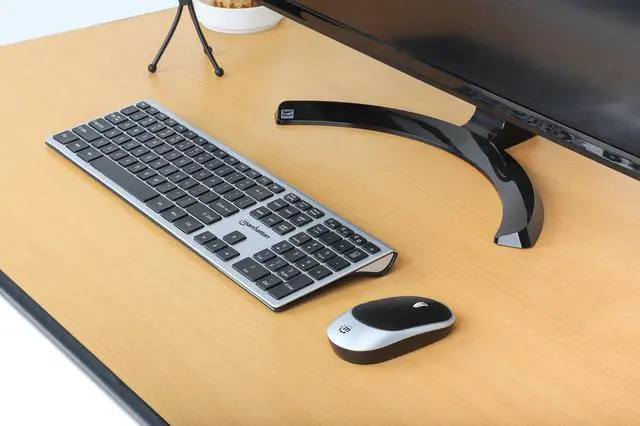
Experience wireless freedom with a 33 feet range that lets you work from anywhere in the room. The full-size keyboard layout features quiet scissor key switches for peaceful typing, and the numeric keypad included makes data entry effortless.

Designed for Everyone
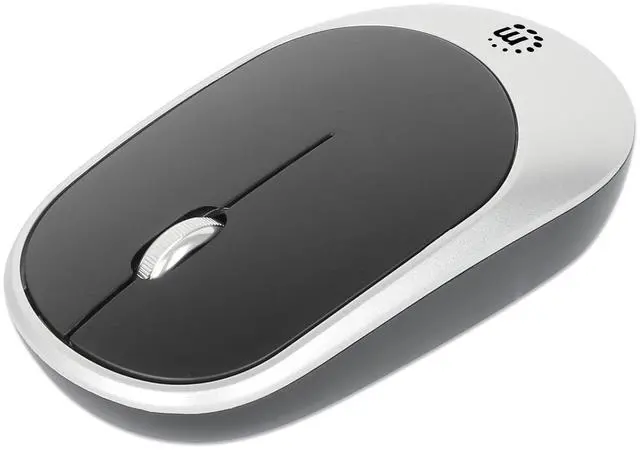
The ambidextrous mouse design accommodates both left- and right-handed users comfortably. Auto power management keeps your devices running longer without constant battery changes, so you can focus on what matters most.


The Tech Office Companion
A wireless desktop control set engineered for low-profile typing precision
The Manhattan MWK7400 delivers clean wireless control through one USB-A nano receiver, connecting both keyboard and mouse over stable 2.4GHz RF with up to 33 ft. range.
The full-size 109-key keyboard uses low-profile scissor/X-structure keys for quiet, controlled typing and includes a numeric keypad for data entry and workstation use. The optical mouse features a 1200 DPI sensor, scroll wheel, ambidextrous design, and three-button control.
PnP compatibility with Windows, Linux, and Chrome OS.
Wireless Freedom
Work Without Limits Up to 33 Feet Away
Experience the convenience of a 2.4 GHz wireless connection that lets you position your keyboard and mouse exactly where you want them. The compact USB-A nano receiver stores neatly in the keyboard when not in use, while smart power management helps your batteries last longer. Whether you're working at your desk or presenting from across the room, enjoy reliable connectivity and responsive performance.

How do I set up this keyboard and mouse combo?
Insert the included batteries into the keyboard and mouse, plug the USB nano receiver into your computer's USB port, and turn on both devices. They will connect automatically for immediate use.
Where is the USB receiver stored?
The USB nano receiver is stored in an on-board compartment on the mouse. This convenient storage solution helps keep the receiver safe when transporting your keyboard and mouse combo.
Does this product support Bluetooth wireless?
This product operates on a 2.4 GHz wireless connection using the included USB-A nano receiver. Simply plug the receiver into your computer's USB port to connect.
Technical Specifications
Full-Size Wireless Keyboard and Mouse Set to maximize your productivity

Stay productive with this full-size wireless keyboard and mouse combo built for everyday work.
Built for Office Work
Complete Workspace Solution
Experience wireless freedom with a 33 feet range that lets you work from anywhere in the room. The full-size keyboard layout features quiet scissor key switches for peaceful typing, and the numeric keypad included makes data entry effortless.
Designed for Everyone
The ambidextrous mouse design accommodates both left- and right-handed users comfortably. Auto power management keeps your devices running longer without constant battery changes, so you can focus on what matters most.
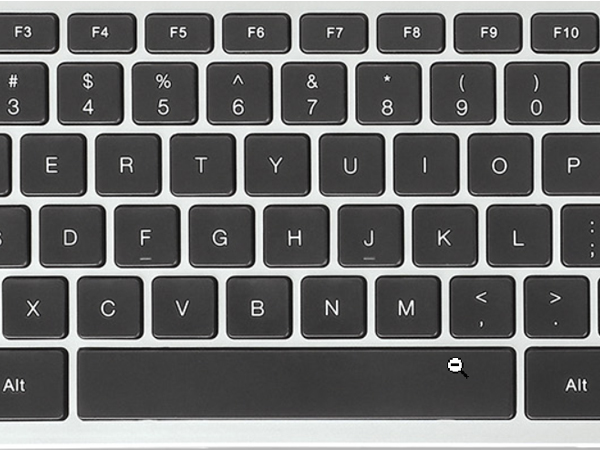
109 Keys
109 laptop-style scissor key switches to reduce typing noise and offer precise keystroke response
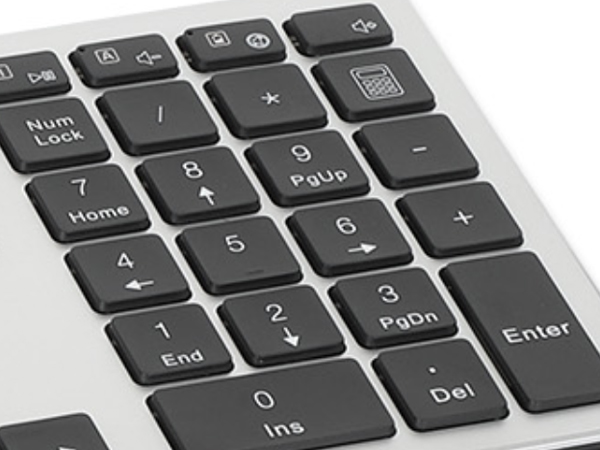
Numeric Keypad
Full-size layout with numeric keypad and navigation keys for most convenient data entry
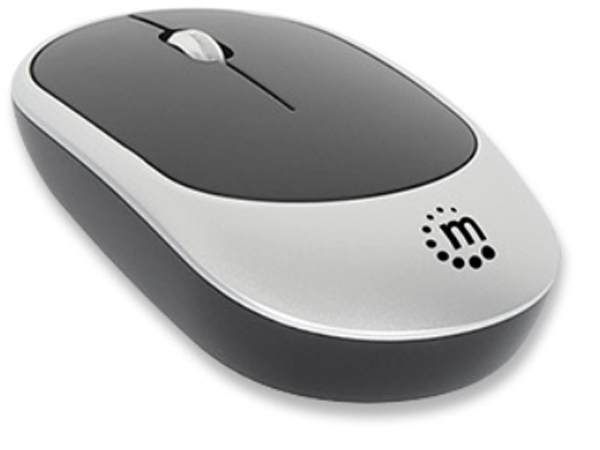
1200 dpi optical mouse
High-precision optical sensor for lag-free control on almost any surface.
The Tech Office Companion
A wireless desktop control set engineered for low-profile typing precision
The Manhattan MWK7400 delivers clean wireless control through one USB-A nano receiver, connecting both keyboard and mouse over stable 2.4GHz RF with up to 33 ft. range.
The full-size 109-key keyboard uses low-profile scissor/X-structure keys for quiet, controlled typing and includes a numeric keypad for data entry and workstation use. The optical mouse features a 1200 DPI sensor, scroll wheel, ambidextrous design, and three-button control.
PnP compatibility with Windows, Linux, and Chrome OS.
Wireless Freedom
Work Without Limits Up to 33 Feet Away
Experience the convenience of a 2.4 GHz wireless connection that lets you position your keyboard and mouse exactly where you want them. The compact USB-A nano receiver stores neatly in the keyboard when not in use, while smart power management helps your batteries last longer. Whether you're working at your desk or presenting from across the room, enjoy reliable connectivity and responsive performance.
How do I set up this keyboard and mouse combo?
Insert the included batteries into the keyboard and mouse, plug the USB nano receiver into your computer's USB port, and turn on both devices. They will connect automatically for immediate use.
Where is the USB receiver stored?
The USB nano receiver is stored in an on-board compartment on the mouse. This convenient storage solution helps keep the receiver safe when transporting your keyboard and mouse combo.
Does this product support Bluetooth wireless?
This product operates on a 2.4 GHz wireless connection using the included USB-A nano receiver. Simply plug the receiver into your computer's USB port to connect.
Technical Specifications
| Standards and Certifications | CE, FCC, RoHS, REACH, UKCA |
|---|---|
| Wireless Technology | 2.4 GHz wireless (via included USB dongle) |
| Wireless Range | 33 ft. (10 meters) maximum |
| Mouse key Life | ~ 3 million clicks |
| Mouse Optical Sensor | 1200 dpi |
| Mouse Design | Ambidextrous |
| Mouse Battery | 1 x AA 1.5 V DC (included) |
| Mouse Power Management | Automatic power save/power off mode and On/off switch |
| Keyboard key Life | ~ 3 million clicks |
| Keyboard Key Style | 109 low-profile scissor (X-structure) keys |
| Keyboard Key Cap Force | 70 ± 10 g |
| Keyboard Batteries | 2 x AAA 1.5 V DC (included) |
| Dimensions (L x W x H) | 436 x 125 x 23 mm (17.17 x 4.92 x 0.91 in.) |
| Package Contents | Wireless USB Keyboard, Three-Button Wireless Optical USB Mouse, 2 x AAA battery, 1 x AA battery, Instructions |