







Android Reader Page Flipping Tutorial
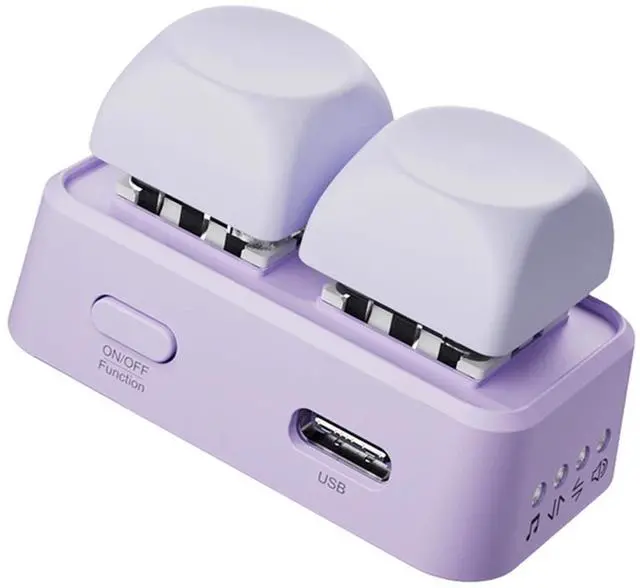
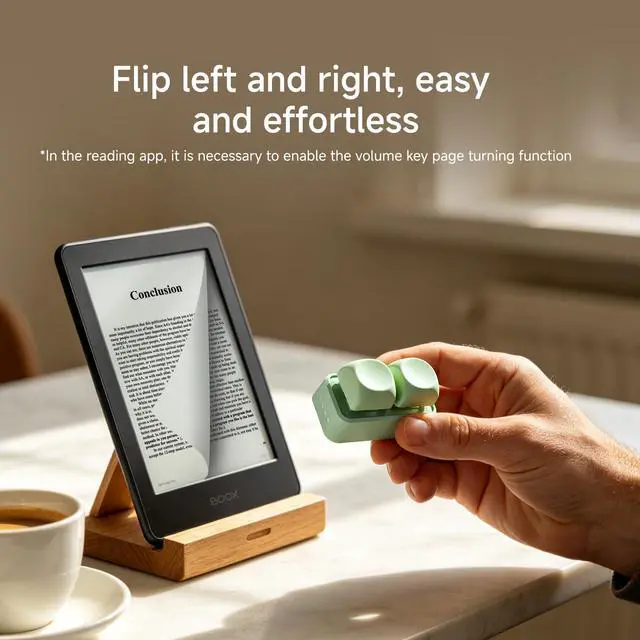
This is an Android system reader device that allows remote control of page flipping. It is compact and portable, and can remotely flip pages while reading, making it easy to solve the problem of feeling tired while holding the reader for a long time. This device does not support Kindle
Youthful colors bring good mood every day
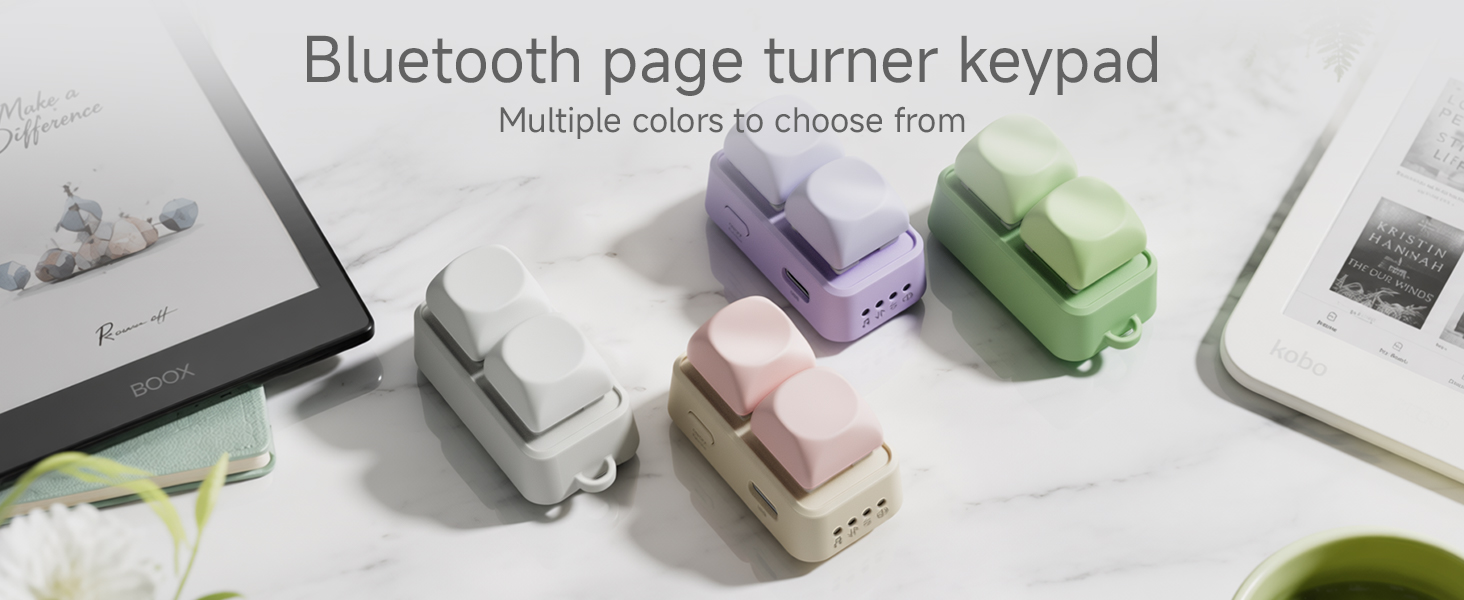
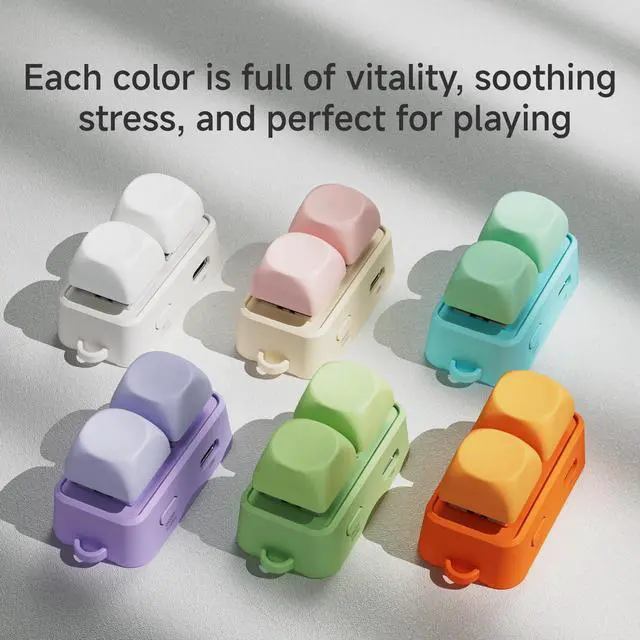
Free2 devices come in multiple colors, youthful and beautiful, making your eyes sparkle and your mood better. This version only supports Android system readers and does not support Kindle devices
How to reset Bluetooth or restore factory settings?
Reset Bluetooth: Press and hold the power button for 15 seconds when turned on. Restore factory settings: Long press the power button for 30 seconds when turned on
What if it crashes?
Due to the detection of unstable voltage input by the device, the chip automatically activated its protective function. Please allow it to stand still for 48 hours before turning it on.
Why can't I turn the page? Does it support Kindle?
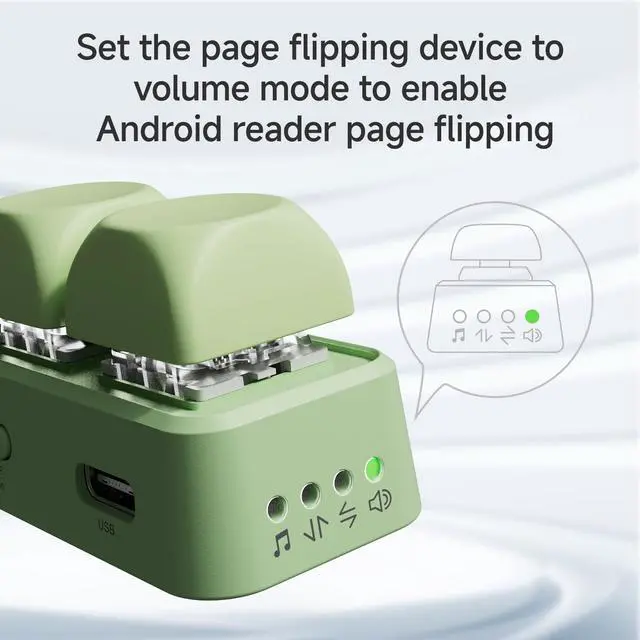
You need to adjust the page flipping device to volume mode, then turn on the volume key to flip pages in the reader's settings, and set the page flipping mode to left or right in the book settings. Additionally, this device does not support Kindle
Why pair with my reader?
The flashing indicator light indicates pairing mode. Open the reader settings and find Bluetooth to search for Free2. If pairing is not possible, ignore the previously connected Bluetooth and search for pairing again. Not compatible with Kindle
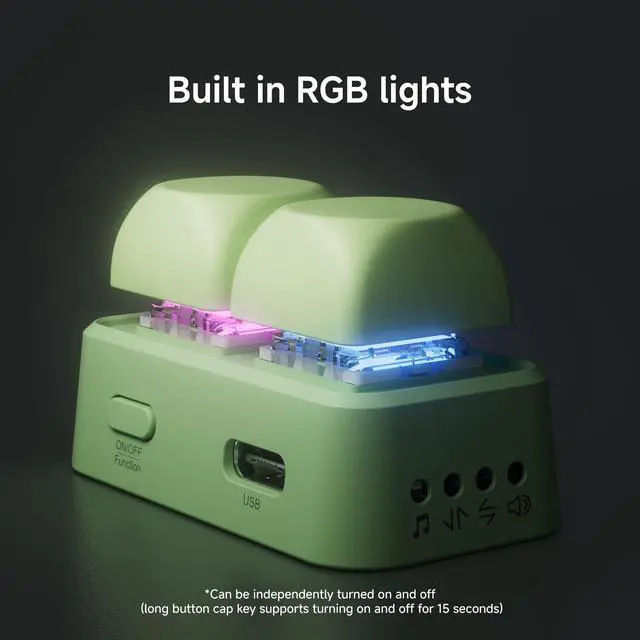
Why isn't the keycap RGB light on?
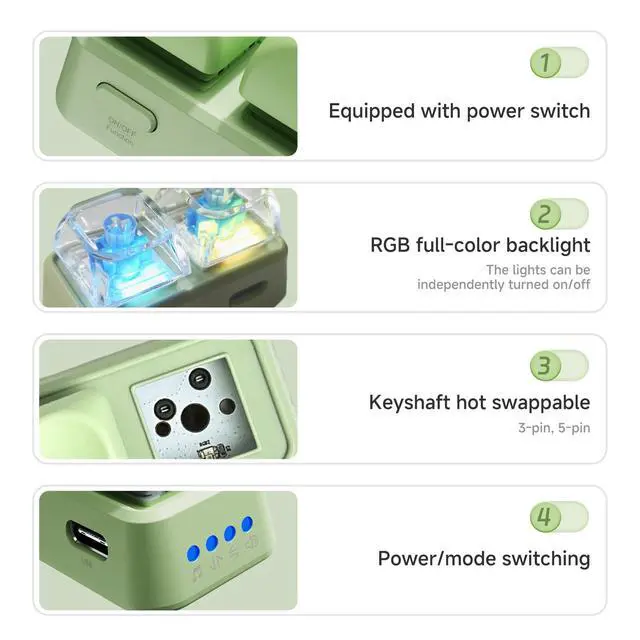
The RGB light on the keycap supports on/off function. Long press the keycap for 15 seconds to turn on or off the light. Method 2 is to unplug the shaft and check if the needle is crooked
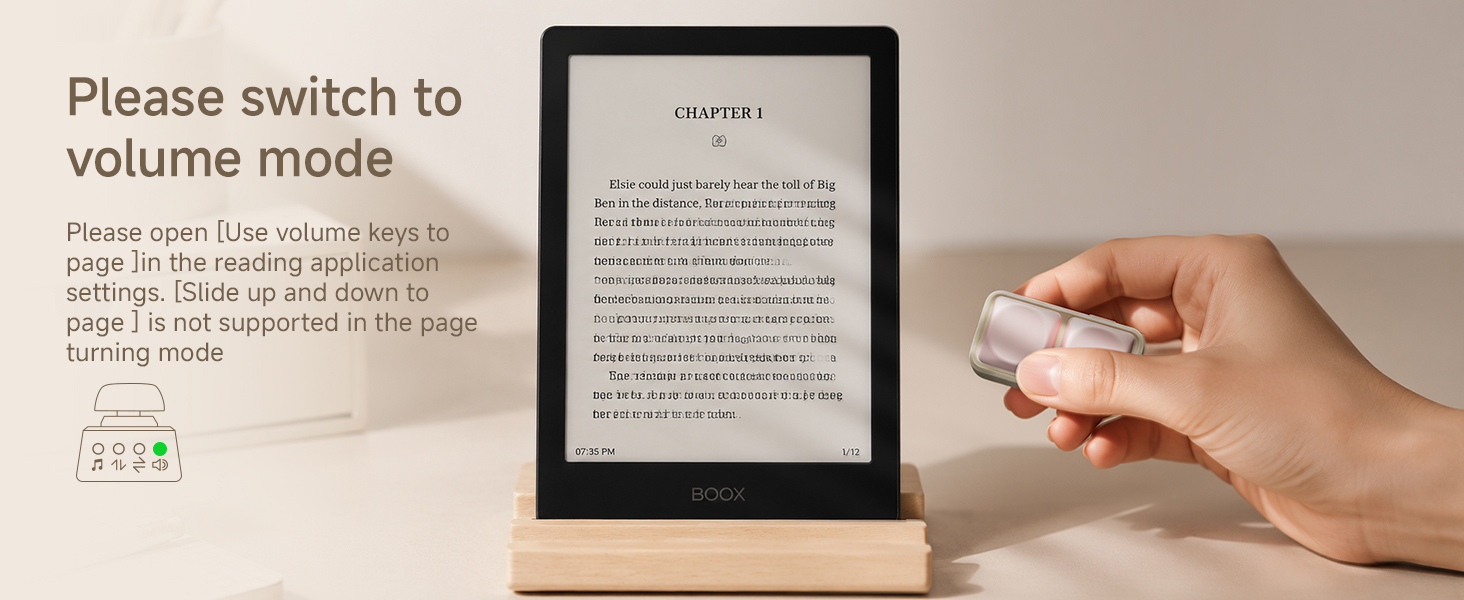
When using an Android reader, the volume mode key is used to flip pages. With just one button press, you can remotely control the next or previous page. Keeping a certain distance from the screen will make your eyes healthier
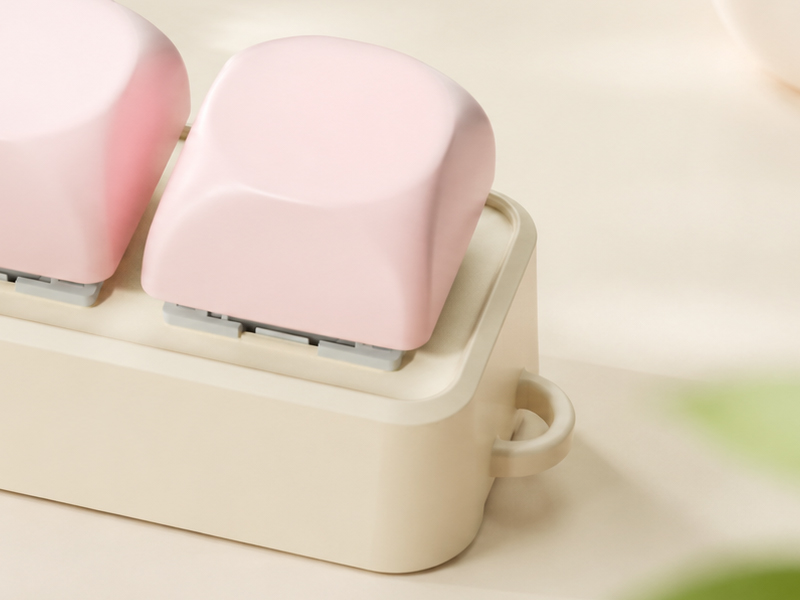
Support wrist strap fixation
Wrist rope hole
There is a wrist strap hole here that can effectively secure your wrist strap, preventing loss and making it more portable
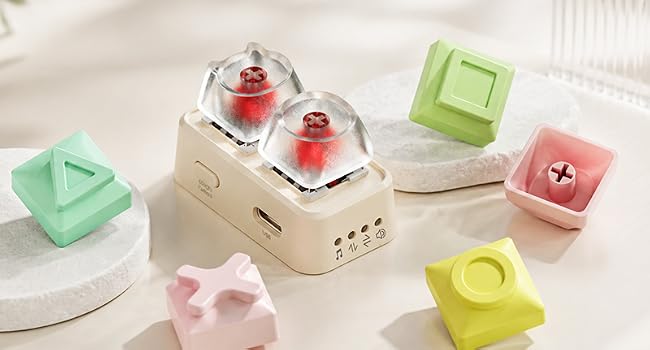
Keycap replacement
As long as it is a cross axis keycap, make your DIY even cuter
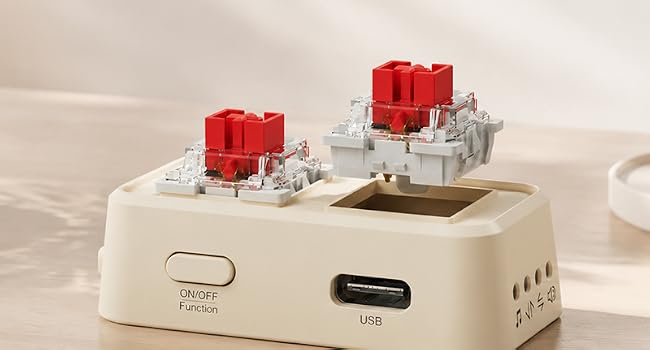
Shaft replacement
The device adopts a high axis three legged or five legged design, which is compatible with high axes on the market. Users can replace their favorite sound or silent axes, making it more playable and stress relieving
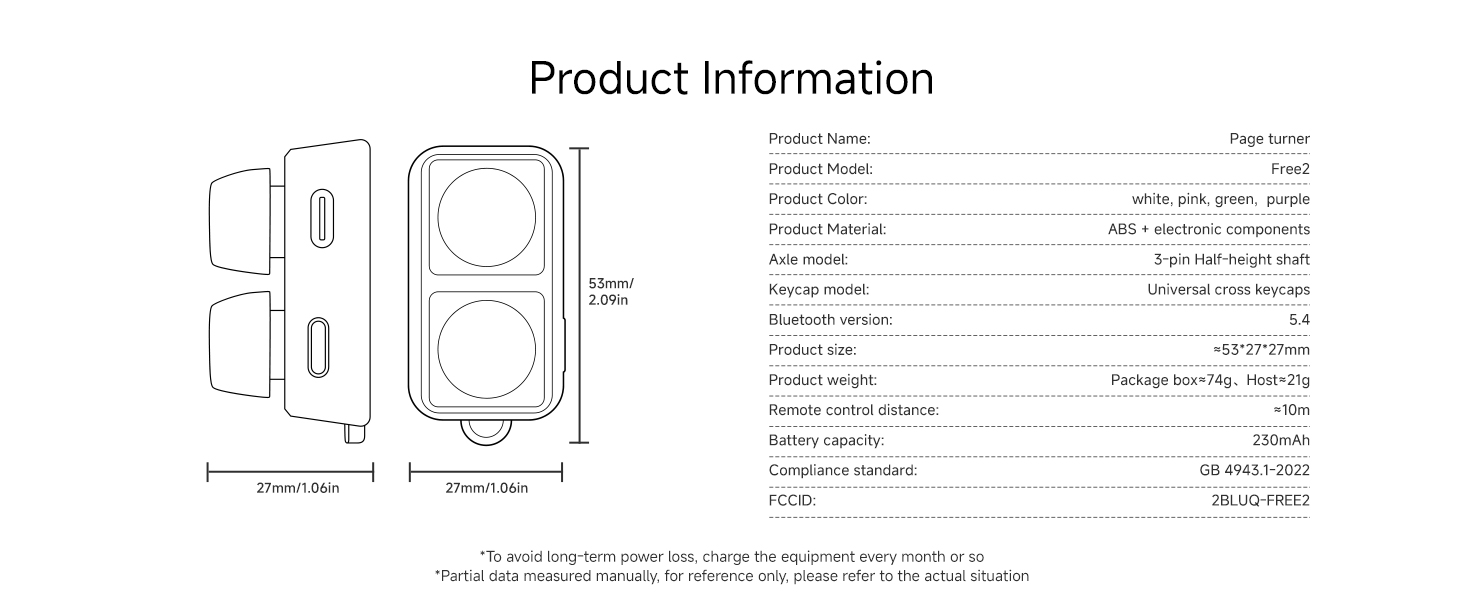
Internal packaging list: Data cable * 1 host * 1 instruction manual * 1 Chinese sticker * 1
Android Reader Page Flipping Tutorial
This is an Android system reader device that allows remote control of page flipping. It is compact and portable, and can remotely flip pages while reading, making it easy to solve the problem of feeling tired while holding the reader for a long time. This device does not support Kindle
Youthful colors bring good mood every day
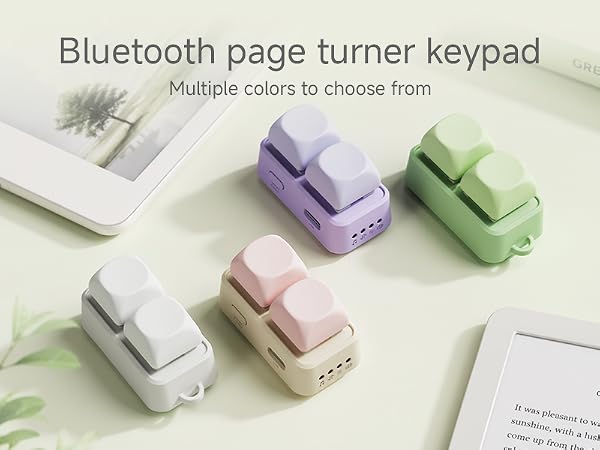
Free2 devices come in multiple colors, youthful and beautiful, making your eyes sparkle and your mood better. This version only supports Android system readers and does not support Kindle devices
How to reset Bluetooth or restore factory settings?
Reset Bluetooth: Press and hold the power button for 15 seconds when turned on. Restore factory settings: Long press the power button for 30 seconds when turned on
What if it crashes?
Due to the detection of unstable voltage input by the device, the chip automatically activated its protective function. Please allow it to stand still for 48 hours before turning it on.
Why can't I turn the page? Does it support Kindle?
You need to adjust the page flipping device to volume mode, then turn on the volume key to flip pages in the reader's settings, and set the page flipping mode to left or right in the book settings. Additionally, this device does not support Kindle
Why pair with my reader?
The flashing indicator light indicates pairing mode. Open the reader settings and find Bluetooth to search for Free2. If pairing is not possible, ignore the previously connected Bluetooth and search for pairing again. Not compatible with Kindle
Why isn't the keycap RGB light on?
The RGB light on the keycap supports on/off function. Long press the keycap for 15 seconds to turn on or off the light. Method 2 is to unplug the shaft and check if the needle is crooked
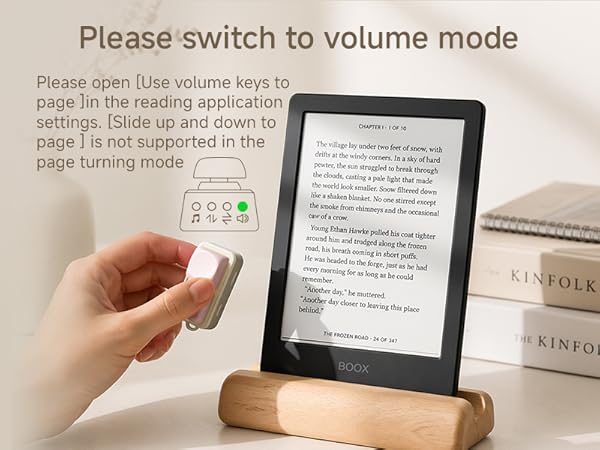
When using an Android reader, the volume mode key is used to flip pages. With just one button press, you can remotely control the next or previous page. Keeping a certain distance from the screen will make your eyes healthier
Support wrist strap fixation
Wrist rope hole
There is a wrist strap hole here that can effectively secure your wrist strap, preventing loss and making it more portable
Keycap replacement
As long as it is a cross axis keycap, make your DIY even cuter
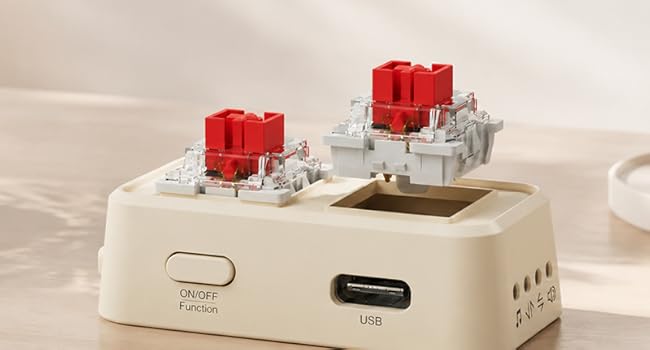
Shaft replacement
The device adopts a high axis three legged or five legged design, which is compatible with high axes on the market. Users can replace their favorite sound or silent axes, making it more playable and stress relieving
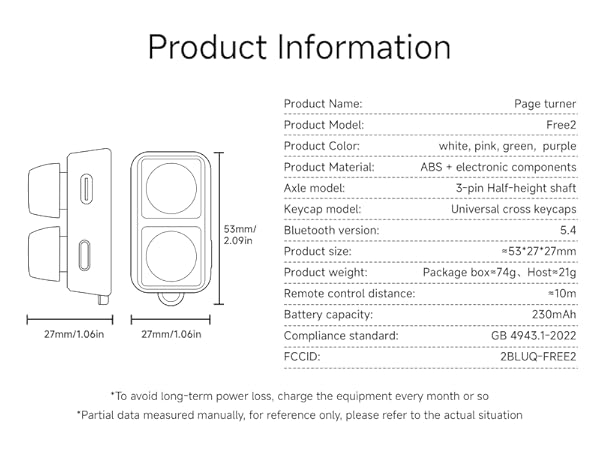
Internal packaging list: Data cable * 1 host * 1 instruction manual * 1 Chinese sticker * 1