

Your Browsing History
- Free 30-day Returns
$123.49
Ships from China.
Sold by BrightTeng Media Store
Shipped by BrightTeng Media Store

Meet Your Seller

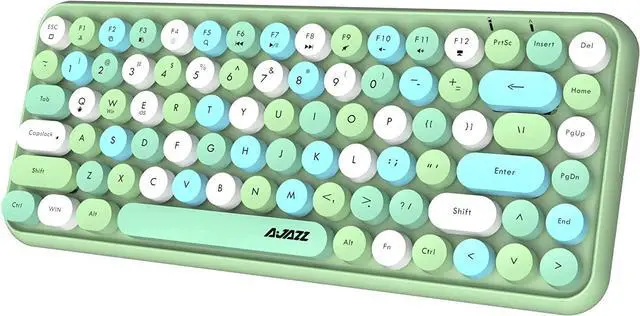
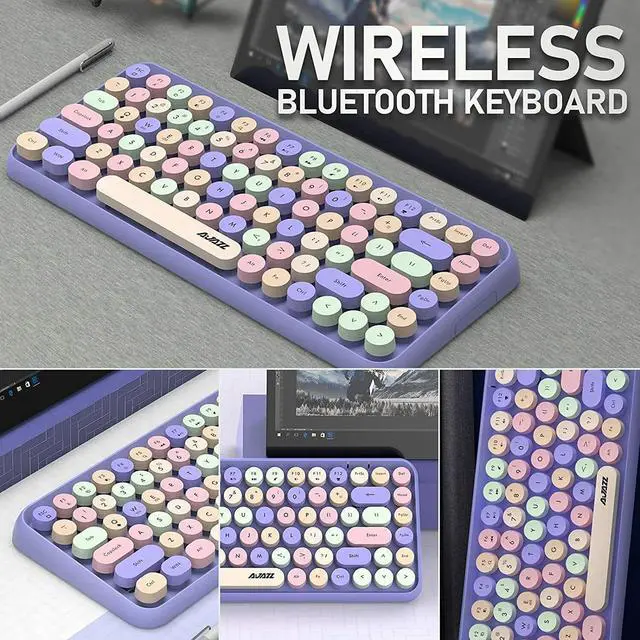


Purple Portable Bluetooth Wireless Keyboard 84 Key For iPad PC Laptop Mac Phone Black / Green
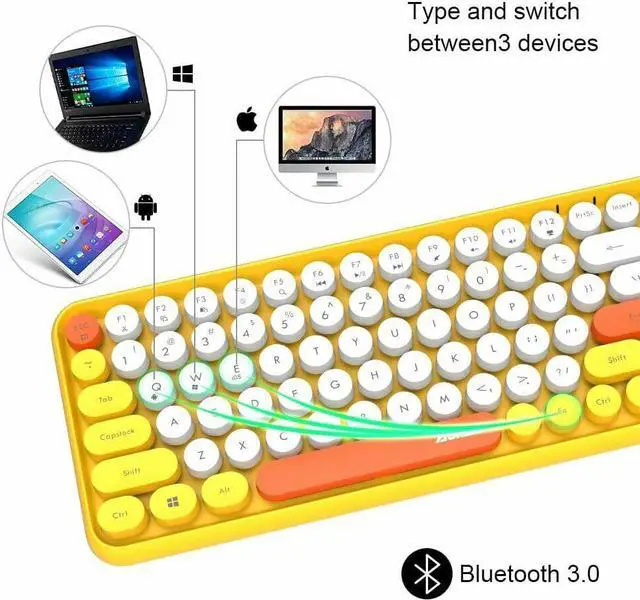
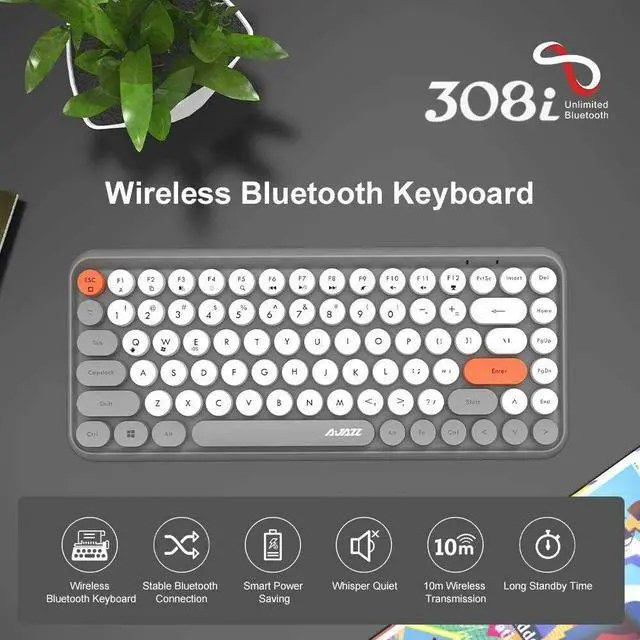
- WIRELESS BLUETOOTH KEYBOARDThis Bluetooth keyboard uses the American Broadcom Bluetooth 3.0 version. The Bluetooth keyboard has a mature and reliable wireless connection technology, with almost no loss or delay, the wireless connection range can reach 10 meters, and the connection is convenient and reliable. Just press FN + C key to enter Bluetooth mode.
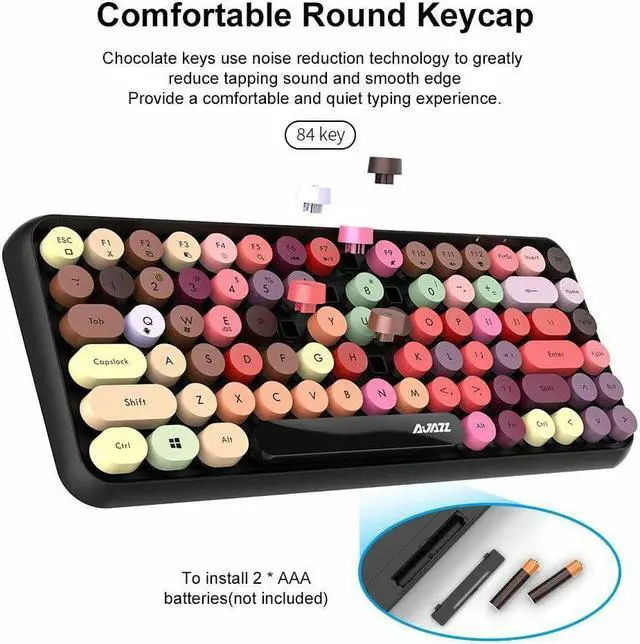
- MINI WIRELESS KEYBOARDThe portable wireless keyboard is an 84-key layout, compact and easy to carry. Unique circular floating keycap design, fashion style inspired by retro and elegant typewriter style. Whether it is the appearance or the sense of use, it will bring you a different feeling. It is an ideal choice for home or office and travel use.
- SMART SLEEP MODEThe Bluetooth keyboard has a smart sleep mode. If there is no operation for more than 15 minutes, the keyboard will automatically go to sleep and disconnect Bluetooth to save power. If the keyboard keys do not work properly, the battery may be low and the battery needs to
+
+
Overview
Specs
Reviews

Any questions? Our AI mode will help you find out quickly.
Try me now
Wireless Bluetooth Keyboard-Retro Printer Styling
This cute mini keyboard has pink like cherry blossom, matte round keys, retro typewriter styling make the entire retro keyboard look nostalgic and have an amazing modern beauty.
This compact keyboard is unique in style, with a compact 84-key design, lightweight and portable, saving space.
The keycap material of ABS has greatly extended its service life. With a matte touch, the keycap has a recessed design, which is very ergonomic, it can reduce finger fatigue and maintain comfort for a long time.
-Using Instructions
Step 1: Insert 2 AAA batteries.
Step 2: Press FN + C to turn on, the red light on the upper right corner flashes, turn on the Bluetooth of the connected device to connect.
3. Open the Windows settings of your computer and click on the Bluetooth device
4. Add a Bluetooth device
5. Select Bluetooth 3.0 keyboard, complete the connection.
Note
1. If there is any problem that the button does not work or is stuck condition during use, please replace the battery in time.
2. If the Bluetooth receiver or the drive device is reconnected, there are different delays, which is normal.
3. If not use this keyboard for 15 minutes, the keyboard will be disconnected and enter sleep mode to save power which is normal, and need to be reconnected
4. This is a mini Bluetooth keyboard, generally used for office, not a professional gaming keyboard
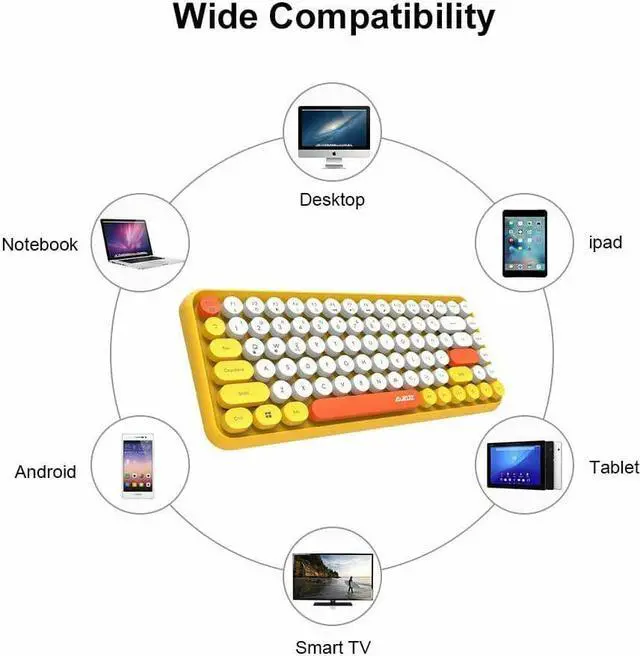
5. Before buying, please pay attention to whether it is compatible with your device. Please connect according to the normal operation when connecting.
6. If the normal steps are followed and the correct battery is installed and cannot be connected, the keyboard may be damaged during transportation, and we will refund the full amount
This cute mini keyboard has pink like cherry blossom, matte round keys, retro typewriter styling make the entire retro keyboard look nostalgic and have an amazing modern beauty.
This compact keyboard is unique in style, with a compact 84-key design, lightweight and portable, saving space.
The keycap material of ABS has greatly extended its service life. With a matte touch, the keycap has a recessed design, which is very ergonomic, it can reduce finger fatigue and maintain comfort for a long time.
-Using Instructions
Step 1: Insert 2 AAA batteries.
Step 2: Press FN + C to turn on, the red light on the upper right corner flashes, turn on the Bluetooth of the connected device to connect.
3. Open the Windows settings of your computer and click on the Bluetooth device
4. Add a Bluetooth device
5. Select Bluetooth 3.0 keyboard, complete the connection.
Note
1. If there is any problem that the button does not work or is stuck condition during use, please replace the battery in time.
2. If the Bluetooth receiver or the drive device is reconnected, there are different delays, which is normal.
3. If not use this keyboard for 15 minutes, the keyboard will be disconnected and enter sleep mode to save power which is normal, and need to be reconnected
4. This is a mini Bluetooth keyboard, generally used for office, not a professional gaming keyboard
5. Before buying, please pay attention to whether it is compatible with your device. Please connect according to the normal operation when connecting.
6. If the normal steps are followed and the correct battery is installed and cannot be connected, the keyboard may be damaged during transportation, and we will refund the full amount
Warranty & Returns
Warranty, Returns, And Additional Information
Warranty
- Please contact the Seller directly for warranty information. Warranty information may also be found on the Manufacturer's website.
- CONTACT
Return Policies
- Return for refund within: 30 days
- Return for replacement within: 30 days
- This item is covered by BrightTeng Media Store Return Policy
Manufacturer Contact Info
- For a directory of all our manufacturers, please click below.
- Manufacturers Directory
LOADING...