




 here!
here!
I’m your shopping assistant for PC builds, upgrades, and everything tech.
Got questions? Ask away!
Start a conversation
here!
I’m your shopping assistant for PC builds, upgrades, and everything tech.
Got questions? Ask away!
Start a conversation




Any questions? Ask CelesteSM will help you find out quickly.


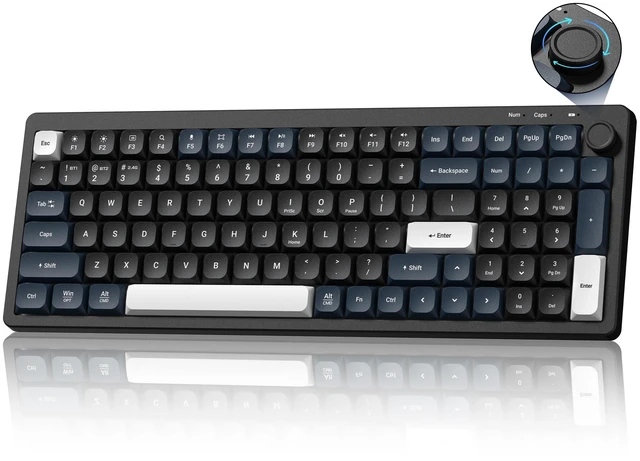
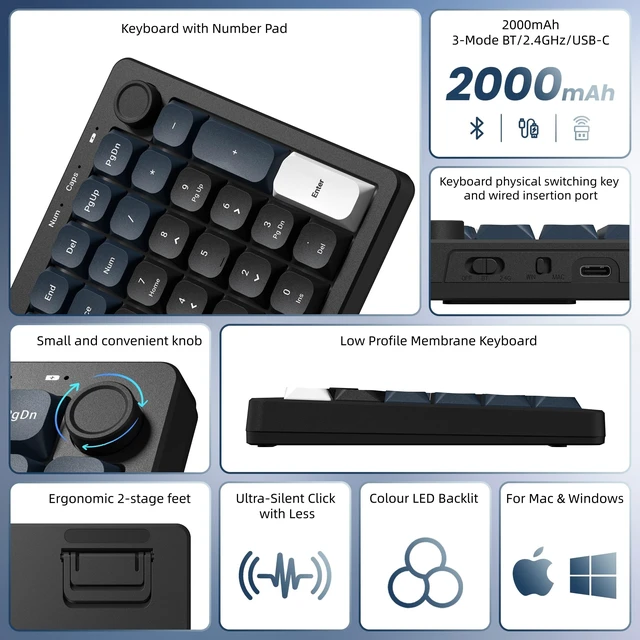
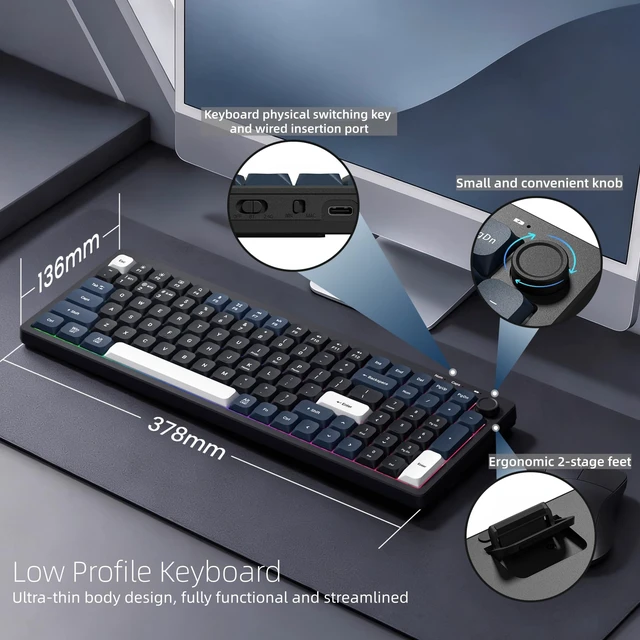
The top-right knob adjusts volume instantly—no shortcuts needed. Direct control right at your fingertips.

15 backlight effects and 4 brightness levels via Fn+Enter. Keeps your keyboard visible in dim rooms.

Two-stage feet raise the keyboard's rear edge, letting you adjust the typing angle to suit your preference.

The USB-C port lets you recharge the built-in battery whenever needed—no disposable batteries to replace.

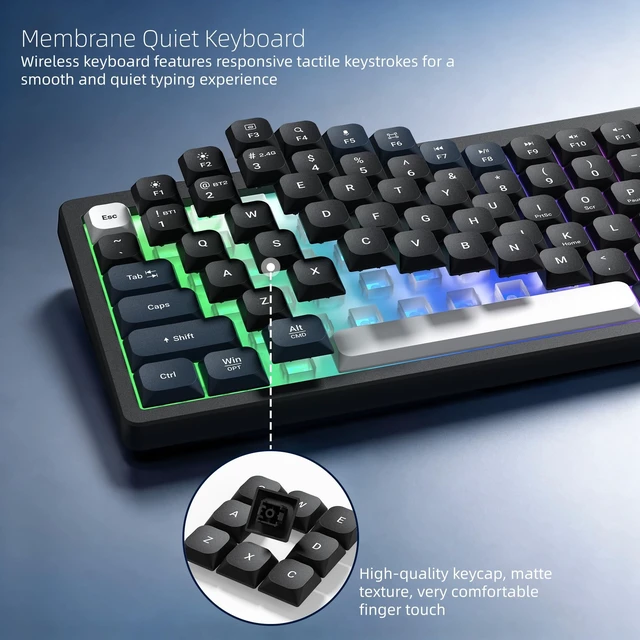
Wireless keyboard features responsive tactile keystrokes for a smooth and quiet typing experience. High-quality keycap, matte texture, very comfortable finger touch

You can keep working wirelessly for days on a single charge, or plug in the included USB-C cable for uninterrupted wired use
How long does the battery last?
With backlight off, the battery runs up to 185 hours. For everyday office use, that means less time charging and more time typing.
How do I charge the keyboard?
The DK100 charges via USB-C, so you can use the same cable as many phones and laptops. A USB cable is included in the box.
Is this keyboard quiet enough for shared spaces?
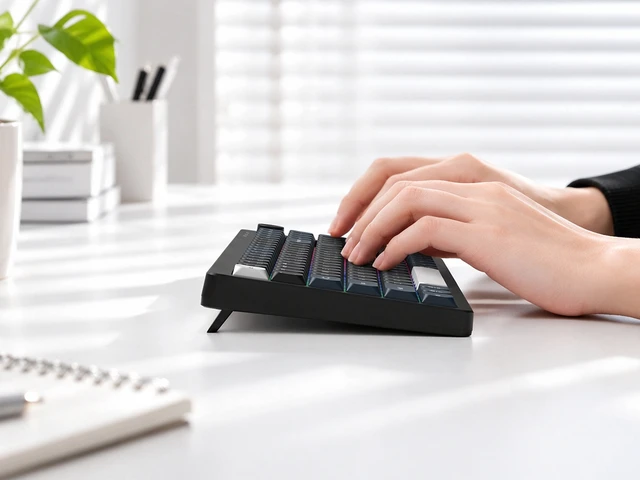
The low-profile membrane design features short key travel and smooth rebound, producing soft, subdued keystrokes suited for quiet offices or shared workspaces.


The top-right knob adjusts volume instantly—no shortcuts needed. Direct control right at your fingertips.
15 backlight effects and 4 brightness levels via Fn+Enter. Keeps your keyboard visible in dim rooms.
Two-stage feet raise the keyboard's rear edge, letting you adjust the typing angle to suit your preference.
The USB-C port lets you recharge the built-in battery whenever needed—no disposable batteries to replace.
Wireless keyboard features responsive tactile keystrokes for a smooth and quiet typing experience. High-quality keycap, matte texture, very comfortable finger touch
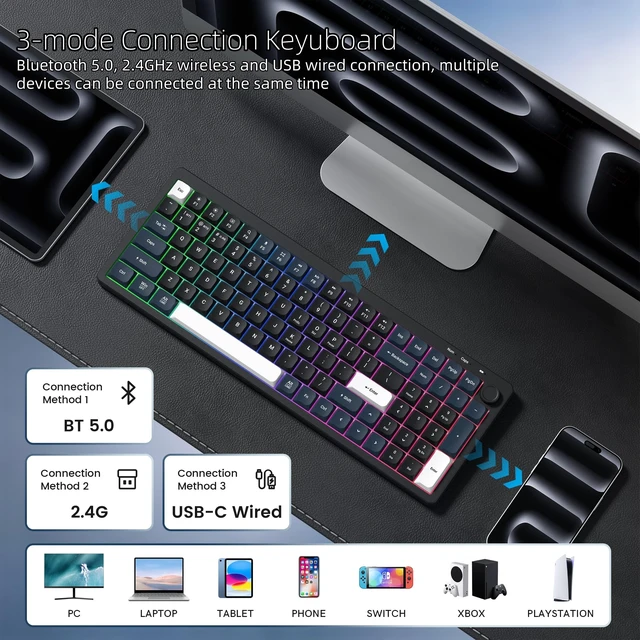
You can keep working wirelessly for days on a single charge, or plug in the included USB-C cable for uninterrupted wired use


How long does the battery last?
With backlight off, the battery runs up to 185 hours. For everyday office use, that means less time charging and more time typing.
How do I charge the keyboard?
The DK100 charges via USB-C, so you can use the same cable as many phones and laptops. A USB cable is included in the box.
Is this keyboard quiet enough for shared spaces?
The low-profile membrane design features short key travel and smooth rebound, producing soft, subdued keystrokes suited for quiet offices or shared workspaces.
Womier DK100 Wireless Keyboard with Number Pad, Computer Creamy Keyboard Low-Profile Keyboard Tri-Mode BT/2.4G/Wired Membrane Gaming Keyboard RGB, Knob Control, 4000mAh Battery with Mac Windows Linux, Black
| Contains Battery or Cell | battery |
| Package Weight | 0.78 kilograms |
| Lithium-Battery Energy Content | 4 watt_hours |
| Lithium-Battery Packaging | batteries_contained_in_equipment |
| Item Highlight | Wireless Membrane Keyboard with Number Pad, Quiet Computer Keyboard, 99 Keys, 3-Mode BT/2.4GHz/USB-C Mac or Win, Black |
| Keyboard Layout | qwerty |
| Additional Features / 0 | Backlit |
| Additional Features / 1 | Low-Profile Key |
| Additional Features / 2 | Ergonomic |
| Additional Features / 3 | Tri-Mode BT/2.4G/Wired |
| Item Package Dimensions | 3 L x 14.5 W x 42.5 H centimeters |
| Manufacturer | Womier |
| Language Type | manual |
| Language | english |
| Language / 1 / Language Type | original |
| Language / 1 / Language | english |
| Connectivity Technology / 0 | Bluetooth |
| Connectivity Technology / 1 | USB-C |
| Connectivity Technology / 2 | 2.4G |
| Number of Lithium-ion Cells | 1 |
| Package Quantity | 1 |
| Has Multiple Battery Powered Components | true |
| Built-In Media / 0 | Keycap Puller |
| Built-In Media / 1 | USB Cable |
| Built-In Media / 2 | User Manual |
| Battery Installation Device Type | installed_in_vehicle |
| FCC ID | 2A6ESVK66 |
| Radio Frequency Emission & Authorization Status | has_fcc_id |
| Battery Cell Type | lithium_polymer |
| Battery Weight | 3 grams |
| Compatible Devices | PC |
| Number of Items | 1 |
| Are Batteries Included | true |
| Model Number | DK100 |
| Are Batteries Required | false |
| Color | Black |
| Keyboard Description | Business, Education, Everyday Use, Gaming, Multimedia, Personal, Photo Editing, Programming, Student, Video Editing |
| Brand | Womier |
| Button Quantity | 100 |
| Number of Batteries | 1 |
| Battery Type | 12v |


