• $219.00
  • $327.00
  • Save: $108.00 (33%)
  • Free 30-day Returns
  • Sold by Direct from manufacturerLenovo
    Top Rated
    4.5 (1,125 seller ratings)

    Shipped by Direct from manufacturerLenovo

    Price alert

    Best Sellers

    Top Rated
    4.6 (1,257 total ratings)
    • $278.00
    • + FREE SHIPPING
    Hot Seller
    4.5 (9,029 total ratings)
    • $318.73
    Top Rated
    4 (1,162 total ratings)
    • $319.60
    • + FREE SHIPPING
    Shop it at NeweggBusiness.

    Meet Your Seller

    Lenovo ThinkVision 14 inch IPS WXGA+ 60Hz USB-C Portable Monitor - M14d

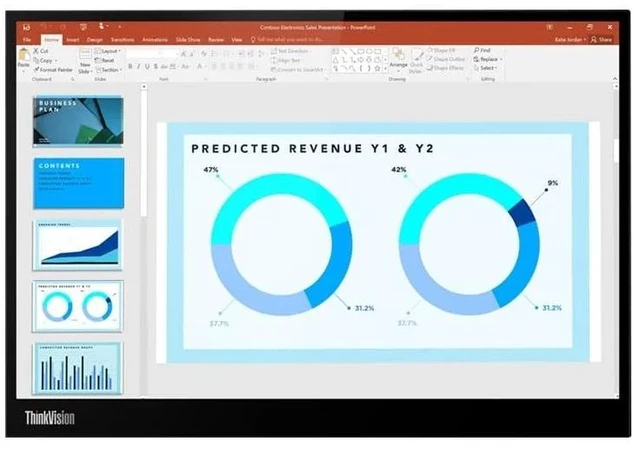
    • 14" 2.2K IPS Portable Display Sharp 2240 x 1400 resolution delivers crisp text and detailed visuals for productivity on the go.
    • 16:10 Aspect Ratio Provides more vertical workspace than traditional 16:9 displays, ideal for documents, spreadsheets, and multitasking.
    • 100% sRGB Color Gamut Enjoy vibrant, accurate colors for business, content creation, and media consumption.
    • Dual USB-C Connectivity Features two USB-C ports with DisplayPort Alt Mode and power pass-through support for flexible connectivity.
    • Power Pass-Through Charging Charge your laptop and power the monitor simultaneously through a single USB-C connection.
    • Ultra-Light Portable Design Weighs approximately 1.3 lbs. (0.6 kg) for easy travel and mobile productivity.
    • Slim Profile Compact and travel-friendly design fits easily into laptop bags and backpacks.
    • Natural Low Blue Light Technology Reduces harmful blue light without compromising color accuracy.
    • Adjustable Tilt & Lift Stand Supports tilt adjustment and height lift for comfortable viewing angles.
    • Eyesafe Certified Display Designed for comfortable extended viewing sessions.
    • Ideal for Hybrid Work & Travel Perfect as a second screen for remote work, business travel, presentations, and mobile productivity.
    +
    +
    Overview
    Specs
    Reviews
    See all Q & A

    Any questions? Ask CelesteSM will help you find out quickly.

    Created For Working On The Go

    |

    |

    Comfortable & Easy on Your Eyes

    |

    Natural Low Blue Light display without affecting color performance

    Lenovo Natural Low Blue Light Mode VS Conventional Blue Filter Modemance

    |

    Enjoyable Viewing Experience

    |

    100% sRGB, 1500:1 provide crystal-clear, consistent color

    72% NTSC VS 100% sRGB

    |

    Wide Viewing Area

    |

    2240 x 1400 provides 1.5 times more viewing pixels than FHD

    |

    Better View from Any Angle

    |

    Wide-angle viewing IPS screen delivers excellent visuals from all directions

    |

    Portable Ease Everyday

    |

    Feather-light (600 g net weight) and slim design (4.6 mm head thickness) for effortless carrying.

    |

    Sustainable Development

    |

    This monitor has been made with sustainable materials including 85% recycled plastics with post-consumer plastic. And it is packed with sustainable paper pulp that is good for the environment. The monitor also meets the latest environmental standards.

    | |

    o

    ||

    Tilt : 0°~90°

    ||

    Lift : Up to 11 mm

    ||

    o

    | Extend Premier Support to Your ThinkVision Monitors|

    Bring your ThinkVision Monitors under the same trusted Premier Support coverage* ensuring your entire setup is backed by 24/7 expert service and faster resolutions, with priority Advanced Exchange if your monitor needs replacement.

    With the same dedicated, award-winning support team, adding Premier Support for Monitors means fewer support gaps, less downtime, and a seamless experience across your devices.

    Upgrade your service coverage today and keep your business moving without interruptions. Thats the Premier Difference

    *Premier Support for Monitors is available in select markets.

    |

    Warranty & Returns

    Warranty, Returns, And Additional Information

    Warranty

    • Please contact the Seller directly for warranty information. Warranty information may also be found on the Manufacturer's website.
    • Read full details
    • CONTACT

    Return Policies

    • Return for refund within: 30 days
    • Return for replacement within: 30 days
    • This item is covered by Lenovo Return Policy

    Manufacturer Contact Info

    LOADING...
    LOADING...

    The Lenovo ThinkVision M14d is a 14-inch USB-C portable monitor with a 2240 × 1400 IPS display and 16:10 workspace, suited to mobile professionals who want a crisp second screen for documents, spreadsheets, and multitasking.

    Recommended For

    • Frequent travelers and hybrid workers who want a second screen for spreadsheets, documents, chat, or reference material without carrying a full-size desktop monitor.
    • Laptop users who work with long documents, spreadsheets, or side-by-side windows and want a compact 16:10 screen with extra vertical workspace.
    • Mobile workstation users who need a lightweight display for photo review or other color-aware tasks while away from their main setup; the review found strong sRGB coverage and good out-of-box color accuracy.
    • USB-C laptop users who want a simple portable setup with power pass-through, so the monitor and notebook can be connected and powered through USB-C.

    Real-World Use Scenarios

    • When working remotely from a hotel, coworking space, or temporary desk, connect the M14d to a compatible laptop to keep a second app visible—such as email beside a document—without relying on a full-size monitor.
    • While traveling with a compatible laptop, use the M14d as a portable second screen for work sessions; its compact, lightweight design is intended to fit more easily into a laptop bag than a desktop display.
    • When reviewing long documents or spreadsheets on the go, use the extra vertical room of the 16:10 screen to see more rows or page content at once, which can reduce the need to scroll.
    • For mobile coding or other focused laptop work, keep code or the main task on the laptop screen and documentation, a terminal, or reference material on the M14d, reducing the need to switch between windows.
    • At a temporary workspace with a USB-C charger, use the monitor’s power pass-through to power the display and charge a compatible laptop through the setup, helping keep the work area from needing separate display and laptop power arrangements.