

Your Browsing History

Meet Your Seller


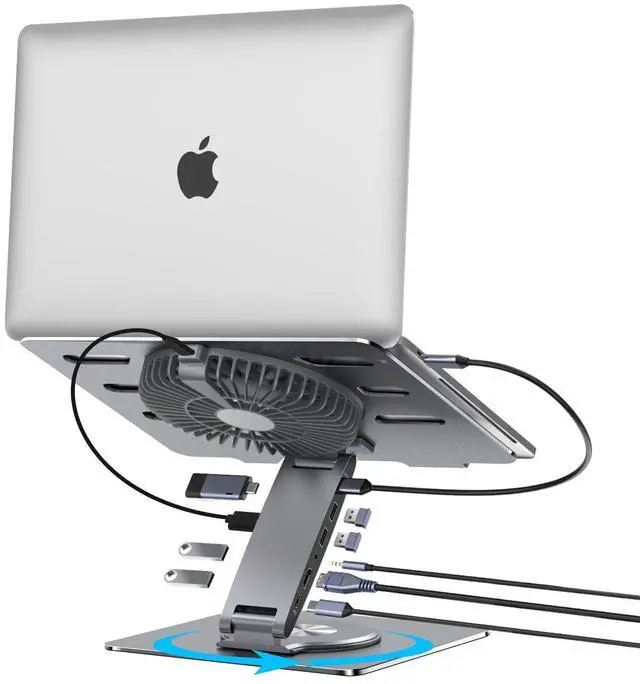
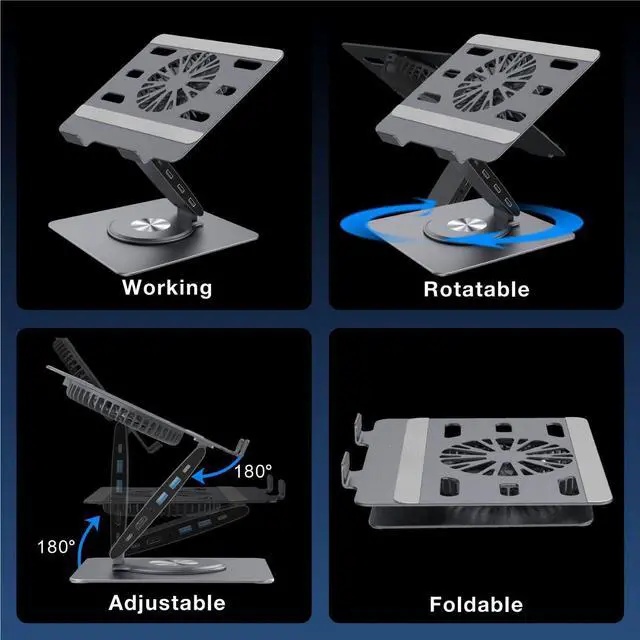
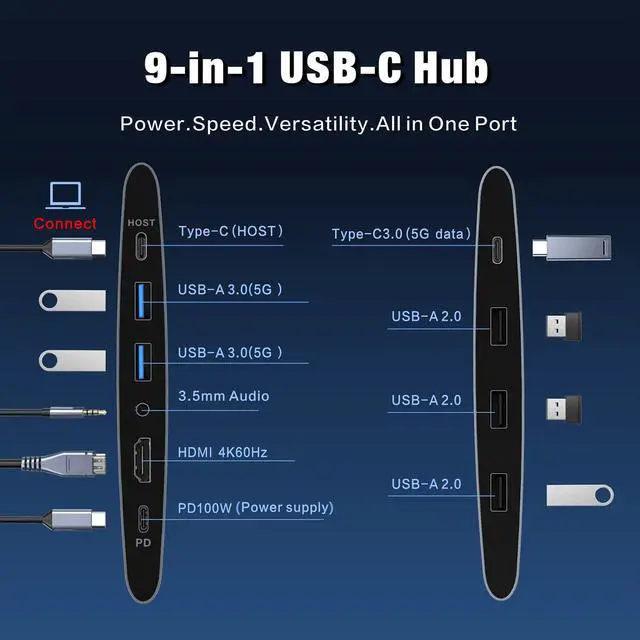
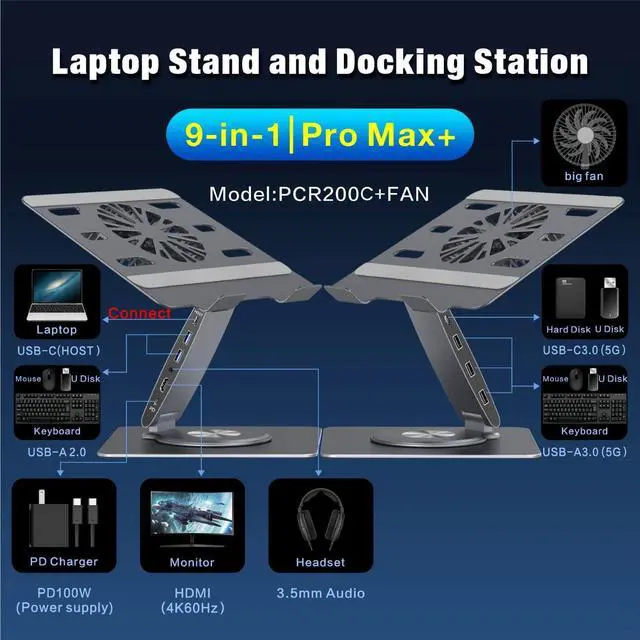
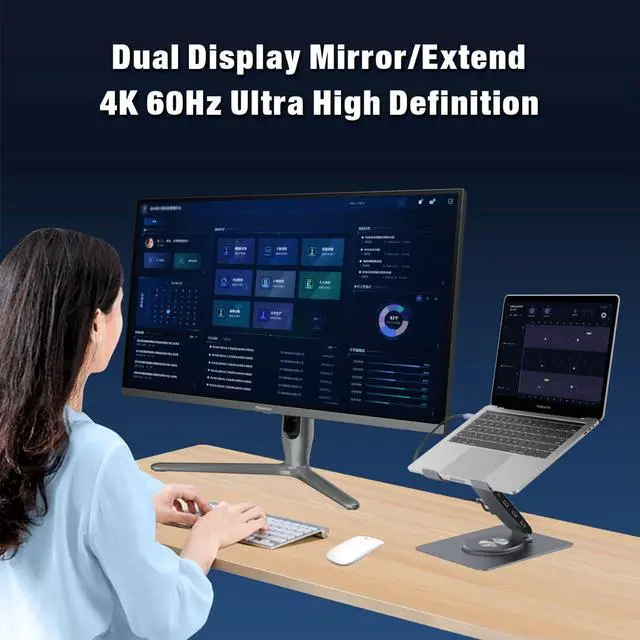


USB-C Hub Laptop Stand with Fan, Aluminum Laptop Riser with Docking Station 9-IN-1, 4K@60Hz HDMI, 100W PD Charging, USB 3.0, 3.5mm Audio, 360° Swivel, for MacBook Pro/Air, iPad Pro & Type-C Laptops
Limited time offer, ends 08/24 By PurePick
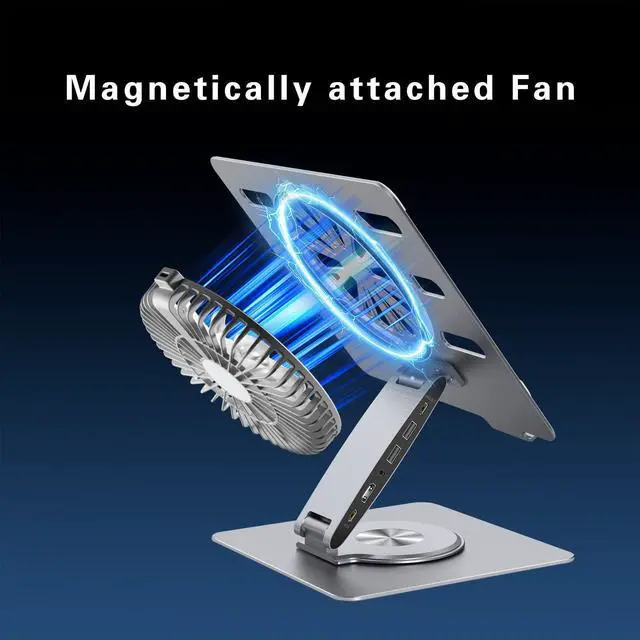
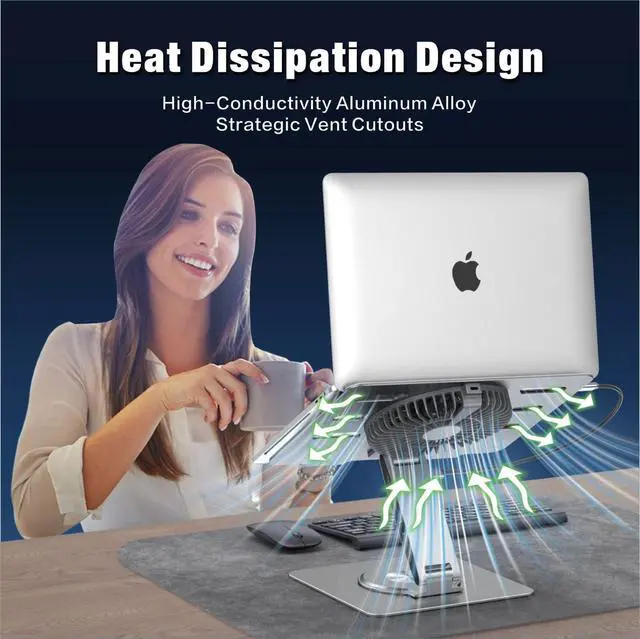
- Compatible with laptops featuring a full-function USB-C port and measuring under 15.6 inches, this laptop stand with docking station offers plug-and-play functionality without the need for drivers. Please verify your laptop's port by referring to the main product image. A magnetically mounted fan is included, positioned at the center of the panel's rear side. Connect it to any USB port on the Hub using the supplied power cable and use the in-line switch for on/off control. Fan specifications: Voltage: 5V, Current: 0.4A, Power: 2W, Rotational Speed: 1800 RPM, Noise Level: <50dB, Diameter: 18cm. The package contains: 1x laptop stand with integrated 9-port USB-C Hub, 1x fan, 1x full-function USB-C to USB-C cable (~19.7 inches) for laptop connection, 1x power cable (~19.7 inches) for the fan, and 1x Instruction Manual. The adjustable riser features double upper and lower hinges, allowing the laptop keyboard to be raised up to 5.5 inches or lowered to the desktop. This height range is ideal for an ergonomic setup, enabling placement at eye level for comfortable viewing. You can position the laptop at eye level, tilt it upward, or tilt it downward to your preferred angle. Setup is straightforward: connect the provided cable between your laptop's full-function USB-C port and the HOST port on the stand to activate all docking station ports simultaneously. The stand can be adjusted to any height or angle without tools, as both upper and lower joints support 180° rotation by simply pul
+
+
Specs
Reviews

Any questions? Our AI mode will help you find out quickly.
Try me now
Learn more about the Detailed Specifications
| First Listed on Newegg | June 13, 2026 |
|---|
Warranty & Returns
Warranty, Returns, And Additional Information
Warranty
- Please contact the Seller directly for warranty information. Warranty information may also be found on the Manufacturer's website.
- CONTACT
Return Policies
- Return for refund within: 30 days
- Return for replacement within: 30 days
- This item is covered by PurePick Return Policy
Manufacturer Contact Info
- For a directory of all our manufacturers, please click below.
- Manufacturers Directory
LOADING...