

Your Browsing History
- $127.99
- Free 30-day Returns

Meet Your Seller


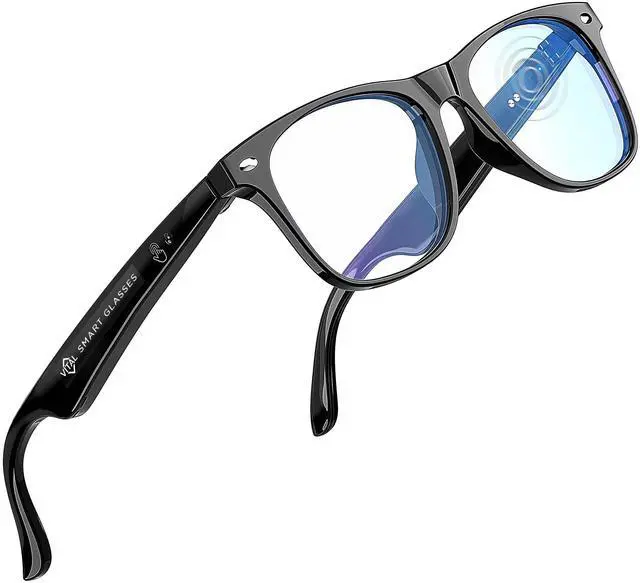



Vital Smart Glasses for Men AI Translation Open-Ear Bluetooth 5.3 Audio, 164-Language Translator in Phone App Vital Smart Glasses for Women UV400 Blue-Light Blocker Voice-Assistant Eyewear AI Glass
Limited time offer, ends 09/14 By Ceelys Store
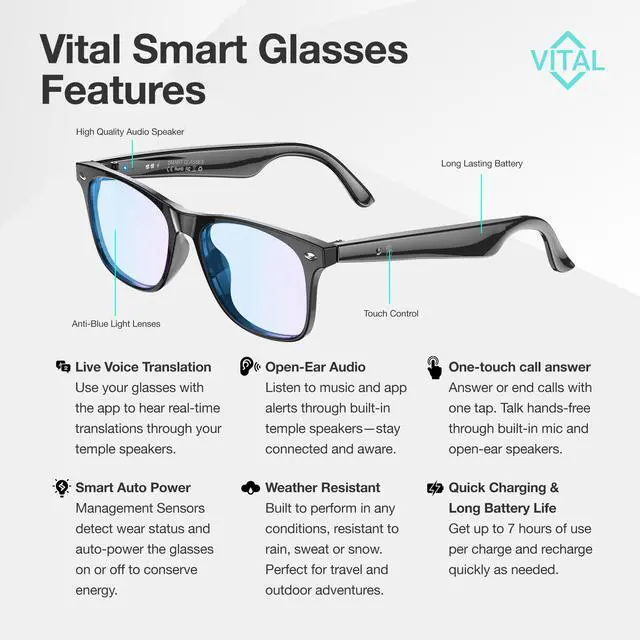
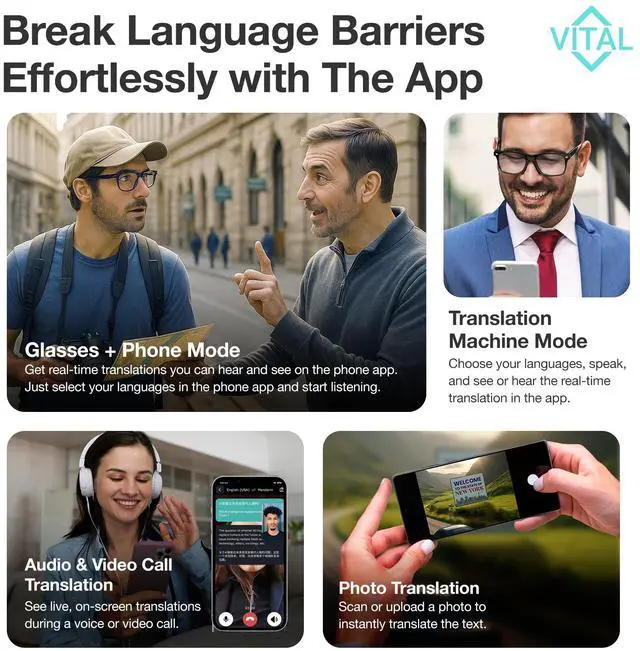
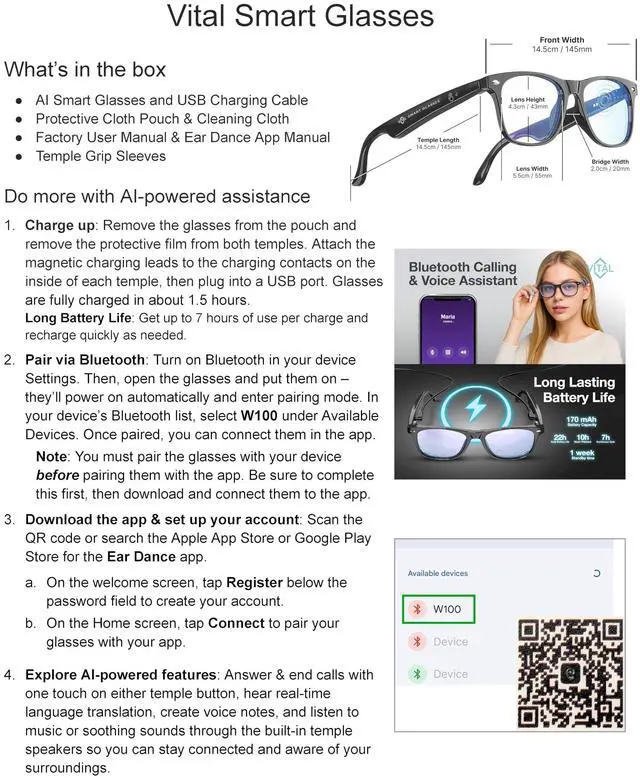
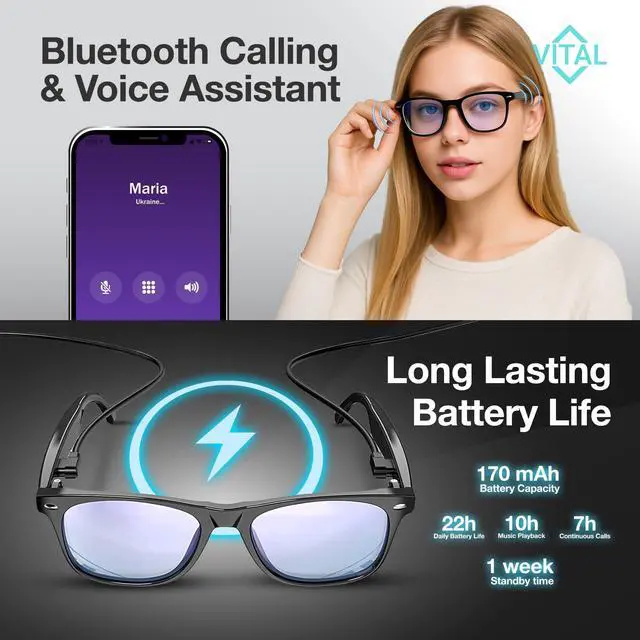
- HANDS-FREE AUDIO & CALLS: These wireless Bluetooth smart glasses connect by the book: charge for 90 minutes until the LED turns green, open the frame to power on, select W100 in Bluetooth, then tap Connect in the Ear Dance app. Once paired, the smart glasses with AI allow you to tap once for calls, double-tap to skip, and press for two seconds to activate your phone's Smart Assistant. Open-ear speakers keep you aware of your surroundings while ENC microphones reduce background noise. STEP-BY-STEP SETUP YOU CAN TRUST: For these AI Translation Glasses, follow the factory instructions precisely: (a) charge for about 1 hour 30 minutes until the LED turns green; (b) in your phones Bluetooth list, choose W100 after opening the glasses so they enter pairing mode; (c) download the free Ear Dance app, register an account on the welcome screen, and tap Connect to complete the process. LIGHTWEIGHT 25 G COMFORT: These smart glasses are ultra-lightweight at 25 grams, feeling weightless yet providing clear audio through open-ear speakers. Enjoy Bluetooth speaker glasses for music, hands-free call convenience, voice assistant control, and blue light blocking relief. Translator smart glasses enable language translation. REAL-TIME TRANSLATION & MORE: Use the glasses in Glasses AI + Phone mode for live audio translations you can hear and read; switch to Translation Machine inside the smartphone app when the frame is charging; invite contacts to Audio & Video Call Translation with one-click sh
+
+
Overview
Specs
Reviews

Any questions? Our AI mode will help you find out quickly.
Try me now
HANDS-FREE AUDIO & CALLS: These wireless Bluetooth smart glasses connect by the book: charge for 90 minutes until the LED turns green, open the frame to power on, select W100 in Bluetooth, then tap Connect in the Ear Dance app. Once paired, the smart glasses with AI allow you to tap once for calls, double-tap to skip, and press for two seconds to activate your phone's Smart Assistant. Open-ear speakers keep you aware of your surroundings while ENC microphones reduce background noise. STEP-BY-STEP SETUP YOU CAN TRUST: For these AI Translation Glasses, follow the factory instructions precisely: (a) charge for about 1 hour 30 minutes until the LED turns green; (b) in your phones Bluetooth list, choose W100 after opening the glasses so they enter pairing mode; (c) download the free Ear Dance app, register an account on the welcome screen, and tap Connect to complete the process. LIGHTWEIGHT 25 G COMFORT: These smart glasses are ultra-lightweight at 25 grams, feeling weightless yet providing clear audio through open-ear speakers. Enjoy Bluetooth speaker glasses for music, hands-free call convenience, voice assistant control, and blue light blocking relief. Translator smart glasses enable language translation. REAL-TIME TRANSLATION & MORE: Use the glasses in Glasses AI + Phone mode for live audio translations you can hear and read; switch to Translation Machine inside the smartphone app when the frame is charging; invite contacts to Audio & Video Call Translation with one-click share links; and use your phone for Photo Translation to read menus instantly. All features require an internet connection, as detailed in the user guide. CAPTURE IDEAS & MOMENTS: Voice Notes records lectures or brainstorms and stores them by date in the app. A remote-shutter button controls your phones 4K lens, enabling hands-free filming. Quick-charge tops the battery for about one hour of typical use after a short plug-in, and a full charge delivers up to seven hours of mixed translation, calls, and music, or approximately thirty hours on standby
Warranty & Returns
Warranty, Returns, And Additional Information
Warranty
- Please contact the Seller directly for warranty information. Warranty information may also be found on the Manufacturer's website.
- CONTACT
Return Policies
- Return for refund within: 30 days
- Return for replacement within: 30 days
- This item is covered by Ceelys Store Return Policy
Manufacturer Contact Info
- For a directory of all our manufacturers, please click below.
- Manufacturers Directory
LOADING...