• $22.99
  • Free 30-day Returns
  • Shipped by BrightMart Shop

    Price alert
    Shop it at NeweggBusiness.

    Meet Your Seller

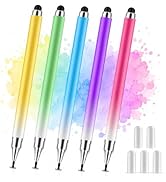
    Replacement Tips for 2-in-1 Styluses, 3 Pack Gradient Color Stylus Set, Includes 6 Disc Tips & 6 Mesh Fiber Tips

    • Broad Device Compatibility: These replacement tips are designed to fit stylus pens with a 0.28-inch disc nib and a 0.08-inch joint width, ensuring compatibility with a wide range of touch screen devices, such as Apple iPads, iPhones, Android tablets, smartphones, and Microsoft tablets.
    • High-Precision Disc Tips: The disc tips, measuring 0.28 inches in diameter and 0.08 inches at the base, provide excellent precision and sensitivity, making them ideal for detailed drawing and accurate note-taking on any touch screen.
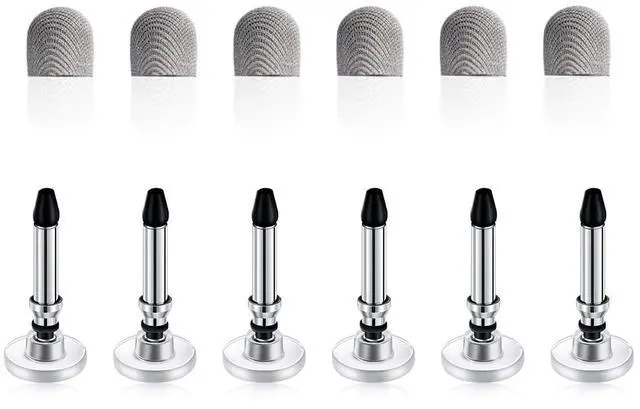
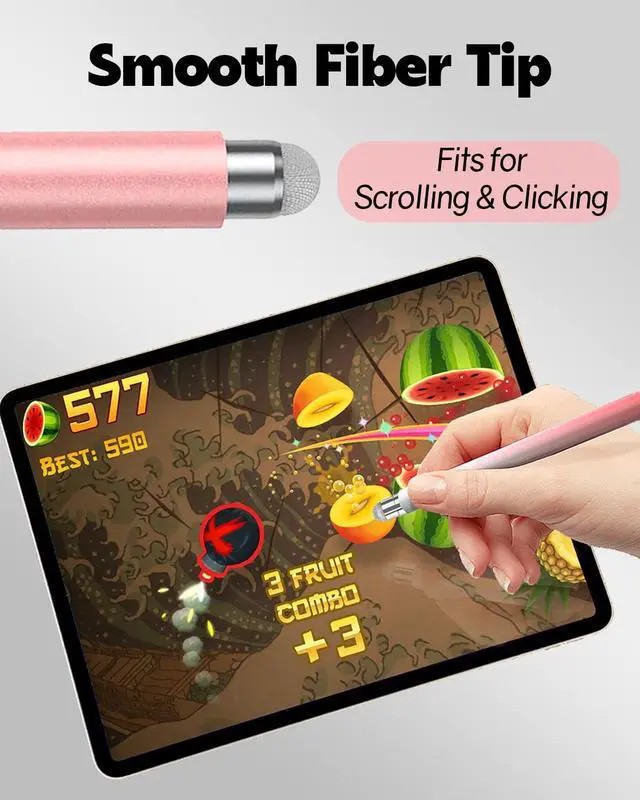
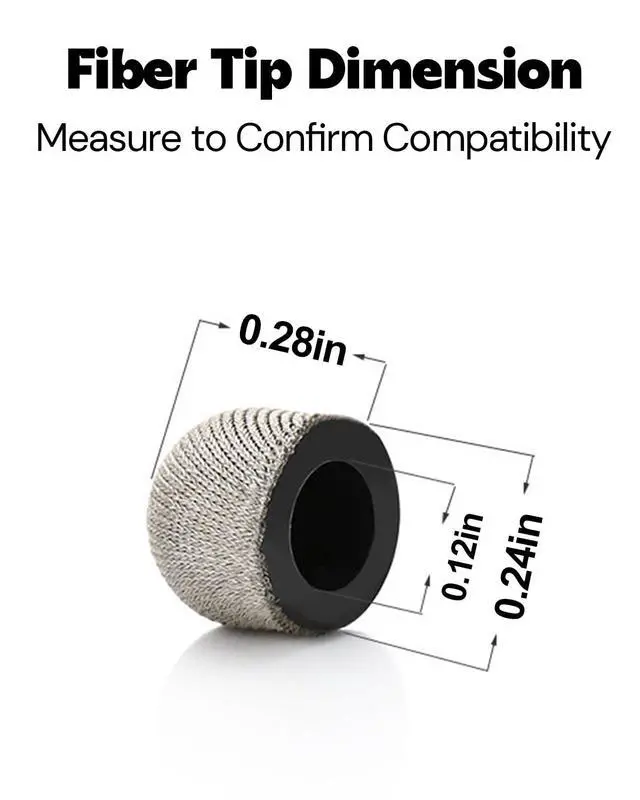
    • Enhanced Fiber Tips: With a new design featuring a 0.24-inch outer diameter, 0.12-inch inner diameter, and 0.28-inch height, these fiber tips offer a smooth and comfortable navigation experience while minimizing screen smudges and fingerprints.
    • Simple to Replace: The package includes 6 disc tips and 6 fiber mesh tips, allowing for quick and easy replacement. Swap out old tips effortlessly to keep your stylus functioning at its best.
    • Long-Lasting and Smudge-Resistant: Constructed from premium materials, these replacement tips are built to last and resist fingerprints, ensuring a clean and responsive touch screen. Compatible with AmberVec styluses; check tip sizes for compatibility with other brands.
    • Package Contents: 6 Disc Tips + 6 Fiber Mesh Tips.
    +
    +
    Overview
    Specs
    Reviews
    avatar

    Any questions? Our AI mode will help you find out quickly.

    2 in1 stylus
    Before using our stylus on iPad, ensure the "Only Draw with Apple Pencil" feature is off

    PREPARE YOUR IPAD BEFORE USE

    1. Disable "Only Draw with Apple Pencil" Feature: Navigate to Settings > Apple Pencil and ensure that the "Only Draw with Apple Pencil" option is turned off. This step is crucial to prevent any compatibility issues with our stylus. If this feature remains enabled, our stylus may not function correctly on your iPad.
    2. Troubleshooting Tips: If your stylus doesn't respond as expected, consider these steps:

    • Try a new stylus tip.
    • Test the stylus on other touchscreen devices to isolate the issue.
    • Review the screen protector on your iPad, as it may affect touchscreen responsiveness. Removing or replacing it could resolve any issues

    perfect for all ages and activities
    replacing tip
    dimension and weight

    Must-Knows for AmberVec Stylus

    1. Please do not cut or remove the disc. The transparent disc on the pen tip is designed to help control the position of the pen tip more accurately and increase the touch area, reducing errors.
    2. Clean the disc before use and ensure it touches the screen completely.
    3. To prevent damage or scratches, consider using a screen protector. Although our tips don't typically cause scratches, it's still a good precaution.
    4. The stylus pen doesn't support palm rejection. Our product is a passive stylus pen that operates by touch through the electric field signal on the screen, similar to our finger on a touch screen. It does not require a power supply and offers a more precise touch than a finger, so avoid putting your hand on the screen.
    5. If the fiber tip feels loose, tighten it by rotating it.
    6. The spare disc tip is hidden in the stylus body, it can be taken out by simply rotating the fiber tip end.
    7. Replacement tips are available for this stylus pen set.
    8. Please note: Our stylus pens contain small parts and are not recommended for very young children. For older children, please supervise their use to ensure their safety.
    9. In some advanced drawing or design software, the thickness and shading of strokes are affected by the size and direction of the pen tip press, which requires higher pressure-sensitive technology support to enable more complex drawing operations and effects. Our product does not have this technology, so we do not recommend it to customers with such software requirements. However, our stylus is still ideal for general browsing, gaming and other daily operations.
    https://m.media-amazon.com/images/S/aplus-media-library-service-media/a6c8fe31-f5ca-420a-b4b5-085a7ebb9349.__CR0,0,150,300_PT0_SX150_V1___.jpg
    [2 Pack] 2 in 1 Universal Stylus
    https://m.media-amazon.com/images/S/aplus-media-library-service-media/79eef5ea-d966-4853-87c2-5a90da83574a.__CR0,0,150,300_PT0_SX150_V1___.jpg
    [5 Pack] 2 in 1 Universal Stylus
    https://m.media-amazon.com/images/S/aplus-media-library-service-media/f140ff8b-8596-46f1-a4a2-de79fe9be82f.__AC_SR150,300___.jpg
    Replacement Tips for AmberVec 2-in-1 Styluses, 3 Pack Gradient Color Stylus S...
    https://m.media-amazon.com/images/S/aplus-media-library-service-media/fd793a69-844d-4f32-ab22-bb0ad8ef1f55.__AC_SR150,300___.jpg
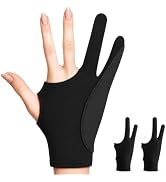
    Palm Rejection Gloves
    Price
    Compatible Model All Touch Screens All Touch Screens AmberVec Styluses AmberVec Styluses
    Replacement Tips Included 4 Extra Tips None 6+6 3 Sizes
    Charging Interface No Need to Charge No Need to Charge No Need to Charge None
    Tip Silicone Tip Silicone Tip + Disc Tip 6 Silicone Tip + 6 Disc Tip None
    2 in1 stylus
    Before using our stylus on iPad, ensure the "Only Draw with Apple Pencil" feature is off

    PREPARE YOUR IPAD BEFORE USE

    1. Disable "Only Draw with Apple Pencil" Feature: Navigate to Settings > Apple Pencil and ensure that the "Only Draw with Apple Pencil" option is turned off. This step is crucial to prevent any compatibility issues with our stylus. If this feature remains enabled, our stylus may not function correctly on your iPad.
    2. Troubleshooting Tips: If your stylus doesn't respond as expected, consider these steps:

    • Try a new stylus tip.
    • Test the stylus on other touchscreen devices to isolate the issue.
    • Review the screen protector on your iPad, as it may affect touchscreen responsiveness. Removing or replacing it could resolve any issues

    perfect for all ages and activities
    replacing tip
    dimension and weight

    Must-Knows for AmberVec Stylus

    1. Please do not cut or remove the disc. The transparent disc on the pen tip is designed to help control the position of the pen tip more accurately and increase the touch area, reducing errors.
    2. Clean the disc before use and ensure it touches the screen completely.
    3. To prevent damage or scratches, consider using a screen protector. Although our tips don't typically cause scratches, it's still a good precaution.
    4. The stylus pen doesn't support palm rejection. Our product is a passive stylus pen that operates by touch through the electric field signal on the screen, similar to our finger on a touch screen. It does not require a power supply and offers a more precise touch than a finger, so avoid putting your hand on the screen.
    5. If the fiber tip feels loose, tighten it by rotating it.
    6. The spare disc tip is hidden in the stylus body, it can be taken out by simply rotating the fiber tip end.
    7. Replacement tips are available for this stylus pen set.
    8. Please note: Our stylus pens contain small parts and are not recommended for very young children. For older children, please supervise their use to ensure their safety.
    9. In some advanced drawing or design software, the thickness and shading of strokes are affected by the size and direction of the pen tip press, which requires higher pressure-sensitive technology support to enable more complex drawing operations and effects. Our product does not have this technology, so we do not recommend it to customers with such software requirements. However, our stylus is still ideal for general browsing, gaming and other daily operations.
    https://m.media-amazon.com/images/S/aplus-media-library-service-media/a6c8fe31-f5ca-420a-b4b5-085a7ebb9349.__CR0,0,150,300_PT0_SX150_V1___.jpg
    [2 Pack] 2 in 1 Universal Stylus
    https://m.media-amazon.com/images/S/aplus-media-library-service-media/79eef5ea-d966-4853-87c2-5a90da83574a.__CR0,0,150,300_PT0_SX150_V1___.jpg
    [5 Pack] 2 in 1 Universal Stylus
    https://m.media-amazon.com/images/S/aplus-media-library-service-media/f140ff8b-8596-46f1-a4a2-de79fe9be82f.__AC_SR150,300___.jpg
    Replacement Tips for AmberVec 2-in-1 Styluses, 3 Pack Gradient Color Stylus S...
    https://m.media-amazon.com/images/S/aplus-media-library-service-media/fd793a69-844d-4f32-ab22-bb0ad8ef1f55.__AC_SR150,300___.jpg
    Palm Rejection Gloves
    Price
    Compatible Model All Touch Screens All Touch Screens AmberVec Styluses AmberVec Styluses
    Replacement Tips Included 4 Extra Tips None 6+6 3 Sizes
    Charging Interface No Need to Charge No Need to Charge No Need to Charge None
    Tip Silicone Tip Silicone Tip + Disc Tip 6 Silicone Tip + 6 Disc Tip None

    Product information

    Color Silver
    Brand AmberVec
    Material Metal, Plastic
    Item Weight 0.02 kg
    Compatible Devices Smartphone, Tablet
    Item Diameter 0.28 inches
    Unit Count 12 Count
    Manufacturer AmberVec Inc.
    Enclosure Material Metal, Plastic

    Warranty & Returns

    Warranty, Returns, And Additional Information

    Warranty

    • Please contact the Seller directly for warranty information. Warranty information may also be found on the Manufacturer's website.
    • CONTACT

    Return Policies

    Manufacturer Contact Info

    LOADING...