



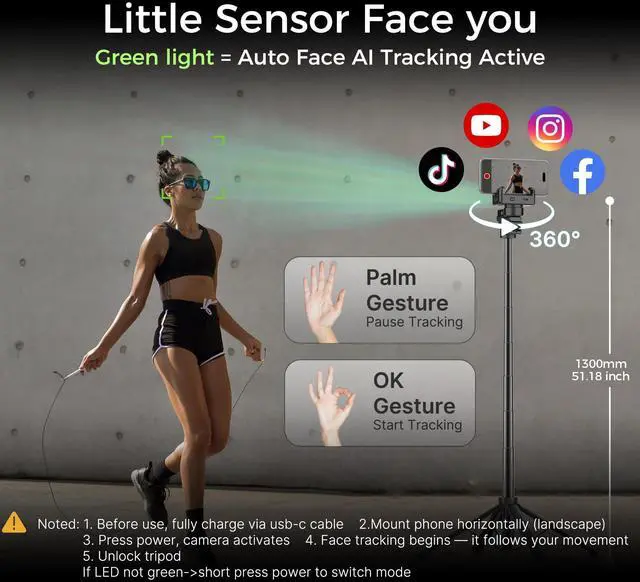
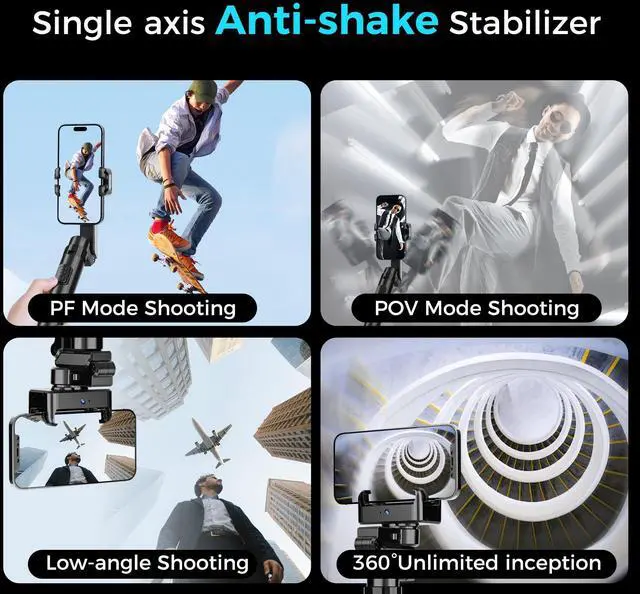
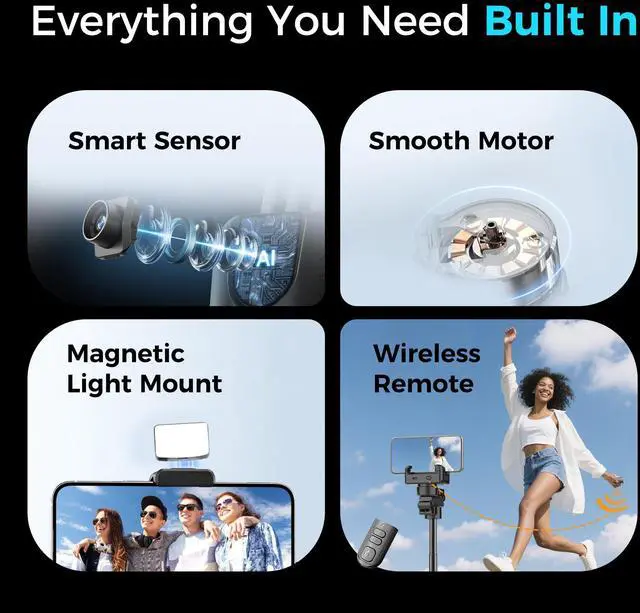


Q:AI tracking can't work? A: Charge via USB-C ? long-press Power button ? fold the arm as shown above picture. Only when folded, the small camera sensor GREEN light will face your face to start tracking. Keep side switch UNLOCKED. If light is blue, short-press Power button to change mode.


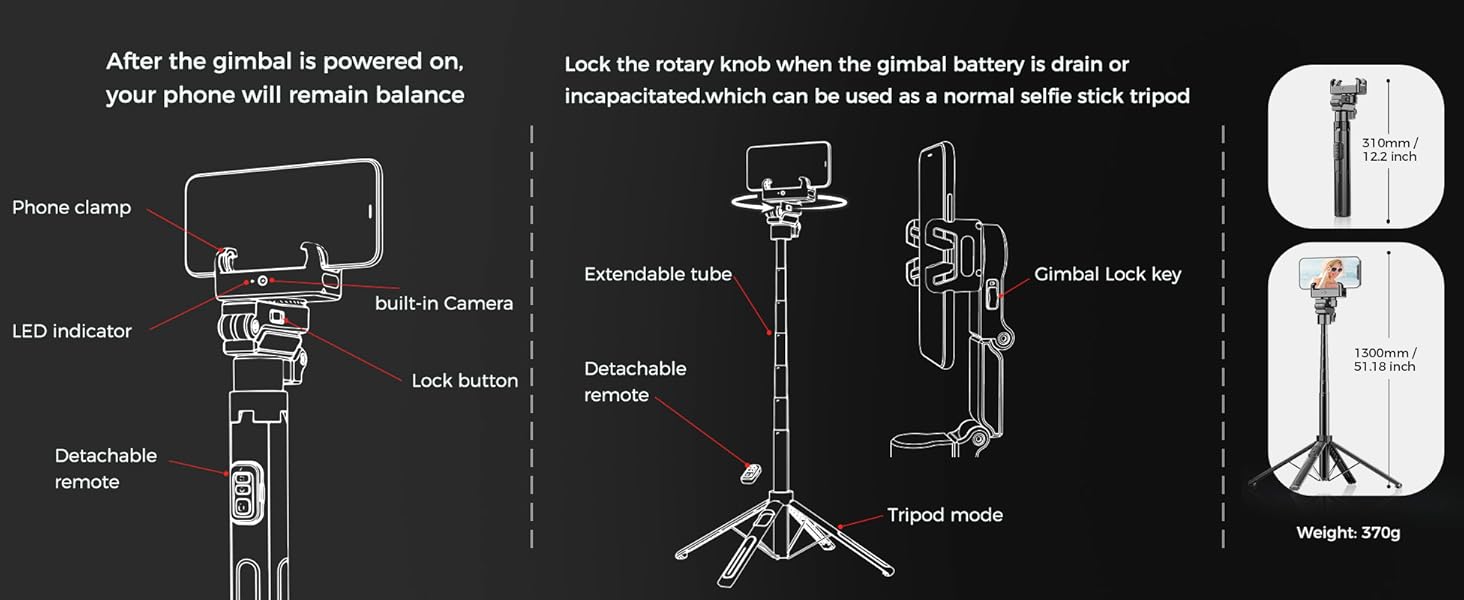
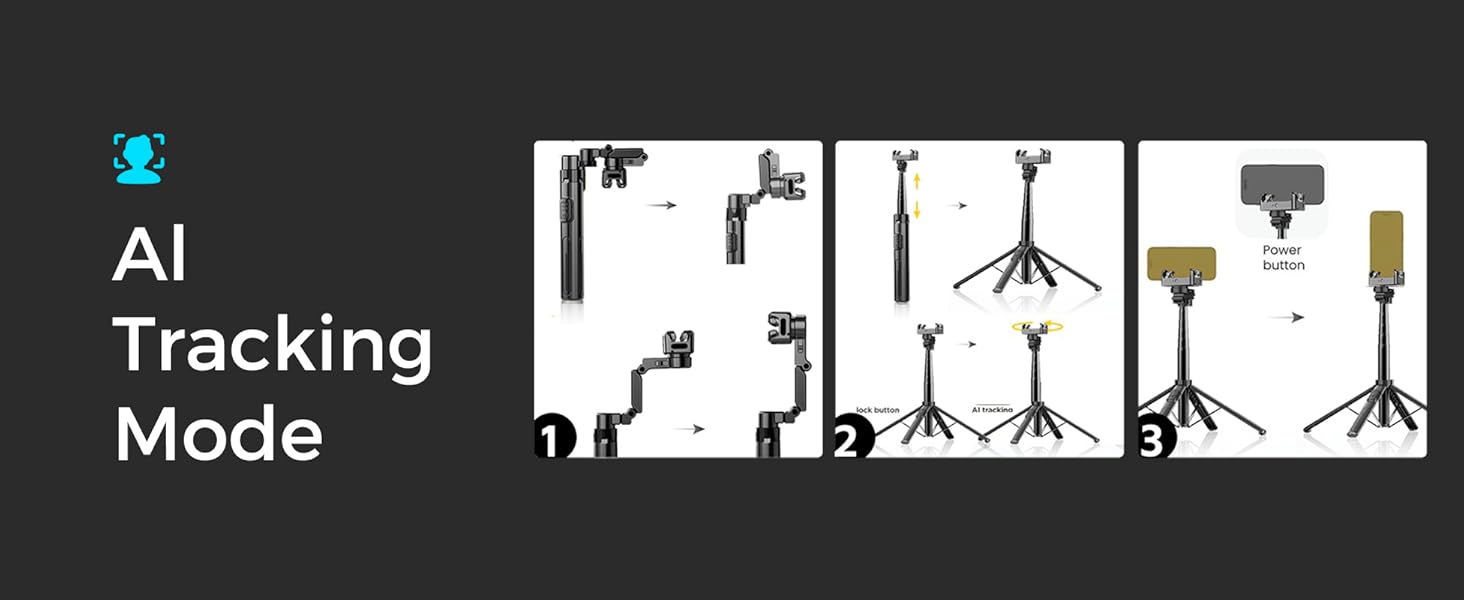
1. Unfold C16 fully to keep the holder horizontal.
2. Extend the rod, place it, unlock the clip, and face the AI camera forward.
3. Insert phone (horizontal/vertical), long-press power to turn on.
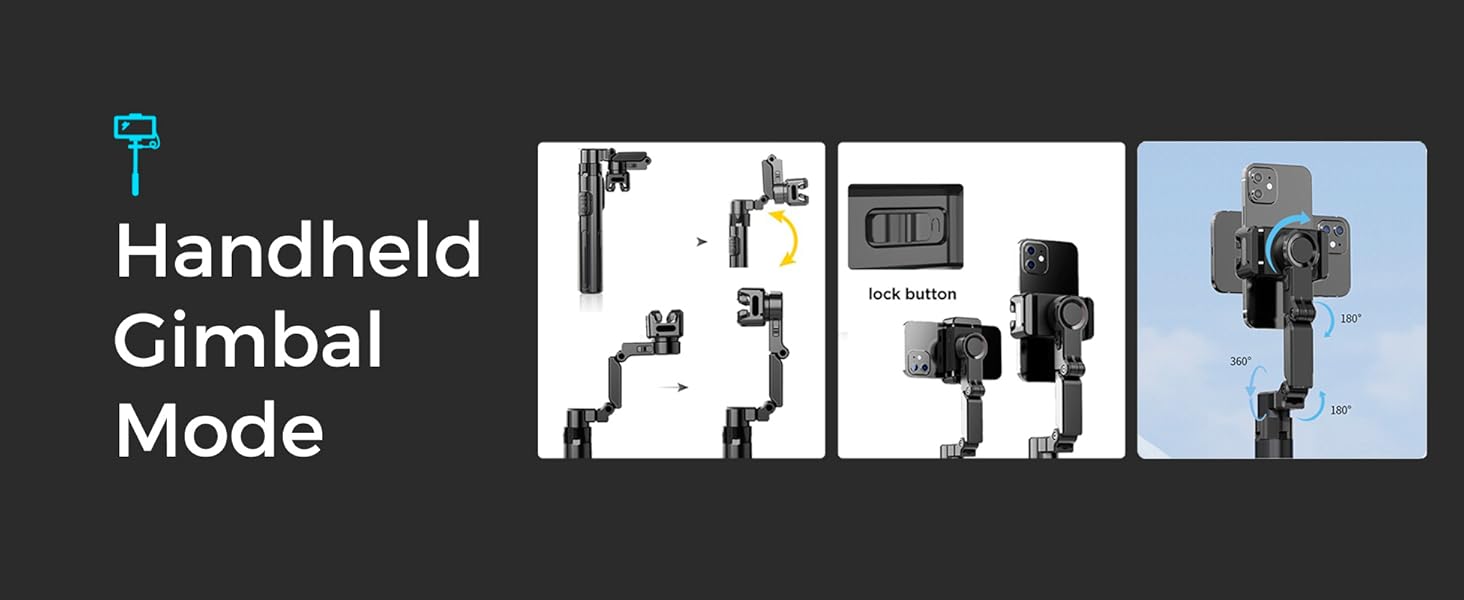
1. Unfold C16, rotate clamp 180° to front.
2. Unlock, clamp phone, align cameras.
3. Power on, pair Bluetooth for photo/video/POV.
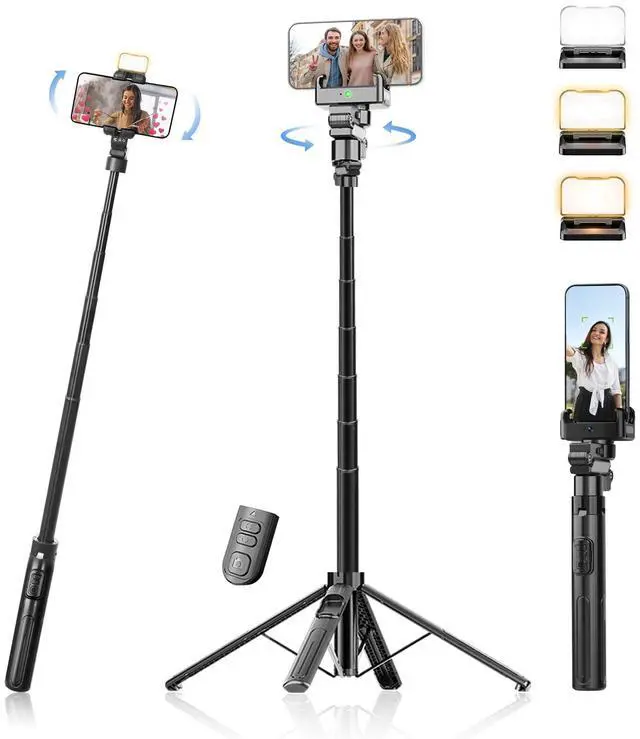
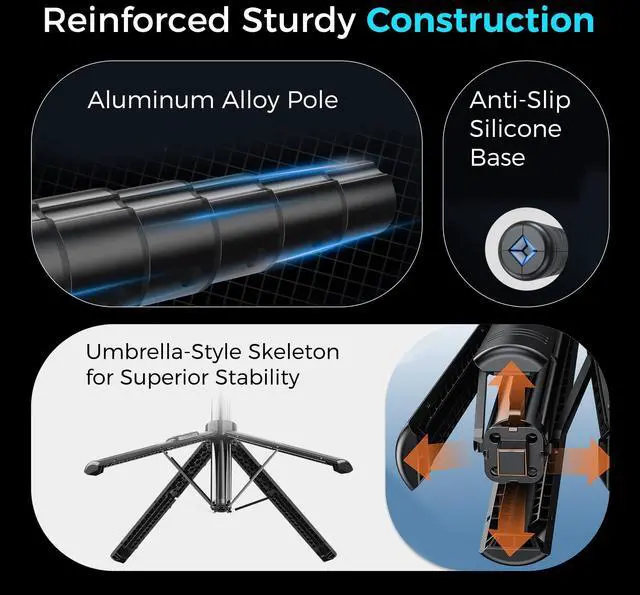
This is a tripod + selfie stick combined. Use fingers to pull out the tripod legs hidden at the bottom. Open four legs and spread them to maximum angle for a stable support. To use as a selfie stick, close the legs and slide the side switch to LOCK; hold it at a 45° angle as shown.

Q: Does the tracker switch to the wrong person?? A: It may in busy scenes. Try:? Stand center first to help it lock on.? Move slowly and don’t overlap with others.?
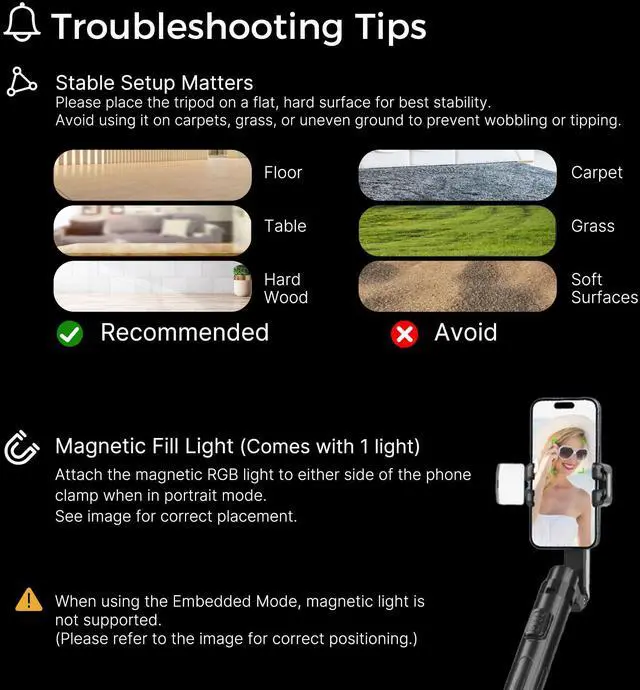
Q: Why is the stand unstable on carpets?? A: Carpet can make short legs sink. Fix with:? Place book or tray under it for a flat base.


Q:AI tracking can't work? A: Charge via USB-C ? long-press Power button ? fold the arm as shown above picture. Only when folded, the small camera sensor GREEN light will face your face to start tracking. Keep side switch UNLOCKED. If light is blue, short-press Power button to change mode.


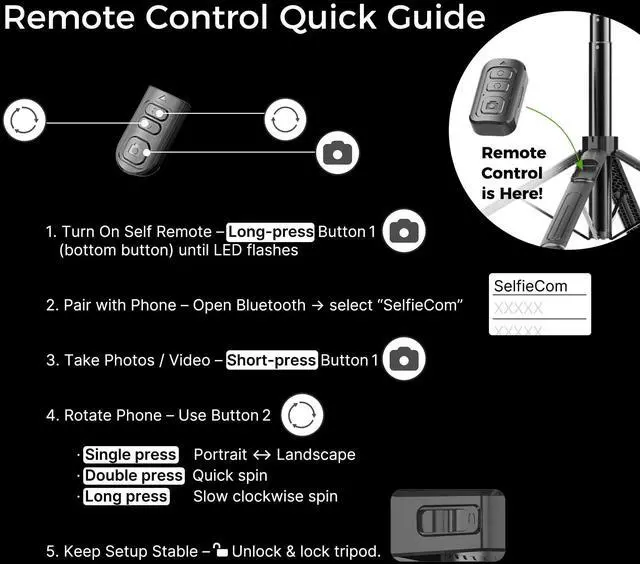
Q:Remote miss, can't work ? A: The SMALL 3.5 cm remote is attached to the tripod body. Long-press bottom BIG button to turn "REMOTE" on ? open phone Bluetooth and pair “SelfieCom.” If it doesn’t work, check and REPLACE the battery on the back.


Q: Phone not fit and unstable on tripod? A: Use AI tracking tripod on HARD surface like desk (not carpet/grass). You may place a book under it for stability and fully spread all legs. Use phone WITHOUT PHONE CASE and keep it CENTRED. Not for foldable phones. Power on gimbal before placing phone.
Smart AI Auto Tracking
Stay Centered, Hands-Free.
Smooth Cinematic Stability
No Shakes, Just Smooth Shots. One-Click Auto Rotation.
Wireless Remote Control
Adjust Angles from Anywhere.
Selfie Stick On-the-Go
Extend, Snap, Create Anywhere.
How to Open the Tripod
Learn how to open your tripod in just a few easy steps.


1. Unfold C16 fully to keep the holder horizontal.
2. Extend the rod, place it, unlock the clip, and face the AI camera forward.
3. Insert phone (horizontal/vertical), long-press power to turn on.
1. Unfold C16, rotate clamp 180° to front.
2. Unlock, clamp phone, align cameras.
3. Power on, pair Bluetooth for photo/video/POV.
This is a tripod + selfie stick combined. Use fingers to pull out the tripod legs hidden at the bottom. Open four legs and spread them to maximum angle for a stable support. To use as a selfie stick, close the legs and slide the side switch to LOCK; hold it at a 45° angle as shown.

Q: Does the tracker switch to the wrong person?? A: It may in busy scenes. Try:? Stand center first to help it lock on.? Move slowly and don’t overlap with others.?
Q: Why is the stand unstable on carpets?? A: Carpet can make short legs sink. Fix with:? Place book or tray under it for a flat base.