




 here!
here!
I’m your shopping assistant for PC builds, upgrades, and everything tech.
Got questions? Ask away!
Start a conversation
here!
I’m your shopping assistant for PC builds, upgrades, and everything tech.
Got questions? Ask away!
Start a conversation



Any questions? Ask CelesteSM will help you find out quickly.
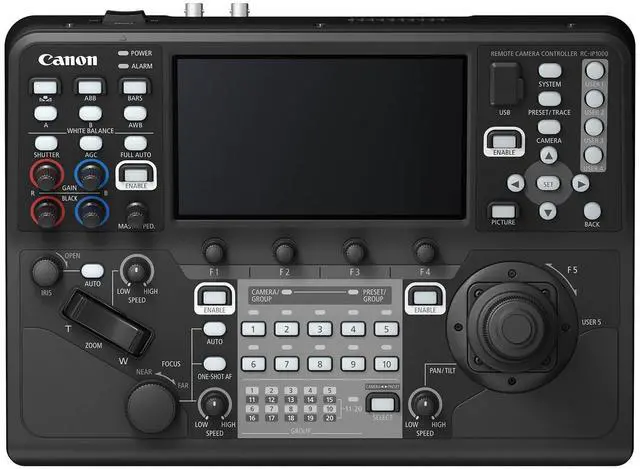
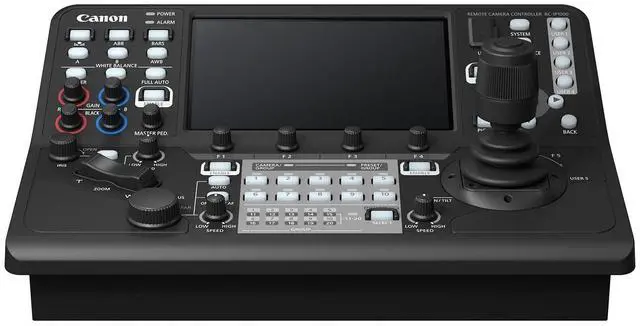
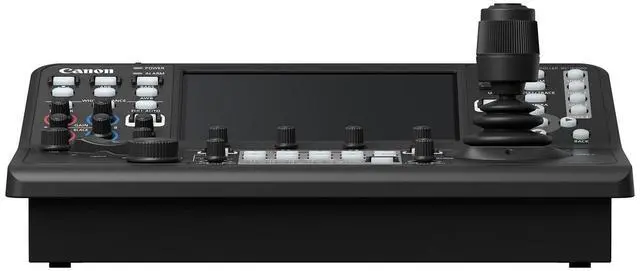
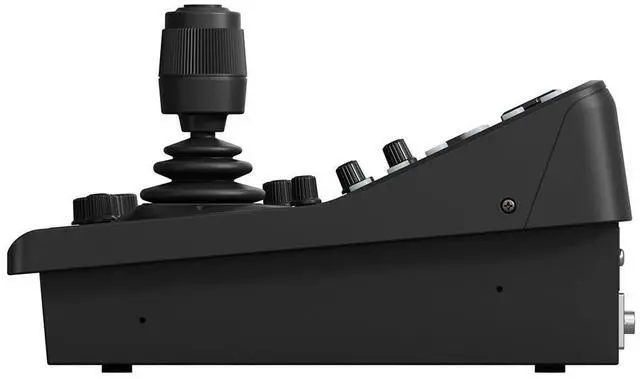
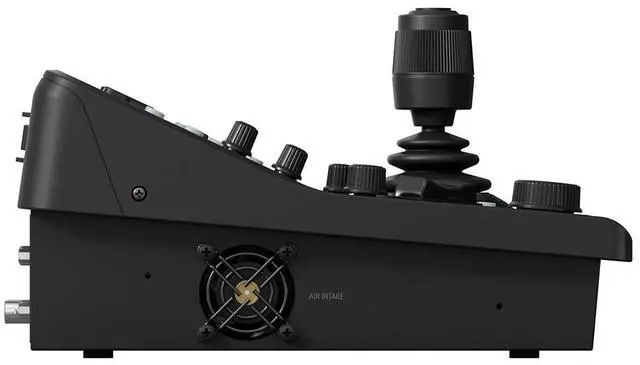
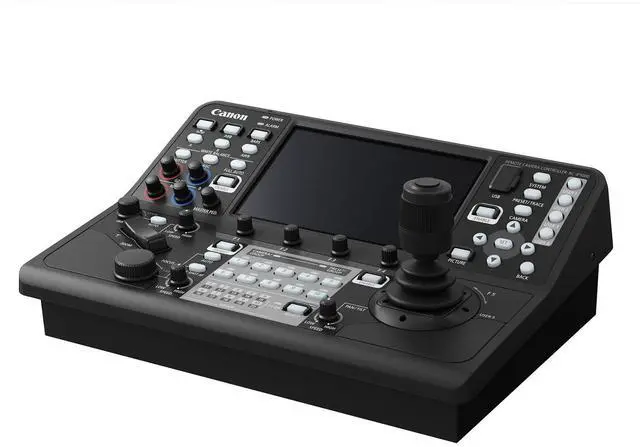
The RC-IP1000 is an advanced PTZ controller enabling fast operation of multiple PTZ cameras through a newly developed control interface. Featuring 42 buttons and 14 dials, including assignable buttons, programmable trace operation, and adjustable speed and response controls, this controller helps enable intuitive control of multiple PTZ cameras quickly and easily. With a 7-inch touch panel that provides clear visibility and touch-screen control, showing operation menus and camera video feeds, capability to control up to 200 cameras over IP, and more cutting-edge capabilities, the RC-IP1000 is built for large multi-camera productions.
At center, a 7-inch touch panel provides clear visibility and touch-screen control, showing operation menus and camera video feeds. It also allows for touch autofocus, and when combined with Canon’s add-on auto tracking capabilities, operators can be sure their subject remains in sharp focus and in-frame. For compatible Canon PTZ cameras that offer face and eye detection, operators can select the focus target with a touch of their finger on-screen.
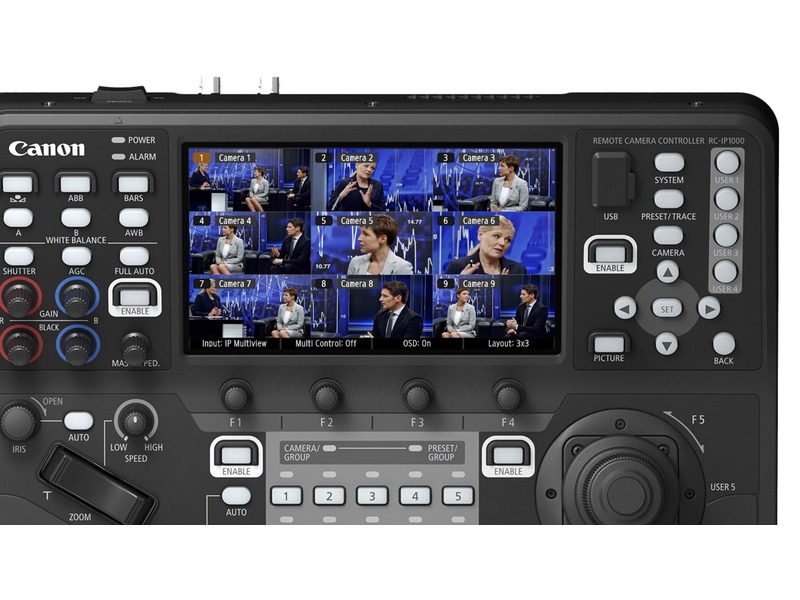
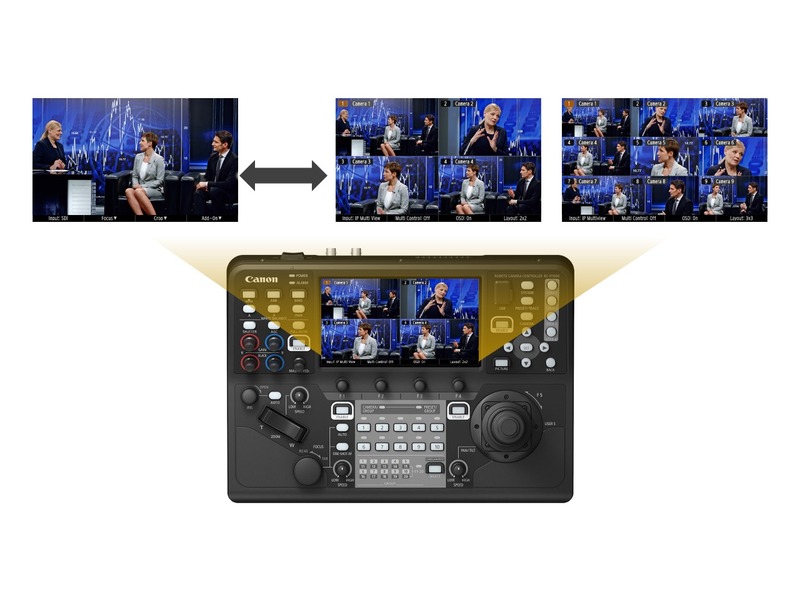
The large touch screen display can show multiple cameras via Canon’s multi display feature, presenting camera images in either 2x2 or 3x3 layouts, for up to nine camera feeds on a single screen. With so many camera feeds at their fingertips, operators can simply touch and call up any displayed camera for operation and control.

The RC-IP1000 allows for quick and easy access to items such as the cameras setting, status, and all users to see live video from the camera.

Enable intuitive control of multiple PTZ cameras quickly and easily, featuring 42 buttons and 14 dials.

Control lever and zoom rocker reaction rates and speeds can be adjusted, as well as the pan-tilt speed and angle of the control joystick.

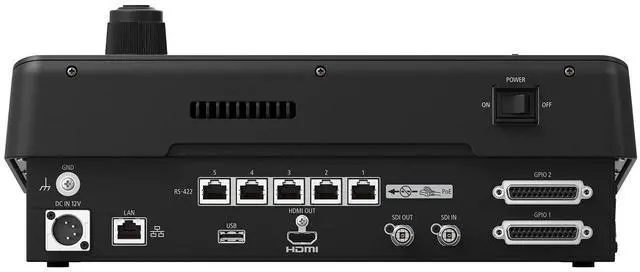
4K 60P video input/output via 12G-SDI, IP image input, as well as HDMI output allowing the user to bring in video from a variety of sources.

Camera OSD menu from compatible cameras can be shown on the touch panel and operated using push-button controls, allowing users to do configurations with familiar screens found on the camera.
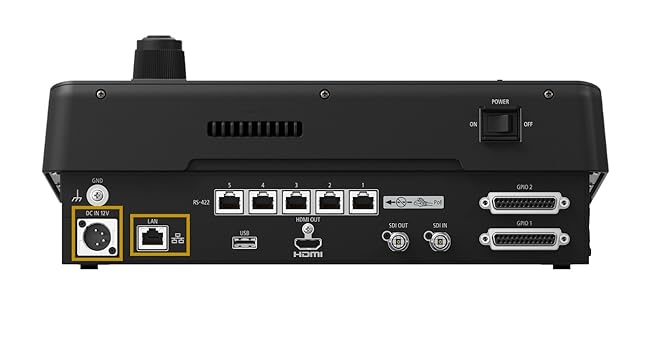
The RC-IP1000 supports PoE+, enabling power, control, and video feed with a single cable*.
*When using power supply via PoE+, either the touch panel/LED lamp brightness is limited, or the use of USB ports is limited (selectable in settings).
Simultaneous Settings for Multiple Cameras
Multiple cameras connected to the controller can be assigned the same movements and settings simultaneously. Additionally, a multi-preset function combines preset numbers configured for each camera. This makes it so that multiple cameras can quickly be moved to a predetermined angle of view.
Supports Canon’s XC Protocol and NU Protocol
The RC-IP1000 supports Canon’s XC Protocol over IP which enables one-to-many control. This empowers operations in sophisticated multi-camera productions where they can control up to 200 cameras.
The controller also supports up to 5 Canon products connected via serial connection via NU Protocol.
Add-On Application Support
If you are using one of the in-camera Add-On Applications, such as Auto Tracking or Auto loop, the RC-IP1000 can be used for functions such as setting adjustments and fine tuning of operation.
The Auto Tracking Application enables the PTZ camera to automatically track the speaker or other specified persons during commercial presentations, lectures, and other events. Settings such as auto tracking start/stop, display size of the tracking subject, auto zoom function, tracking sensitivity, and auto select of tracking subject can be selected from the menu.
With the Auto Loop Application, the camera constantly performs regular PTZ movements automatically, allowing the operator to concentrate on switching and main camera framing. Users can set auto loop start/stop, route number, loop movement, and loop direction right from the RC-IP1000 menu.
Switcher Link via SDI/GPIO
The RC-IP1000 can be connected to a switcher using SDI/GPIO, enabling synchronization of switcher video selection with controller camera selection. And by synching the switcher tally status with the controller, the program video shooting camera button can be shown in red, and the preview video shooting camera button can be shown in green.
The RC-IP1000 is an advanced PTZ controller enabling fast operation of multiple PTZ cameras through a newly developed control interface. Featuring 42 buttons and 14 dials, including assignable buttons, programmable trace operation, and adjustable speed and response controls, this controller helps enable intuitive control of multiple PTZ cameras quickly and easily. With a 7-inch touch panel that provides clear visibility and touch-screen control, showing operation menus and camera video feeds, capability to control up to 200 cameras over IP, and more cutting-edge capabilities, the RC-IP1000 is built for large multi-camera productions.
At center, a 7-inch touch panel provides clear visibility and touch-screen control, showing operation menus and camera video feeds. It also allows for touch autofocus, and when combined with Canon’s add-on auto tracking capabilities, operators can be sure their subject remains in sharp focus and in-frame. For compatible Canon PTZ cameras that offer face and eye detection, operators can select the focus target with a touch of their finger on-screen.
The large touch screen display can show multiple cameras via Canon’s multi display feature, presenting camera images in either 2x2 or 3x3 layouts, for up to nine camera feeds on a single screen. With so many camera feeds at their fingertips, operators can simply touch and call up any displayed camera for operation and control.
The RC-IP1000 allows for quick and easy access to items such as the cameras setting, status, and all users to see live video from the camera.
Enable intuitive control of multiple PTZ cameras quickly and easily, featuring 42 buttons and 14 dials.
Control lever and zoom rocker reaction rates and speeds can be adjusted, as well as the pan-tilt speed and angle of the control joystick.
4K 60P video input/output via 12G-SDI, IP image input, as well as HDMI output allowing the user to bring in video from a variety of sources.
Camera OSD menu from compatible cameras can be shown on the touch panel and operated using push-button controls, allowing users to do configurations with familiar screens found on the camera.
The RC-IP1000 supports PoE+, enabling power, control, and video feed with a single cable*.
*When using power supply via PoE+, either the touch panel/LED lamp brightness is limited, or the use of USB ports is limited (selectable in settings).
Simultaneous Settings for Multiple Cameras
Multiple cameras connected to the controller can be assigned the same movements and settings simultaneously. Additionally, a multi-preset function combines preset numbers configured for each camera. This makes it so that multiple cameras can quickly be moved to a predetermined angle of view.
Supports Canon’s XC Protocol and NU Protocol
The RC-IP1000 supports Canon’s XC Protocol over IP which enables one-to-many control. This empowers operations in sophisticated multi-camera productions where they can control up to 200 cameras.
The controller also supports up to 5 Canon products connected via serial connection via NU Protocol.
Add-On Application Support
If you are using one of the in-camera Add-On Applications, such as Auto Tracking or Auto loop, the RC-IP1000 can be used for functions such as setting adjustments and fine tuning of operation.
The Auto Tracking Application enables the PTZ camera to automatically track the speaker or other specified persons during commercial presentations, lectures, and other events. Settings such as auto tracking start/stop, display size of the tracking subject, auto zoom function, tracking sensitivity, and auto select of tracking subject can be selected from the menu.
With the Auto Loop Application, the camera constantly performs regular PTZ movements automatically, allowing the operator to concentrate on switching and main camera framing. Users can set auto loop start/stop, route number, loop movement, and loop direction right from the RC-IP1000 menu.
Switcher Link via SDI/GPIO
The RC-IP1000 can be connected to a switcher using SDI/GPIO, enabling synchronization of switcher video selection with controller camera selection. And by synching the switcher tally status with the controller, the program video shooting camera button can be shown in red, and the preview video shooting camera button can be shown in green.
Premium remote camera controller with smooth PTZ movement Adjust pan, tilt, zoom and change camera function settings Equipped with 7-inch touch panel for clear operation display Control lever and zoom rocker with adjustable reaction rate Customizable controls including 10 user buttons Video interfaces with 4K 60P video input and output Control up to 200 Canon supported cameras Control up to 20 groups managing 10 cameras each
| Product Dimensions | 9.65 x 13.47 x 5.71 inches |
| Item Weight | 9.28 pounds |
| Item model number | 6529C001 |
| Date First Available | October 19, 2023 |
| Manufacturer | Canon USA |
| Country of Origin | Japan |


