

Your Browsing History

Meet Your Seller


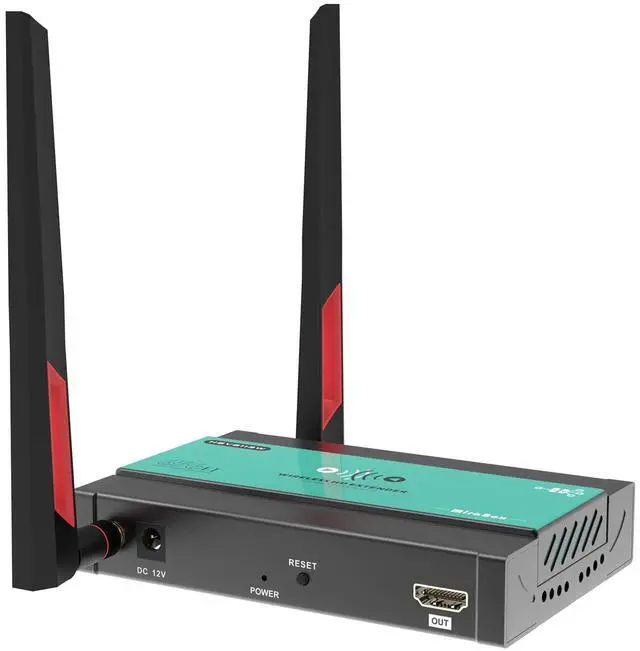

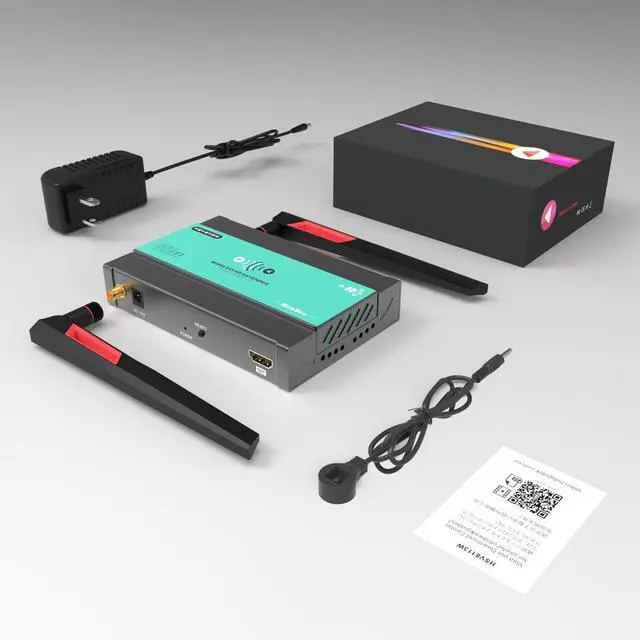


Wireless HDMI Transmitter and Receiver, RX Only
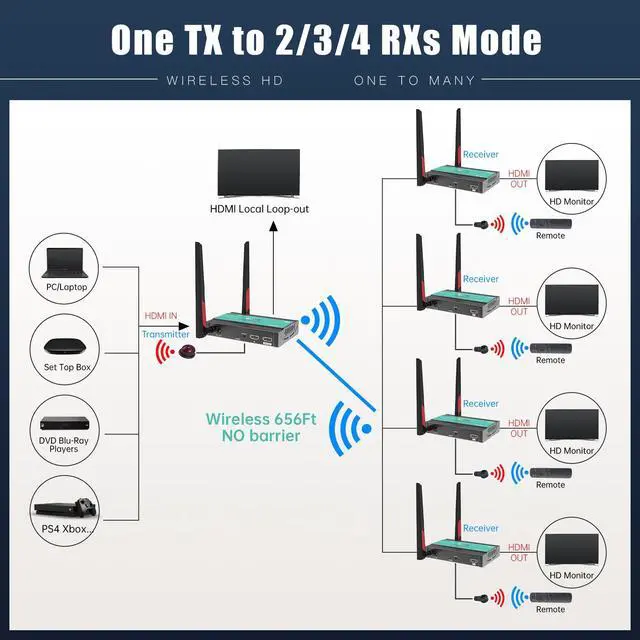
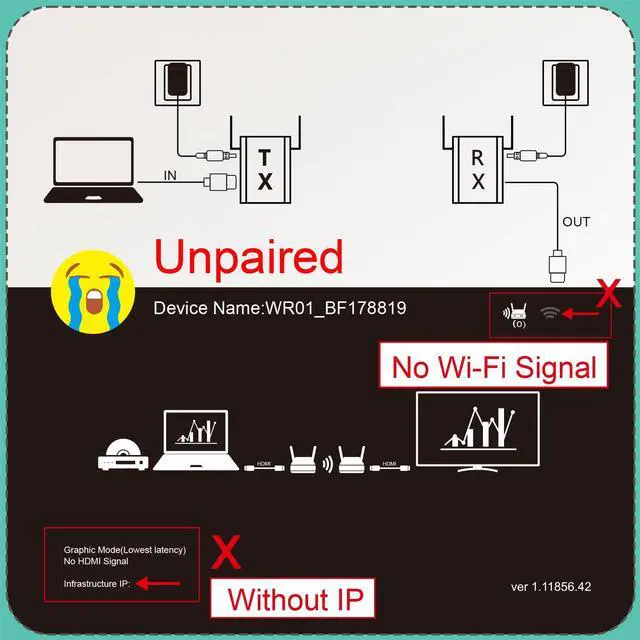
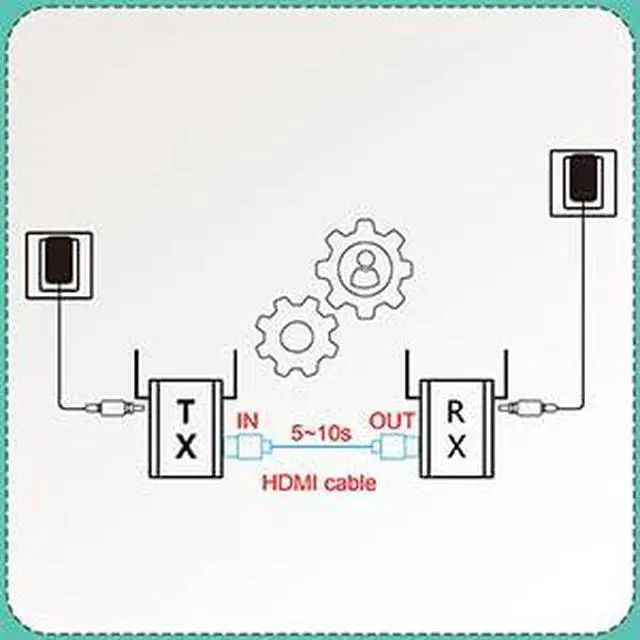
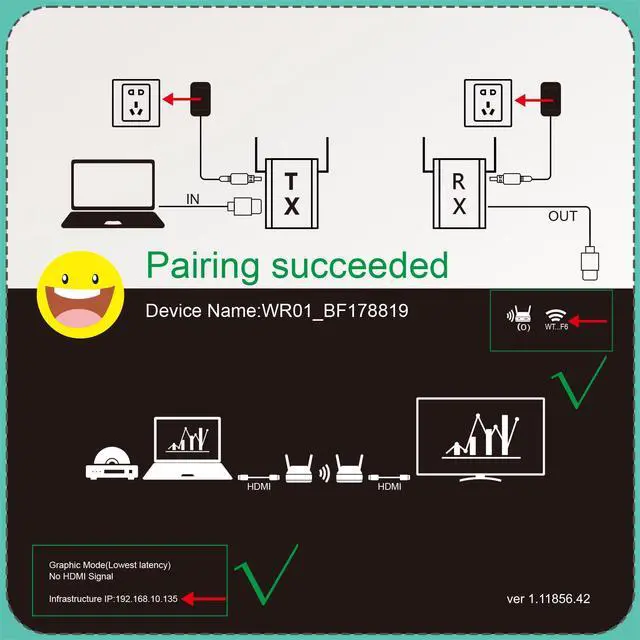
- This is an RX-only unit. It supports a maximum configuration of 1 transmitter (TX) to 4 receivers (RX). Additional RX units can be added as needed. Please note: As the number of RX units increases, the wireless transmission distance decreases. Theoretical line-of-sight distances are as follows: 1 TX to 1 RX is 200m (656ft); 1 TX to 2 RX is 60m (196ft); 1 TX to 3 RX is 30m (98ft); and 1 TX to 4 RX is 20m (65ft). IMPORTANT: Pairing Instructions for TX and RX Step 1: Initial State - Unpaired. Please note: Each transmitter supports a maximum of four receivers. Every new receiver must be paired with the transmitter before its initial use. Step 2: Power On. First, power on both the TX and RX units using a 12V/1A power adapter, then wait for 5 seconds. Step 3: Connect for Pairing. Use an HDMI cable to connect the TX-IN port to the RX-OUT port as described. Wait approximately 5-10 seconds for the auto-pairing process to complete. Step 4: Finalize Pairing. Re-plug the power adapter. Once the IP address and Wi-Fi signal are displayed, the pairing is successful. Please note: Repeat Steps 2 and 3 to pair RX#2, RX#3, and RX#4. (RX#1 through RX#4 should display the same IP address.)
+
+
Specs
Reviews

Any questions? Our AI mode will help you find out quickly.
Try me now
Learn more about the Detailed Specifications
| First Listed on Newegg | June 13, 2026 |
|---|
Warranty & Returns
Warranty, Returns, And Additional Information
Warranty
- Please contact the Seller directly for warranty information. Warranty information may also be found on the Manufacturer's website.
- CONTACT
Return Policies
- Return for refund within: 30 days
- Return for replacement within: 30 days
- This item is covered by PurePick Return Policy
Manufacturer Contact Info
- For a directory of all our manufacturers, please click below.
- Manufacturers Directory
LOADING...