

Your Browsing History

Meet Your Seller

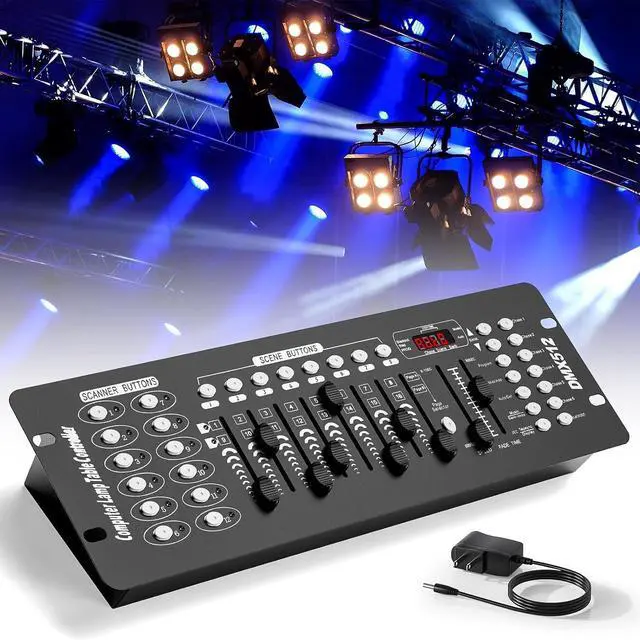


192 DMX Controller Use for Editing Program of Stage Lighting,DMX 512 DJ Controller Stage Light Controller Panel DMX Console for Party Music Show Christmas and Halloween
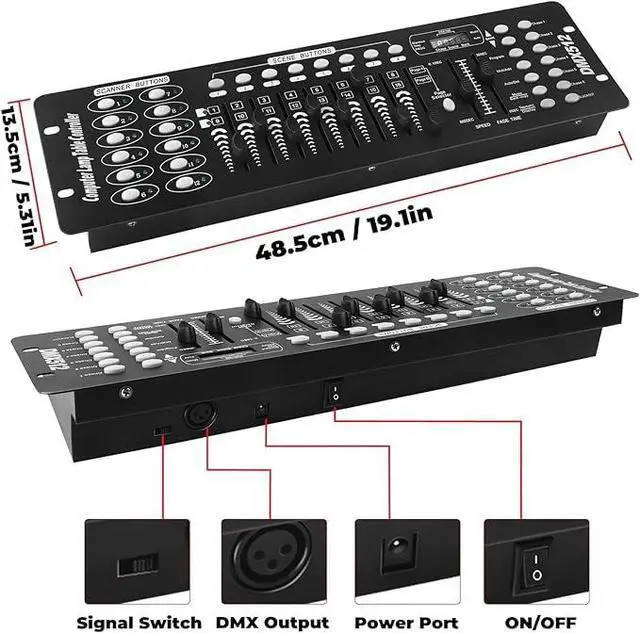
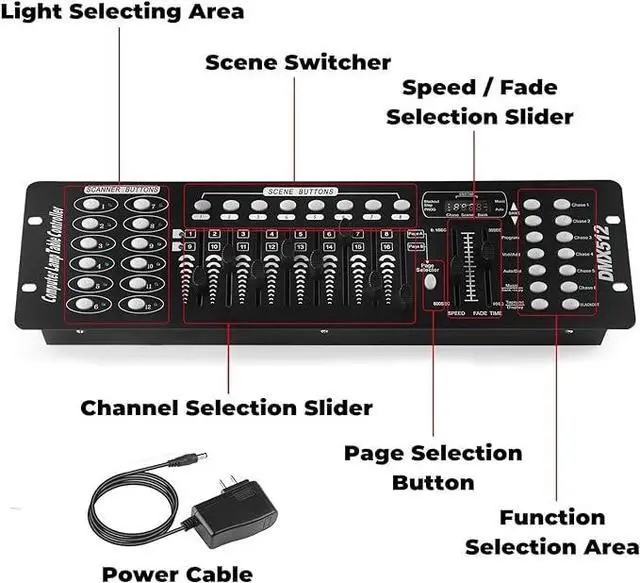
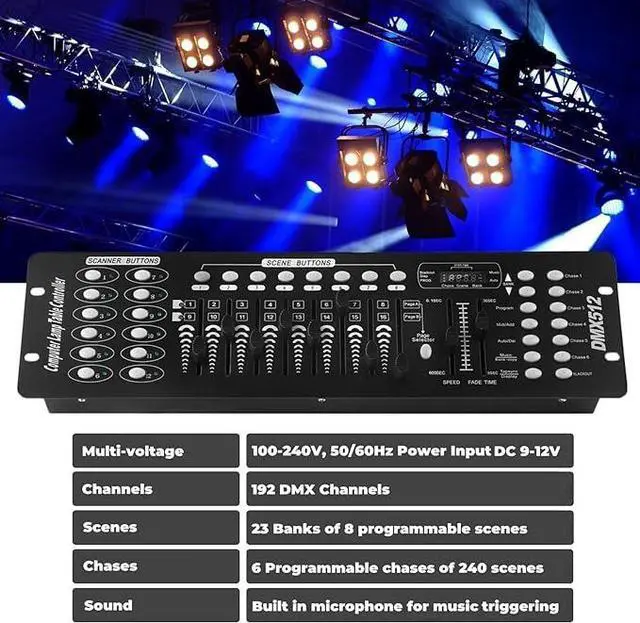
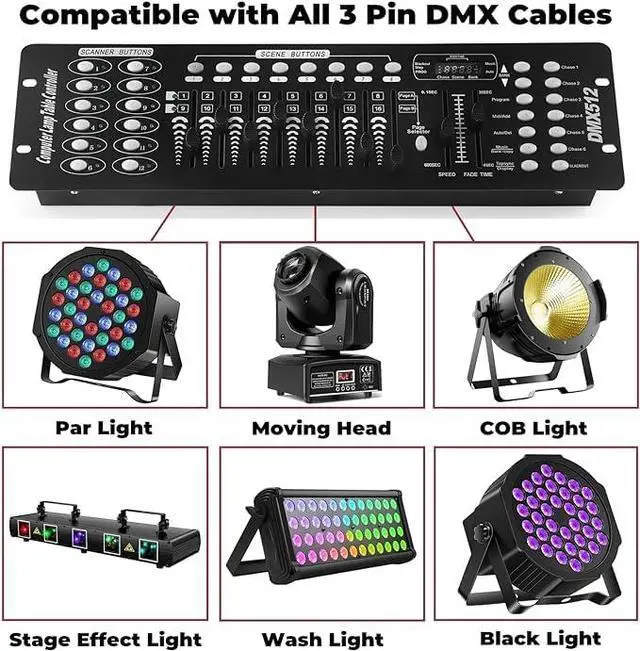
- DMX ControllerOur DMX controller can control up to 12 smart devices, each with 16 channels for a total of 192 channels, and can also control up to 240 scenarios. The DMX console is perfect for small gatherings , making your lighting stage more exciting.; DMX Controller SpecificationsPower input DC 9-12V 500mA, suitable for a wide voltage range of 100-240V 50/60Hz, with a minimum of 192 DMA channels. 12 scanners, each with 16 channels. 23 sets of 8 programmable scenarios. 6 programmable chases with 240 scenes. 8 sliders for manual control of channels. The automatic mode program is controlled by speed and gradient lime sliders. Decay time/velocity.; Easy to operateOur DMX controller is perfect for beginners. DMX consists of 7 parts: light selection area, scene switch, channel selection lever, LED display screen, page selection button, speed/time selection lever, and function selection area. Easy to operate and get started.; Widely UsedThe DMX console comes with a 3-pin cable, allowing you to easily connect other 3-pin stage equipment such as fog sprayers, moving heads, headlights, cob lights, black lights, fog machines, par lights, wall washers, etc. Perfect for concerts, festivals.; After-Sale ServiceOur DMX controller is eligible for a 30 day return and 360 day repair from the date of purchase. If you have any questions, please feel free to contact us. We will reply to you within 24 hours and help you solve any problems.
+
+
Overview
Specs
Reviews

Any questions? Our AI beta will help you find out quickly.
Try me now
Product description How To Do Simple Scene Programming Step 1 Press and hold Program button for 3 seconds to activate program mode Select a fixture to program, by pressing any or all Scanner buttons 1 to 12 Step 2 Adjust the faders to the desired output level for all channels of selected fixture You can press A/B to turn page if the fixture more than 8 channels Step 3 When entire scene is set press and release the Midi/Add button Using the Up and Down Bank to choice scene. 30 banks, 8 scenes total of 240 scenes Step 4 Then press a Scene Button 1~8 to store the scene.
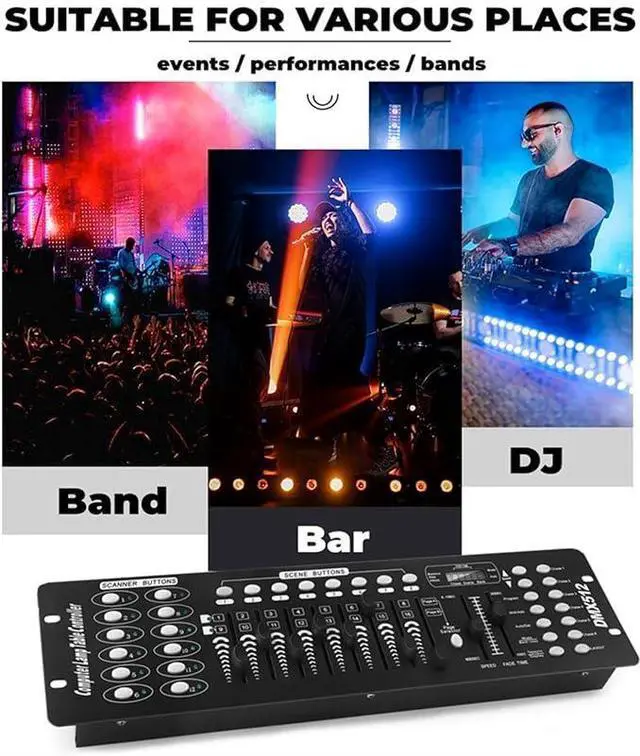
All LED blink 3 times To exit programming mode press and hold the Program button for 3 seconds DMX 512 CONTROLLER This item is a standard universal DMX 512 controller, controlling up to 192 DMX channels. Its specially designed to control multiple light effects at once effortlessly. This is the perfect balance among cost, ease of use and remarkable features. It's perfect for those who really want to take advantage of their lighting and effects. Great for DJ's, school concerts, or any regular party. With a DMX controller you'll be able to customise lighting effects to perfectly suit your parties atmosphere.
Click to play video for Stage for DJ for Party for Concert for Church
All LED blink 3 times To exit programming mode press and hold the Program button for 3 seconds DMX 512 CONTROLLER This item is a standard universal DMX 512 controller, controlling up to 192 DMX channels. Its specially designed to control multiple light effects at once effortlessly. This is the perfect balance among cost, ease of use and remarkable features. It's perfect for those who really want to take advantage of their lighting and effects. Great for DJ's, school concerts, or any regular party. With a DMX controller you'll be able to customise lighting effects to perfectly suit your parties atmosphere.
Click to play video for Stage for DJ for Party for Concert for Church
Warranty & Returns
Warranty, Returns, And Additional Information
Warranty
- Please contact the Seller directly for warranty information. Warranty information may also be found on the Manufacturer's website.
- CONTACT
Return Policies
- Return for refund within: 30 days
- Return for replacement within: 30 days
- This item is covered by Warm Cozy Harbor Return Policy
Manufacturer Contact Info
- For a directory of all our manufacturers, please click below.
- Manufacturers Directory
LOADING...