
• $57.54
  • Free 30-day Returns
  • Price alert
    Sold by OT_Shop
    Top Rated
    4.5 (24 seller ratings)

    Shipped by OT_Shop

    Shop it at NeweggBusiness.

    Meet Your Seller

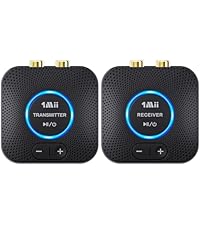
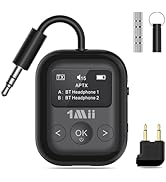
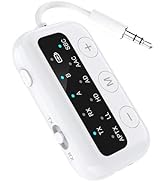
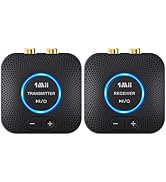
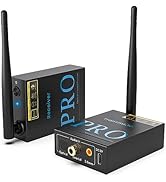
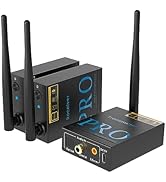
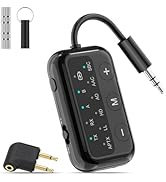
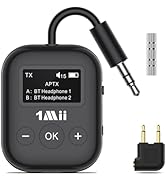
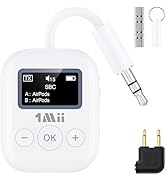
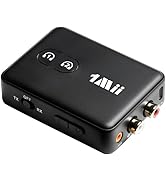
    1Mii RCA Bluetooth 5.3 Adapter for TV, 3.5mm AUX Bluetooth Transmitter Receiver for 2 AirPods or Headphones, Home Stereo, Speakers, Projector, Treadmills, PC, with Volume Control, aptX Low Latency

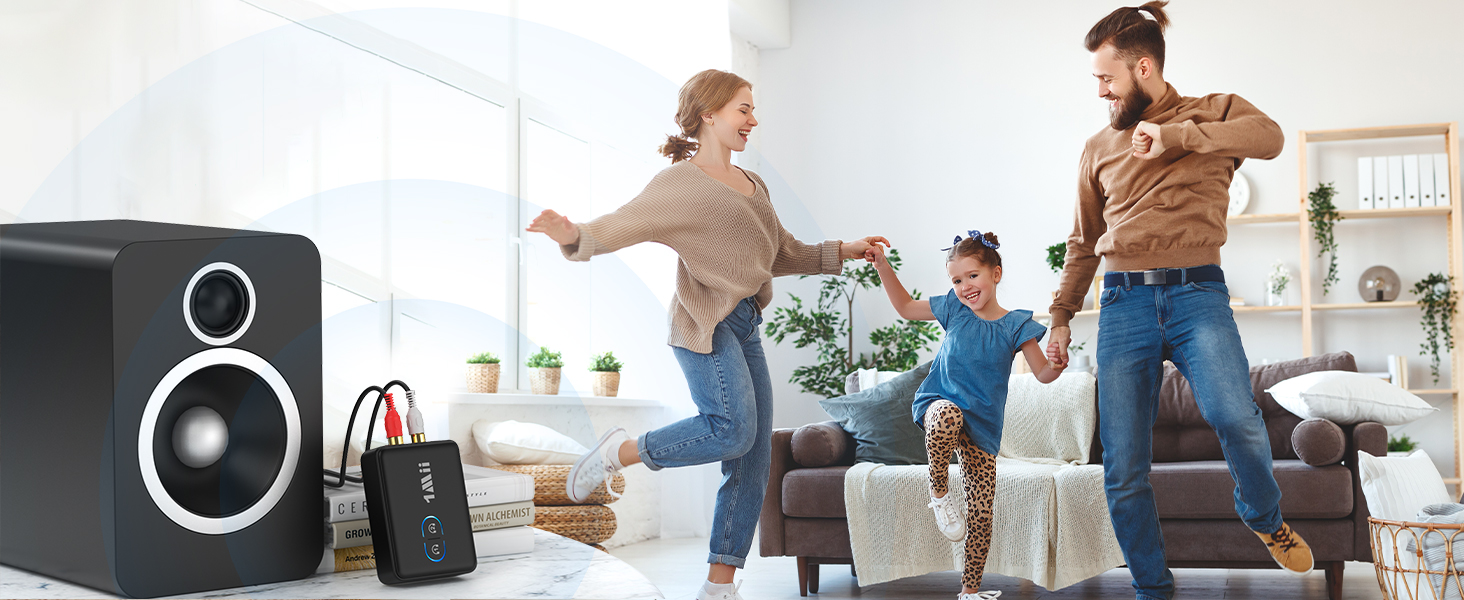
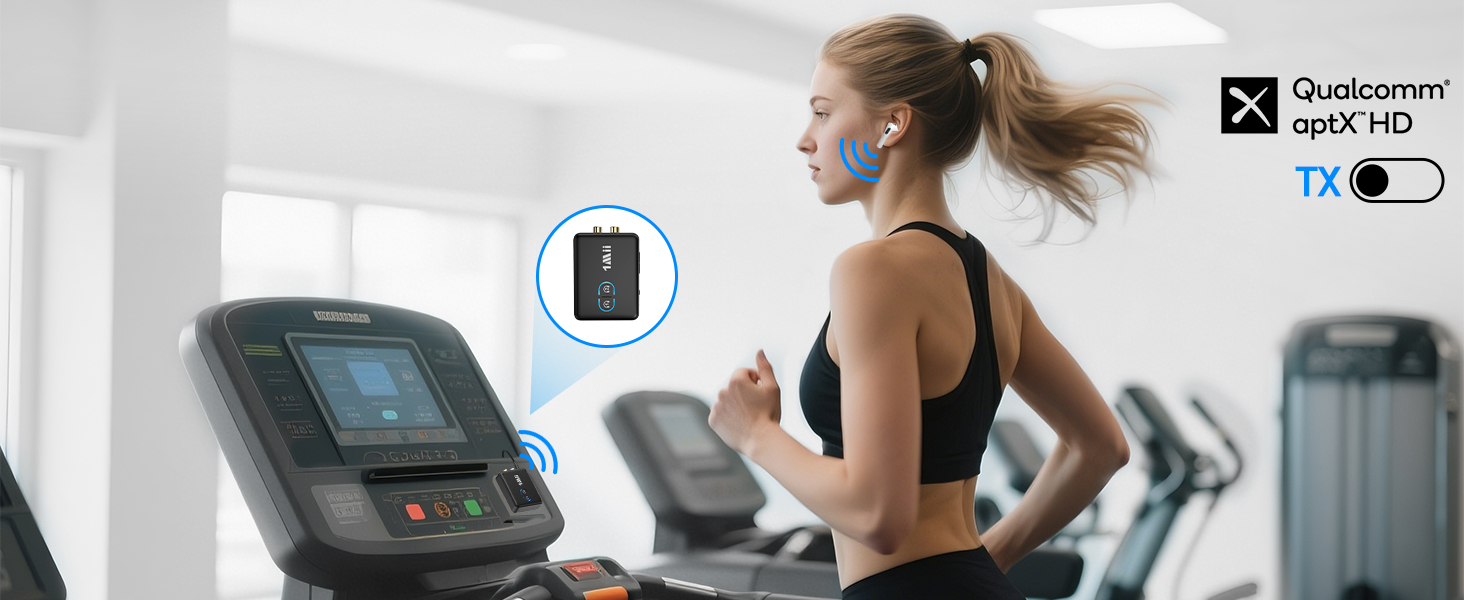
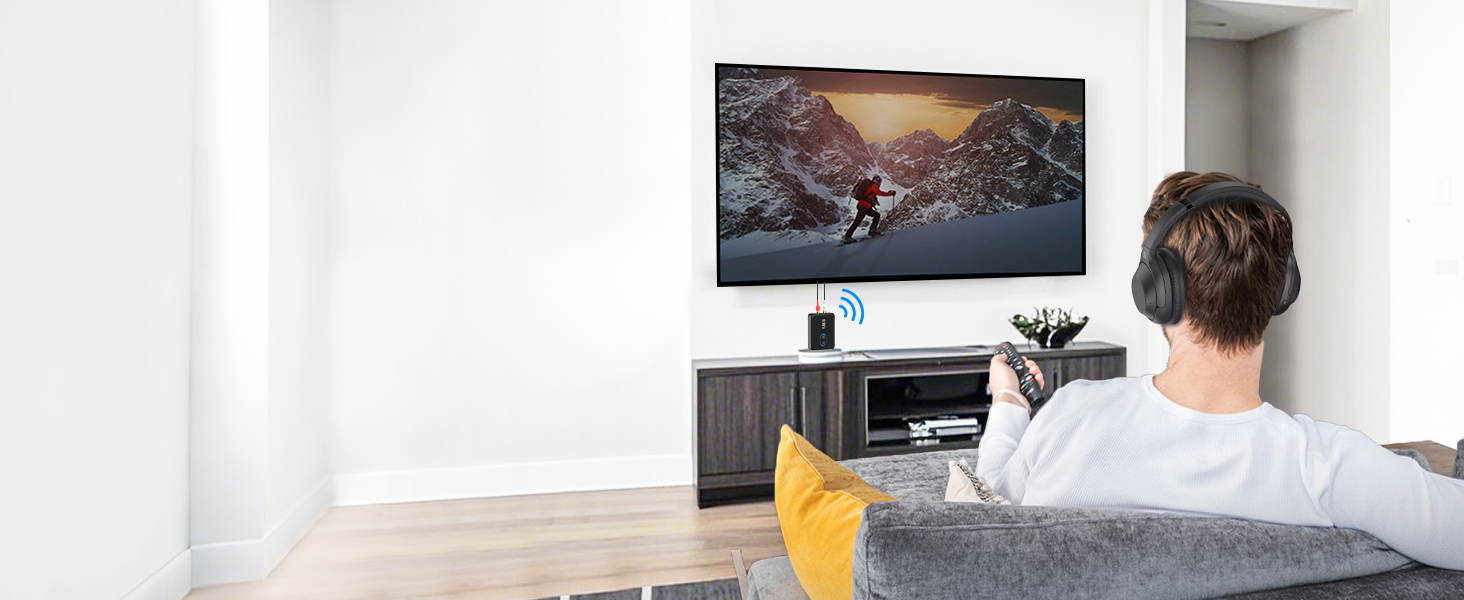
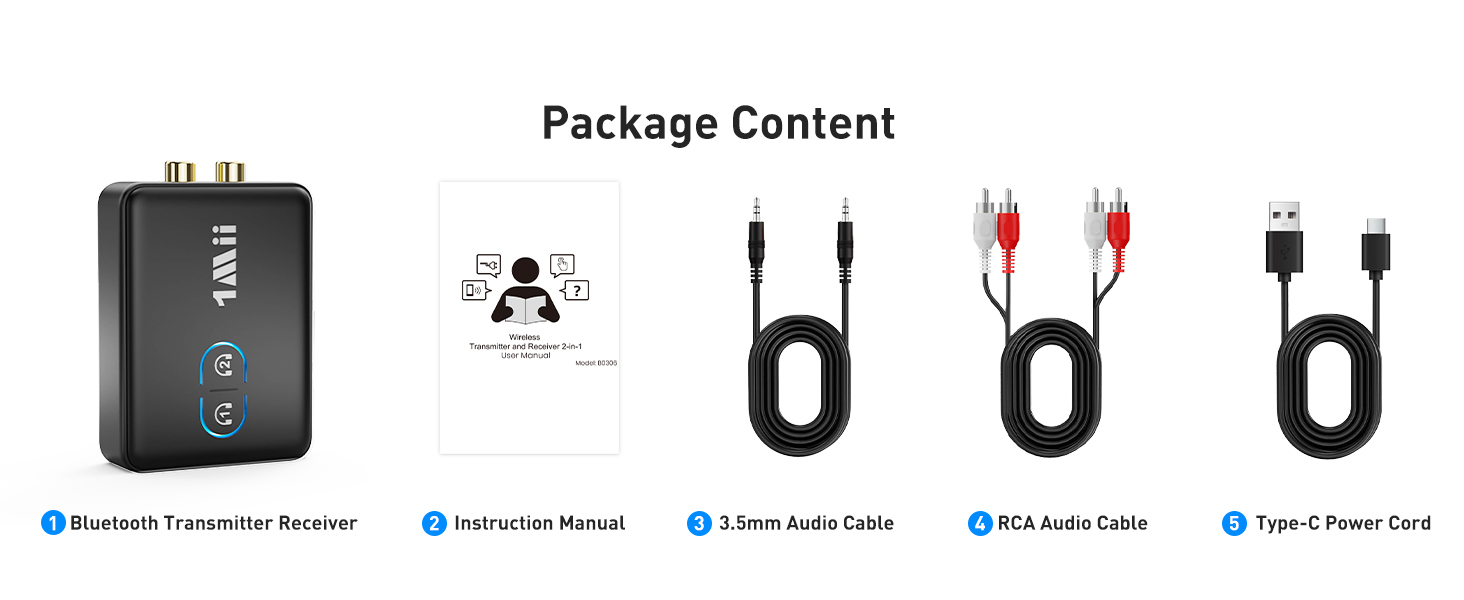
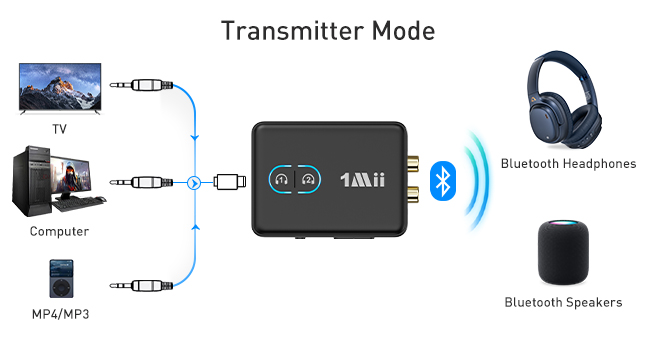
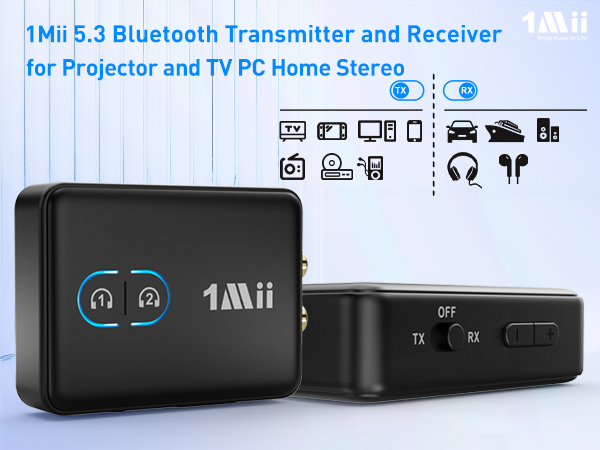
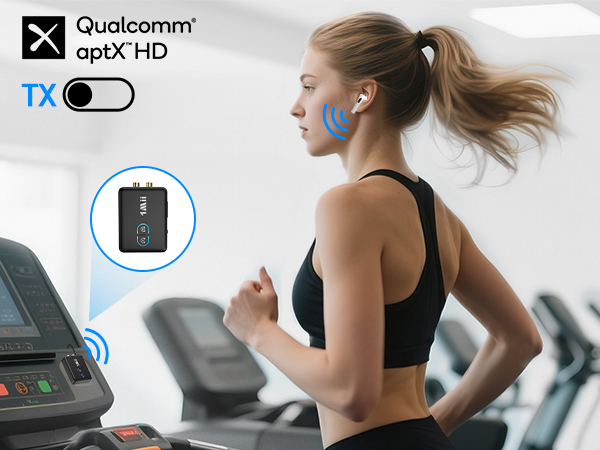
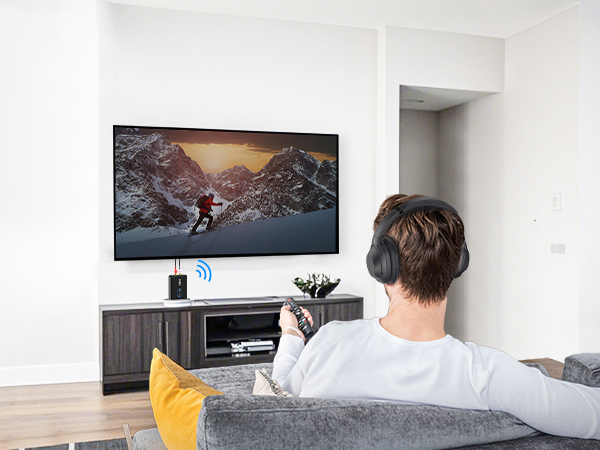
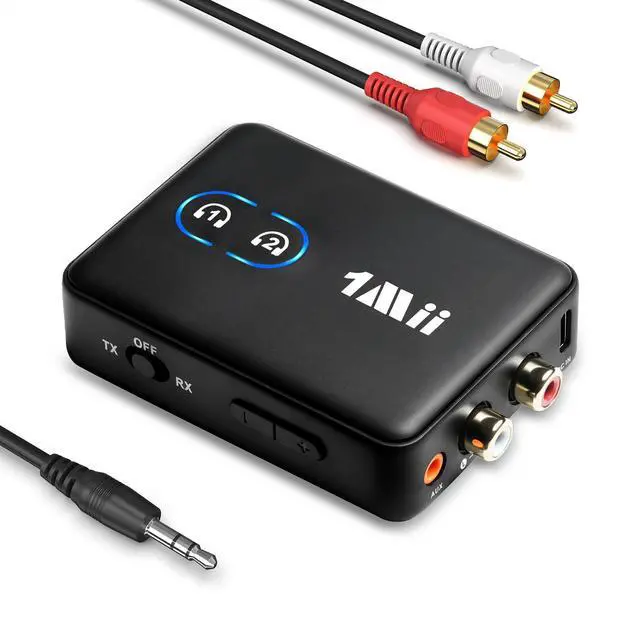
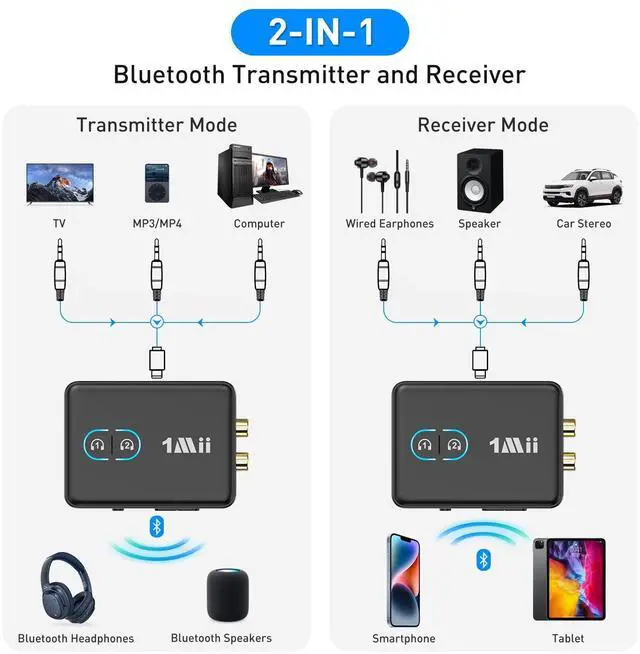
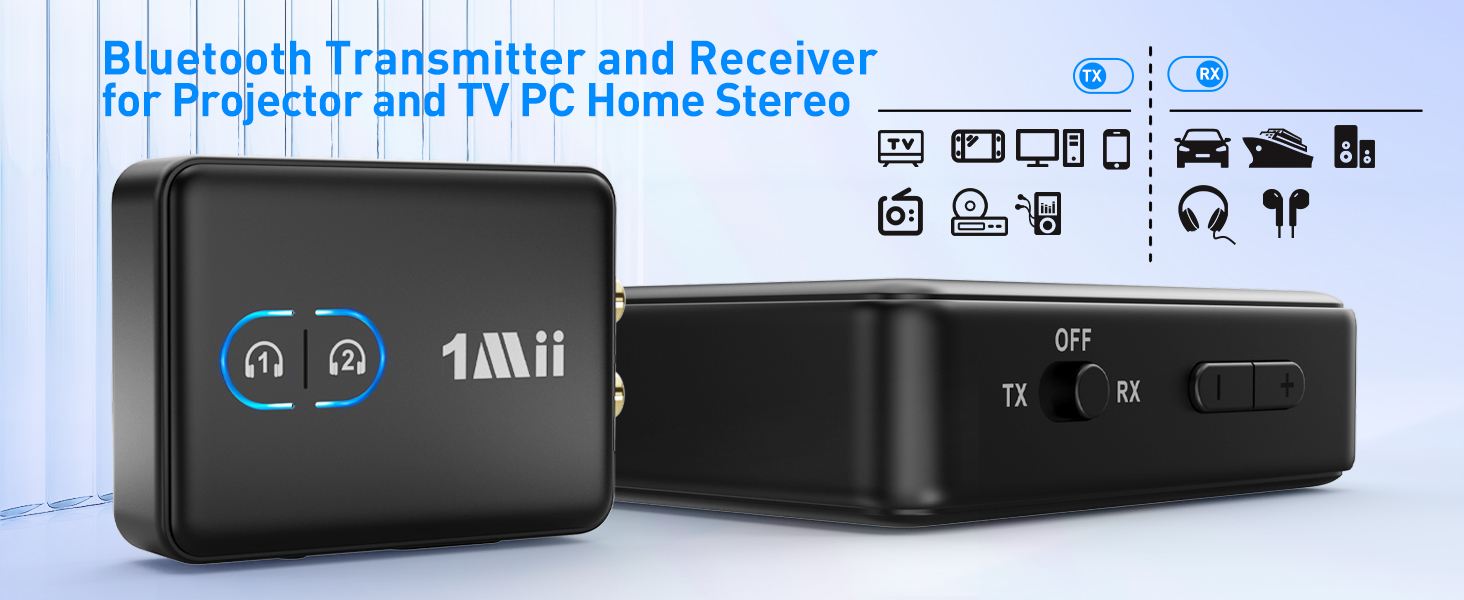
    • 2-in-1 Transmitter and Receiver: 1Mii RCA Bluetooth audio transmitter supports transmitter and receiver mode. In transmitter mode, it is very easy to turn a non-Bluetooth TV, PC, projector, gym equipment into Bluetooth transmitter to connect with Bluetooth headphones/speaker/soundbar. In receiver mode, 1Mii 3.5mm Bluetooth adapter allow you to enjoy high fidelity audio from your phone to your non-Bluetooth car/home stereo systems/wired speakers/wired earphones.
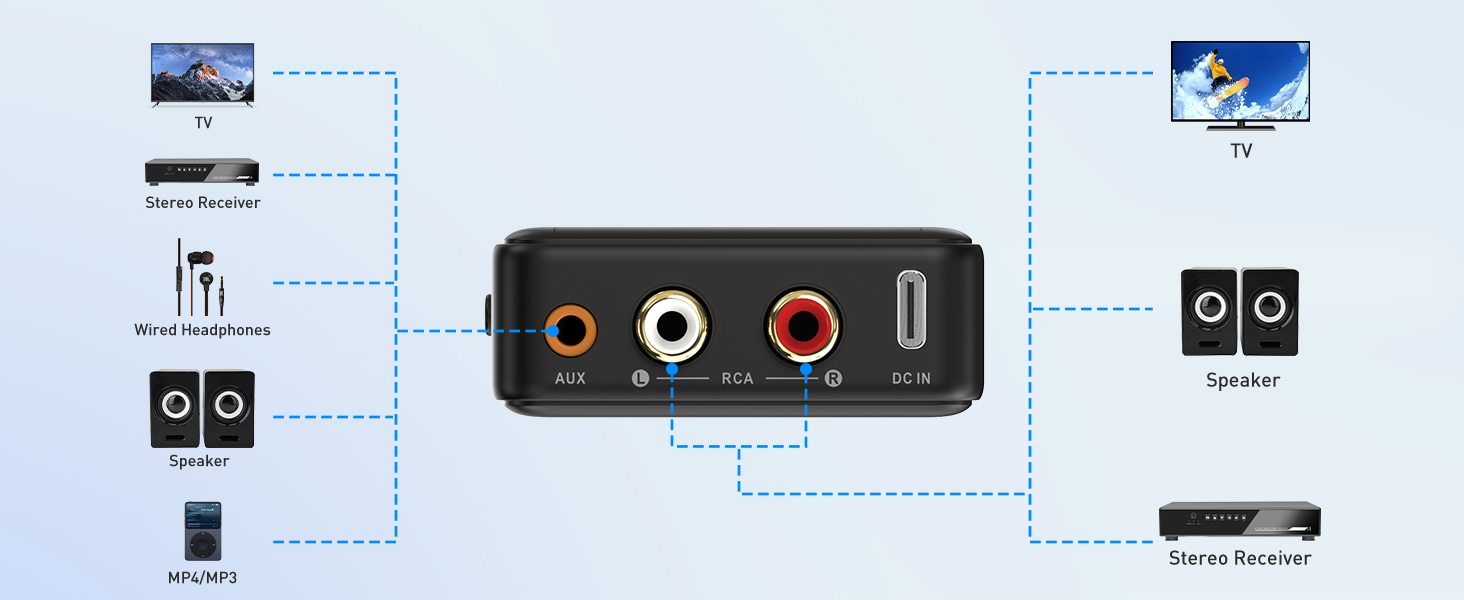
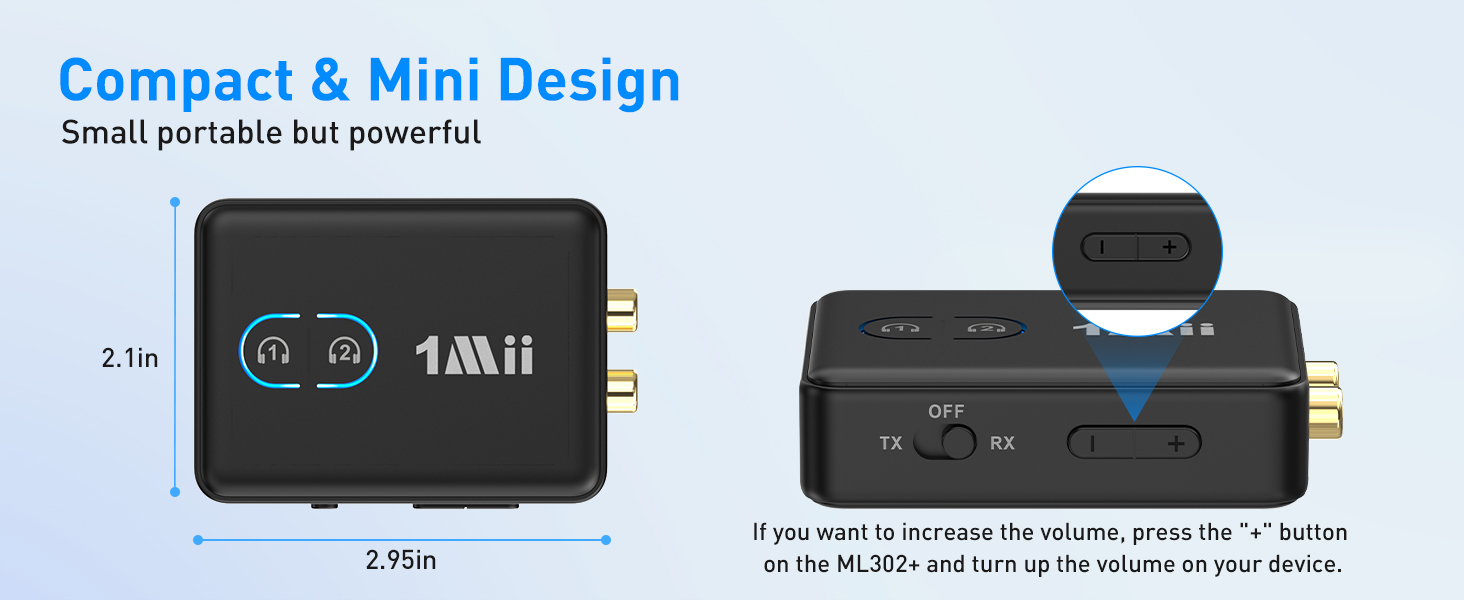
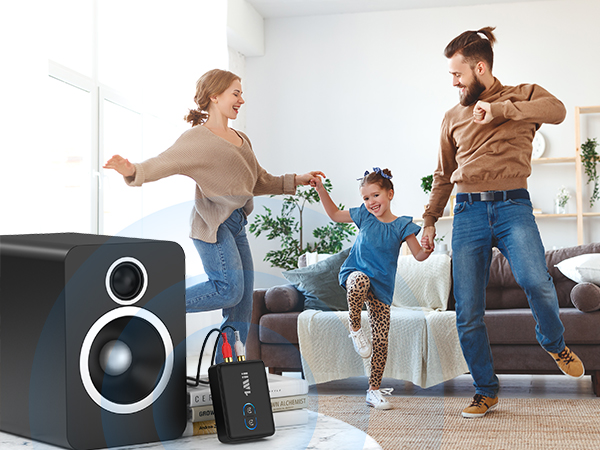
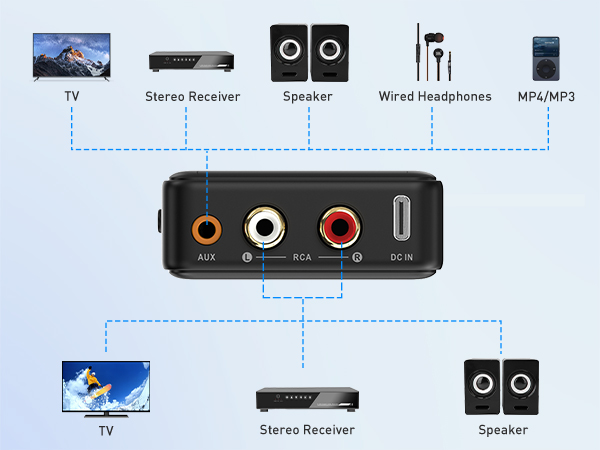
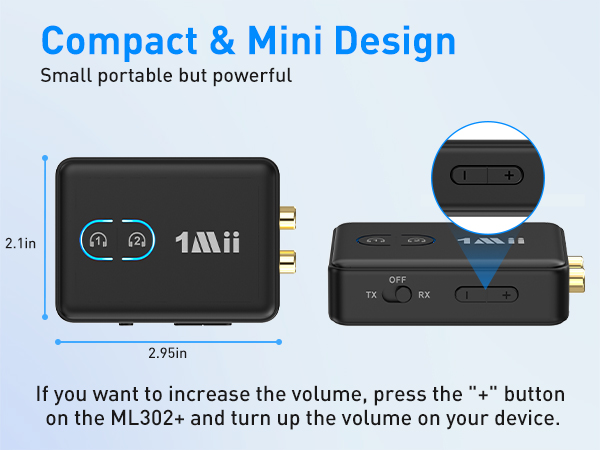
    • Wide Compatibility & Volume Control: 1Mii Bluetooth audio adapter supports both 3.5mm AUX and RCA output/input, making it work seamlessly with any device with AUX or RCA jack, such as TV, PC, gym equipment, home stereo system, speakers, projector. And the volume button provides instant control over your audio levels.
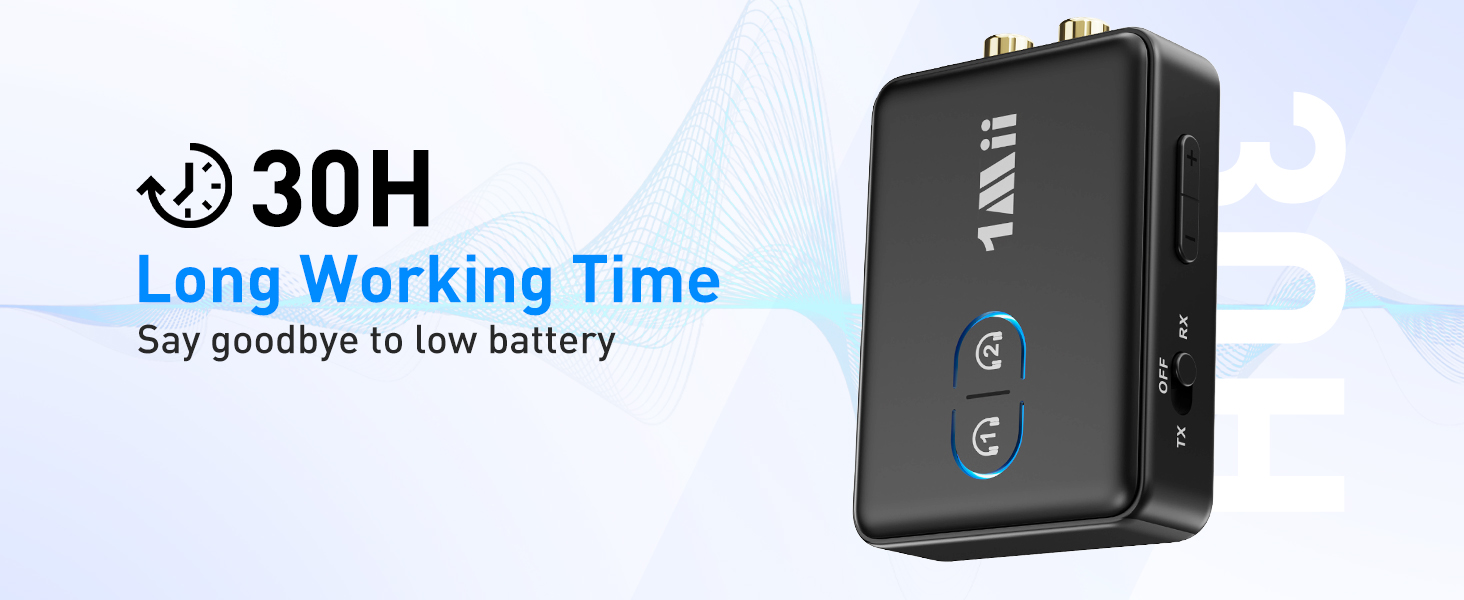
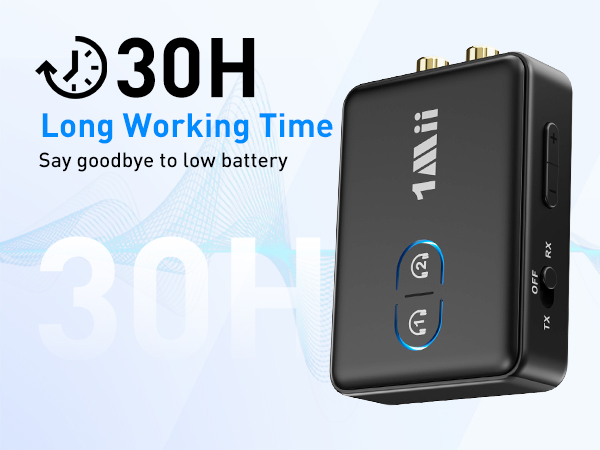
    • Long-Lasting Battery Life: Enjoy up to 30 hours of uninterrupted wireless audio on just 3 hours of charging. Additionally, you can check the battery level by pressing the Bluetooth button for 3 times (LEDs flash 1-5 times, each flash = 20% battery level). Never guess the battery life again!
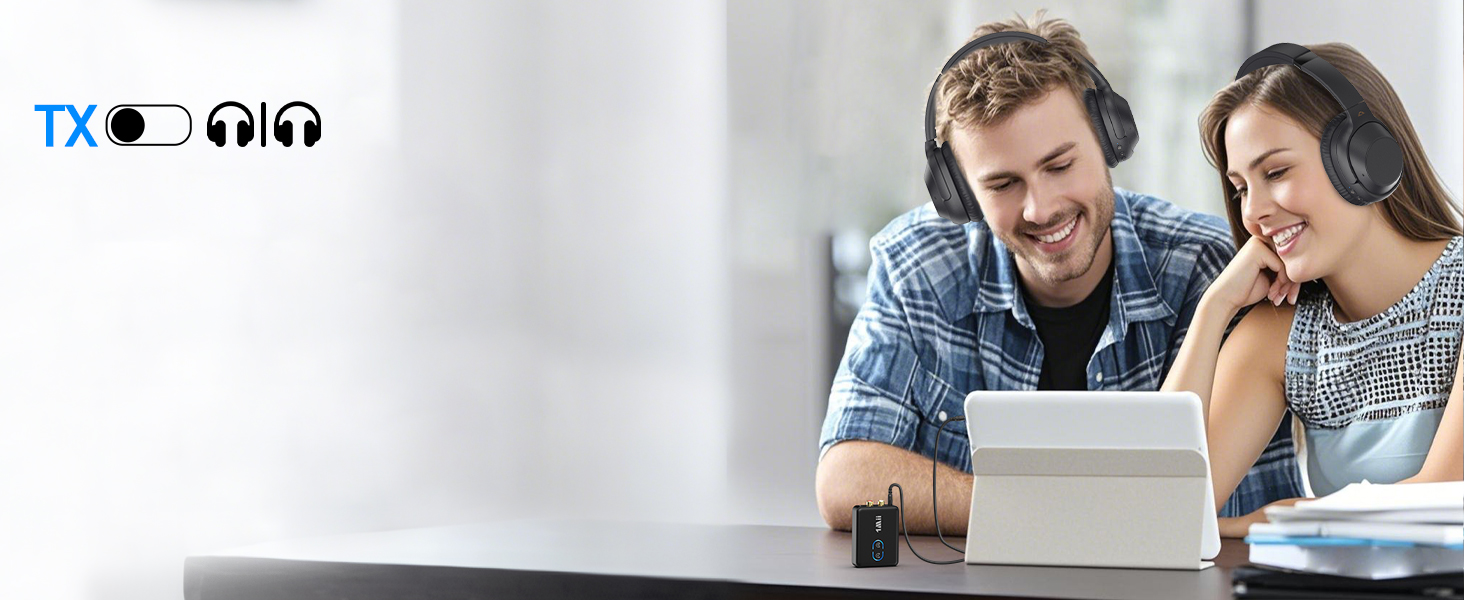
    • Supports Dual Connections: 1Mii TV Bluetooth transmitter supports connecting two Bluetooth headphones simultaneously, allowing you share movies or music with your family or friends.
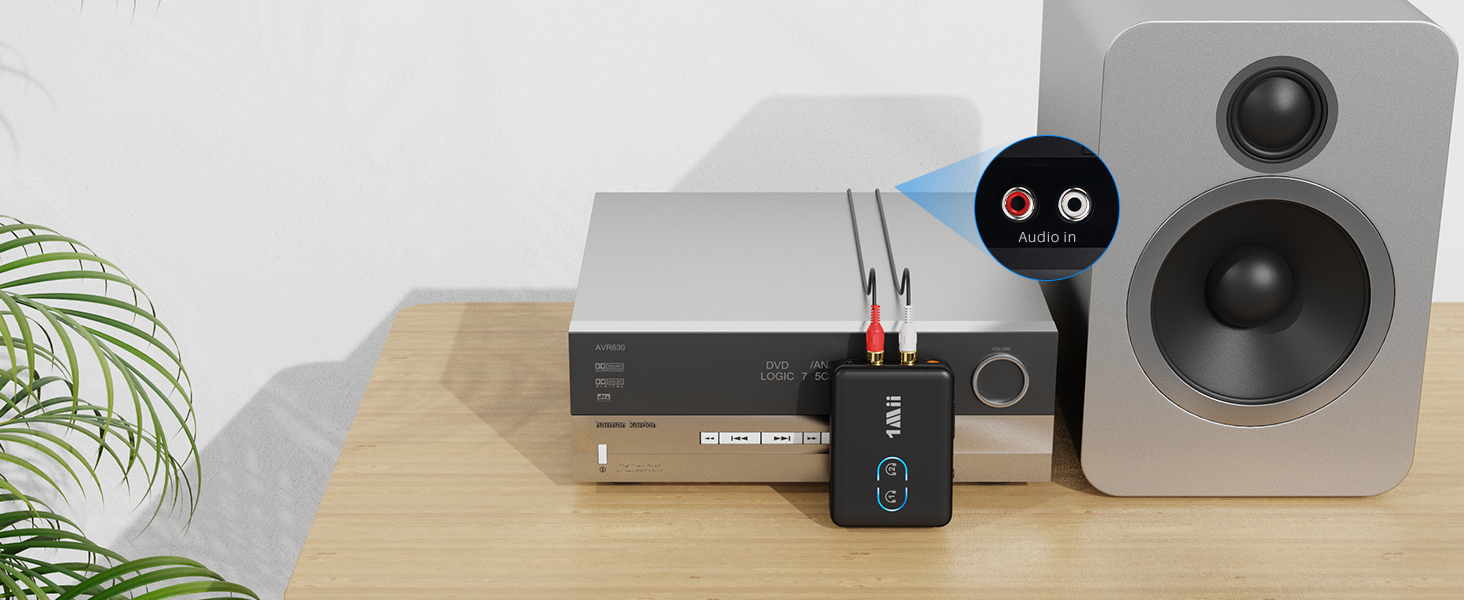
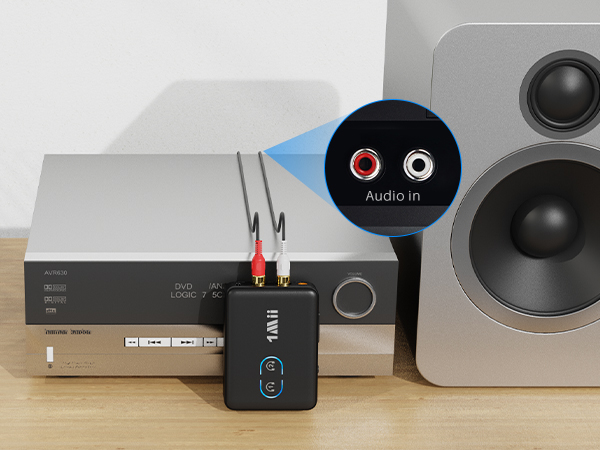
    • Tips: If you use the TX mode, please make sure plug the ML302+ into the AUDIO OUT jack of your device. If you use the RX mode, please make sure plug it into the AUDIO IN jack of your device.
    +
    +
    Overview
    Specs
    Reviews
    avatar

    Any questions? Our AI beta will help you find out quickly.

    ML302+
    Bluetooth transmitter for TV

    Use 1Mii ML302+ as a Bluetooth transmitter

    1. Switch to "TX" mode

    2. Long press the BT Button#1 for about 2 seconds to enter pairing mode(LED flashing blue and red)

    3. Set your Bluetooth headphones/soundbar/speaker also enter pairing mode

    4. After pairing successfully (LED stop flashing), connect the ML302+ to the AUDIO OUT jack of PC/TV/MP3
    Bluetooth transmitter for TV

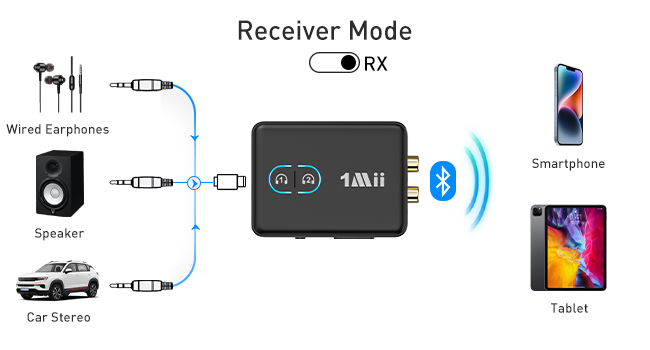
    Use 1Mii ML302+ as a Bluetooth recevier

    1. Switch to "RX" mode

    2. Long press the BT Button#1 for about 2s to enter pairing mode(LED flashing blue and red)

    3. Turn on the Bluetooth of your phone/tablet/laptop, tap "ML302+" to connect.

    4. After pairing successfully, connect the ML302+ to the AUDIO IN jack of wired speaker/soundbar/earphones
    Bluetooth auido transmitter for TV
    Q1 Why the voice lag still here when use this Low latency ML302+ Bluetooth adapter with my Bluetooth headphones?
    A1 To achieve low latency, your Bluetooth headphones/speaker should also support function of aptX Low Latency. Or, the receiving device might use another codec (e.g. SBC, aptX), resulting in a 70-200ms audio delay which may be noticeable by some users.
    Q2 Can it be used for guitar or piano?
    A2 For live music or musical instruments like guitar or piano, we don't suggest using ML302+, please use the specialized adapter.
    Q3 How to change the audio codec?
    A3 Please double-click the Bluetooth button #1 to cycle change to different audio codecs. SBC(blue)/aptX Low Latency(white)/aptX HD(green)/aptX Adaptive(Yellow). Note: If your Bluetooth device does not support aptX Low Latency/aptX HD/aptX Adaptive, the light on ML302+ will not change to the specific colour to use the aptX Low Latency/aptX HD/aptX Adaptive audio codec.
    Q4 How to connect 2 Bluetooth headphones to ML302+?
    A4 1. After successfully pairing with the first Bluetooth headset, press and hold Bluetooth button #2 again for 2 seconds to enter pairing mode (LED flashes red and blue). 2. Put your second Bluetooth headset in pairing mode. 3. After pairing is successful, the LED stops flashing.
    Q5 Why is there no sound or the volume is very low?
    A5 1. If you use the TX mode, please make sure plug the ML302+ into the AUDIO OUT jack of your device. If you use the RX mode, please make sure plug it into the AUDIO IN jack of your device. 2. Plug it fully into your device (you can unplug and plug again). 3.Please increase both the volume of the ML302+ and your device.
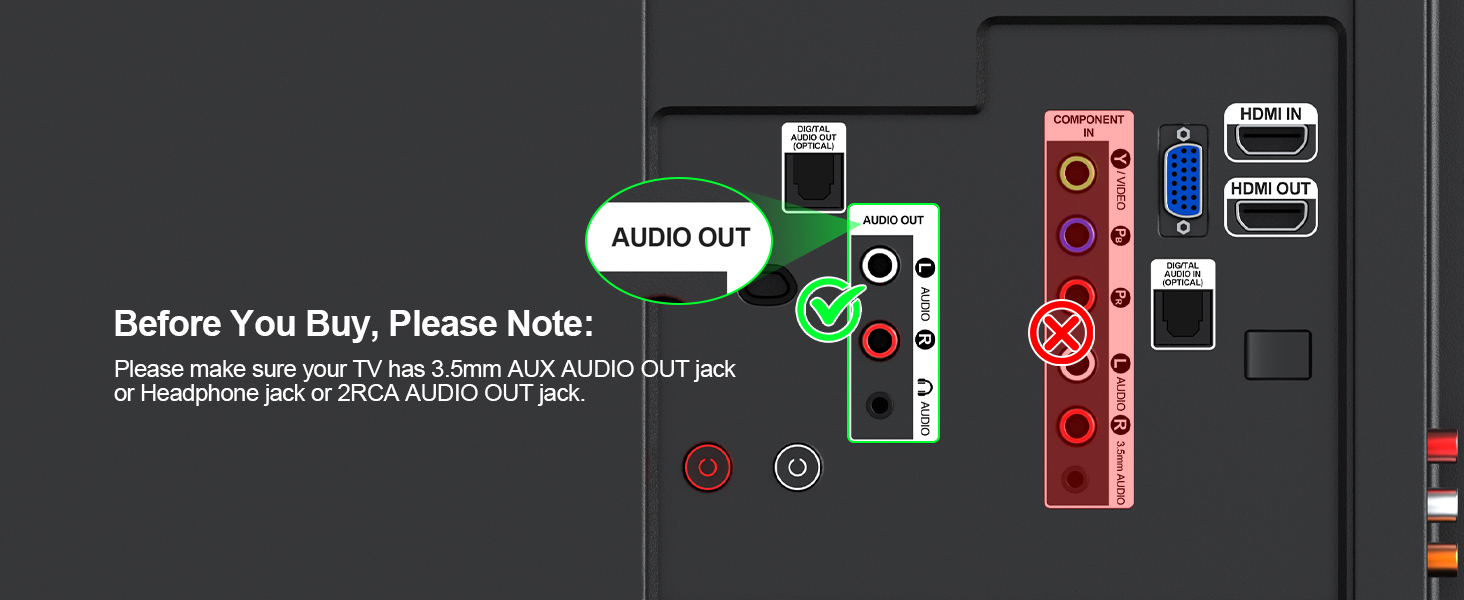
    Q6 Does it work with any TV?
    A6 Please make sure your TV has 3.5mm AUX AUDIO OUT jack or Headphone jack or 2RCA AUDIO OUT jack.
    Q7 How to reset the 1Mii ML302+?
    A7 Press and hold the volume buttons "+"and "-" at the same time for 7 seconds to reset the device (LEDs flash purple 3 times, then the LEDs flash red and blue)

    1Mii Wireless Transmitter/Receiver

    https://m.media-amazon.com/images/S/aplus-media-library-service-media/01f7b008-ef87-4b53-8457-dd341162dedc.__CR0,0,200,225_PT0_SX200_V1___.jpg

    1Mii ML302+

    https://m.media-amazon.com/images/S/aplus-media-library-service-media/13a30e5f-b84a-4bb9-992b-18f9be102123.__AC_SR200,225___.jpg

    ML300

    https://m.media-amazon.com/images/S/aplus-media-library-service-media/19a687d4-58b5-406b-afdd-8c4a61531241.__AC_SR200,225___.jpg

    B06Set

    https://m.media-amazon.com/images/S/aplus-media-library-service-media/95c99dd9-bf39-48c2-8ecc-bfd73d2faaac.__AC_SR200,225___.jpg

    1Mii SafeFly Min

    https://m.media-amazon.com/images/S/aplus-media-library-service-media/774e33ab-3522-4998-a962-626804bbb08e.__AC_SR200,225___.jpg

    1Mii Safefly Min+

    https://m.media-amazon.com/images/S/aplus-media-library-service-media/e1865f01-3465-45bb-a964-a3a1d9761fe2.__AC_SR200,225___.jpg

    1Mii SafeFly Dot

    https://m.media-amazon.com/images/S/aplus-media-library-service-media/e4773b19-fb86-4a0b-ab5b-1c2f5d9129e3.__AC_SR200,225___.jpg

    RT5066Pro

    Customer Reviews
    Price
    Type
    Bluetooth Transmitter&Receiver Bluetooth Transmitter&Receiver 2.4Ghz Transmitter Receiver Bluetooth Transmitter Bluetooth Transmitter&Receiver Bluetooth Transmitter&Receiver 2.4Ghz Transmitter Receiver
    Audio Codec Support
    aptX-Adaptive/LL/HD/aptX/SBC aptX-Adaptive/LL/HD/aptX/SBC LC3 aptX-Adaptive/LL/HD/aptX/SBC aptX-Adaptive/LL/HD/aptX/SBC aptX-Adaptive/LL/HD/aptX/SBC SBC
    Audio Jack
    3.5mm AUX/2RCA 3.5mm AUX/2RCA 3.5mm AUX/2RCA 3.5mm AUX/Dual-prong 3.5mm AUX/Dual-prong 3.5mm AUX/Dual-prong 3.5mm AUX/2RCA
    Use for
    TV/PC/Airplane/Gym/Boat/Stereo TV/PC/Airplane/Gym/Boat/Stereo TV/PC/Home Stereo/Speaker TV/PC/Airplane/Gym TV/PC/Airplane/Gym/Boat/Stereo TV/PC/Airplane/Gym/Boat/Stereo TV/PC/Home Stereo/Speaker
    Built-in Battery
    ? ? ? ? ? ? ?
    Dual Connection
    ? ? ? ? ? ? ?
    Volume+/- Control
    ? ? ? ? ? ? ?
    BT Version
    BT5.3 BT5.3 2.4Ghz BT5.3 BT5.3 BT5.3 2.4Ghz
    Bluetooth Transmiter Receiver
    Bluetooth transmitter for TV

    Use 1Mii ML302+ as a Bluetooth transmitter

    1. Switch to "TX" mode

    2. Long press the BT Button#1 for about 2 seconds to enter pairing mode(LED flashing blue and red)

    3. Set your Bluetooth headphones/soundbar/speaker also enter pairing mode

    4. After pairing successfully (LED stop flashing), connect the ML302+ to the AUDIO OUT jack of PC/TV/MP3

    Bluetooth transmitter for TV

    Use 1Mii ML302+ as a Bluetooth recevier

    1. Switch to "RX" mode

    2. Long press the BT Button#1 for about 2s to enter pairing mode(LED flashing blue and red)

    3. Turn on the Bluetooth of your phone/tablet/laptop, tap "ML302+" to connect.

    4. After pairing successfully, connect the ML302+ to the AUDIO IN jack of wired speaker/soundbar/earphones
    3.5mm /RCA blueooth transmitter
    Q1 Why the voice lag still here when use this Low latency ML302+ Bluetooth adapter with my Bluetooth headphones?
    A1 To achieve low latency, your Bluetooth headphones/speaker should also support function of aptX Low Latency. Or, the receiving device might use another codec (e.g. SBC, aptX), resulting in a 70-200ms audio delay which may be noticeable by some users.
    Q2 Can it be used for guitar or piano?
    A2 For live music or musical instruments like guitar or piano, we don't suggest using ML302+, please use the specialized adapter.
    Q3 How to change the audio codec?
    A3 Please double-click the Bluetooth button #1 to cycle change to different audio codecs. SBC(blue)/aptX Low Latency(white)/aptX HD(green)/aptX Adaptive(Yellow). Note: If your Bluetooth device does not support aptX Low Latency/aptX HD/aptX Adaptive, the light on ML302+ will not change to the specific colour to use the aptX Low Latency/aptX HD/aptX Adaptive audio codec.
    Q4 How to connect 2 Bluetooth headphones to ML302+?
    A4 1. After successfully pairing with the first Bluetooth headset, press and hold Bluetooth button #2 again for 2 seconds to enter pairing mode (LED flashes red and blue). 2. Put your second Bluetooth headset in pairing mode. 3. After pairing is successful, the LED stops flashing.
    Q5 Why is there no sound or the volume is very low?
    A5 1. If you use the TX mode, please make sure plug the ML302+ into the AUDIO OUT jack of your device. If you use the RX mode, please make sure plug it into the AUDIO IN jack of your device. 2. Plug it fully into your device (you can unplug and plug again). 3.Please increase both the volume of the ML302+ and your device.
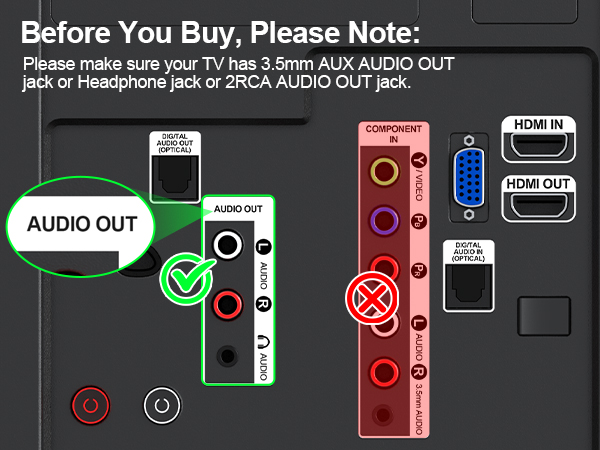
    Q6 Does it work with any TV?
    A6 Please make sure your TV has 3.5mm AUX AUDIO OUT jack or Headphone jack or 2RCA AUDIO OUT jack.
    Q7 How to reset the 1Mii ML302+?
    A7 Press and hold the volume buttons "+"and "-" at the same time for 7 seconds to reset the device (LEDs flash purple 3 times, then the LEDs flash red and blue)

    1Mii Wireless Transmitter/Receiver

    https://m.media-amazon.com/images/S/aplus-media-library-service-media/01f7b008-ef87-4b53-8457-dd341162dedc.__CR0,0,200,225_PT0_SX200_V1___.jpg

    1Mii ML302+

    https://m.media-amazon.com/images/S/aplus-media-library-service-media/13a30e5f-b84a-4bb9-992b-18f9be102123.__AC_SR200,225___.jpg

    ML300

    https://m.media-amazon.com/images/S/aplus-media-library-service-media/19a687d4-58b5-406b-afdd-8c4a61531241.__AC_SR200,225___.jpg

    B06Set

    https://m.media-amazon.com/images/S/aplus-media-library-service-media/95c99dd9-bf39-48c2-8ecc-bfd73d2faaac.__AC_SR200,225___.jpg

    1Mii SafeFly Min

    https://m.media-amazon.com/images/S/aplus-media-library-service-media/774e33ab-3522-4998-a962-626804bbb08e.__AC_SR200,225___.jpg

    1Mii Safefly Min+

    https://m.media-amazon.com/images/S/aplus-media-library-service-media/e1865f01-3465-45bb-a964-a3a1d9761fe2.__AC_SR200,225___.jpg

    1Mii SafeFly Dot

    https://m.media-amazon.com/images/S/aplus-media-library-service-media/e4773b19-fb86-4a0b-ab5b-1c2f5d9129e3.__AC_SR200,225___.jpg

    RT5066Pro

    Customer Reviews
    Price
    Type
    Bluetooth Transmitter&Receiver Bluetooth Transmitter&Receiver 2.4Ghz Transmitter Receiver Bluetooth Transmitter Bluetooth Transmitter&Receiver Bluetooth Transmitter&Receiver 2.4Ghz Transmitter Receiver
    Audio Codec Support
    aptX-Adaptive/LL/HD/aptX/SBC aptX-Adaptive/LL/HD/aptX/SBC LC3 aptX-Adaptive/LL/HD/aptX/SBC aptX-Adaptive/LL/HD/aptX/SBC aptX-Adaptive/LL/HD/aptX/SBC SBC
    Audio Jack
    3.5mm AUX/2RCA 3.5mm AUX/2RCA 3.5mm AUX/2RCA 3.5mm AUX/Dual-prong 3.5mm AUX/Dual-prong 3.5mm AUX/Dual-prong 3.5mm AUX/2RCA
    Use for
    TV/PC/Airplane/Gym/Boat/Stereo TV/PC/Airplane/Gym/Boat/Stereo TV/PC/Home Stereo/Speaker TV/PC/Airplane/Gym TV/PC/Airplane/Gym/Boat/Stereo TV/PC/Airplane/Gym/Boat/Stereo TV/PC/Home Stereo/Speaker
    Built-in Battery
    ? ? ? ? ? ? ?
    Dual Connection
    ? ? ? ? ? ? ?
    Volume+/- Control
    ? ? ? ? ? ? ?
    BT Version
    BT5.3 BT5.3 2.4Ghz BT5.3 BT5.3 BT5.3 2.4Ghz

    Why choose 1Mii bluetooth transmitter receiver?
    - 2 In 1 Bluetooth Adapter:In TX mode, plug the ML302+ Bluetooth transmitter into non-Bluetooth devices such as TV/PC/MP3/Airplane to transmit the audio to the Bluetooth headphone/speaker/sound bar; In RX mode, plug the Bluetooth receiver into wired speaker/headphone/car stereo and receive audio from cell phone/tablet/computer via Bluetooth.
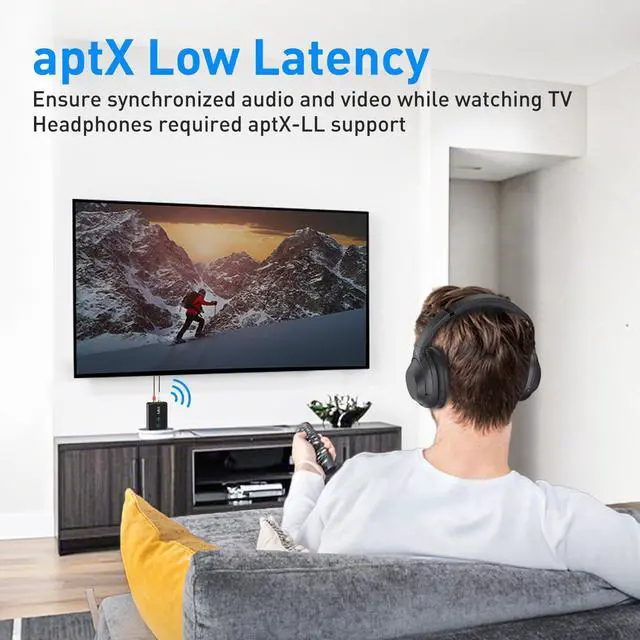
    - No Lip Sync Delay & Crystal Sound: AptX Low Latency technology eliminate Bluetooth audio delay, so you can enjoy high-clarity sound and watch TV / Movie / Video in perfect synchronization.
    - Dual Stream: Dual link feature of Roaringkitty Bluetooth adapter also enables simultaneous streaming to 2 headphones or speakers.
    - Long Battery Life: 1Mii bluetooth transmitter receiver deliver 30 hours in transmitter mode and receiver mode, all on one charge.


    Product information

    Special Feature 2 In 1 Bluetooth Transmitter Receiver, 2RCA/3.5mm AUX, AptX Adaptive/ Low Latency/ HD/SBC/AAC, Bluetooth 5.3 & Volume Control, built-in rechargeable battery & check the battery level
    Brand 1Mii
    Connectivity Technology Bluetooth
    Power Source Battery Powered
    Product Dimensions 2.95"L x 2.17"W x 0.78"H
    Item Weight 0.634 ounces
    Batteries 1 Lithium Polymer batteries required. (included)
    Date First Available June 24, 2024
    Manufacturer 1Mii

    Additional Features

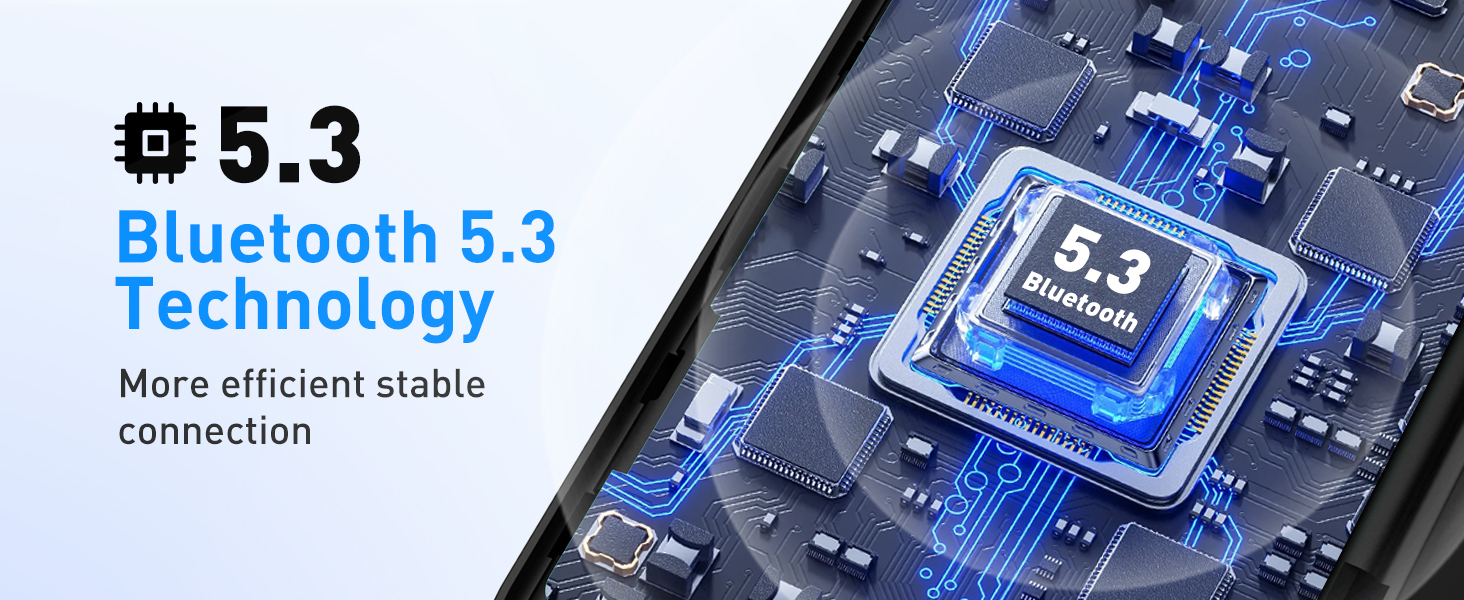
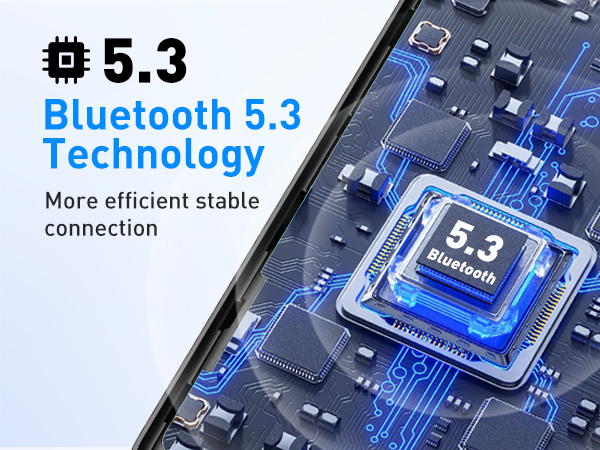
    • Bluetooth 5.3 with aptX Low Latency: 1Mii wireless Bluetooth adapter ML302+ utilizes Bluetooth 5.3 technology for stable, fast, reliable connections. It supports aptX-Adaptive and aptX-Low Latency for high-quality audio transmission, you can watch TV with no lip-sync delay when paired with compatible devices. Note: To achieve low latency, your Bluetooth headphones/speaker should also support aptX Low Latency.Or it may use another codec (eg. SBC/aptX), resulting in 70-200ms audio delay.

    Warranty & Returns

    Warranty, Returns, And Additional Information

    Warranty

    • Please contact the Seller directly for warranty information. Warranty information may also be found on the Manufacturer's website.
    • CONTACT

    Return Policies

    • Return for refund within: 30 days
    • Return for replacement within: 30 days
    • This item is covered by OT_Shop Return Policy

    Manufacturer Contact Info

    LOADING...