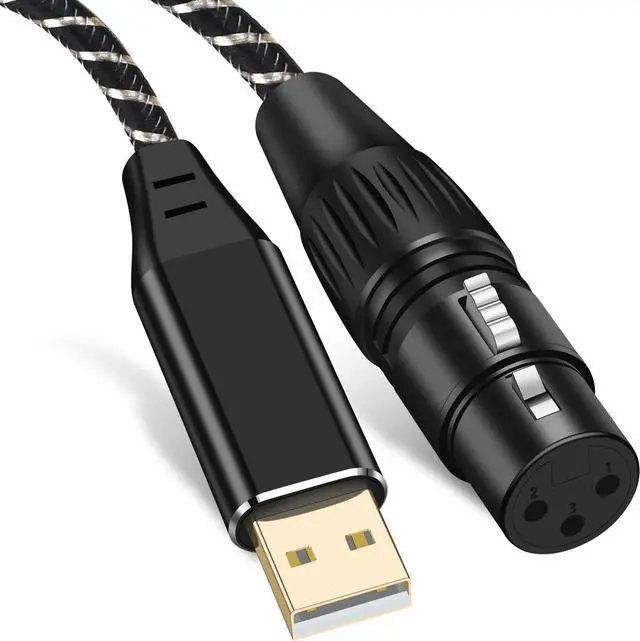
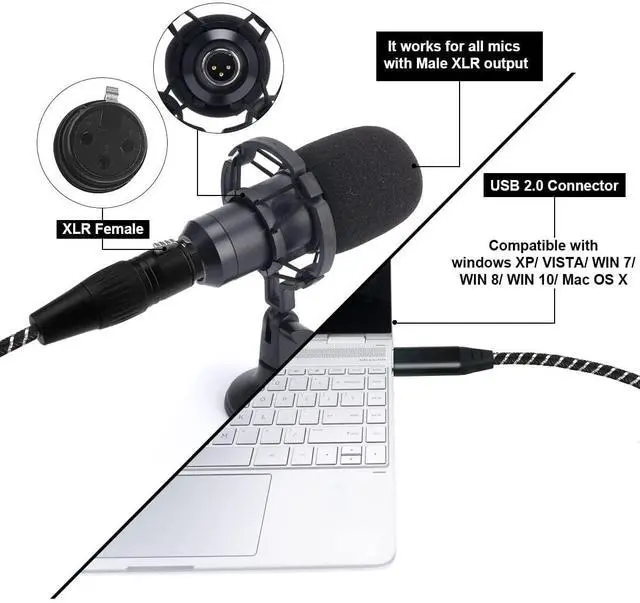
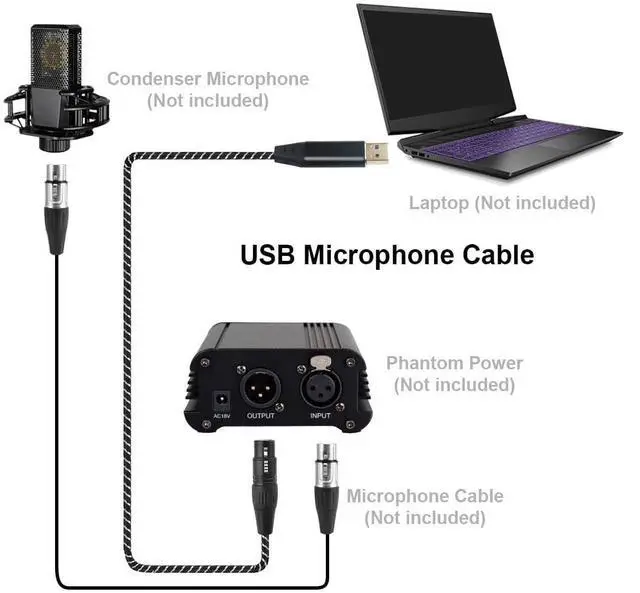
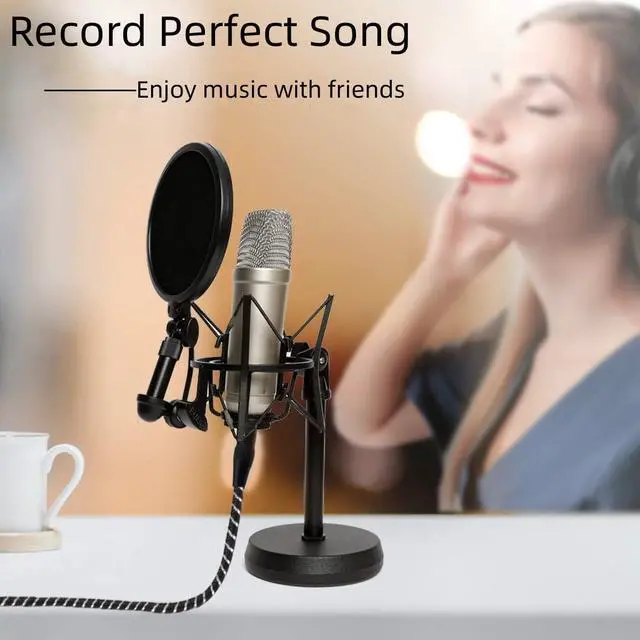
Plug-and-Play Simplicity: Connect your XLR microphone to any USB device with ease. Designed for dynamic microphones, the Puzkom XLR to USB Cable is truly plug-and-play. For condenser microphones, please use an external 48V phantom power supply to ensure proper functionality. Perfect for podcasting, streaming, and music recording.
Studio-Grade Audio with Built-in DAC: Featuring a premium 16-bit/48kHz DAC chip, this cable ensures low-noise, high-fidelity audio for studio-quality recordings. Experience clear and natural sound, whether youre recording vocals, instruments, or podcasts.
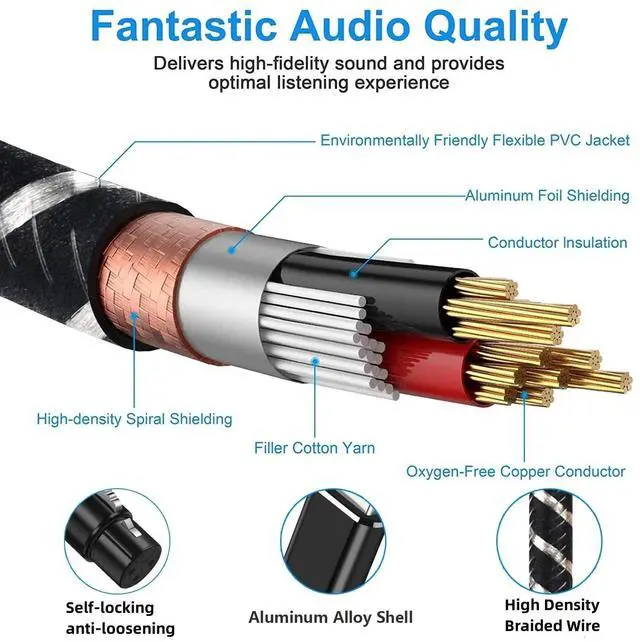
Superior Durability for Everyday Use: Built to withstand the demands of daily use, this cable features 24K gold-plated connectors, a reinforced PVC jacket, and 20,000+ bend-tested durability. Trust it for years of reliable performance.
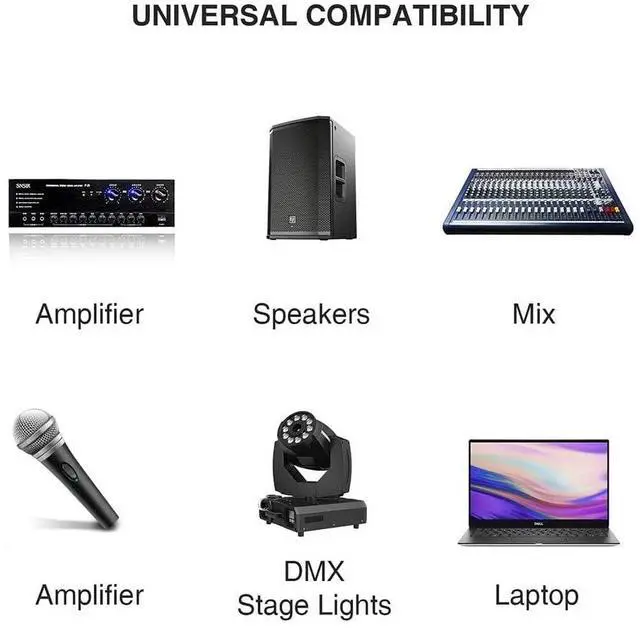
Universal Compatibility: Compatible with Windows, macOS, and Linux, this cable integrates seamlessly with popular software like Audacity, GarageBand, and OBS Studio. It supports dynamic microphones and works perfectly with condenser microphones when paired with a 48V phantom power supply.
Lifetime Warranty and Peace of Mind: Backed by a lifetime warranty and responsive customer service, the Puzkom XLR to USB Cable ensures a worry-free recording experience. Create, stream, or record with confidence, knowing youre supported every step of the way.
+
+
Overview
Specs
Reviews
Any questions? Ask CelesteSM will help you find out quickly.
Try me now
USB to XLR Microphone Cable
How to connect a USB microphone cable:
Dynamic microphones and 5v condenser microphones can be connected directly to the computer.
48v condenser microphones need to be connected to phantom power to work (you must also be particularly careful when configuring the software, there is a difference between selecting recording and playback).
Please pay attention to the following points when using this product to avoid noise:
1. Remove and isolate external interference sources.
2. Please check whether the connected device is grounded in advance.
3. Please also check whether the connection port is dirty.
4. If the connected device is old, it is easy to generate noise. Please check whether the product is aged before purchasing.
5. Our product uses unbalanced connection and is not compatible with balanced devices.
6. This product requires XLR end to connect to microphone and USB end to connect to PC. Reverse conversion is not supported.
7. If the USB connection on your computer is damaged or dusty, it may not work.
How to use:
How to select a recording device
Step 1: Select "Recording Device".
Step 2: Under the "Recording" option, select "USB Audio Device" sound card. If you are not sure which one to select, do not close the page, just unplug the cable from the computer and plug it back into the USB port. Then you will see "USB Audio Device" on the option page.
How to select a USB audio device
Step 1: Select "Properties" of "USB Audio Device".
Step 2: On this page, select "Recording" and check "Listen". If your computer has multiple external playback devices, scroll down the menu and select the corresponding audio playback device.
Set "Properties"/Step 3: Click "OK" and try to play your guitar or other audio device to check if the cable is properly connected to the computer.
USB to XLR Microphone Cable
How to connect a USB microphone cable:
Dynamic microphones and 5v condenser microphones can be connected directly to the computer.
48v condenser microphones need to be connected to phantom power to work (you must also be particularly careful when configuring the software, there is a difference between selecting recording and playback).
Please pay attention to the following points when using this product to avoid noise:
1. Remove and isolate external interference sources.
2. Please check whether the connected device is grounded in advance.
3. Please also check whether the connection port is dirty.
4. If the connected device is old, it is easy to generate noise. Please check whether the product is aged before purchasing.
5. Our product uses unbalanced connection and is not compatible with balanced devices.
6. This product requires XLR end to connect to microphone and USB end to connect to PC. Reverse conversion is not supported.
7. If the USB connection on your computer is damaged or dusty, it may not work.
How to use:
How to select a recording device
Step 1: Select "Recording Device".
Step 2: Under the "Recording" option, select "USB Audio Device" sound card. If you are not sure which one to select, do not close the page, just unplug the cable from the computer and plug it back into the USB port. Then you will see "USB Audio Device" on the option page.
How to select a USB audio device
Step 1: Select "Properties" of "USB Audio Device".
Step 2: On this page, select "Recording" and check "Listen". If your computer has multiple external playback devices, scroll down the menu and select the corresponding audio playback device.
Set "Properties"/Step 3: Click "OK" and try to play your guitar or other audio device to check if the cable is properly connected to the computer.
USB Microphone Cable, 6.6FT XLR to USB Cable, XLR Female to USB A Mic Link Converter Cable for Microphones or Recording Karaoke Sing





 here!
here!