• $34.99
  • Free 30-day Returns
  • Ships from China.
    Price alert
    Shop it at NeweggBusiness.

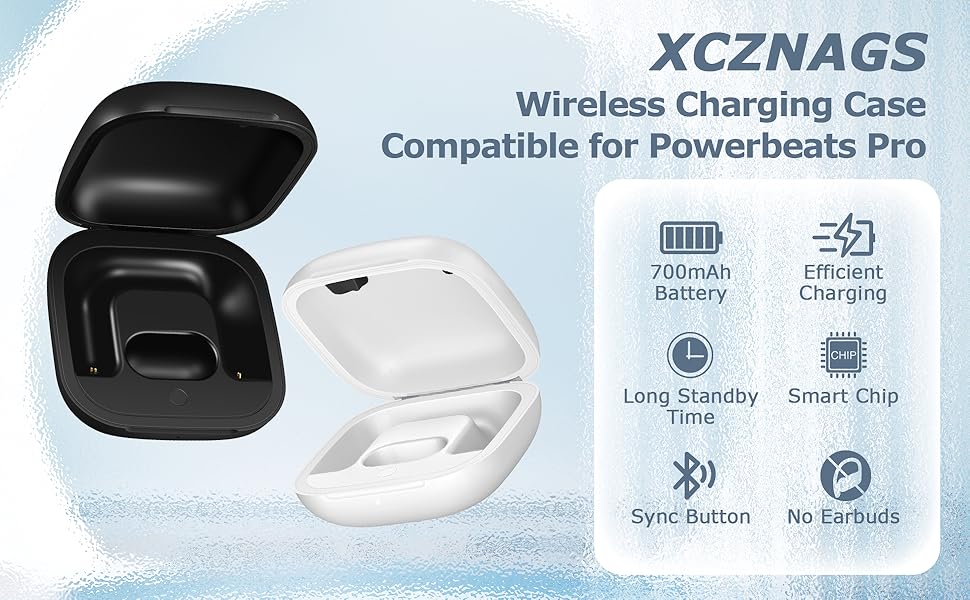
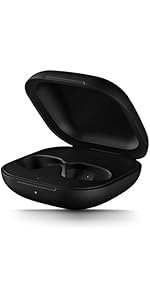
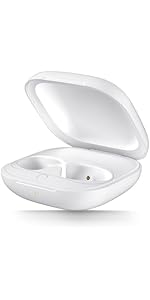
    Abourt Charging Case Replacement Compatible with Powerbeats Pro - 700mAh Battery Portable Earbuds Charger Case with Bluetooth Pairing Black

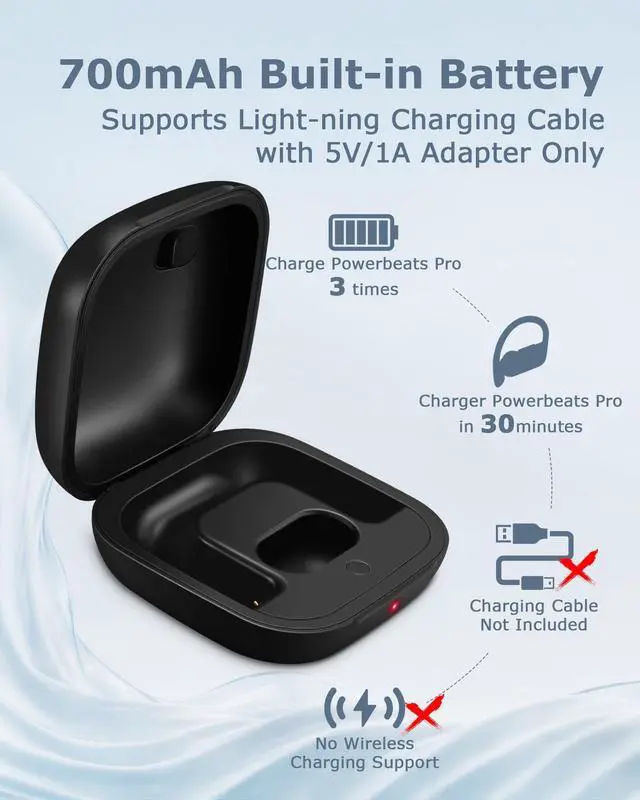
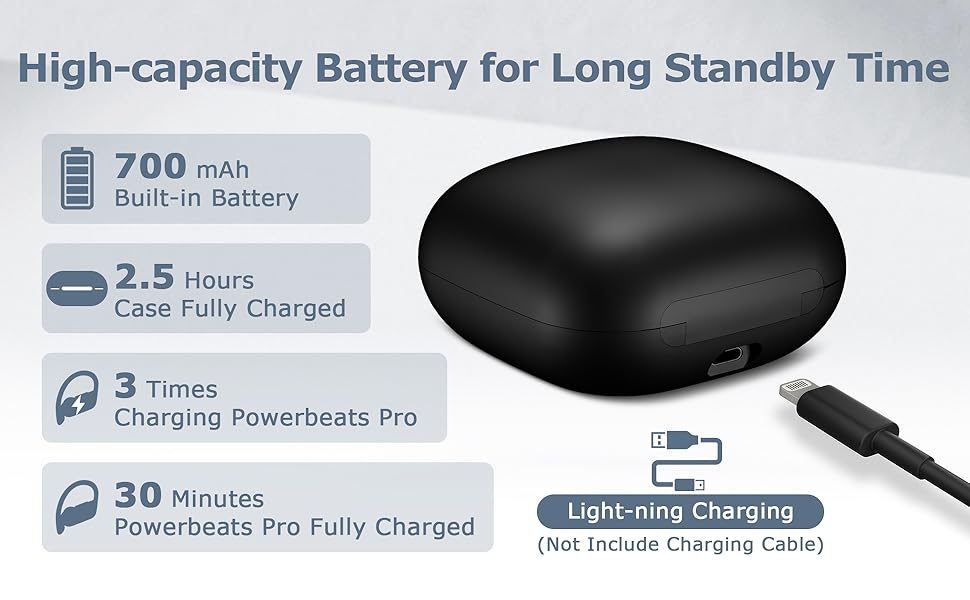
    • 700mAh of Reliable Power: Our Powerbeats Pro charging case provides 3 full charges for earbuds. It takes just 30 minutes to fully charge your earbuds, and 2.5 hours to recharge the case
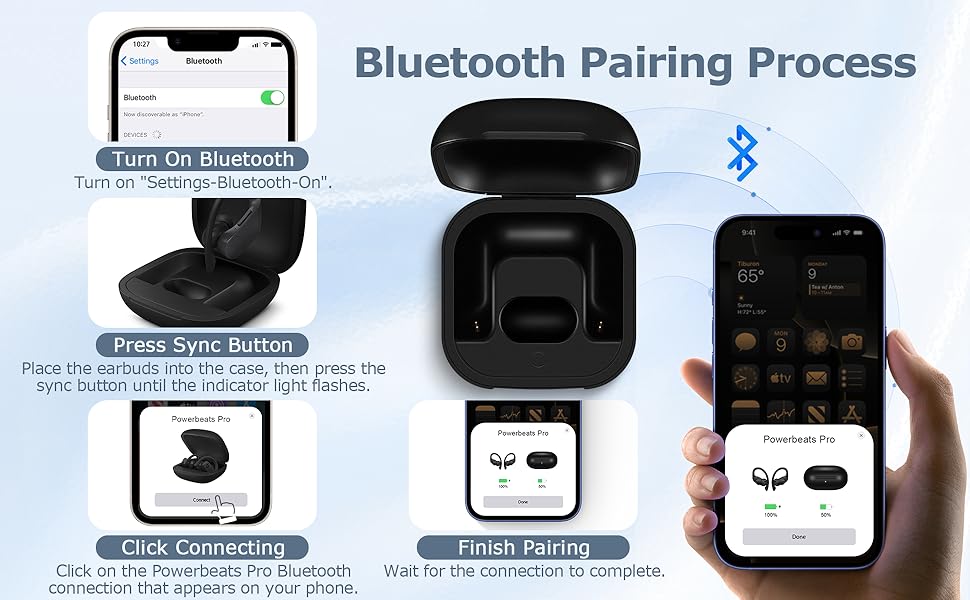
    • Instant Connection: Seamless sync with the dedicated Bluetooth button. Works perfectly with IOS or Android, just like the original Powerbeats Pro charger case
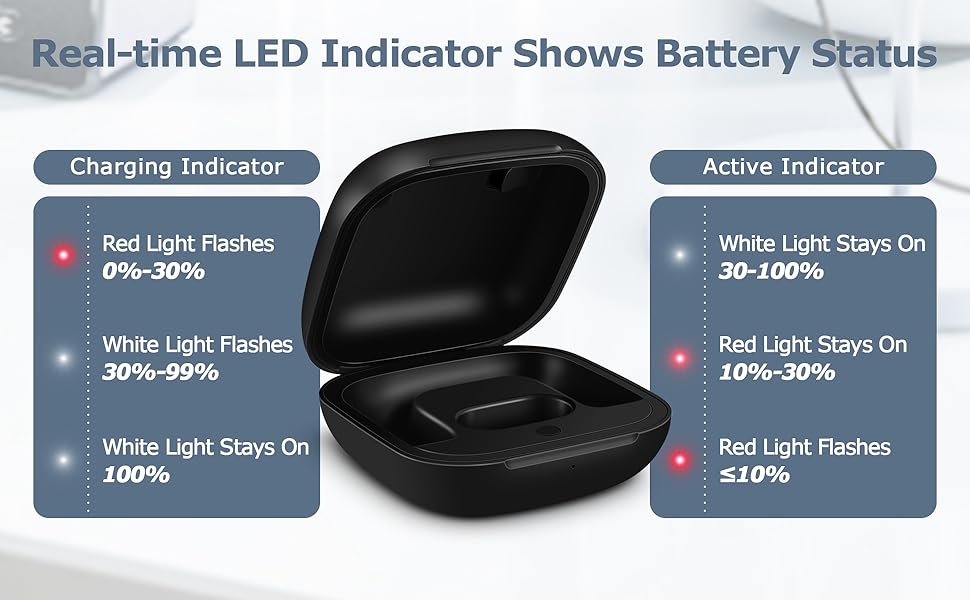
    • LED Battery Check at a Glance: Real-time LED display shows battery status clearly of the Powerbeats Pro replacement case. Always let you know exactly how much charge is left. Easy to read and always convenient
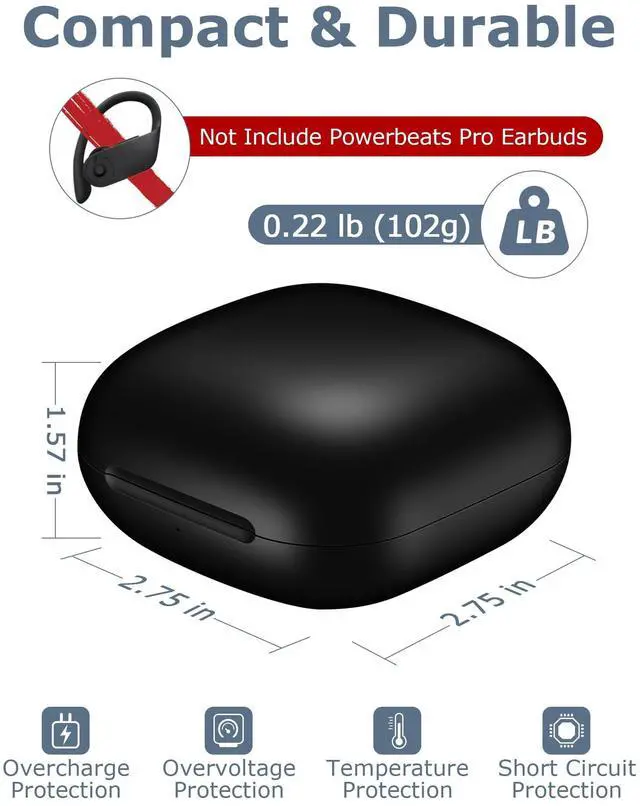
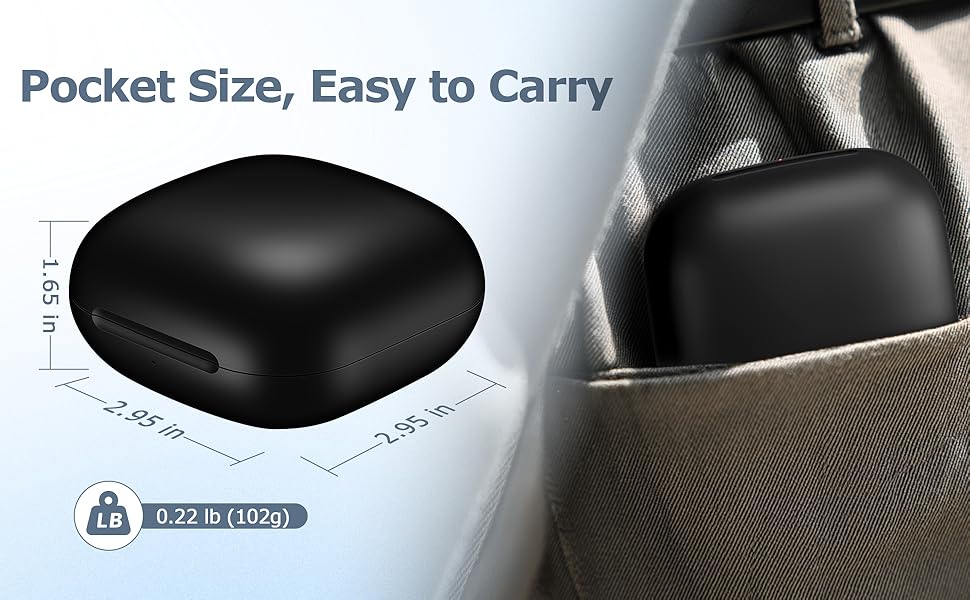
    • Perfect for Daily Use: A compact Powerbeats Pro charging case replacement that easily fits in your pocket or bag. Perfect for replacing lost or broken original one
    • After Sales Service: Includes Powerbeats Pro case and manual. If you need any help, please feel free to contact us
    +
    +
    Overview
    Specs
    Reviews
    avatar

    Any questions? Our AI beta will help you find out quickly.

    1
    Bluetooth pairing process

    For iOS 18 (Latest System):

    1. Open Settings > Bluetooth on your iPhone and enable Bluetooth.
    2. Open the charging case and insert one earbud. Wait for the case's light to turn off.
    3. Insert the second earbud and wait for the light to turn off again.
    4. A pairing prompt should appear on your iPhone. Tap "Connect."
    5. Press and hold the button on the case until pairing is complete.

    For iOS 17, Android, or If No Pop-Up on iOS 18:

    1. Open the charging case and insert one earbud. Wait for the light to turn off.
    2. Insert the second earbud and wait for the light to turn off.
    3. Press and hold the button on the case until the light flashes white, then release.
    4. If the light doesn’t flash white, remove both earbuds, close and reopen the case, then repeat the steps until the light flashes white.
    5. Check your phone’s Bluetooth settings and tap to pair with the headphones.

    Additional Tips:

    • Check the Charge: Ensure the case is fully charged (light shows white/green when full). A low battery can interfere with pairing.
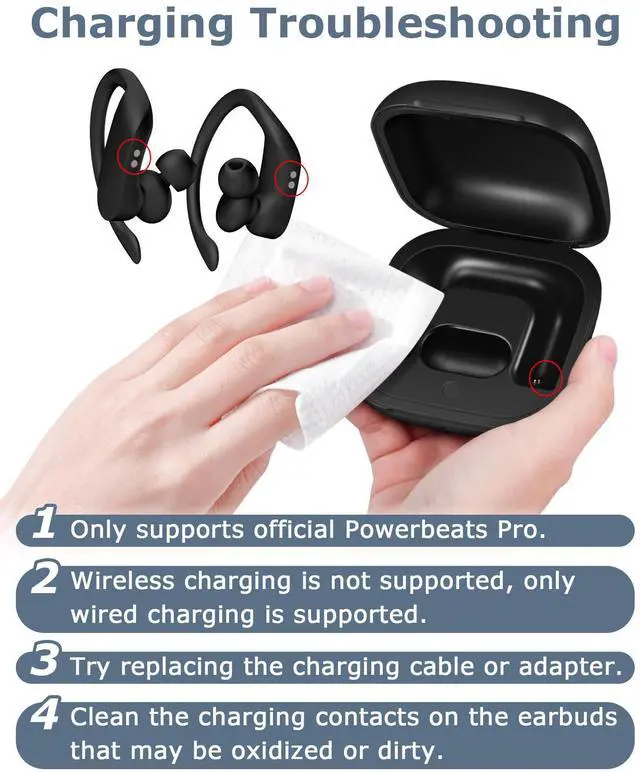
    • Clean the Contacts: Dirt on the case or earbud contacts can cause pairing issues. Clean them gently with a soft, dry cloth.

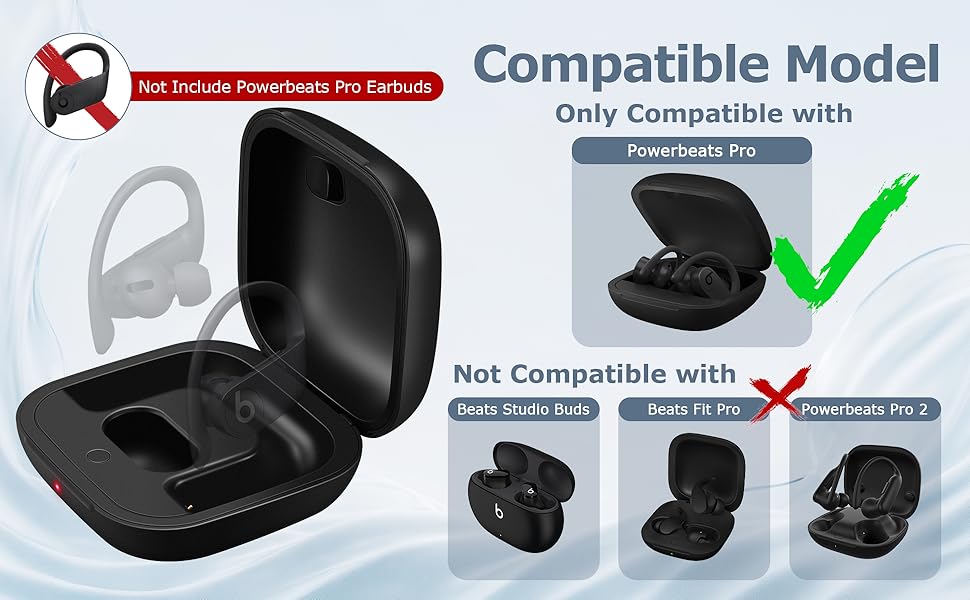
    compatible model
    high-capacity battery
    LED indicator
    product size
    https://m.media-amazon.com/images/S/aplus-media-library-service-media/12b67be3-2891-4495-be2d-e584829deb2b.__AC_SR150,300___.jpg
    XCZNAGS Charging Case Replacement Compatible with Powerbeats Pro - 700mAh Bat...
    https://m.media-amazon.com/images/S/aplus-media-library-service-media/939034d5-d897-4ce3-bf08-9cc4480157b3.__AC_SR150,300___.jpg
    XCZNAGS Charging Case Replacement Compatible with Powerbeats Pro - 700mAh Bat...
    https://m.media-amazon.com/images/S/aplus-media-library-service-media/1085f9d2-d24c-421b-aafd-fcc912c8037a.__AC_SR150,300___.jpg
    XCZNAGS Charging Case Replacement Compatible with Beats Studio Buds - 660mAh ...
    https://m.media-amazon.com/images/S/aplus-media-library-service-media/be9eaec5-4ad7-494d-9c3c-e5d283684f6e.__AC_SR150,300___.jpg
    XCZNAGS Charging Case Replacement Compatible with Beats Fit Pro - 700mAh Batt...
    https://m.media-amazon.com/images/S/aplus-media-library-service-media/60df867d-0286-45ae-9015-ff7243af66c5.__AC_SR150,300___.jpg
    XCZNAGS Charging Case Replacement Compatible with Beats Fit Pro - 700mAh Batt...
    Customer Reviews
    Price
    Charging Port light-ning light-ning USB-C USB-C USB-C
    Compatible with Powerbeats Pro Powerbeats Pro Studio Buds Beats Fit Pro Beats Fit Pro
    Note Not for Powerbeats Pro 2 Not for Powerbeats Pro 2 Not for Studio Buds + no datano data
    Charging Method Wired only Wired only Wired only Wired & Wireless Wired & Wireless
    Includes Charging Cable No No ? ? ?
    1
    Bluetooth pairing process

    For iOS 18 (Latest System):

    1. Open Settings > Bluetooth on your iPhone and enable Bluetooth.
    2. Open the charging case and insert one earbud. Wait for the case's light to turn off.
    3. Insert the second earbud and wait for the light to turn off again.
    4. A pairing prompt should appear on your iPhone. Tap "Connect."
    5. Press and hold the button on the case until pairing is complete.

    For iOS 17, Android, or If No Pop-Up on iOS 18:

    1. Open the charging case and insert one earbud. Wait for the light to turn off.
    2. Insert the second earbud and wait for the light to turn off.
    3. Press and hold the button on the case until the light flashes white, then release.
    4. If the light doesn’t flash white, remove both earbuds, close and reopen the case, then repeat the steps until the light flashes white.
    5. Check your phone’s Bluetooth settings and tap to pair with the headphones.

    Additional Tips:

    • Check the Charge: Ensure the case is fully charged (light shows white/green when full). A low battery can interfere with pairing.
    • Clean the Contacts: Dirt on the case or earbud contacts can cause pairing issues. Clean them gently with a soft, dry cloth.

    compatible model
    high-capacity battery
    LED indicator
    product size
    https://m.media-amazon.com/images/S/aplus-media-library-service-media/12b67be3-2891-4495-be2d-e584829deb2b.__AC_SR150,300___.jpg
    XCZNAGS Charging Case Replacement Compatible with Powerbeats Pro - 700mAh Bat...
    https://m.media-amazon.com/images/S/aplus-media-library-service-media/939034d5-d897-4ce3-bf08-9cc4480157b3.__AC_SR150,300___.jpg
    XCZNAGS Charging Case Replacement Compatible with Powerbeats Pro - 700mAh Bat...
    https://m.media-amazon.com/images/S/aplus-media-library-service-media/1085f9d2-d24c-421b-aafd-fcc912c8037a.__AC_SR150,300___.jpg
    XCZNAGS Charging Case Replacement Compatible with Beats Studio Buds - 660mAh ...
    https://m.media-amazon.com/images/S/aplus-media-library-service-media/be9eaec5-4ad7-494d-9c3c-e5d283684f6e.__AC_SR150,300___.jpg
    XCZNAGS Charging Case Replacement Compatible with Beats Fit Pro - 700mAh Batt...
    https://m.media-amazon.com/images/S/aplus-media-library-service-media/60df867d-0286-45ae-9015-ff7243af66c5.__AC_SR150,300___.jpg
    XCZNAGS Charging Case Replacement Compatible with Beats Fit Pro - 700mAh Batt...
    Customer Reviews
    Price
    Charging Port light-ning light-ning USB-C USB-C USB-C
    Compatible with Powerbeats Pro Powerbeats Pro Studio Buds Beats Fit Pro Beats Fit Pro
    Note Not for Powerbeats Pro 2 Not for Powerbeats Pro 2 Not for Studio Buds + no datano data
    Charging Method Wired only Wired only Wired only Wired & Wireless Wired & Wireless
    Includes Charging Cable No No ? ? ?

    Charging Case Replacement Compatible with Powerbeats Pro


    Product information

    Brand XCZNAGS
    Color Black
    Compatible Devices Headphones
    Form Factor Case
    Shell Type Hard
    Package Dimensions 3.54 x 3.54 x 1.97 inches
    Item Weight 3.52 ounces
    Special features Lightweight
    Whats in the box charging case, users manual
    Manufacturer Shenzhen Xingyuan Sheng Electronic Technology Co., Ltd.
    Date First Available June 25, 2025

    Warranty & Returns

    Warranty, Returns, And Additional Information

    Warranty

    • Please contact the Seller directly for warranty information. Warranty information may also be found on the Manufacturer's website.
    • CONTACT

    Return Policies

    Manufacturer Contact Info

    LOADING...