

Your Browsing History

Meet Your Seller

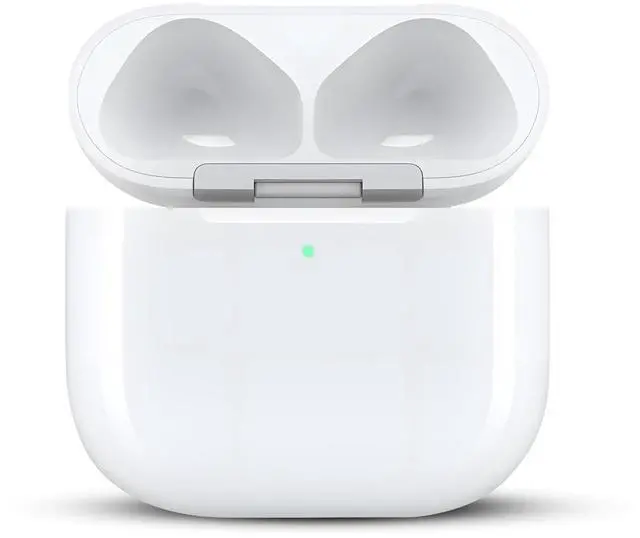


Wireless Charging Case Only for AirPods 4 USB C Prot, Replacement Cases Compatible with AirPod 4 Gen Charger Case Type-c (No Earbuds) (for Airpods 4)
Limited time offer, ends 09/17 By FiveMacro Store
- Designed exclusively for AirPods 4th Generation, this replacement charging case is not compatible with other headphone models. It does not support the Find My feature. This case can function as a spare or replacement, enabling convenient charging of your AirPods in various locations. Earbuds are not included. Fast Charging: The wireless charging case offers quick charging capabilities. Its built-in 680 mAh battery achieves a full charge in 2.5 hours, delivering up to 3 complete charges for the earbuds. The AirPods 4th generation can be fully charged within 30 minutes. Wired & Wireless Charging: Supports both USB-C cable charging and Qi-compatible wireless charging. LED indicators on the case are visible during charging, keeping you updated on the charging status. Charging Protection Design: This replacement case incorporates upgraded technology with six built-in protection mechanisms: overcharge, overvoltage, overheating, overcurrent, short-circuit, and overpower safeguards. Note: Avoid plugging in the charger during the Bluetooth pairing stage. If you experience issues like one earbud having no sound, the indicator light flashing randomly, or connection problems, attempt these steps first: 1. Place the earbuds back into the case, close the lid for 15 minutes, then open it. 2. Inspect and clean the contact points on both the earbuds and the charging case, then try again. 3. Verify that the earbuds are not disconnected and have adequate battery power
+
+
Overview
Specs
Reviews

Any questions? Our AI mode will help you find out quickly.
Try me now
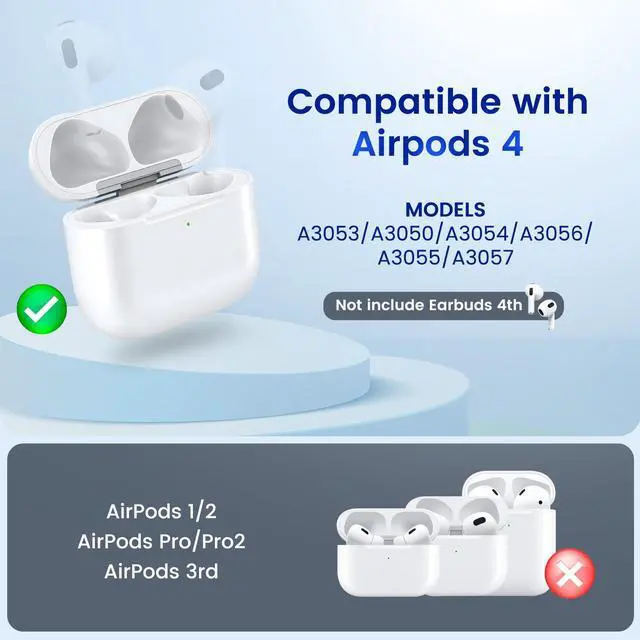
Designed exclusively for AirPods 4th Generation, this replacement charging case is not compatible with other headphone models. It does not support the Find My feature. This case can function as a spare or replacement, enabling convenient charging of your AirPods in various locations. Earbuds are not included.
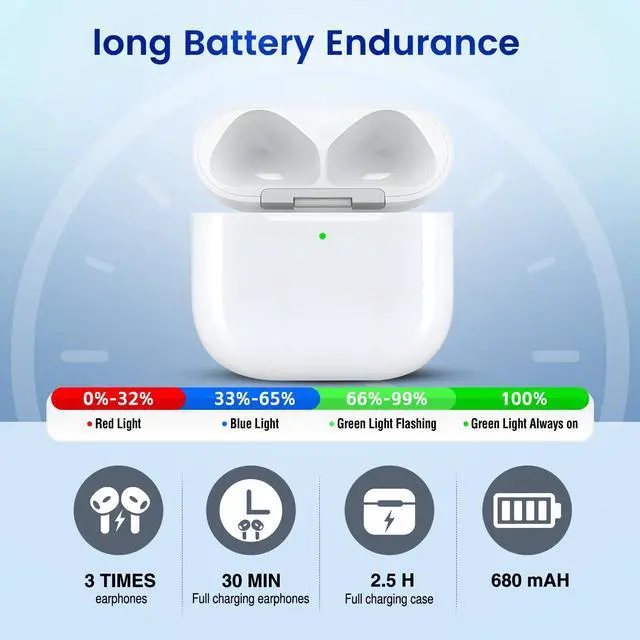
Fast Charging: The wireless charging case offers quick charging capabilities. Its built-in 680 mAh battery achieves a full charge in 2.5 hours, delivering up to 3 complete charges for the earbuds. The AirPods 4th generation can be fully charged within 30 minutes.
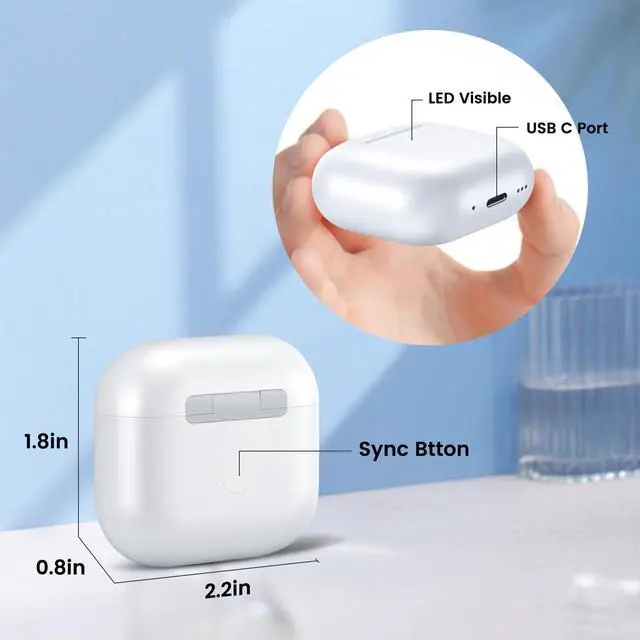
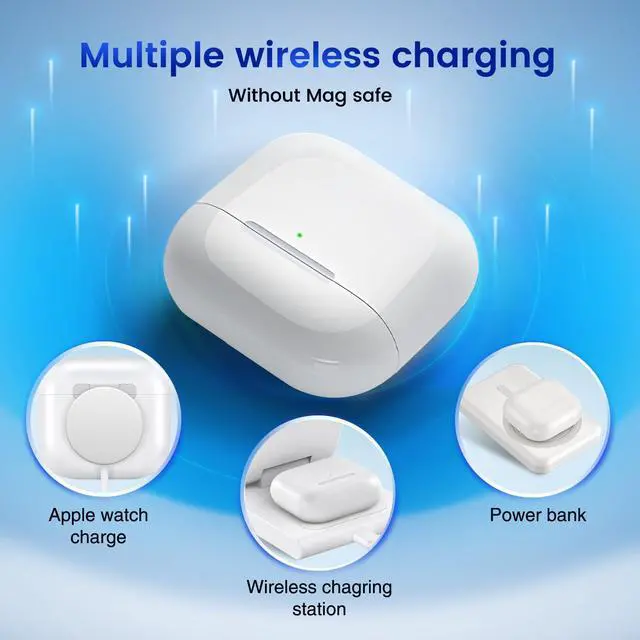
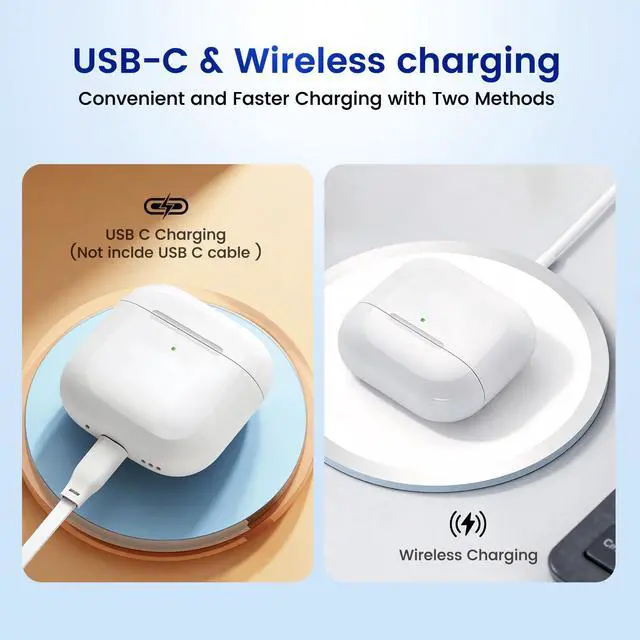
Wired & Wireless Charging: Supports both USB-C cable charging and Qi-compatible wireless charging. LED indicators on the case are visible during charging, keeping you updated on the charging status.
Charging Protection Design: This replacement case incorporates upgraded technology with six built-in protection mechanisms: overcharge, overvoltage, overheating, overcurrent, short-circuit, and overpower safeguards.
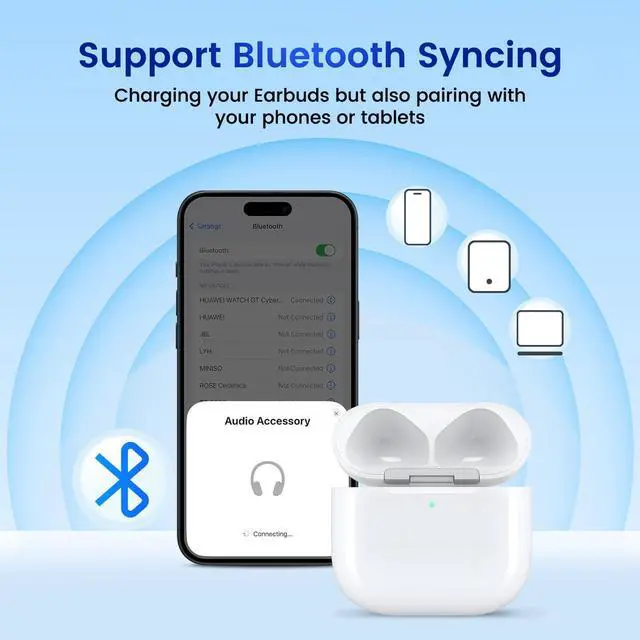
Note: Avoid plugging in the charger during the Bluetooth pairing stage. If you experience issues like one earbud having no sound, the indicator light flashing randomly, or connection problems, attempt
these steps first:
1. Place the earbuds back into the case, close the lid for 15 minutes, then open it.
2. Inspect and clean the contact points on both the earbuds and the charging case, then try again.
3. Verify that the earbuds are not disconnected and have adequate battery power
Fast Charging: The wireless charging case offers quick charging capabilities. Its built-in 680 mAh battery achieves a full charge in 2.5 hours, delivering up to 3 complete charges for the earbuds. The AirPods 4th generation can be fully charged within 30 minutes.
Wired & Wireless Charging: Supports both USB-C cable charging and Qi-compatible wireless charging. LED indicators on the case are visible during charging, keeping you updated on the charging status.
Charging Protection Design: This replacement case incorporates upgraded technology with six built-in protection mechanisms: overcharge, overvoltage, overheating, overcurrent, short-circuit, and overpower safeguards.
Note: Avoid plugging in the charger during the Bluetooth pairing stage. If you experience issues like one earbud having no sound, the indicator light flashing randomly, or connection problems, attempt
these steps first:
1. Place the earbuds back into the case, close the lid for 15 minutes, then open it.
2. Inspect and clean the contact points on both the earbuds and the charging case, then try again.
3. Verify that the earbuds are not disconnected and have adequate battery power
Warranty & Returns
Warranty, Returns, And Additional Information
Warranty
- Please contact the Seller directly for warranty information. Warranty information may also be found on the Manufacturer's website.
- CONTACT
Return Policies
- Return for refund within: 30 days
- Return for replacement within: 30 days
- This item is covered by FiveMacro Store Return Policy
Manufacturer Contact Info
- For a directory of all our manufacturers, please click below.
- Manufacturers Directory
LOADING...