

Your Browsing History

Meet Your Seller

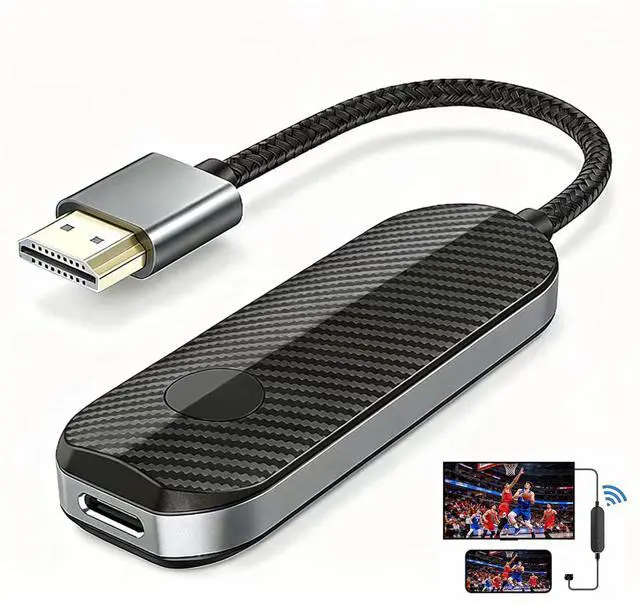


iShare iOS Wireless HDMI Adapter for iPhone iPad, 5GHz 1080P Screen Mirroring to TV Monitor Projector, Plug & Play No App, Stream YouTube TikTok to TV, Laptop Duplicate/Extend Mode
Limited time offer, ends 08/26 By WanJin World Shop
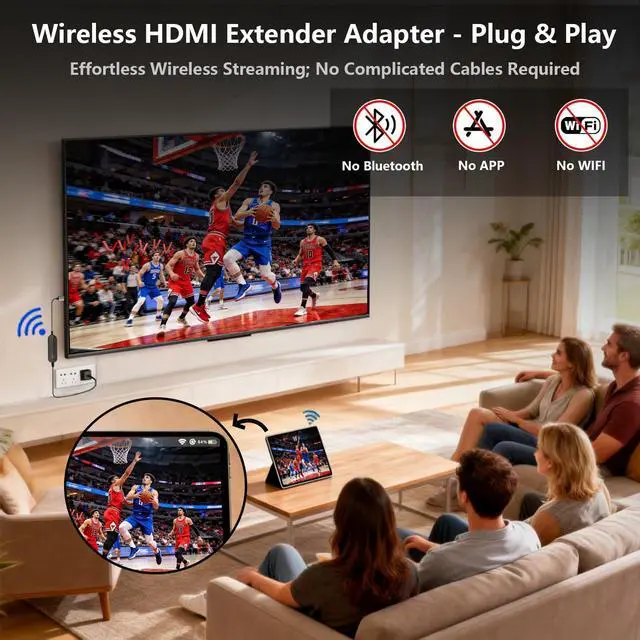
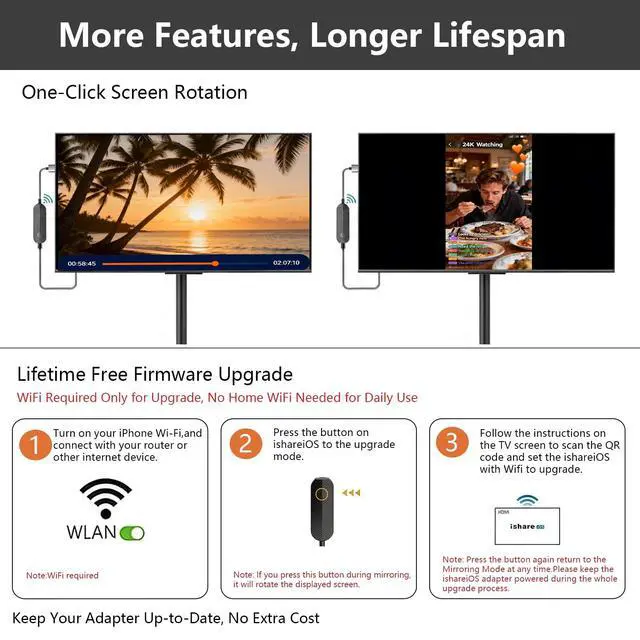
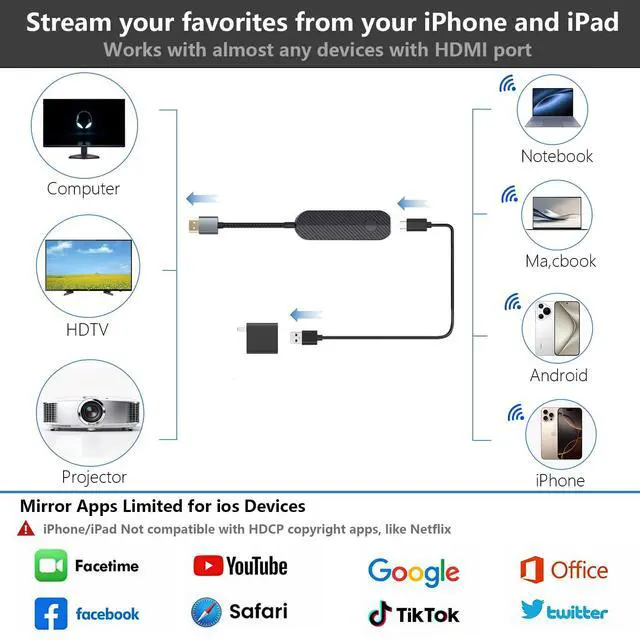
- Plug-and-Play in Three Steps: Connect the receiver to the displays HDMI port, connect the USB power cable, and select the corresponding HDMI input. Then open screen mirroring on your compatible iPhone or iPad. No home Wi-Fi router, Wi-Fi password, or complex setup is neededjust straightforward plug-and-play ease for home, office, or travel. Designed Exclusively for iPhone & iPad: Wirelessly mirror videos, photos, presentations, and more from compatible Lightning or USB-C iPhone and iPad devices to an HDMI TV, monitor, or projector. No app download, Wi-Fi network, Bluetooth pairing, or account requiredsimply connect and begin mirroring. Supports compatible Apple mobile devices running iOS or iPadOS 9.0 or later. For iOS/iPadOS devices only; not compatible with Android. What You Can Stream (And What You Can't): This base model is optimized for free and open-platform applications. Enjoy smooth mirroring of YouTube, TikTok, Facebook, Instagram, photos, games, and presentations. Please note: Due to HDCP copyright protection, it does not support premium subscription services such as Netflix, Hulu, Prime Video, or Disney+. Non-Stop Entertainment with Simultaneous Charging: Never let a low battery disrupt your movie or presentation. The smart design keeps your iPhone's charging port available, allowing you to power your device while mirroring. Plus, it works with your cellular data, so you can stream anywherewhether you're at home, in a hotel, or at the office. USB power adapte
+
+
Overview
Specs
Reviews

Any questions? Our AI mode will help you find out quickly.
Try me now
Plug-and-Play in
Three Steps: Connect the receiver to the displays HDMI port, connect the USB power cable, and select the corresponding HDMI input. Then open screen mirroring on your compatible iPhone or iPad. No home Wi-Fi router, Wi-Fi password, or complex setup is neededjust straightforward plug-and-play ease for home, office, or travel. Designed Exclusively for iPhone
& iPad: Wirelessly mirror videos, photos, presentations, and more from compatible Lightning or USB-C iPhone and iPad devices to an HDMI TV, monitor, or projector. No app download, Wi-Fi network, Bluetooth pairing, or account requiredsimply connect and begin mirroring. Supports compatible Apple mobile devices running iOS or iPadOS 9.0 or later. For iOS/iPadOS devices only; not compatible with Android. What You Can Stream (And
What You Can't): This base model is optimized for free and open-platform applications. Enjoy smooth mirroring of YouTube, TikTok, Facebook, Instagram, photos, games, and presentations.
Please note: Due to HDCP copyright protection, it does not support premium subscription services such as Netflix, Hulu, Prime Video, or Disney+. Non-Stop Entertainment with
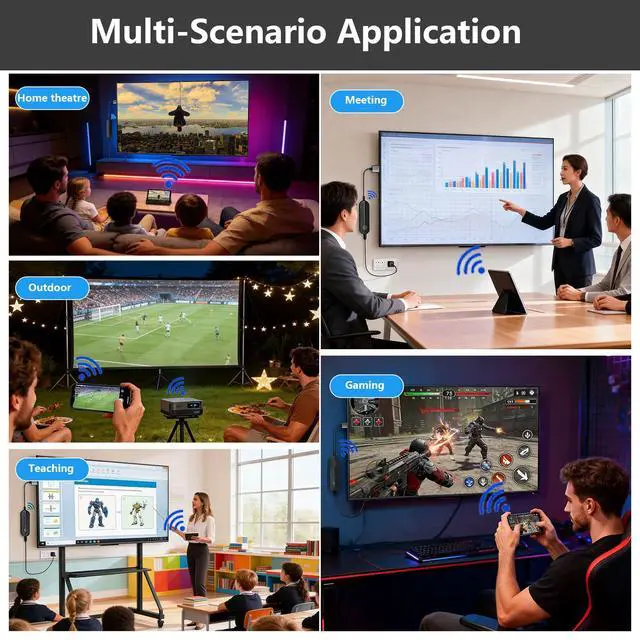
Simultaneous Charging: Never let a low battery disrupt your movie or presentation. The smart design keeps your iPhone's charging port available, allowing you to power your device while mirroring. Plus, it works with your cellular data, so you can stream anywherewhether you're at home, in a hotel, or at the office. USB power adapter is not included; use a 5V/1A power source as recommended
Three Steps: Connect the receiver to the displays HDMI port, connect the USB power cable, and select the corresponding HDMI input. Then open screen mirroring on your compatible iPhone or iPad. No home Wi-Fi router, Wi-Fi password, or complex setup is neededjust straightforward plug-and-play ease for home, office, or travel. Designed Exclusively for iPhone
& iPad: Wirelessly mirror videos, photos, presentations, and more from compatible Lightning or USB-C iPhone and iPad devices to an HDMI TV, monitor, or projector. No app download, Wi-Fi network, Bluetooth pairing, or account requiredsimply connect and begin mirroring. Supports compatible Apple mobile devices running iOS or iPadOS 9.0 or later. For iOS/iPadOS devices only; not compatible with Android. What You Can Stream (And
What You Can't): This base model is optimized for free and open-platform applications. Enjoy smooth mirroring of YouTube, TikTok, Facebook, Instagram, photos, games, and presentations.
Please note: Due to HDCP copyright protection, it does not support premium subscription services such as Netflix, Hulu, Prime Video, or Disney+. Non-Stop Entertainment with
Simultaneous Charging: Never let a low battery disrupt your movie or presentation. The smart design keeps your iPhone's charging port available, allowing you to power your device while mirroring. Plus, it works with your cellular data, so you can stream anywherewhether you're at home, in a hotel, or at the office. USB power adapter is not included; use a 5V/1A power source as recommended
Warranty & Returns
Warranty, Returns, And Additional Information
Warranty
- Please contact the Seller directly for warranty information. Warranty information may also be found on the Manufacturer's website.
- CONTACT
Return Policies
- Return for refund within: 30 days
- Return for replacement within: 30 days
- This item is covered by WanJin World Shop Return Policy
Manufacturer Contact Info
- For a directory of all our manufacturers, please click below.
- Manufacturers Directory
LOADING...