Your Browsing History
Meet Your Seller
Inline Mute with Volume Control Cable Cord Wire for AstroA10 A10 A40 A40 TR Gaming Headsets Designed for PC, Mobile, Smartphones, Xbox One and PS4 Gaming
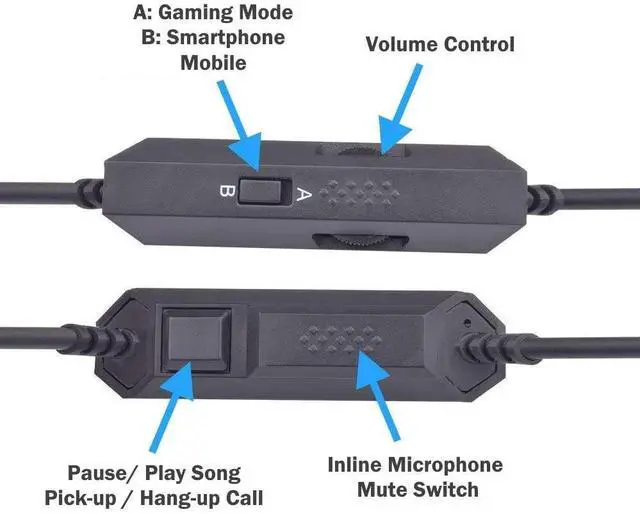
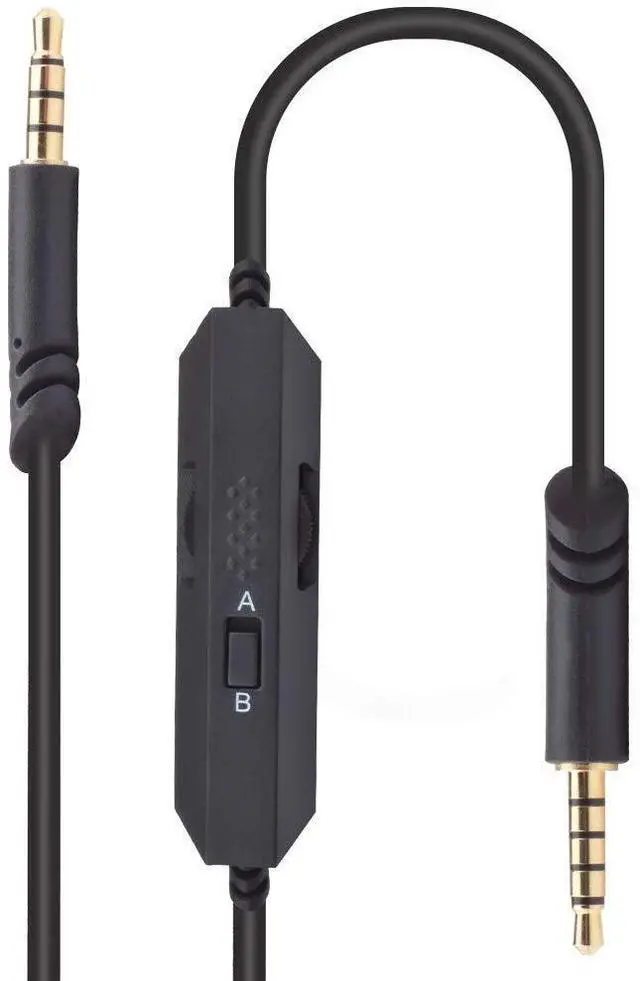
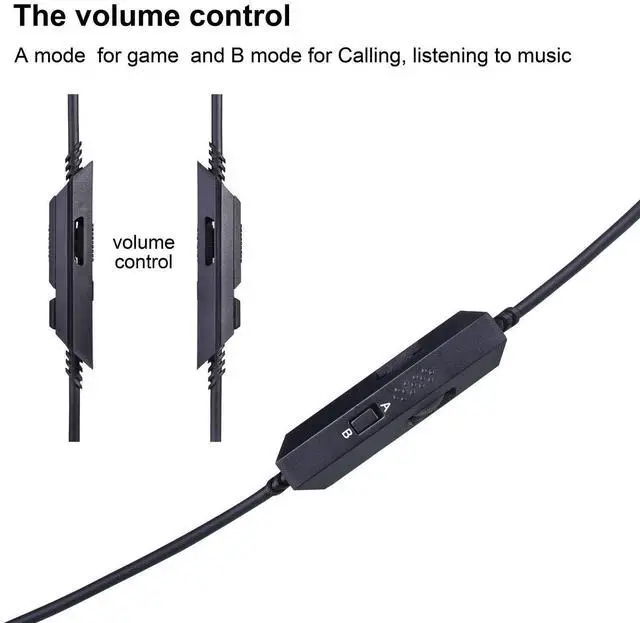
- This versatile multi-use audio cable for Astro A10, A10, A40, and A40 TR gaming headsets can be used for PC, Mobile / Smartphone, Xbox One, PS4, internet calling, Skype, video calling, and more. The cable, also referred to as the Media Controller Cable or Media Cable, contains a volume wheel, inline mic, a mute button, and a call pickup/hangup button. Please check the product images to easily see the functions of this cable. IMPORTANT NOTES: This is compatible only with A10, A40, and A40 TR. This is NOT compatible with other models or headsets. For gaming, we suggest mode A (see the switch at the back of the inline control module). When using mode A, you can mute or un-mute your headset microphone by sliding up or down the mute switch (front control). The wheel control is used to adjust your music or chat volume. Mode B (at the back of the inline control module) is ideal when your A40 or A10 is connected to your smartphone with a 3.5mm jack. The button below the inline mute switch can be used to pick up or hang up a call. When using your A10 or A40 to listen to music, the call pickup/hangup button can be used to pause or un-pause your music. Mode B also enables the inline microphone

+
+
Overview
Specs
Reviews
Any questions? Our AI mode will help you find out quickly.
Try me now
This versatile multi-use audio cable for Astro A10, A10, A40, and A40 TR gaming headsets can be used for PC, Mobile / Smartphone, Xbox One, PS4, internet calling, Skype, video calling, and more. The cable, also referred to as the Media Controller Cable or Media Cable, contains a volume wheel, inline mic, a mute button, and a call pickup/hangup button. Please check the product images to easily see the functions of this cable.
IMPORTANT NOTES: This is compatible only with A10, A40, and A40 TR. This is NOT compatible with other models or headsets. For gaming, we suggest mode A (see the switch at the back of the inline control module). When using mode A, you can mute or un-mute your headset microphone by sliding up or down the mute switch (front control). The wheel control is used to adjust your music or chat volume. Mode B (at the back of the inline control module) is ideal when your A40 or A10 is connected to your smartphone with a 3.5 mm jack. The button below the inline mute switch can be used to pick up or hang up a call. When using your A10 or A40 to listen to music, the call pickup/hangup button can be used to pause or un-pause your music. Mode B also enables the inline microphone
Warranty & Returns
Warranty, Returns, And Additional Information
Warranty
- Please contact the Seller directly for warranty information. Warranty information may also be found on the Manufacturer's website.
- CONTACT
Return Policies
- Return for refund within: 30 days
- Return for replacement within: 30 days
- This item is covered by HeYuan Shop Return Policy
Manufacturer Contact Info
- For a directory of all our manufacturers, please click below.
- Manufacturers Directory
LOADING...