• $100.49
  • Free 30-day Returns
  • Price alert
    Shop it at NeweggBusiness.

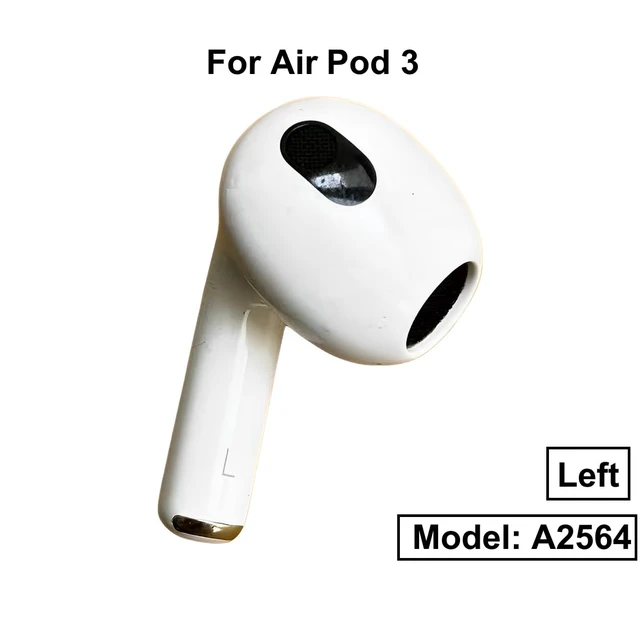
    A2564 Single Left Ear Side Only, OEM Left Earbud Replacement for Pod (3rd Generation), Compatible with Original Pods 3 A2897 A2566, Air Earphones, Charging Case Earpad (Left A2564)

    Limited time offer, ends 10/15 By QiPing Global Store

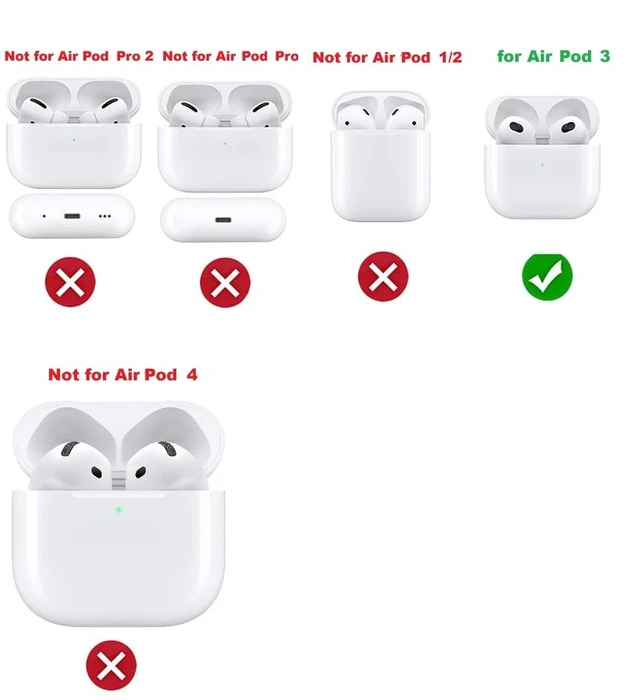
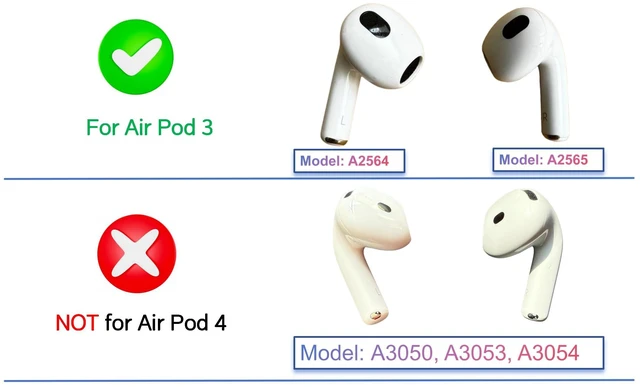
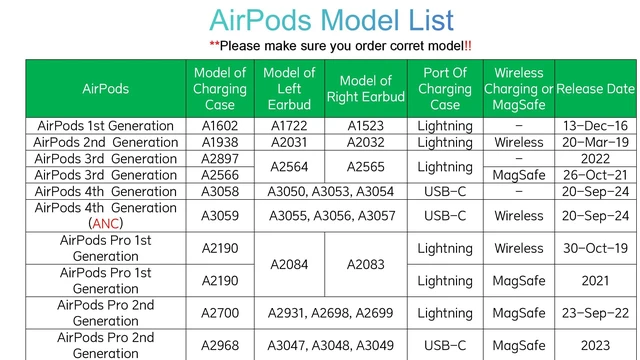
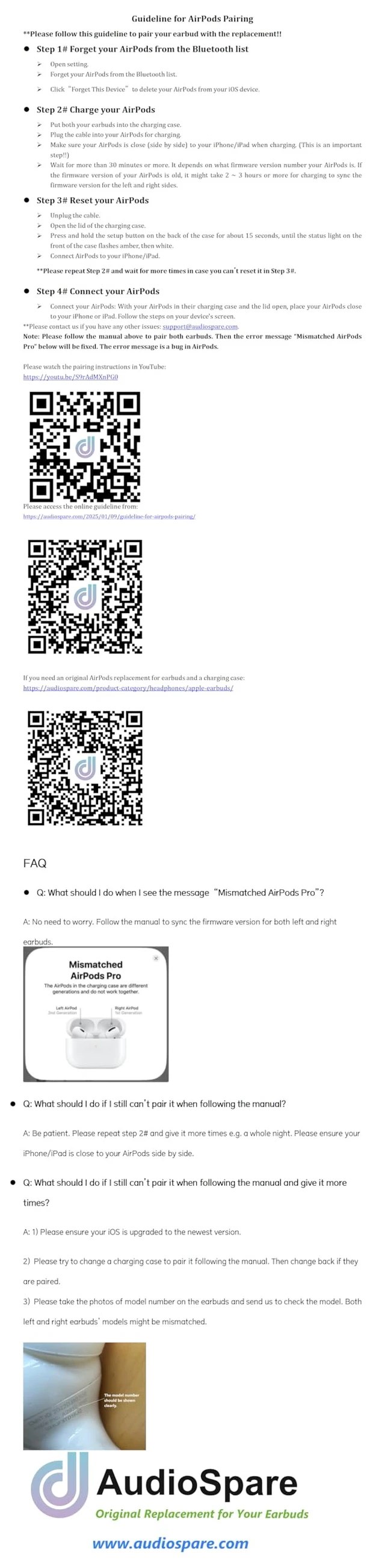
    • It is compatible with Air-Pod 3 (3rd Generation), A2565 earbuds, and A2897 A2566 charging case. It only includes the Left earbud. *Warm Tips: It is incompatible with Earbuds (4th Generation) charging case: A3058 or A3059, or earbuds A3053 A3050 A3056 A3055. If you charge the charging case in advance, you can use it to charge the earbuds when you go out without a power supply. Please note that this earbud (model number A2564) is only compatible with the Earbuds 3 (3rd Generation) charging case (model number A2897 or A2566). Instructions for Pairing: 1) Forget your earbuds from the Bluetooth list; 2) Charge your Earbuds for 30 minutes or more. Ensure your iPhone/iPad is close to your earbuds (side by side!!) when charging; 3) Reset and reconnect the earbuds. **If it does not work, please charge more times, e.g. a whole night. **Need your patience for the pairing. It might take a longer time!!
    +
    +
    Overview
    Specs
    Reviews
    avatar

    Any questions? Our AI mode will help you find out quickly.

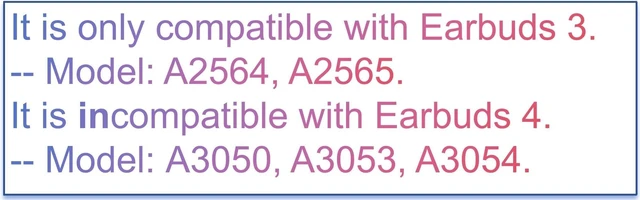
    It is compatible with Air-Pod 3 (3rd Generation), A2565 earbuds, and A2897 A2566 charging case. It only includes the Left earbud.
    *Warm Tips: It is incompatible with Earbuds (4th
    Generation) charging case: A3058 or A3059, or earbuds A3053 A3050 A3056 A3055. If you charge the charging case in advance, you can use it to charge the earbuds when you go out without a power supply. Please note that this earbud (model number A2564) is only compatible with the Earbuds 3 (3rd Generation) charging case (model number A2897 or A2566).
    Instructions for Pairing: 1) Forget your earbuds from the Bluetooth list; 2) Charge your Earbuds for 30 minutes or more. Ensure your iPhone/iPad is close to your earbuds (side by side!! ) when charging; 3) Reset and reconnect the earbuds. **If it does not work, please charge more times, e. g. a whole night. **Need your patience for the pairing. It might take a longer time!!

    Warranty & Returns

    Warranty, Returns, And Additional Information

    Warranty

    • Please contact the Seller directly for warranty information. Warranty information may also be found on the Manufacturer's website.
    • CONTACT

    Return Policies

    Manufacturer Contact Info

    LOADING...