

Your Browsing History
- $61.99
- Free 30-day Returns

Meet Your Seller

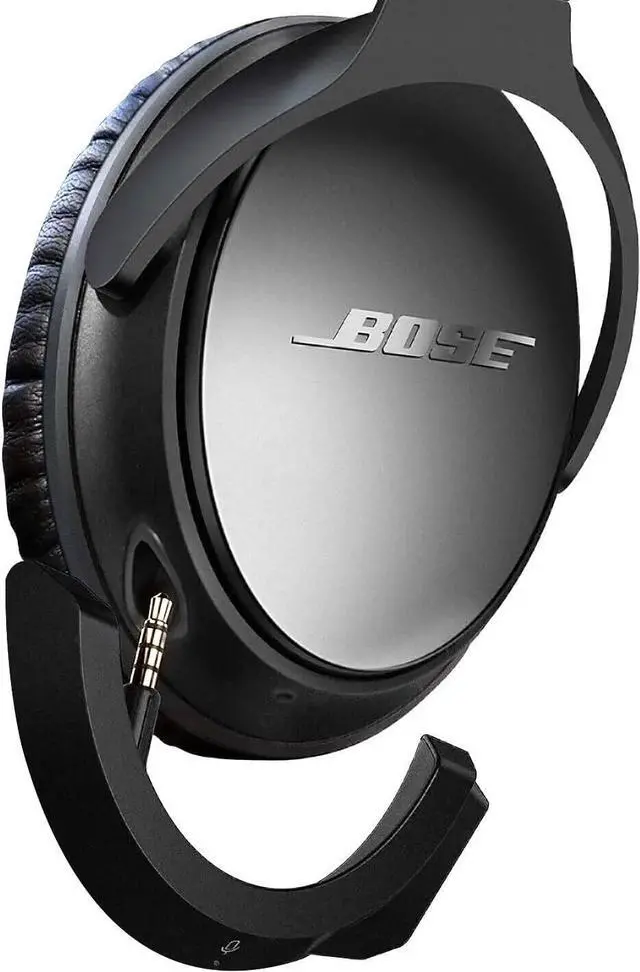


Upgraded aptX Wireless Bluetooth Adapter for Bose QuietComfort 25 QC 25Headphones with Mic/Volume Control Black
Limited time offer, ends 10/05 By Ceelys Store
- Upgraded aptX Wireless Bluetooth Adapter for Bose QuietComfort 25 QC 25Headphones with Mic/Volume Control Black
+
+
Overview
Specs
Reviews

Any questions? Our AI mode will help you find out quickly.
Try me now
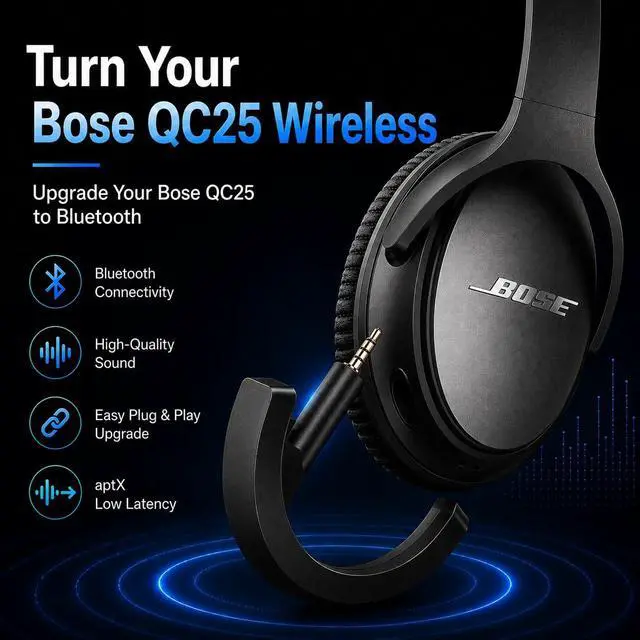
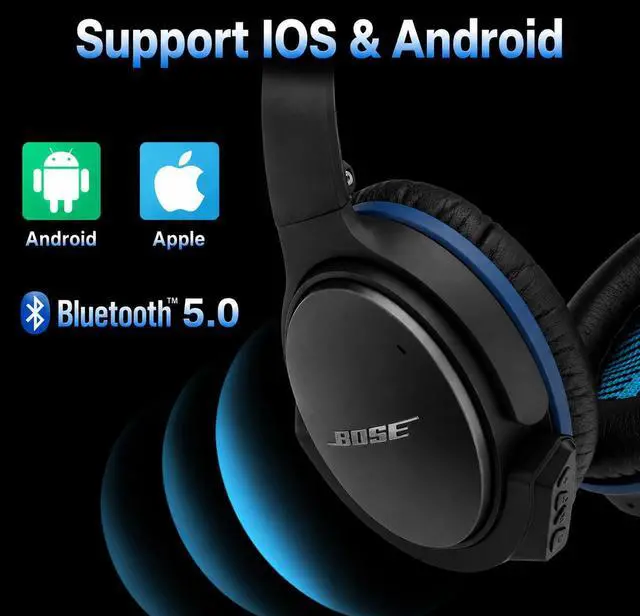
Support aptXThis Bluetooth adapter ONLY fits for Bose QC25 headphones. If you look for adapter for
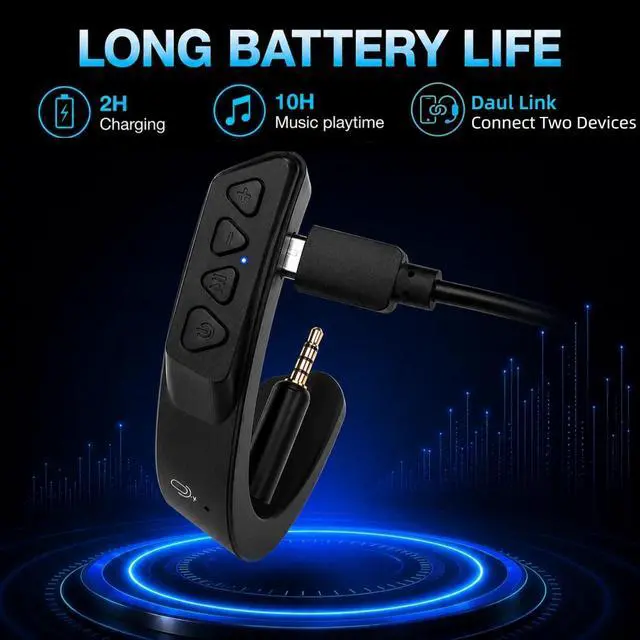
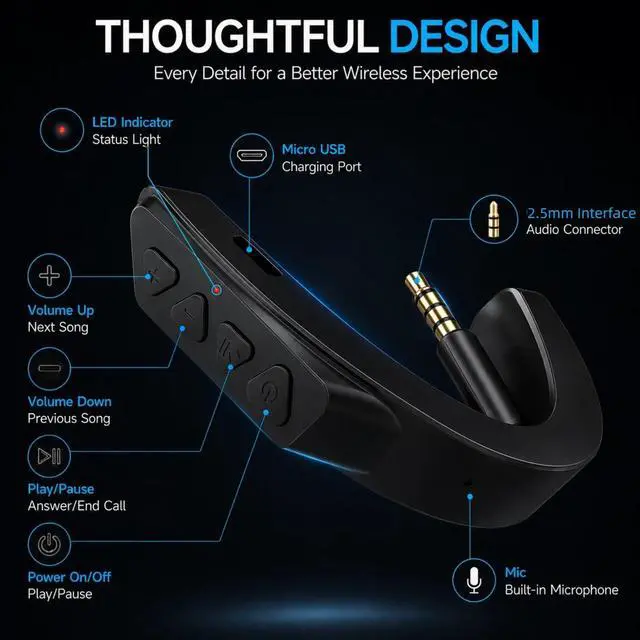
Bose QC15 headphones please search: B08L37CGXJ. This wireless bluetooth adapter supports aptX and aptX HD for near-lossless musicfeatures aptX LL technology for superior audio-video synchronization. Please note that aptX technology is available when the paired device also supports aptX. Advanced Bluetooth 5.0F aster transfer speed and Dual Link (pair with 2 devices simultaneously). It ensures a stable connection with IOS and Android smart phones in a short time. Gold Plated Audio ConnectorDifferent from others YOCOWOCO wireless adapter choose the gold plated audio connector for better signal conductivity and extraordinary listening experienceProfessional DesignThe internal Mic could pick up your voice clearly and gives you a good communication experience. Extended 10 hour playtime capacity ensures continuous music enjoyment. Fours buttons on the adapter make it easy for play/pause answer/drops calls and volume adjustment. Situated in the hidden place effectively prevent dust and damages. Please remove the adapter from the headphone before chargingNoteYOCOWOCO QC25 Bluetooth adapter can pair with the headphones even when theyre powered off. To get started with wireless audio simply turn on your Bose headset by sliding the power button to the ON position to power it on.
Bose QC15 headphones please search: B08L37CGXJ. This wireless bluetooth adapter supports aptX and aptX HD for near-lossless musicfeatures aptX LL technology for superior audio-video synchronization. Please note that aptX technology is available when the paired device also supports aptX. Advanced Bluetooth 5.0F aster transfer speed and Dual Link (pair with 2 devices simultaneously). It ensures a stable connection with IOS and Android smart phones in a short time. Gold Plated Audio ConnectorDifferent from others YOCOWOCO wireless adapter choose the gold plated audio connector for better signal conductivity and extraordinary listening experienceProfessional DesignThe internal Mic could pick up your voice clearly and gives you a good communication experience. Extended 10 hour playtime capacity ensures continuous music enjoyment. Fours buttons on the adapter make it easy for play/pause answer/drops calls and volume adjustment. Situated in the hidden place effectively prevent dust and damages. Please remove the adapter from the headphone before chargingNoteYOCOWOCO QC25 Bluetooth adapter can pair with the headphones even when theyre powered off. To get started with wireless audio simply turn on your Bose headset by sliding the power button to the ON position to power it on.
Warranty & Returns
Warranty, Returns, And Additional Information
Warranty
- Please contact the Seller directly for warranty information. Warranty information may also be found on the Manufacturer's website.
- CONTACT
Return Policies
- Return for refund within: 30 days
- Return for replacement within: 30 days
- This item is covered by Ceelys Store Return Policy
Manufacturer Contact Info
- For a directory of all our manufacturers, please click below.
- Manufacturers Directory
LOADING...