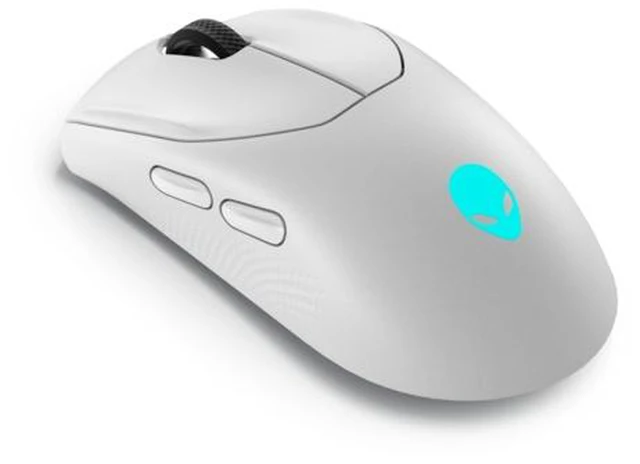
The Alienware AW720M is a tri-mode wireless gaming mouse for players seeking high-precision control, with up to 26,000 DPI, a slimmed-down design, magnetic fast-charging, and a 3-year warranty.
Recommended For
- Left-handed PC gamers who want a symmetrical mouse with side buttons on both sides, rather than adapting to a right-handed shape.
- FPS players who use a 2.4 GHz wireless connection and want to change sensitivity quickly for tasks such as steadying aim; the mouse has a 1,000 Hz polling rate and accessible DPI controls.
- Wireless gamers who play long sessions and prefer fewer charging interruptions: reviewers noted long battery life, and the magnetic charging connection supports quick top-ups.
- PC users who want one mouse for gaming and less latency-sensitive everyday use, with the option to switch between 2.4 GHz, Bluetooth, and wired connections.
Real-World Use Scenarios
- For PC gaming where responsive cursor input matters, connect with the 2.4 GHz USB receiver rather than Bluetooth; reviewers found the receiver offers a higher polling rate and a stable connection during testing.
- For left-handed gaming or general computer use, the ambidextrous shape and buttons on both sides provide a more practical fit than a mouse designed only for right-handed use.
- For someone using a gaming PC and a second Bluetooth-capable device, the mouse can connect by 2.4 GHz to the gaming setup and Bluetooth to the other device, reducing the need for a separate mouse.
- For a desk routine that includes gaming and everyday tasks, use the mouse wirelessly during sessions and attach its magnetic charging cable when it is idle; reviewers found the detachable charging connection convenient for topping up between uses.
- For office work or browsing on a laptop, Bluetooth provides a wireless connection without occupying a USB port; switch to the 2.4 GHz receiver when moving back to gaming on a PC.




 here!

 Hot Seller