Your Browsing History
- Free 30-day Returns
$69.99
Meet Your Seller
Get Educated
Make informed decisions with expert advice. Learn More

Visit Thermaltake Store
FOLLOW
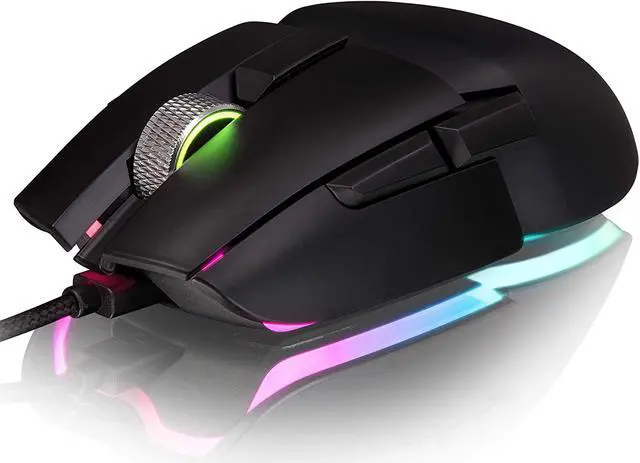
Thermaltake Argent M5 Gaming Mouse, 16.8M RGB Color Software Enabled, 8 Customizable Dynamic Lighting Effects, PIXART PMW-3389 Optical Sensor, DPI Adjustments Up to 16,000. GMO-TMF-WDOOBK-01
- Features a high performance PIXART PMW-3389 optical sensor with up to 16,000 DPI that delivers superior tracking and response, be in total control
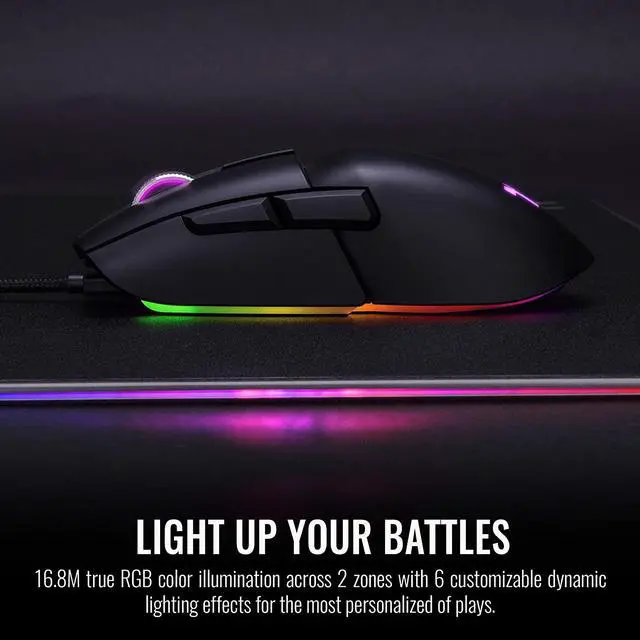
- 16.8M true RGB color illumination across 3 zones, with customizable dynamic lighting effects for the most personalized of plays.
- The aluminum design of the scroll wheel provides solid texture and extra style.
- Made ambidextrously to suit all hand sizes and grip styles, finished with matte coating for improved comfort and durability
- Adjust brightness, speed and direction of the RGB lighting effects
+
+
Overview
Specs
Reviews
Any questions? Ask CelesteSM will help you find out quickly.
Try me now
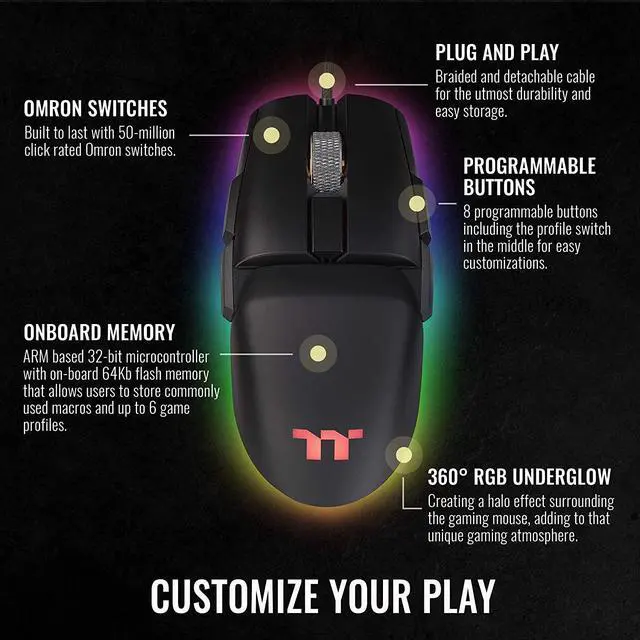
Gain accurate tracking with the ARGENT M5 RGB, which features a pixart PMW-3389 optical sensor and sensitivity adjustments between 100 to 16,000 DPI, in addition, 50 million click OMRON engineered switches to ensure long-lasting gameplay. ?P/N: GMO-TMF-WDOOBK-01 ?COLOR: Black ?SHAPE: Ambidextrous for right hand and left hand ?NO. OF BUTTONS: 8 ?NO. OF GAME PROFILES: 6 ?NO. OF MACRO KEYS: 48 ?ON-BOARD MEMORY SIZE: 64Kb ?OMRON SWITCHES: 50 Million click lifecycle ?USB CABLE LENGTH: 1.8m ?GRAPHICAL UI: TT iTAKE Software ?GOLD-PLATED USB: YES ?DIMENSIONS: 128 X 64 X 37 mm (L x W x H) ?NET WEIGHT: 97.9 g (Mouse only) ?LED COLOR: 16.8 Million RGB Colors ?LIGHTING EFFECTS: Hardware : Static, Pulse, RGB Spectrum, Wave, Streamer, Blink. ?Software : Static, Pulse, RGB Spectrum, Wave, Raindrop, Blink , Snake, Music, Temperature. ?SENSOR NAME: PIXART PMW-3389 ?SENSOR TYPE: Optical ?DPI: 100 ~ 16000 ?DEFAULT DPI: 800, 1200, 1600, 3200, 6400, 16000 ?IPS: 400 ?ACCELERATION: 50g ?POLLING RATE: 2000Hz, 1000Hz, 500Hz, 250Hz or 125Hz (0.5ms, 1ms, 2ms, 4ms or 8ms)
Warranty & Returns
Warranty, Returns, And Additional Information
Warranty
- Please contact the Seller directly for warranty information. Warranty information may also be found on the Manufacturer's website.
- Read full details
- CONTACT
Return Policies
- Return for refund within: 30 days
- Return for replacement within: non-replaceable
- This item is covered by Thermaltake Return Policy
Manufacturer Contact Info
- For a directory of all our manufacturers, please click below.
- Manufacturers Directory
LOADING...
The Thermaltake Argent M5 is a gaming mouse with a PixArt PMW-3389 optical sensor adjustable up to 16,000 DPI, making it suitable for players who want configurable tracking sensitivity and software-controlled RGB lighting.
Recommended For
- Left-handed gamers who want a symmetrical, wired mouse with side buttons on both sides, rather than a shape designed only for right-handed use.
- Gamers who play a mix of titles and want programmable buttons on both sides for extra inputs, provided they can comfortably reach the buttons on their preferred side.
- Players who want a wired gaming mouse for a fixed desk setup, with a detachable braided cable and a sensor reviewers found capable in fast-paced games such as Counter-Strike: Global Offensive.
- PC gamers who want customizable RGB lighting across multiple zones and are willing to use Thermaltake’s software to adjust lighting and mouse settings.
Real-World Use Scenarios
- A left-handed PC gamer looking for a mouse that does not force a right-handed shape can use the Argent M5 in either hand; its symmetrical body and side buttons on both sides support left- or right-hand use.
- In a first-person shooter, a player making quick aim adjustments can expect consistent tracking; a review found the mouse capable in Counter-Strike: Global Offensive, while noting it is not an ultralight option.
- When switching between games that need different cursor sensitivity, a player can set multiple sensitivity levels and save settings in profiles, then select the setup that suits the current game.
- In games with many keyboard commands, a player can assign functions or macros to the mouse’s extra buttons; however, the side buttons may take conscious effort to reach, so this setup suits users who can comfortably reach them.
- For a desk setup where a detachable wired connection is preferred, the braided cable keeps the mouse ready for play without battery charging; a reviewer found it had little drag and rarely tangled during use.