Your Browsing History
- Free 30-day Returns
$38.00
Ships from China.
Meet Your Seller
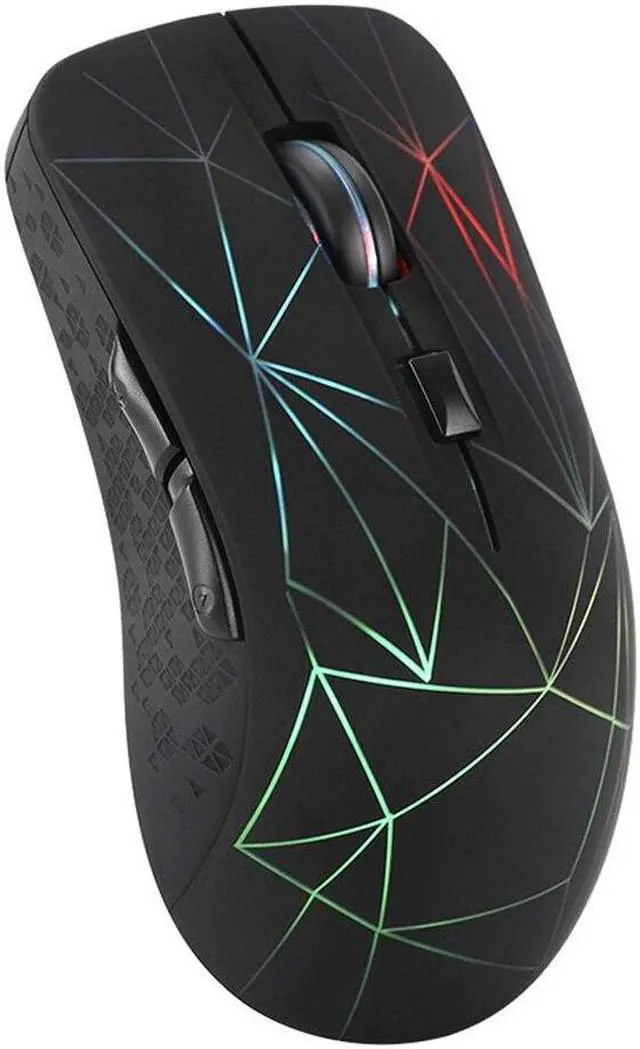
Bluetooth Wireless Mouse 1600 DPI Dual Mode 2 in 1 Cordless Bluetooth 5.0 + 2.4Ghz Mouse Rechargeable Gaming Mouse
- Bluetooth Wireless Mouse 1600 DPI Dual Mode 2 in 1 Cordless Bluetooth 5.0 + 2.4Ghz Mouse Rechargeable Gaming Mouse
+
+
Overview
Specs
Reviews
Any questions? Our AI beta will help you find out quickly.
Try me now
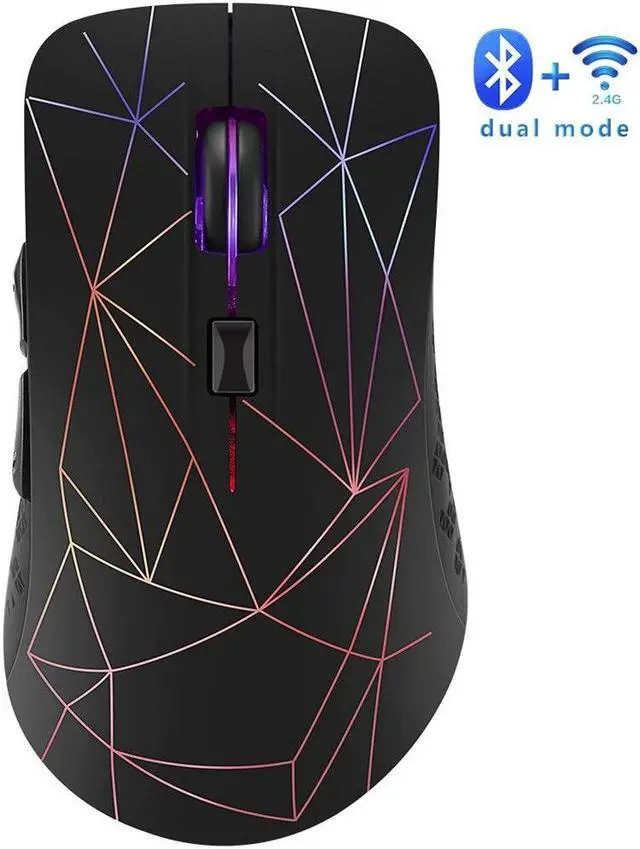
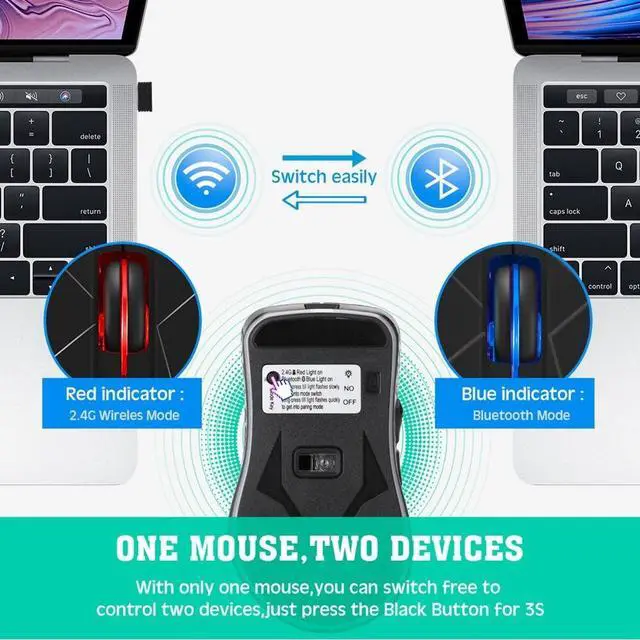
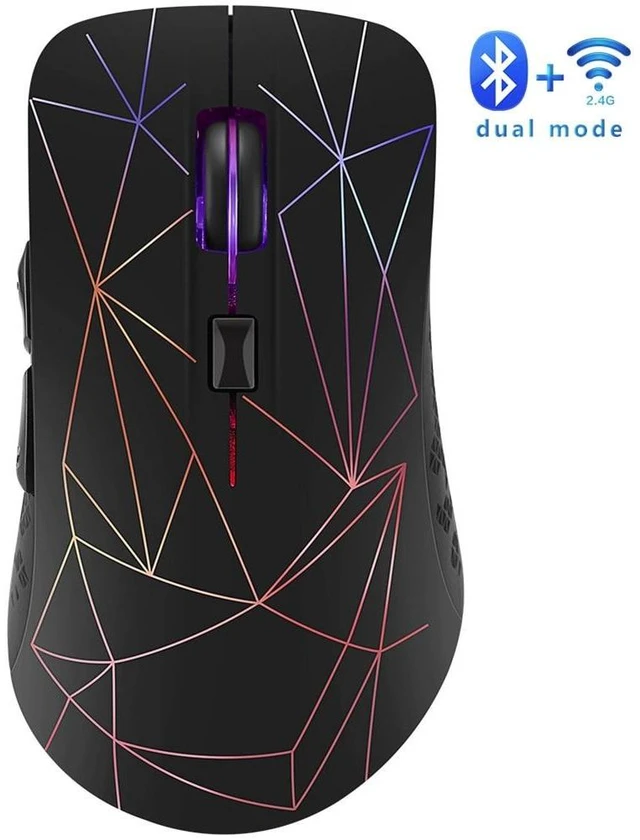
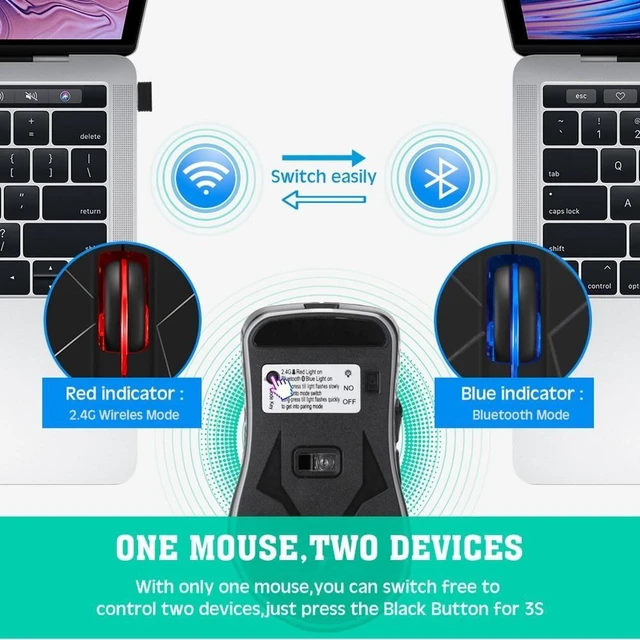
2.4G &Bluetooth 5.0 dual mode: This mouse, can work on TWO DEVICES, connecting one device through Bluetooth and the other via RF 2.4G hz. You could intelligently switch the mode between both devices just by a click.
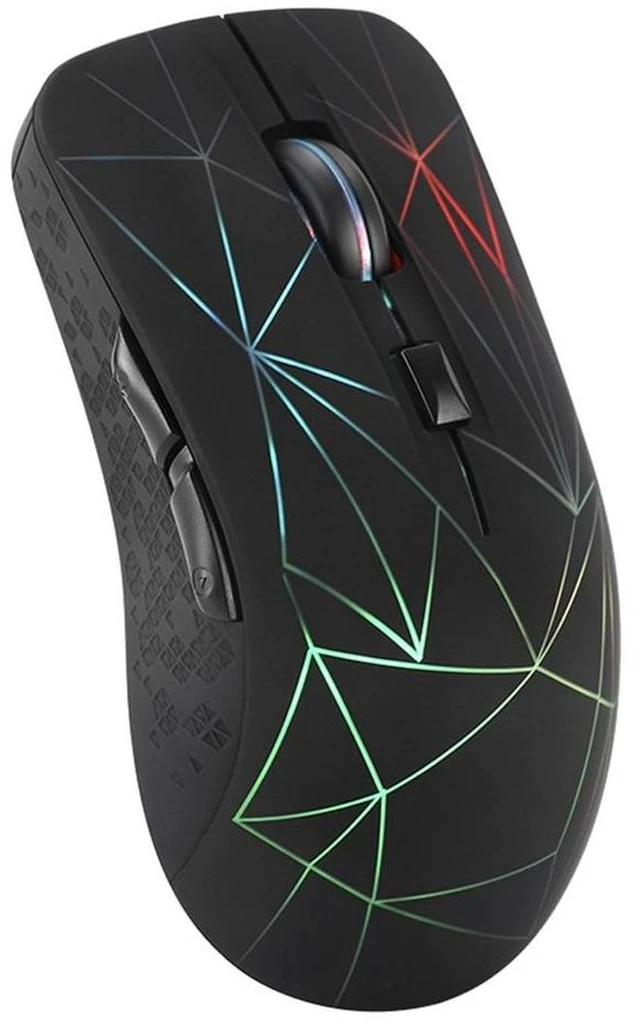
7-Color Changeable Backlight: 7 different LED light colors that change while in use, offering
smoothing ambient lighting(Note: Changing colors automatically and not stay at one color, the led can not be programmed and it will change regularly with 7 colors. ).
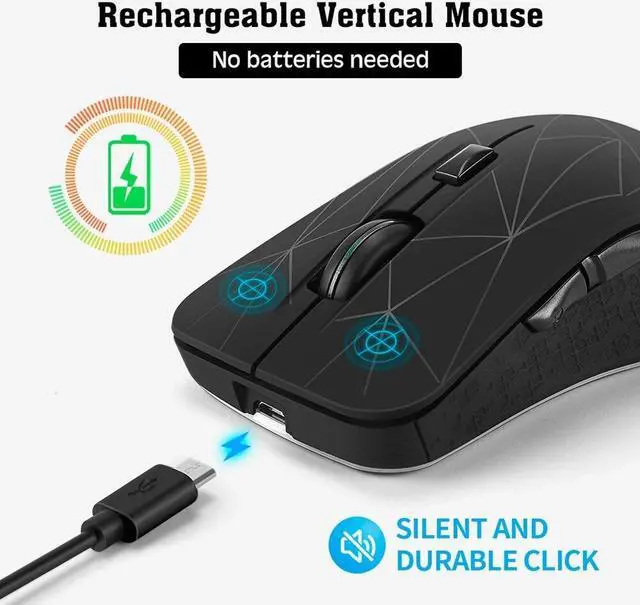
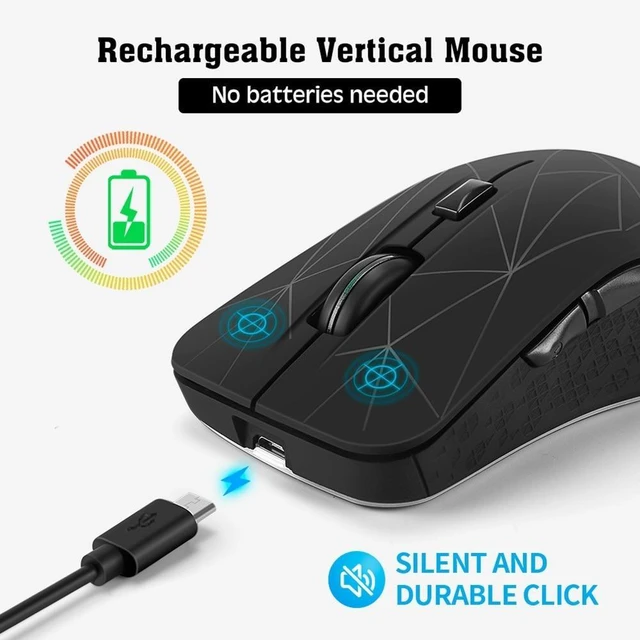
Build-in 800mAh rechargeable battery capacity, fully charge the mouse with the USB cable. Charging fully, work for 6 Months. Battery circle life is 500 times.
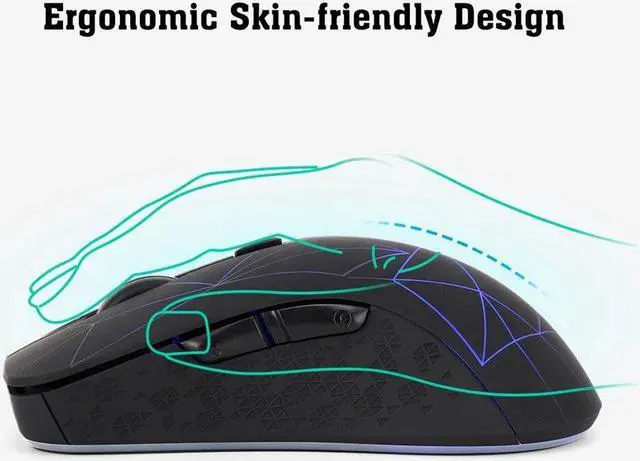
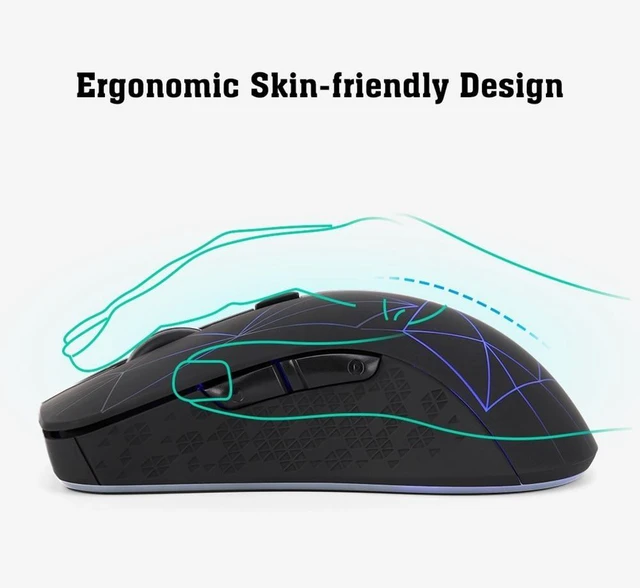
Comfortable design: Ergonomic design, perfect for All Hands, fits comfortably in your hand and the buttons are perfectly located for your office and gaming needs.
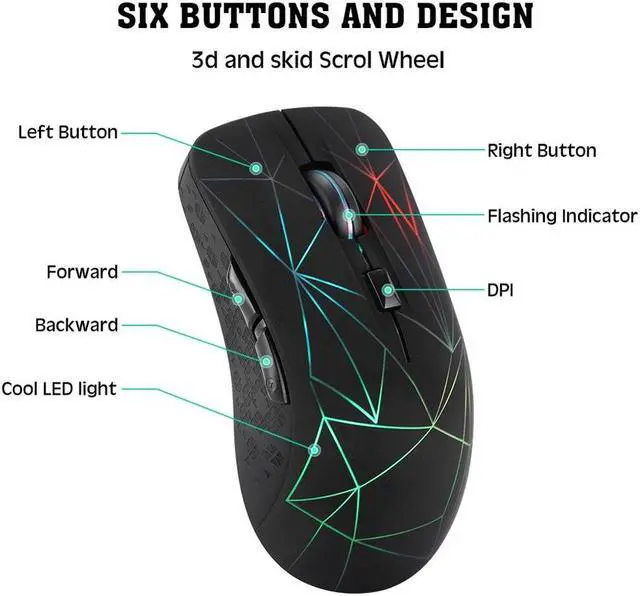
DPI: 800-1200-1600.
Operating Range: up to 10 m.
Compatibility: Work with Bluetooth mode works with Windows, (Win8 and above all) Android, ( Android 4.3 and above all) for MAC OS system(for mac os 10.10 and above all. No code required and intelligent connectivity (NOTE: BLUETOOTH works ONLY with 4.0 and ABOVE VERSION. ). 2.4G mode works for laptop, desktop, smart TV and any device with USB port.
How to use it:
1. swith the ON/OFF button to ON, the light on indicate operating
Method of switching mode: Press ON/OFF button about 1 second to switch mode, long press mode key (6-8 seconds) for matching pattern, red light for 2. GHz mode, blue light forBluetooth mode.
A. 2.4G hz mode (Note: 2.4GH z mode is System Default at the first using time)
Remove the wireless adapter
Insert the computer USB
Red light off the connection is successful
B. Bluetooth mode
Turn on the device's Bluetooth function (You do not need to plug the wireless adapter into your computer when using Bluetooth mode. )
Mouse in Bluetooth mode, press the mode button until the blue light flash (6-8 seconds)
Search the product of Bluetooth is BLUETOOTH MOUSE 5.0
Click on the pairing for Bluetooth connection.
Type: Bluetooth Wireless Mouse
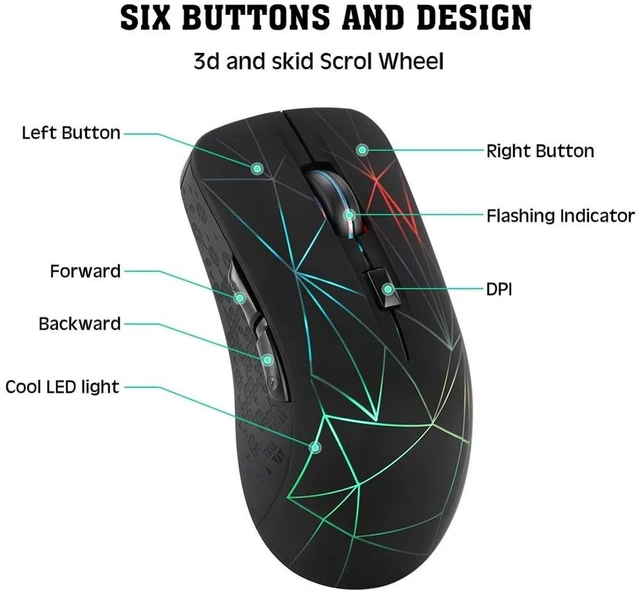
Number of Buttons: 6
Operation Mode: Opto-electronic
Style: 3D
Power Type: Rechargeable
Model Number: 2.4G hz Wireless
Hand Orientation: Both Hands
Interface Type: USB
Feature 1: Dual Mode mouse, mouse wirelessly, pc mouse, mice, usb mouse
color: Black
Material: ABS
Package Contents:
1 x Wireless Mouse
1 x USB Receiver
1 x Charging Cable
Only the above package content, other products are not included.
Note: Light reflection and different displays may cause the color of the item in the picture a little different from the real thing. The measurement allowed error is +/- 1-3cm.

7-Color Changeable Backlight: 7 different LED light colors that change while in use, offering
smoothing ambient lighting(Note: Changing colors automatically and not stay at one color, the led can not be programmed and it will change regularly with 7 colors. ).
Build-in 800mAh rechargeable battery capacity, fully charge the mouse with the USB cable. Charging fully, work for 6 Months. Battery circle life is 500 times.
Comfortable design: Ergonomic design, perfect for All Hands, fits comfortably in your hand and the buttons are perfectly located for your office and gaming needs.
DPI: 800-1200-1600.
Operating Range: up to 10 m.
Compatibility: Work with Bluetooth mode works with Windows, (Win8 and above all) Android, ( Android 4.3 and above all) for MAC OS system(for mac os 10.10 and above all. No code required and intelligent connectivity (NOTE: BLUETOOTH works ONLY with 4.0 and ABOVE VERSION. ). 2.4G mode works for laptop, desktop, smart TV and any device with USB port.
How to use it:
1. swith the ON/OFF button to ON, the light on indicate operating
Method of switching mode: Press ON/OFF button about 1 second to switch mode, long press mode key (6-8 seconds) for matching pattern, red light for 2. GHz mode, blue light forBluetooth mode.
A. 2.4G hz mode (Note: 2.4GH z mode is System Default at the first using time)
Remove the wireless adapter
Insert the computer USB
Red light off the connection is successful
B. Bluetooth mode
Turn on the device's Bluetooth function (You do not need to plug the wireless adapter into your computer when using Bluetooth mode. )
Mouse in Bluetooth mode, press the mode button until the blue light flash (6-8 seconds)
Search the product of Bluetooth is BLUETOOTH MOUSE 5.0
Click on the pairing for Bluetooth connection.
Type: Bluetooth Wireless Mouse
Number of Buttons: 6
Operation Mode: Opto-electronic
Style: 3D
Power Type: Rechargeable
Model Number: 2.4G hz Wireless
Hand Orientation: Both Hands
Interface Type: USB
Feature 1: Dual Mode mouse, mouse wirelessly, pc mouse, mice, usb mouse
color: Black
Material: ABS
Package Contents:
1 x Wireless Mouse
1 x USB Receiver
1 x Charging Cable
Only the above package content, other products are not included.
Note: Light reflection and different displays may cause the color of the item in the picture a little different from the real thing. The measurement allowed error is +/- 1-3cm.
Warranty & Returns
Warranty, Returns, And Additional Information
Warranty
- Please contact the Seller directly for warranty information. Warranty information may also be found on the Manufacturer's website.
- CONTACT
Return Policies
- Return for refund within: 30 days
- Return for replacement within: 30 days
- This item is covered by Focus Memory Return Policy
Manufacturer Contact Info
- For a directory of all our manufacturers, please click below.
- Manufacturers Directory
LOADING...