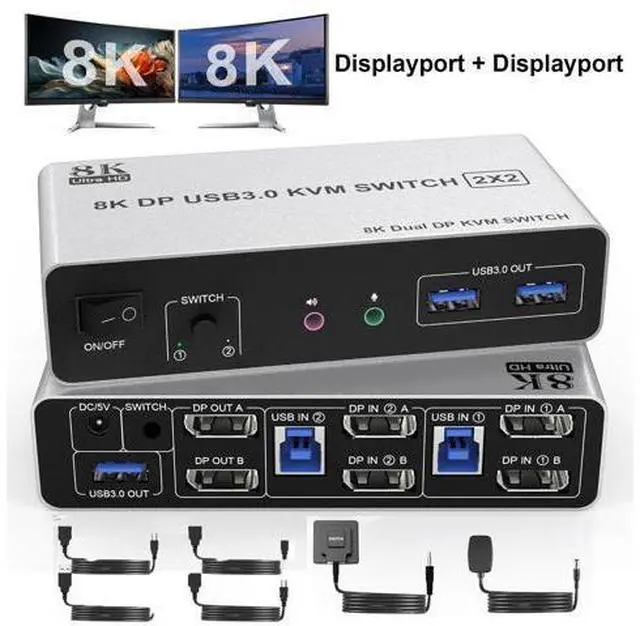
8K@60Hz DisplayPort + DisplayPort KVM Switch for 2 monitors 2 computers
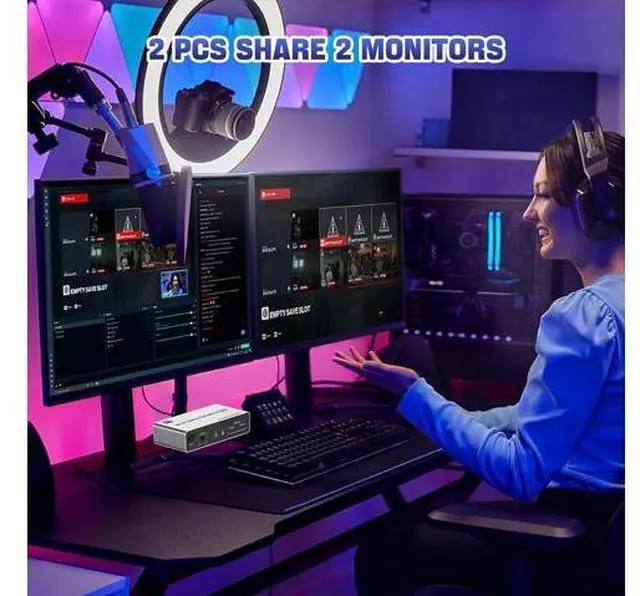
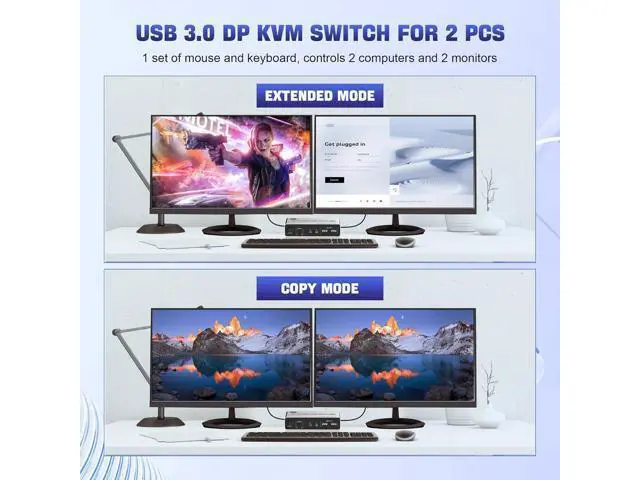
Advantages: 1. 2 computers share one set of keyboard, mouse and 2 monitors
2. Dual monitors output support and mirrored and extended display
3.
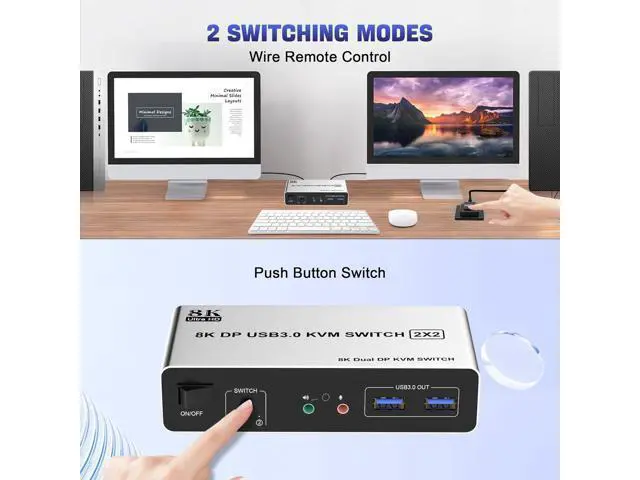
Switching modes: Button switch and wired remote
4. Cross support most major OS including Windows, Linux, Mac
6. With extra USB 3.0 ports and audio output.
7. Support max up resolution 8K@60Hz, downward compatible.
installation steps:
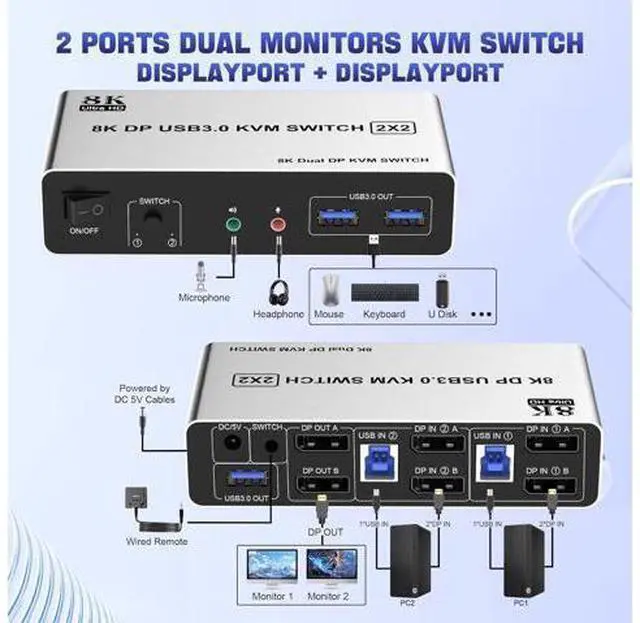
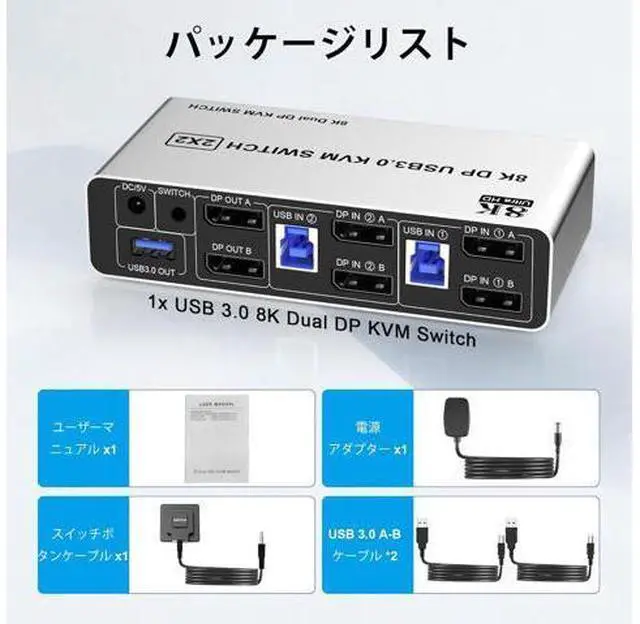
1. Insert the adapter into the KVM;
2. Plug the Displayport cable into the KVM switch and monitor; (Output)
3. Plug the Displayport cable and USB cable into the KVM switch and your computer/laptop (DP cables are not included) (Input) Please check whether DP IN1 A, DP IN1 B and USB IN1 are corresponding, and whether DP IN2 A, DP IN2 B and USB IN2 are corresponding. Mixed insertion is not supported. DP IN1 A + DP IN1 B + USB IN1=PC1 DP IN2 A + DP IN2 B + USB IN2=PC2
4. Insert the mouse and keyboard into the KVM switch
5. If needed, you can connect a microphone and audio port Ultra HD 8K@60Hz Dual Monitor KVM Switch Supports up to 8K@60Hz/4K@120Hz, Ultra HD, HDR 10, Dolby vision, 3D effect.
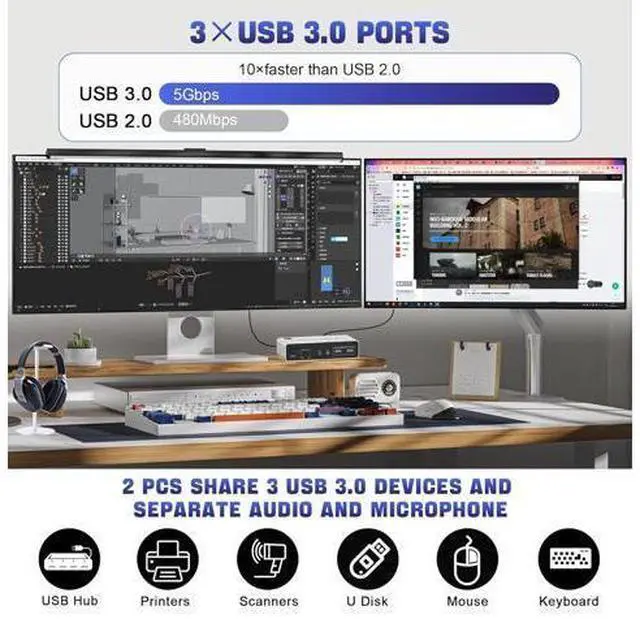
Note: Only when both your computer Graphics card and monitor support 8K@60Hz then you can get 8K@60Hz effect. 3 USB 3.0 Ports Supports ultra-fast USB 3.0 data transfer up to 5Gbps, also supports separate audio and microphone output. 2 convenient switch modes
1. Toggle selection on front panel
2. Wired remote switch (one-touch switch) 8K Displayport KVM Switch for 2 monitors 2 computers Share
Mouse Keyboard Printer Features: 1. KVM Switch Displayport 2 port allows 2 computers/laptops share one set of keyboard, mouse, and 2 monitors (DisplayPort+ DisplayPort)
2. Dual monitors output support up to 8K@60Hz/4K@120Hz, Ultra HD, HDR 10, Dolby vision, 3D effect.
3. Support DP 1.4, transfer rates up to 32.4G bps, backwards compatible with DP 1.2 4.
2 Switching modes: Button switch and wired remote.
5. With extra 3 USB 3.0 ports and independent audio microphone output.
6. Plug and play, compatible with Windows/Vista/XP and Mac Os, Linux and Unix
7. The ports that need to plug in DisplayPort/USB cables are all hidden behind the 3 monitor kvm switch, so the desktop doesn't get cluttered, you can enjoy the clean work space. Ultra HD 8K@60Hz Dual Monitor KVM Switch Supports up to 8K@60Hz/4K@120Hz, Ultra HD, HDR 10, Dolby vision, 3D effect. Support DP 1.4, transfer rates up to 32.4G bps, backwards compatible with DP 1.2
Note: Only when both your computer Graphics card and monitor support 8K@60Hz you can get the 8K@60Hz effect, so if you want the max resolution you have to check your devices first.
Installation steps:
1. Insert the adapter into the KVM;
2. Plug the 2*Displayport cable into the KVM switch and monitor; (Output)
3. Plug the Displayport cable and USB cable into the KVM switch and your computer/laptop (DP cables are not included) (Input) Please check whether HDMI IN 1A, HDMI IN 1B, DP IN 1C, and USB IN 1 corresponding, and whether HDMI IN 2A, HDMI IN 2B, DP IN 2C and USB IN 2 are corresponding. Mixed insertion is not supported. DP IN 1A + DP IN 1B + USB IN 1=PC1 DP IN 2A + DP IN 2B + USB IN 2=PC2
4. Insert the mouse and keyboard into the KVM switch
5. If needed, you can connect a microphone and audio port
Note:
1. Most of the reasons why only one video output works is because of an incorrect connection. Please make sure each computer has 2 DP cables connected to the KVM.
2. If the KVM switch does not work, you can turn off the switch on the panel and turn it on again after 2-3 seconds, and it will return to normal. Dual Monitor DP + DP KVM Switch with 3 USB 3.0 Ports 3 USB 3.0 ports, backward compatible with USB 2.0 and USB 1.1, share USB devices such as keyboard mouse scanner, printer, flash drive, etc. USB 3.0 offers data transfer speeds of up to 5Gbps, while USB 2.0 offers data transfer speeds of only 480Mbps. Switch by Panel button Push-button design allows for one-touch switching using a button o





 here!
here!